At your service & orders: The all-in-one toolkit for service professionals
From scheduling and mapping to instant invoicing—manage every detail of your business on the go. Ditch the paperwork and impress your customers with professional, mobile-first service management.
Publisher
Dariusz Rutkowski
Category
Business
Downloads
1K+
User Rating
3.5/5
Total Ratings
0
Locales
6
Your Business at a Glance
Discover the interface used by 1K+ users.
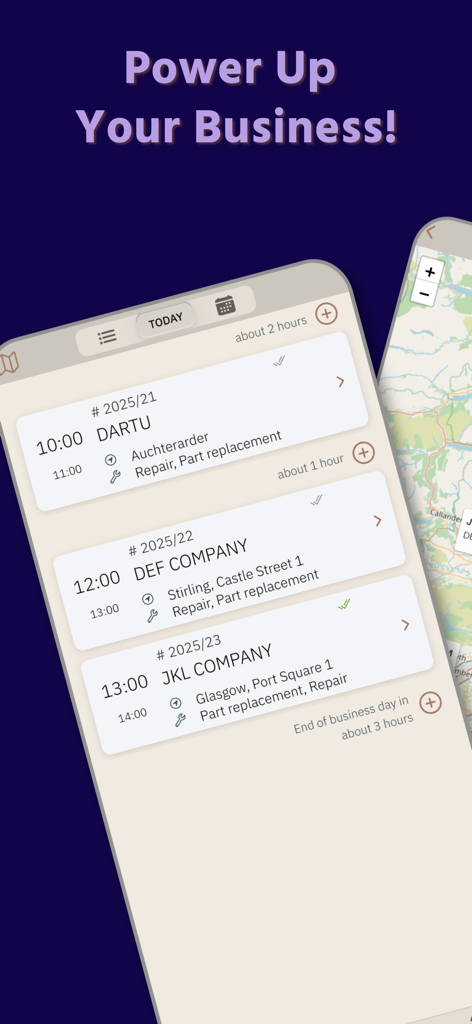
Daily service order schedule view in the At your service app for mobile professionals
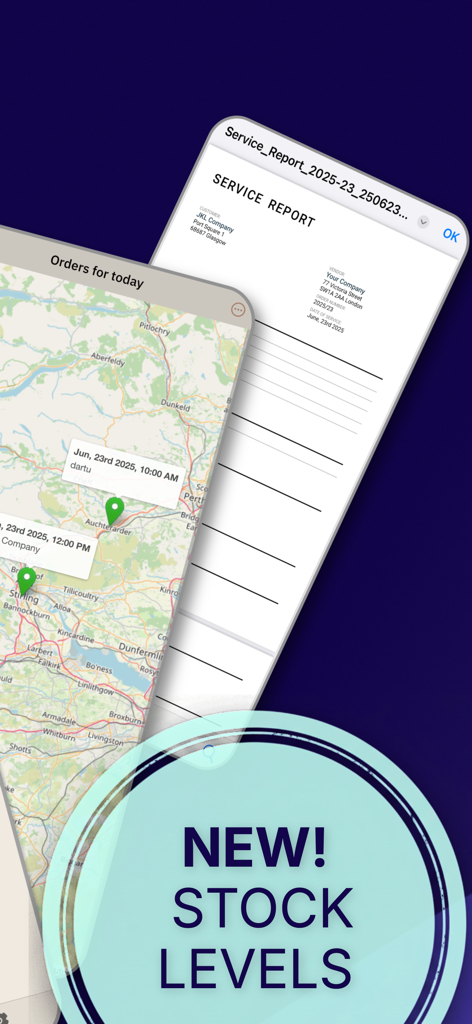
Mobile app screens showing service order locations on a map and a digital service report.
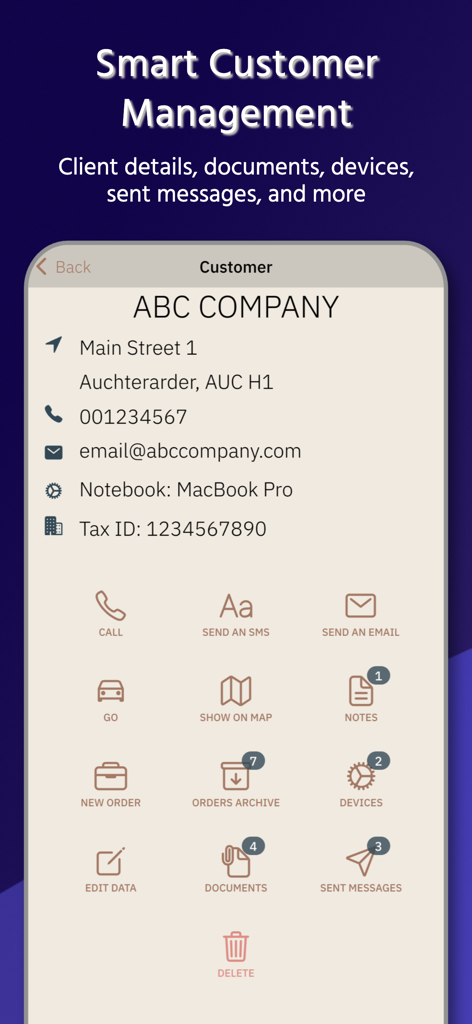
A mobile app screen for customer management showing client details and service options like messaging and orders.
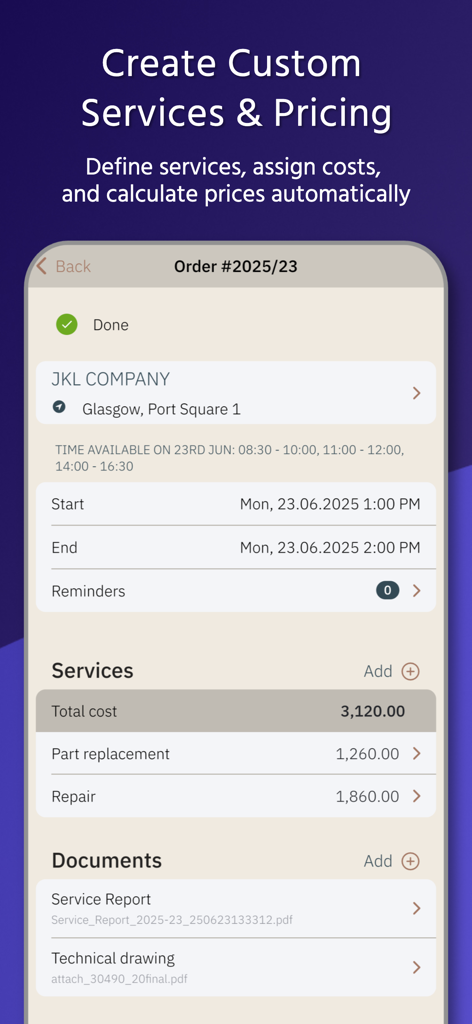
Mobile app interface for managing service orders and calculating total costs
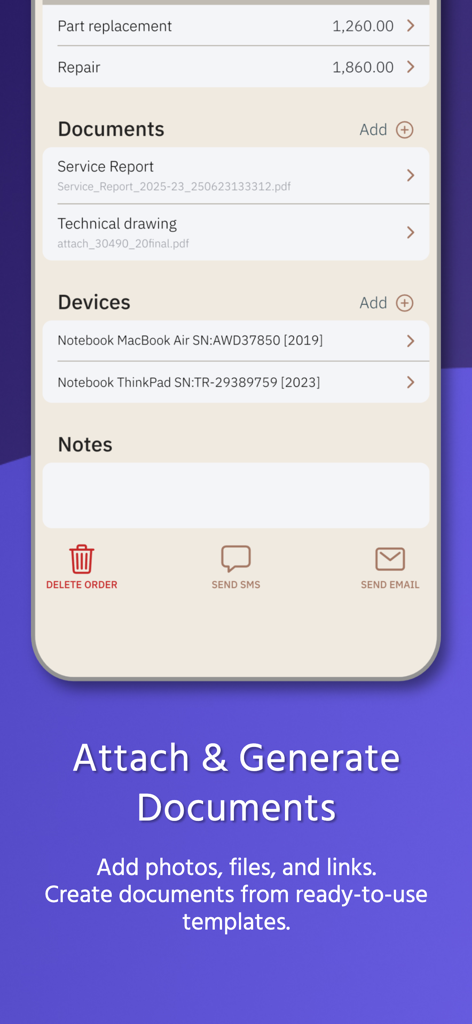
Interface of the At your service and orders app showing order details with documents and devices
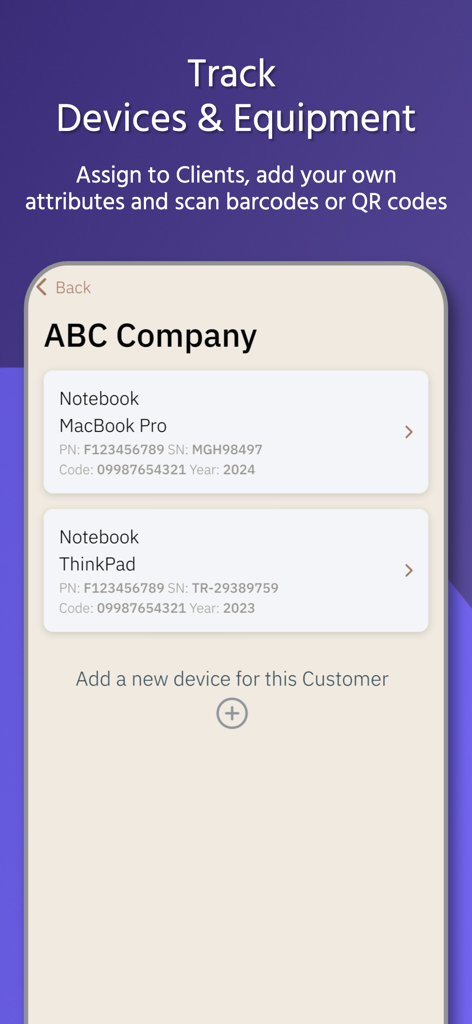
Mobile app screen for tracking devices and equipment assigned to clients with serial numbers and QR code support
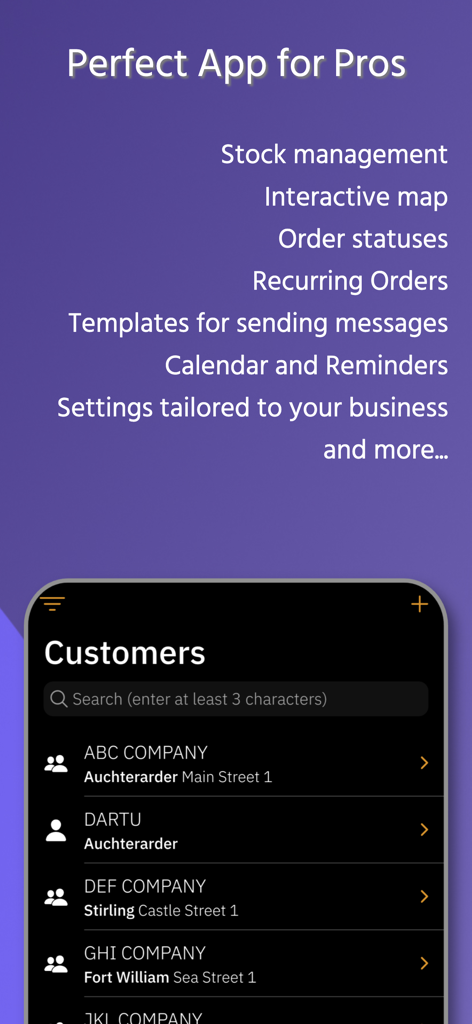
At your service app display with a customer management list and professional business feature highlights
Master Your Workflow From Anywhere
The tools that make this app stand out, trusted by 1K+ users.
📍
Smart Scheduling & Map View
Visualize your daily route on a map and find the perfect time slots instantly. Minimize travel time and maximize your billable hours.
📄
Instant Professional Billing
Generate cost estimates and invoices on-site using pre-made templates. Send professional PDF reports to your clients before you even leave the driveway.
👥
Complete Client Knowledge Base
Keep a detailed history of every customer, device, and service. Use one-tap message templates to send updates and reminders in seconds.
About the app
Everything you need to know about At your service & orders.
Description
With the At your service you can:
PLAN YOUR ORDERS FOR CUSTOMERS
- quickly preview of orders to be performed for today,
- view orders' calendar and list your orders using filtering, sorting and grouping,
- check the location of orders on the map,
- pick the next free slot on a given day, also including the private calendar,
- attach documents, photos and links to the order,
- generate documents from ready-to-use templates - Cost Estimate, Service Report and Invoice,
- define your own services,
- assign costs to the services and the order,
- calculate service costs based on different valuation elements,
- assign devices to the order,
- define custom attributes for devices, installations,
- flag if the order has already been done, invoiced, paid,
- save information about the invoice issued,
- create reminders about the order,
- save notes about the order,
- use one-off customers in orders,
KNOWLEDGE BASE ABOUT YOUR CUSTOMERS
- add your customer as a person or a company / organization,
- create custom groups of your customers,
- add a new customer from contacts in your phone,
- save contact data, assign multiple phone numbers and email addresses to the customer,
- create message templates,
- send messages to Customers using the templates,
- make calls, send emails from the app,
- navigate to the customer's address / location,
- save notes about the customer,
- preview the history and analyze orders for the Customer,
- check sent messages to the Customer,
- register customer's devices,
- add custom fields to describe devices,
- use barcode or QR code scanner to populate fields,
- import Customers from CSV file.
STOCK MANAGEMENT
- run simple stock inventory e.g. of devices,
- import data to inventory from CSV file.
In the app, you can define a list of your own services and assign a default price to them. In the order, you can assign multiple services and use their default price or change it for the order. Of course, you don’t have to use prices and services in the order at all :)
The app allows you to back up the collected data so that it can easily be transferred to another device. App has automated backups initiated at each resume, so you don't have to bother to remember about it.
In Settings, you can customize the app to the specifics of your business.
The app is able to work in dark mode.
The app is particularly suitable for people who perform one-off or recurring short- or medium-term services, eg. in such professions as: electrician, physiotherapist, plumber, beautician, masseur, fitter, tile worker, tax counselor, legal counsel, service technician, locksmith, translator, repairman, and many others.
Decide for yourself if app fits your needs.
**** TERMS AND CONDITIONS ****
After installing the app, full functionality is available at all times. The only restriction concerns the amount of data entered, i.e .:
- after adding fifteenth order, you can add five orders per month,
- you can add another client if you have fewer than two,
- you can attach no more than one document to the order,
- you can not add a stocked device,
- you can not restore data from a backup.
In order to fully use the app, you must purchase a subscription available in the app in the Settings -> Purchases menu.
Payment will be charged to your Apple ID account at the confirmation of purchase. The subscription automatically renews unless it is canceled at least 24 hours before the end of the current period. Your account will be charged for renewal within 24 hours prior to the end of the current period. You can manage and cancel your subscriptions by going to your App Store account settings after purchase.
Terms and Conditions of At your service app also available at https://dartu.app/en/at-your-service/tc
Latest Version
4.3.6
Size
34.5 MB
First Released
Jun 1, 2019
Ready to reclaim your evenings?
Join 1,000+ service professionals who manage orders, invoices, and clients right from their pocket. Start organizing your business today.
App information, icons, screenshots, and descriptions displayed on this page are sourced from the Apple App Store and are the property of their respective developers. Download estimates and rankings are based on MWM's proprietary models and may not reflect actual figures. This page is provided for informational and analytical purposes only.
Believe this page infringes your intellectual property? File a dispute