AtHome Video Streamer DIY CCTV

AtHome Video Streamer DIY CCTV

Download on App Store
Logo of AtHome Video Streamer DIY CCTV

AtHome Video Streamer DIY CCTV: Turn Your Spare Devices Into Smart Security Cameras

Why buy expensive hardware? Upcycle your old iPhones, PCs, and tablets into a professional surveillance system featuring AI human detection, face recognition, and two-way talk—all with zero subscription fees.

Download on App Store

Publisher

Athomewatch Co,Ltd

Category

Business

Downloads

1M+

User Rating

4.1/5

Total Ratings

1K+

Locales

6

Peace of Mind at a Glance

Discover the interface used by 1M+ users.
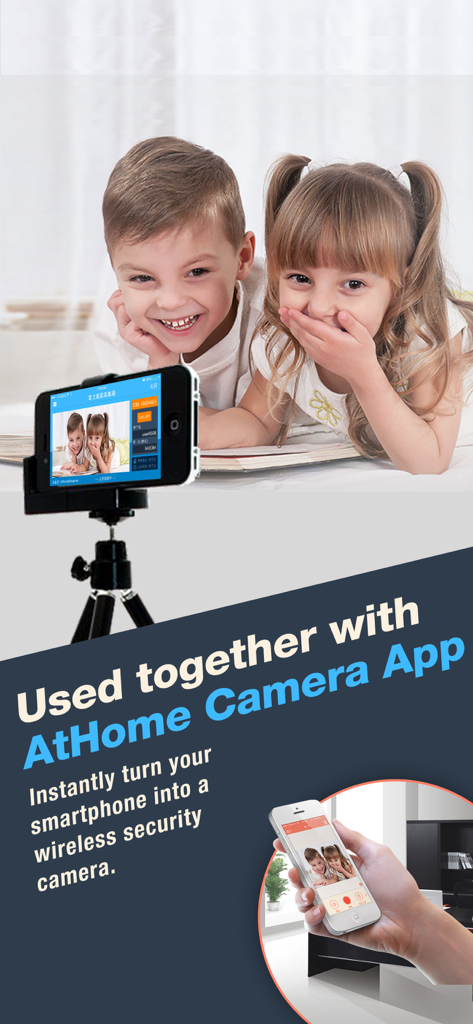
An old iPhone acting as a security camera to monitor children remotely

An old iPhone acting as a security camera to monitor children remotely

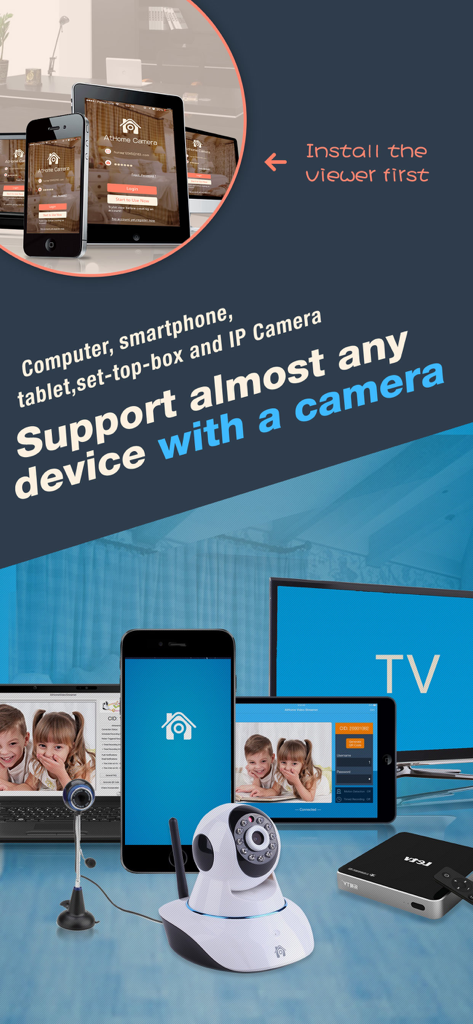
A collection of compatible devices including smartphones tablets and computers used for DIY security camera monitoring

A collection of compatible devices including smartphones tablets and computers used for DIY security camera monitoring

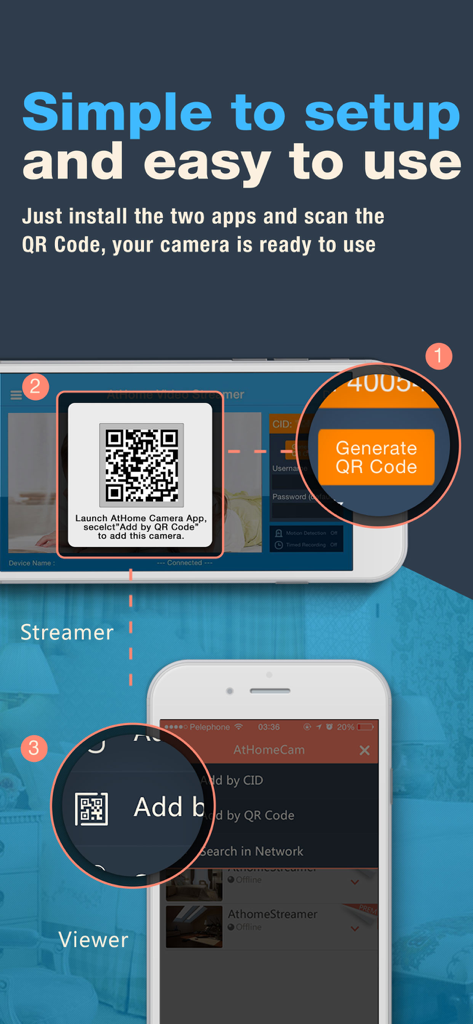
A step-by-step infographic showing how to link a streamer device and a viewer device using a QR code for DIY CCTV setup

A step-by-step infographic showing how to link a streamer device and a viewer device using a QR code for DIY CCTV setup

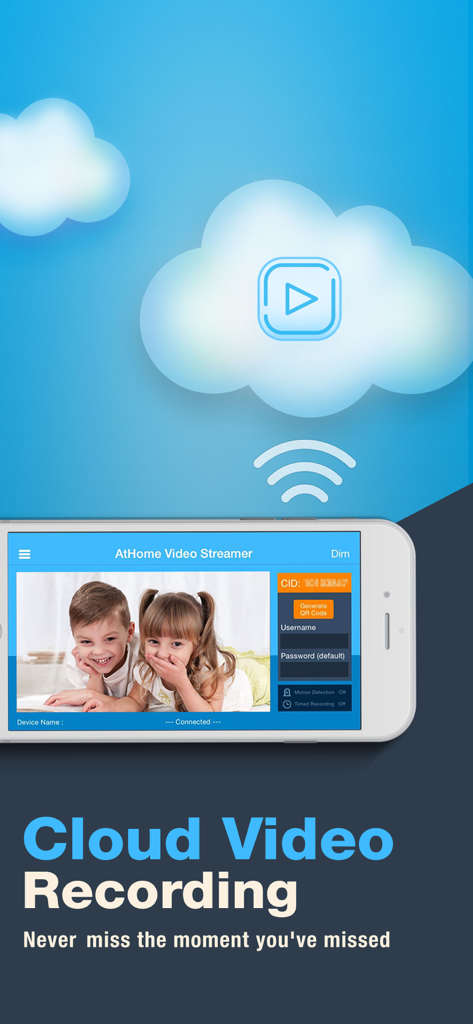
Smartphone interface of AtHome Video Streamer app featuring cloud video recording of a live stream.

Smartphone interface of AtHome Video Streamer app featuring cloud video recording of a live stream.

Professional Security, Powered by Your Old Devices

The tools that make this app stand out, trusted by 1M+ users.

🛡️

Smart Human Detection

Reduce false alarms with deep learning technology that distinguishes people from moving shadows or lights, ensuring you only get alerts for real activity.

💬

Instant Two-Way Talk

Check in on your pets or talk to family members while you are at the office using the built-in mic and speaker for seamless remote communication.

♻️

Secure DIY Upcycling

Give your old tech a second life with encrypted cloud storage and time-lapse recaps, providing professional-grade protection without the high-end price tag.

About the app

Everything you need to know about AtHome Video Streamer DIY CCTV.

Description

How to turn the old iphone,computer or set-top box into a security camera? You only need to install "Athome Video streamer " APP in it. With "Athome Camera Pro" APP in other iphone, you can view it anywhere, and receive alerts right away in case of any incident. ******* Three Steps to setup ******** Prepare 2 devices (computer or phone) before you get start. Step 1: Download the video capture app AtHome Video Streamer App and install it in device A, the unique Connection ID (also referred to as CID) will be assigned to the device A at the first time. Step 2: Download and install the viewer app AtHome Camera app in device B which you want to use as a viewer. Open the app, sign up and login, select "Add by CID" or "By QR Code" to add a device A, so you are all set to enjoy the live streaming ! ******** Supporting ********* Email: support@iChano.com Website: www.iChano.com ******* Main Features ******** 1. No more false alarms due to advanced AI and Deep Learning technology used to detect motion triggered by humans as opposed to shadows, lights, etc. 2. Face recognition technology will help you to distinguish whether the person appearing in the video is your family members or intruder and immediately inform you. 3. Remote monitoring on the go: watch live streaming via 3G/4G or WiFi network from anywhere at anytime. 4. Enhanced Night Vision: In a lower lighting condition, turn on the "Night Vision" mode will get you a much clear and enhanced video image. 5. Two-way Talk: communicate with people and pets using the built-in mic and speaker. 6. Multi-view Display: Watch up to 4 cameras from multiple streamers on one screen simultaneously ! 7. Run at startup and hide on startup: option to run the AtHome Video Streamer in background mode; 8. A Highly Secure Cloud Service: Protect all your videos and view them directly in the cloud, enjoy tight security with an easy-to-use interface. All your videos are encrypted before being uploaded to the cloud, preventing critical data being lost of tampered with. 9. Time-lapse: Time-lapse recording will summarize 24 hours' video into a short video of just several minutes, a faster and easier way to get to know what happened in a day. 10. Pan/Tilt: remotely control your IP camera left and right or up and down to capture an entire room. 11. Support almost all major platforms: the App runs on PCs, smart phones, Mac book etc. 12. High definition:AtHome now allows a 1280 x 720 resolution for supporting devices. 13. Secure and private: all connections between your phone and the video streaming device are encrypted.

Latest Version

5.2.2

Size

31.3 MB

First Released

Feb 16, 2013

Professional Security Without the Subscription Price Tag

Stop letting your old devices collect dust. Download AtHome Video Streamer today and join over 1 million resourceful users who have turned their spare phones and PCs into a powerful, AI-driven security network.

Download on App Store
FAQ

Frequently Asked Questions

Everything you need to know about AtHome Video Streamer DIY CCTV

What is the primary function of the AtHome Video Streamer app?

The AtHome Video Streamer app transforms old iPhones, computers, or set-top boxes into security cameras. It works in conjunction with the AtHome Camera app for viewing.

How do I set up the AtHome Video Streamer app for security camera use?

Set up involves three steps: install AtHome Video Streamer on Device A, install AtHome Camera on Device B, then add Device A to Device B using its Connection ID (CID) or by scanning a QR Code.

Can AtHome Video Streamer detect human motion to avoid false alarms?

Yes, the AtHome Video Streamer app uses advanced AI and Deep Learning technology to detect motion triggered specifically by humans, reducing false alarms from shadows or lights.

Does AtHome Video Streamer offer face recognition capabilities?

Yes, the AtHome Video Streamer app includes face recognition technology. This feature distinguishes between family members and intruders, providing immediate alerts.

Can I remotely monitor live video streams with the AtHome Video Streamer app?

Yes, AtHome Video Streamer allows remote monitoring. Users can watch live streaming via 3G/4G or WiFi networks from any location at any time.

Does AtHome Video Streamer provide enhanced night vision for low light conditions?

Yes, AtHome Video Streamer features an 'Enhanced Night Vision' mode. This setting provides much clearer and enhanced video images in lower lighting conditions.

Is two-way communication possible using the AtHome Video Streamer app?

Yes, AtHome Video Streamer supports two-way talk. This allows users to communicate with people and pets using the device's built-in microphone and speaker.

Can AtHome Video Streamer display multiple cameras simultaneously on one screen?

Yes, AtHome Video Streamer offers a 'Multi-view Display' feature. It allows viewing up to four cameras from multiple streamers on a single screen simultaneously.

Does AtHome Video Streamer offer cloud video recording for security footage?

Yes, AtHome Video Streamer provides a highly secure cloud service for video recording. All videos are encrypted before upload and can be viewed directly in the cloud.

Is the connection between my phone and the AtHome Video Streamer encrypted for security?

Yes, all connections between your phone and the video streaming device using AtHome Video Streamer are encrypted. This ensures secure and private communication.

What devices are supported by the AtHome Video Streamer app?

AtHome Video Streamer supports almost all major platforms, including PCs, smartphones, MacBooks, tablets, and set-top boxes, turning them into cameras.

Can I use an old iPhone as a security camera with AtHome Video Streamer?

Yes, you can turn an old iPhone into a security camera using the AtHome Video Streamer app. Install the app on the iPhone to begin streaming.

App information, icons, screenshots, and descriptions displayed on this page are sourced from the Apple App Store and are the property of their respective developers. Download estimates and rankings are based on MWM's proprietary models and may not reflect actual figures. This page is provided for informational and analytical purposes only.

Believe this page infringes your intellectual property? File a dispute