Audio Editor - Music Cutter

Audio Editor - Music Cutter

Download on App Store
Logo of Audio Editor - Music Cutter

Audio Editor - Music Cutter: Your Pro Studio in the Palm of Your Hand

The ultimate all-in-one tool to trim, merge, and record audio. Create viral social media content, custom ringtones, and perfect tracks with desktop-level power and mobile ease.

Download on App Store

Publisher

iGeniusDev Technology

Category

Music

Downloads

134K+

User Rating

4.1/5

Total Ratings

200

Locales

36

Precision at Your Fingertips

Discover the interface used by 134K+ users.
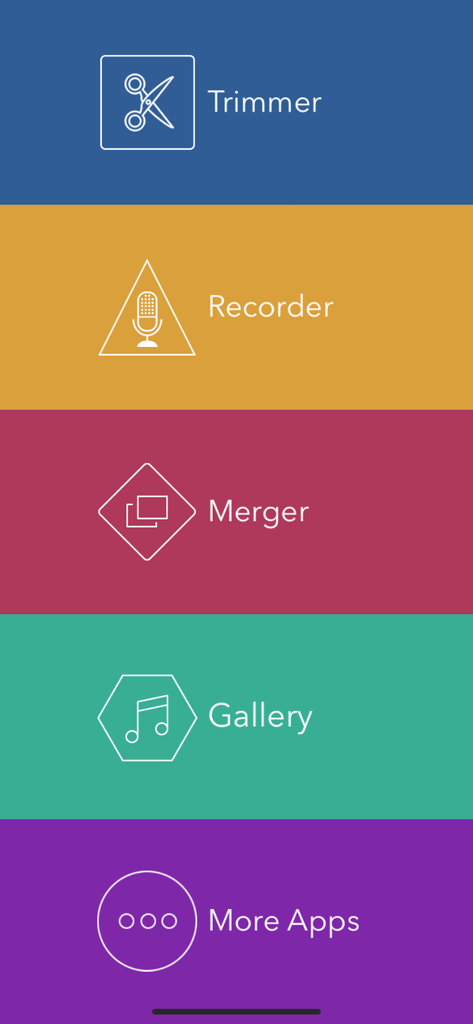
Main menu of Audio Editor app showing trimmer recorder and merger features

Main menu of Audio Editor app showing trimmer recorder and merger features

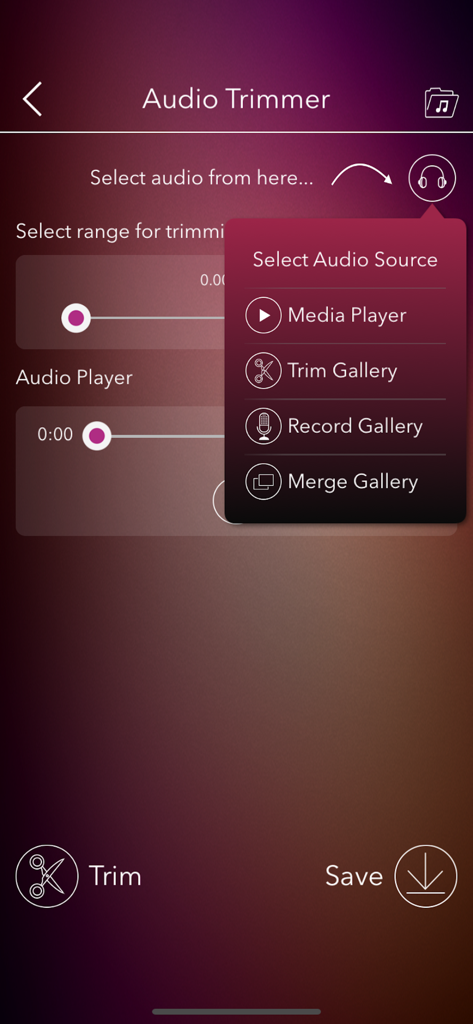
Audio Editor app screen showing the trimmer interface and source selection menu.

Audio Editor app screen showing the trimmer interface and source selection menu.

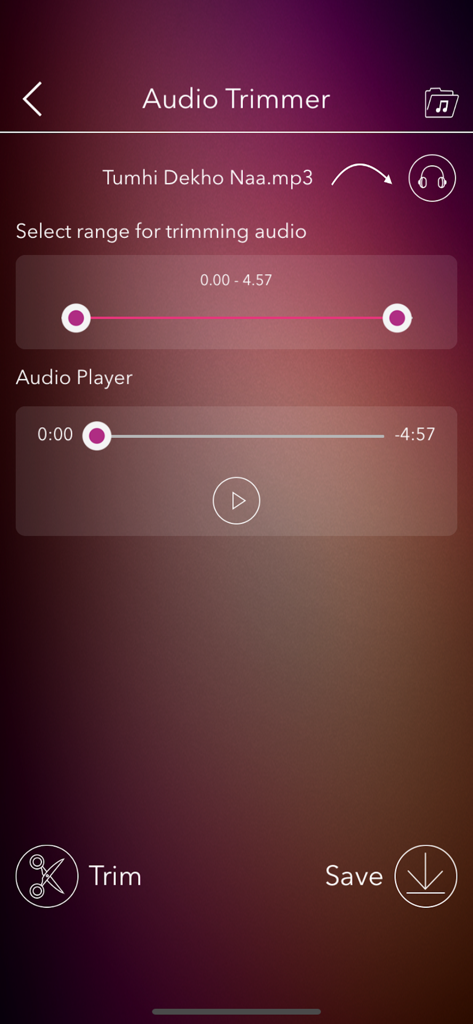
Mobile app interface of Audio Editor showing the trimmer tool with range selection and playback controls for an MP3 file

Mobile app interface of Audio Editor showing the trimmer tool with range selection and playback controls for an MP3 file

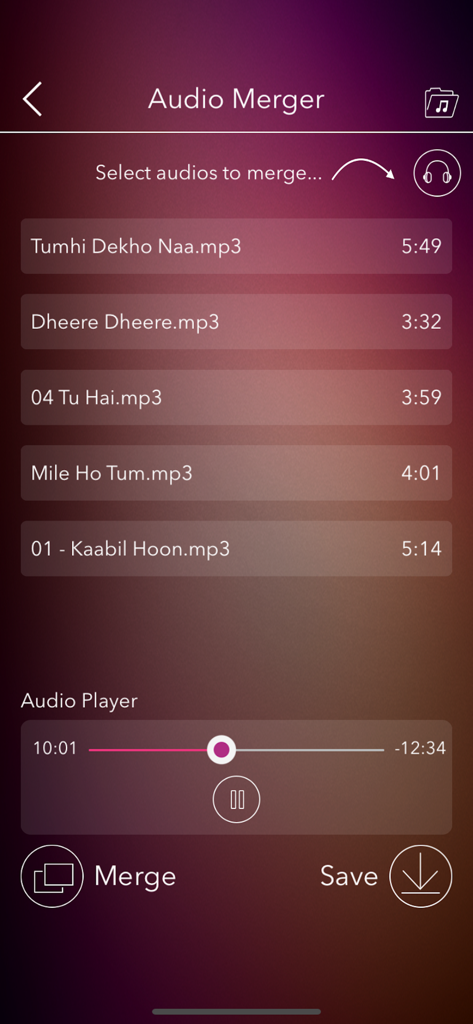
Screen of the Audio Merger tool showing a list of mp3 files to combine and a built-in audio player for previewing.

Screen of the Audio Merger tool showing a list of mp3 files to combine and a built-in audio player for previewing.

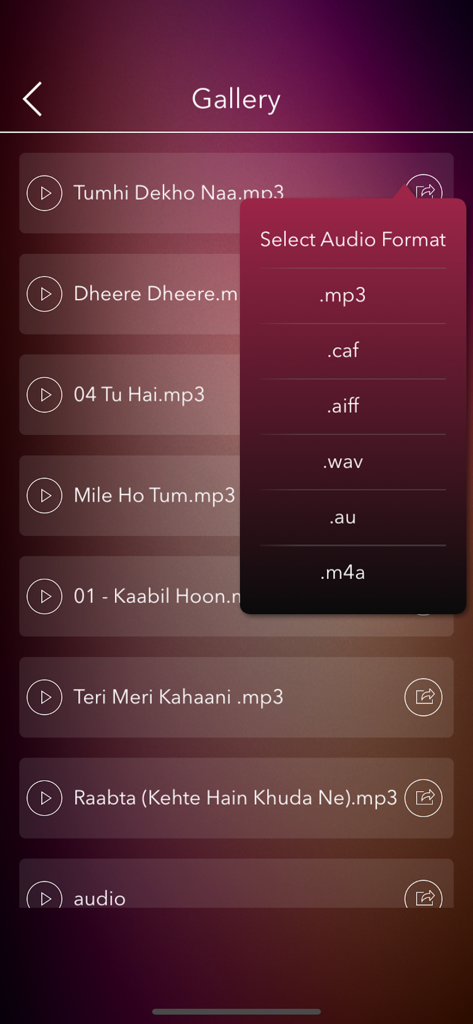
Mobile app screen showing a gallery of audio files and a popup menu to select export formats like MP3 WAV and M4A.

Mobile app screen showing a gallery of audio files and a popup menu to select export formats like MP3 WAV and M4A.

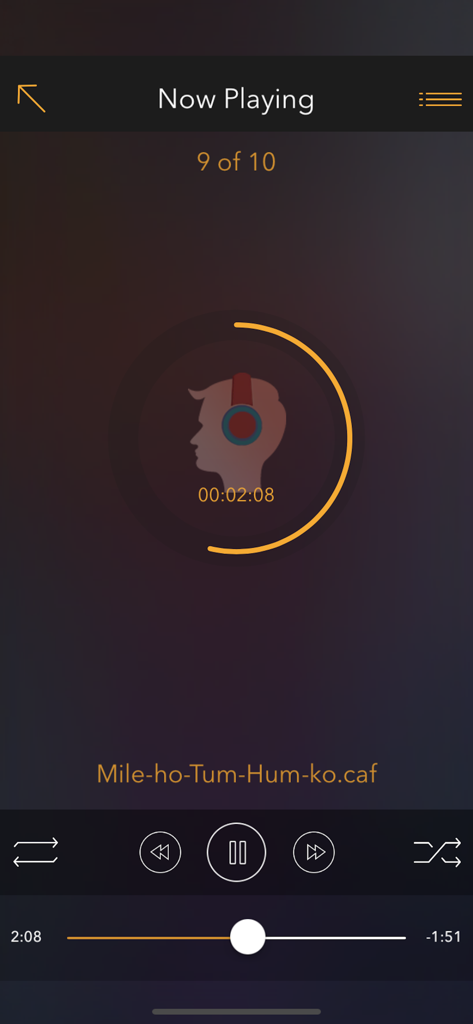
Now Playing interface of the Audio Editor app showing playback controls and a circular progress bar for a music track.

Now Playing interface of the Audio Editor app showing playback controls and a circular progress bar for a music track.

Your All-in-One Mobile Sound Studio

The tools that make this app stand out, trusted by 134K+ users.

✂️

Precision Cutting & Merging

Seamlessly trim tracks or combine multiple clips with pinpoint accuracy to create the perfect soundbite for TikTok, Reels, or YouTube.

🎙️

Record & Layer Your Voice

Capture high-quality voiceovers on the fly and blend them with your favorite tracks to create unique podcasts or personalized messages.

📲

Instant Export & Wi-Fi Transfer

Save in any format and share directly to social platforms or sync wirelessly with your PC for a fast, mobile-first workflow.

About the app

Everything you need to know about Audio Editor - Music Cutter.

Description

Audio Editor: Trim, Merge, Cut, Record, and Play Music – Your Ultimate Music Editing Tool! Are you a music enthusiast? Dive into the best audio editing experience with Audio Editor – a powerful, multi-functional tool designed for all your audio editing needs. Customize Your Music Your Way! Whether you want to trim, merge, or cut your favorite tracks, or even record your own voice, Audio Editor has got you covered. Create personalized music files effortlessly and enjoy a seamless user experience. Key Features: -> Intuitive Interface: Easy-to-use, user-friendly design. -> Built-in Audio Player: Preview and play your edited tracks right within the app. -> Cut & Merge: Precisely trim and merge MP3 files. -> Voice Recording: Record your voice and integrate it with your favorite tracks. -> Instant Playback: Listen to your edits instantly within the app. -> Share in Multiple Formats: Export audio files in MP3, CAF, AIFF, WAV, AU, M4A, and share via multiple platforms. -> iTunes Integration: Access and manage your audio files easily when connected to a PC. -> Save Email Attachments: Store music file attachments directly in the app’s Audio Gallery. -> Background Play: Enjoy your playlists while using other apps. -> Wi-Fi Transfer: Seamlessly transfer songs between your PC and the Audio Editor app. -> Multi-Language Support: Available in multiple languages for a global experience. -> Social Media Sharing: Share your creations on Facebook, Twitter, WhatsApp, and more. What are you waiting for? Download Audio Editor NOW and unleash your creativity! Audio Editor App offers an auto-renewing subscription-based on in-app purchase. Subscription name: 1 month Subscription Subscription cost: $2.99 (USD) Subscription duration: 1 Month Subscription name: Yearly Subscription Subscription cost: $24.99 (USD) Subscription duration: 1 Year Subscription name: Lifetime Subscription Subscription cost: $29.99 (USD) Subscription duration: Lifetime Terms of Use: You can read your terms of use click on below link http://www.igeniusdev.com/terms Auto-renewing subscription: You subscription will be renewed every year i.e. you will be charged every year after Free Trial period. – Payment will be charged to iTunes Account at confirmation of purchase – Subscription automatically renews unless auto-renew is turned off at least 24-hours before the end of the current period – Account will be charged for renewal within 24-hours prior to the end of the current period, and identify the cost of the renewal – Subscriptions may be managed by the user and auto-renewal may be turned off by going to the user's Account Settings after purchase – You can read our privacy policy - http://www.igeniusdev.com/privacy – Any unused portion of a free trial period, if offered, will be forfeited when the user purchases a subscription to that publication, where applicable We’d love to hear from you! Send your feedback to igeniusdev@gmail.com to help us improve the app's functionality.

Latest Version

2.0

Size

27.4 MB

First Released

Jun 6, 2015

Ready to Master Your Audio?

Join 134,000+ creators and enthusiasts who use Audio Editor to trim, merge, and record professional-grade sounds on the go. Start your creative journey today.

Download on App Store

App information, icons, screenshots, and descriptions displayed on this page are sourced from the Apple App Store and are the property of their respective developers. Download estimates and rankings are based on MWM's proprietary models and may not reflect actual figures. This page is provided for informational and analytical purposes only.

Believe this page infringes your intellectual property? File a dispute