AUTOCOM GO

AUTOCOM GO

Download on App Store
Logo of AUTOCOM GO

AUTOCOM GO: Skip the Counter. Rent & Unlock Instantly.

Experience the future of car rentals with a fully digital journey. No queues, no hidden fees—just one click to unlock your car and hit the road.

Download on App Store

Publisher

SmartWay Europe Limited

Category

Travel

Downloads

15K+

User Rating

2.7/5

Total Ratings

0

Locales

10

Your Journey, Visualized

Discover the interface used by 15K+ users.
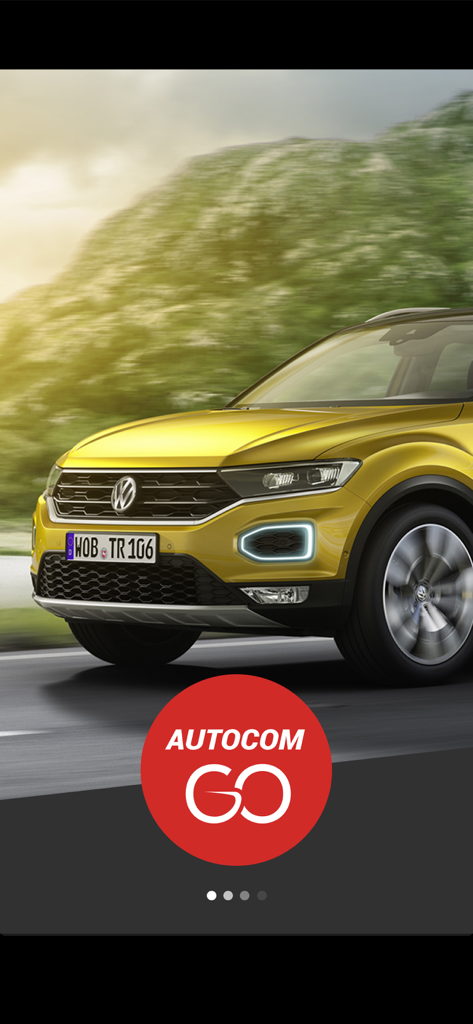
Yellow SUV driving on a scenic road with the AUTOCOM GO logo

Yellow SUV driving on a scenic road with the AUTOCOM GO logo

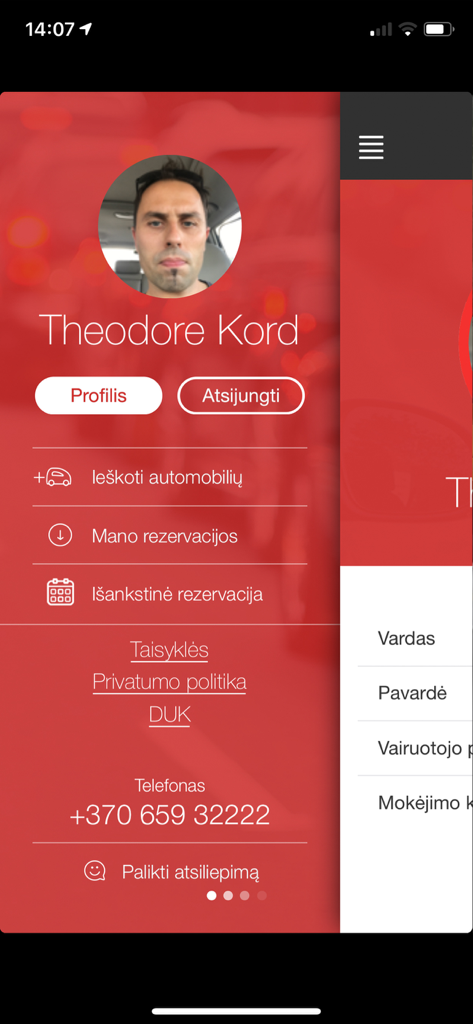
User profile and navigation menu screen of the AUTOCOM GO car rental mobile app

User profile and navigation menu screen of the AUTOCOM GO car rental mobile app

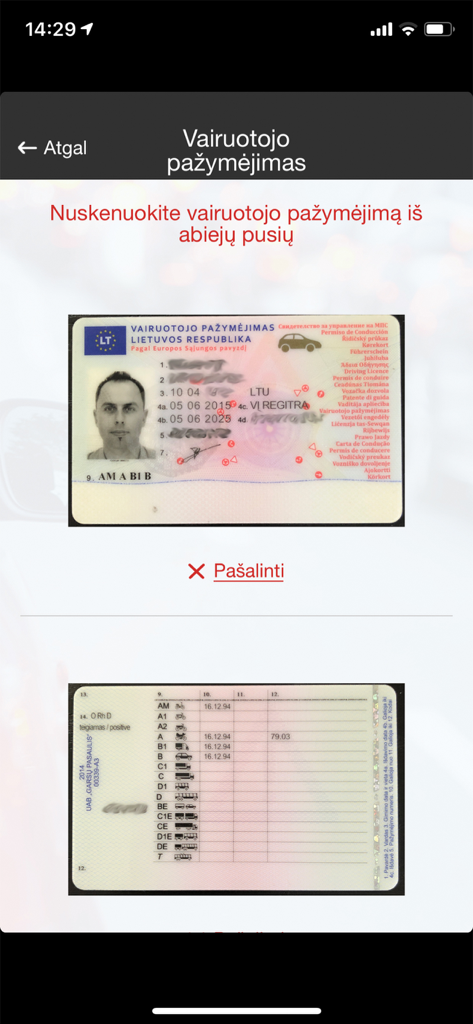
AUTOCOM GO app driver's license verification screen

AUTOCOM GO app driver's license verification screen

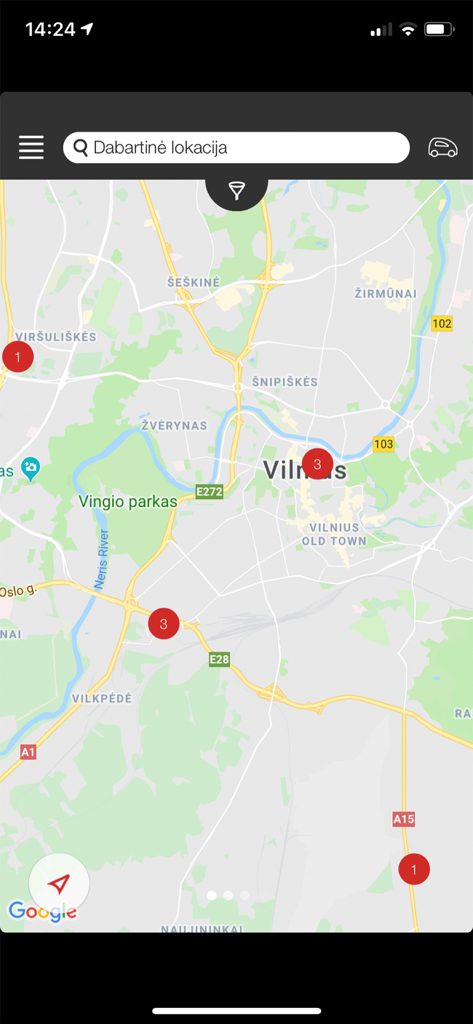
AUTOCOM GO mobile app map showing available car rental locations

AUTOCOM GO mobile app map showing available car rental locations

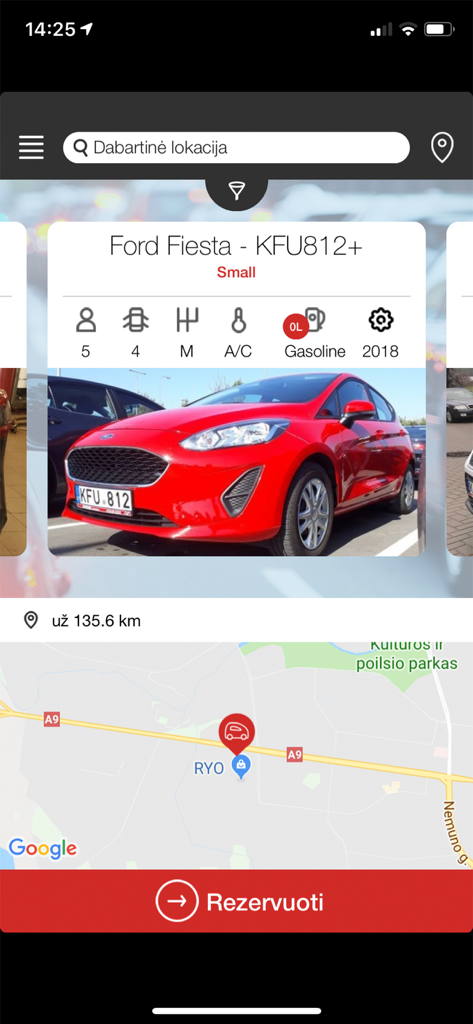
Interface of the AUTOCOM GO app displaying a red Ford Fiesta for rent with vehicle specs and a map

Interface of the AUTOCOM GO app displaying a red Ford Fiesta for rent with vehicle specs and a map

Car Rental Reimagined for the Modern Traveler

The tools that make this app stand out, trusted by 15K+ users.

Skip the Rental Counter

Forget the lines and the paperwork. Get from the airport gate to the driver's seat without talking to a single person.

📱

Digital Key Technology

No physical keys needed. Use the app to locate your car in the lot and unlock the doors with a single tap.

💸

No Hidden Fees

Transparent, upfront pricing with zero surprise charges. Experience a rental service that respects your time and your wallet.

About the app

Everything you need to know about AUTOCOM GO.

Description

AUTOCOM GO naudotis tikrai paprasta: • Atsisiųskite AUTOCOM GO programėlę į savo mobilųjį telefoną. • Užsiregistruokite. • Rezervuokite Jums patinkantį automobilį programėlėje AUTOCOM GO arba puslapyje www.autocomcarrental.com • Atvykus į Jūsų nurodytą rezervacijos vietą, programėlės navigacija padės lengvai surasti Jums rezervuotą automobilį. • Atrakinkite automobilį vienu paspaudimu ir keliaukite jums reikiama kryptimi. • Po kelionės automobilį palikite rezervacijoje nurodytoje vietoje ir užrakinkite automobilį vienu paspaudimu. Daugiau jokių eilių prie nuomos biurų ir papildomų mokesčių! Gerų kelionių su AUTOCOM GO! AUTOCOM CAR RENTAL – PATOGU IR PAPRASTA! Daugiau informacijos rasite: www.autocomcarrental.com arba info@autocom.lt ------------------------------ How to start using AUTOCOM GO? • Download the AUTOCOM GO app to your phone. • Register. • Book a car you like through the AUTOCOM GO app or on www.autocomcarrental.com • After arriving at the specified booking location, the app navigation will help you to easily locate the car you have booked. • Unlock the car with one click and drive to your destination. • After the trip, leave the car at the location indicated in the reservation and lock it with one click. No more extra charges or queues at the rental office! Have a nice trip with AUTOCOM GO! AUTOCOM CAR RENTAL – CONVENIENT AND SIMPLE! For more info please visit www.autocomcarrental.com or contact us at info@autocom.lt

Latest Version

2.0.3

Size

29.5 MB

First Released

Jun 19, 2019

Skip the Rental Counter Forever

Join thousands of smart travelers who book, locate, and unlock their cars with a single tap. No lines, no hidden fees—just your next journey, ready when you are.

Download on App Store

App information, icons, screenshots, and descriptions displayed on this page are sourced from the Apple App Store and are the property of their respective developers. Download estimates and rankings are based on MWM's proprietary models and may not reflect actual figures. This page is provided for informational and analytical purposes only.

Believe this page infringes your intellectual property? File a dispute