AVSub

AVSub

Download on App Store
Logo of AVSub

AVSub: The Ultimate Hi-Fi Streaming Powerhouse for Subsonic

Take full control of your personal media library. Experience bit-perfect FLAC playback, advanced offline caching, and seamless integration with CarPlay and Apple Watch, designed for the digital sovereign audiophile.

Publisher

Richard Levy

Category

Music

Downloads

78K+

User Rating

3.8/5

Total Ratings

200

Locales

5

Your Library, Refined

Discover the interface used by 78K+ users.
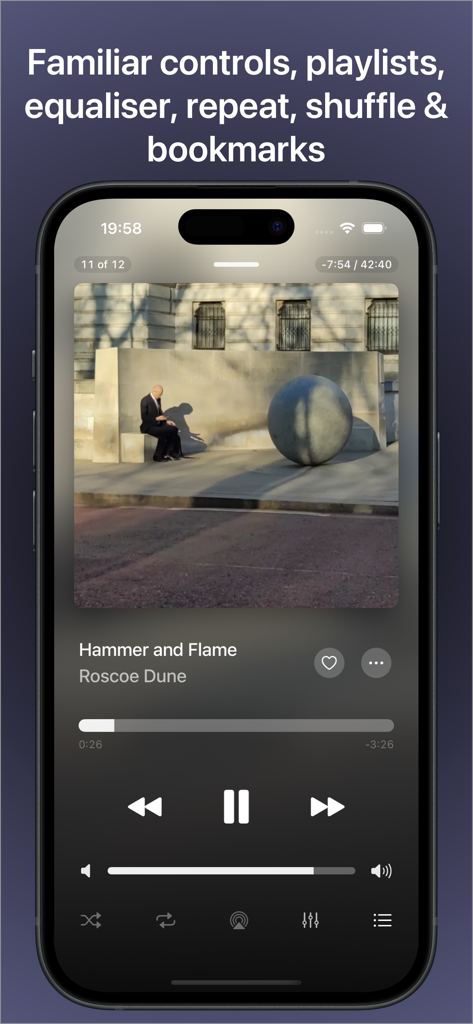
AVSub music player interface on iPhone showing playback controls and album art

AVSub music player interface on iPhone showing playback controls and album art

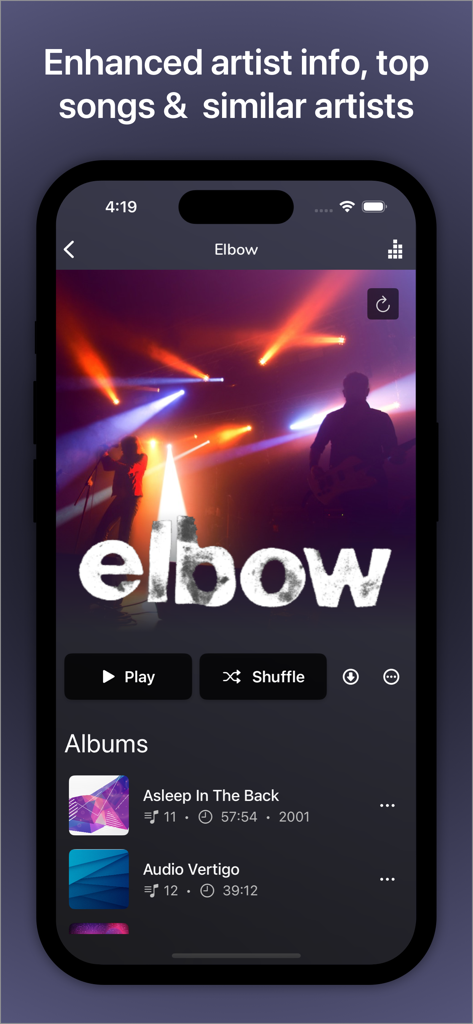
AVSub app interface displaying artist details and albums for the band Elbow

AVSub app interface displaying artist details and albums for the band Elbow

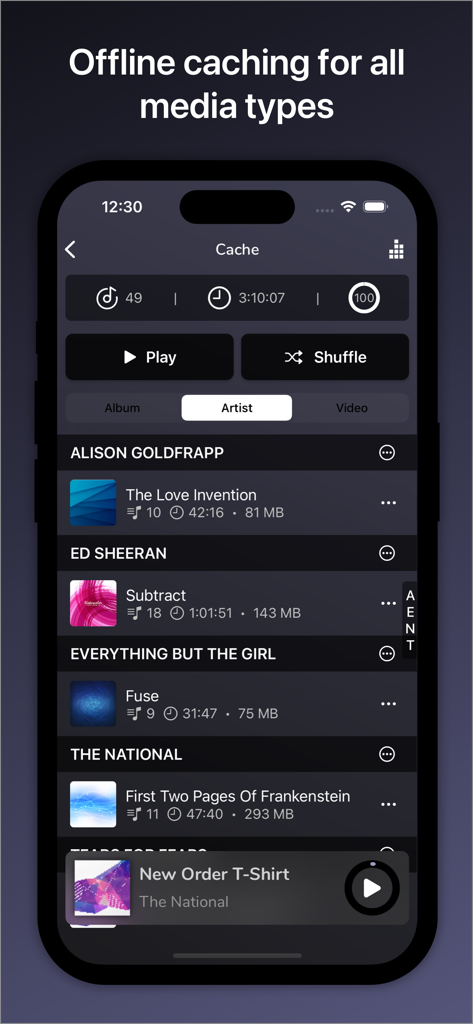
AVSub app interface displaying offline cached music and artists for playback

AVSub app interface displaying offline cached music and artists for playback

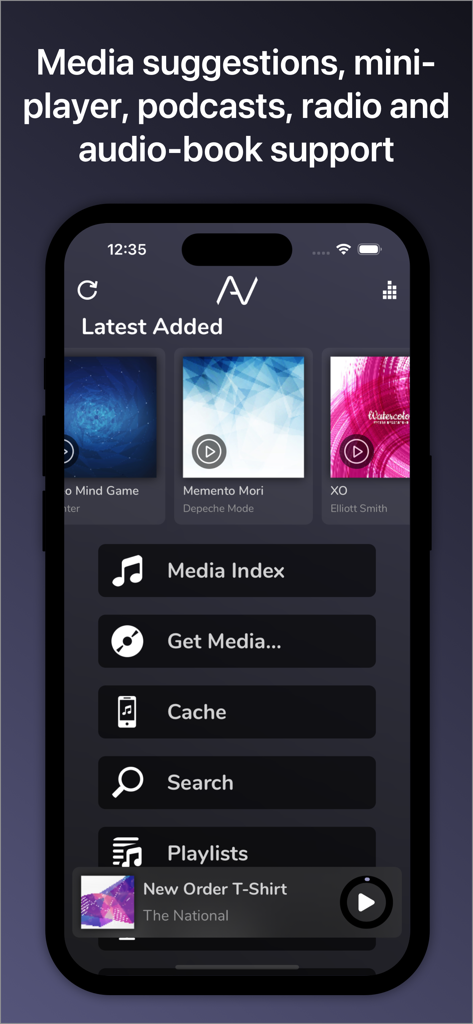
AVSub app home screen showing latest added albums and media navigation menu

AVSub app home screen showing latest added albums and media navigation menu

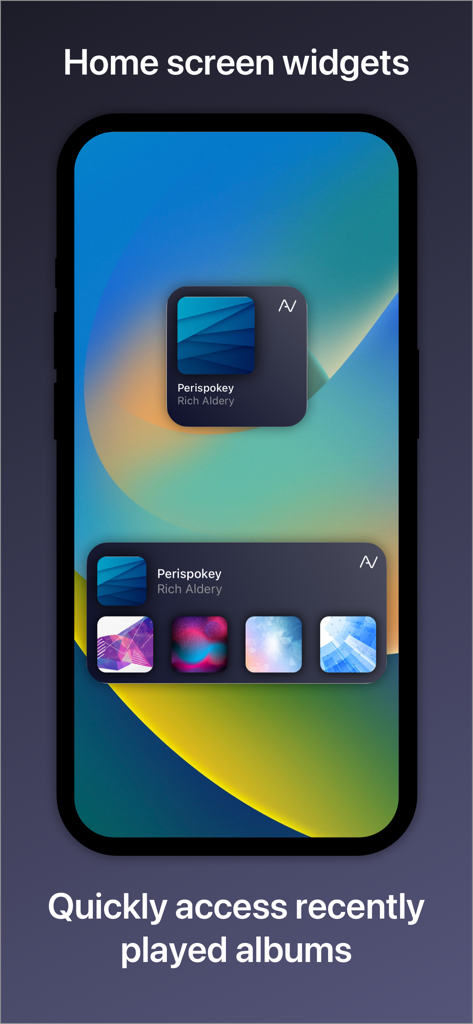
AVSub iOS home screen widgets showing recently played music albums

AVSub iOS home screen widgets showing recently played music albums

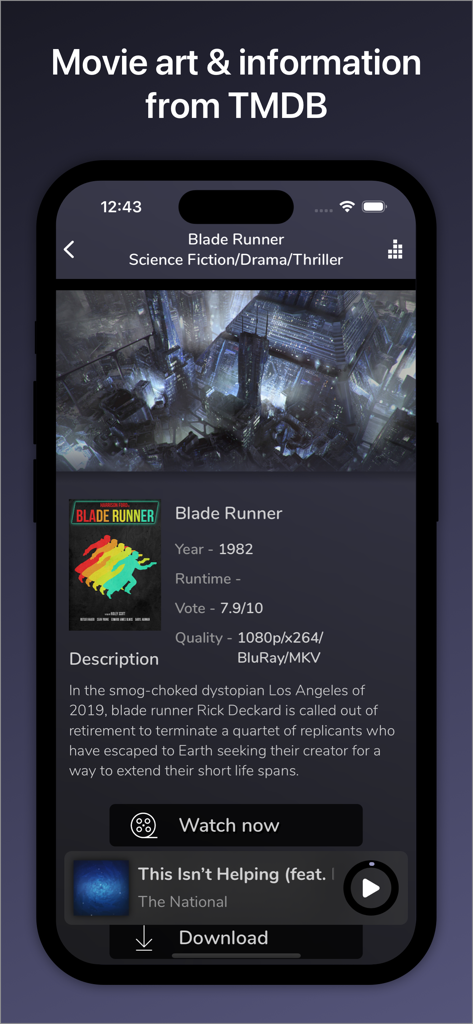
AVSub app interface showing movie information and poster for Blade Runner with TMDB integration

AVSub app interface showing movie information and poster for Blade Runner with TMDB integration

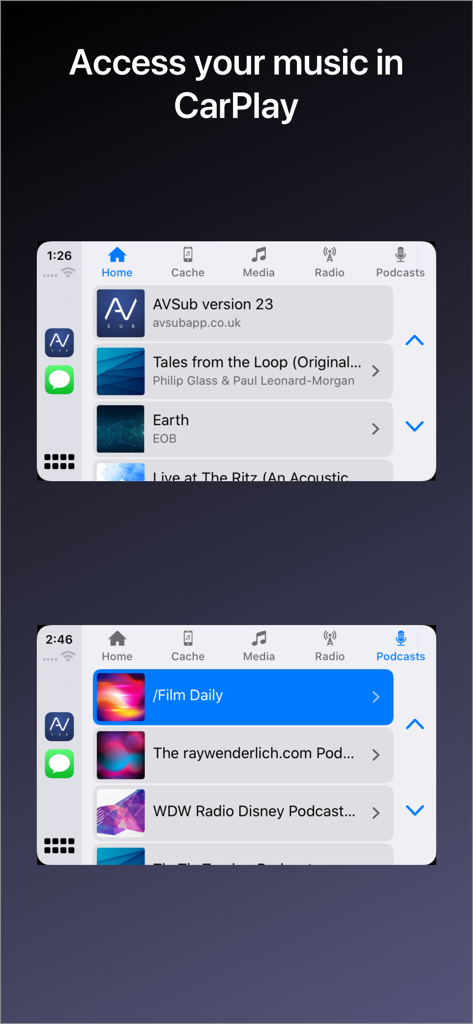
AVSub music and podcast streaming interface on Apple CarPlay

AVSub music and podcast streaming interface on Apple CarPlay

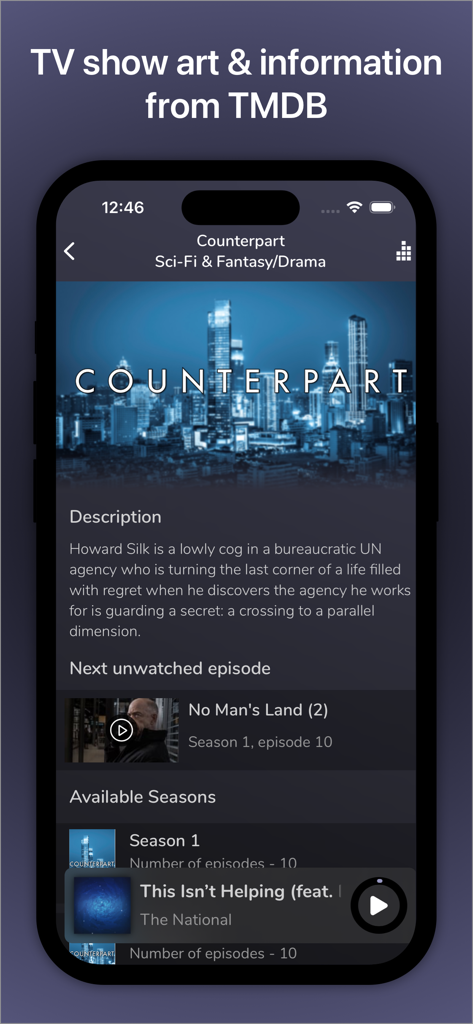
AVSub mobile app screen displaying TV show metadata and episode lists integrated from TMDB

AVSub mobile app screen displaying TV show metadata and episode lists integrated from TMDB

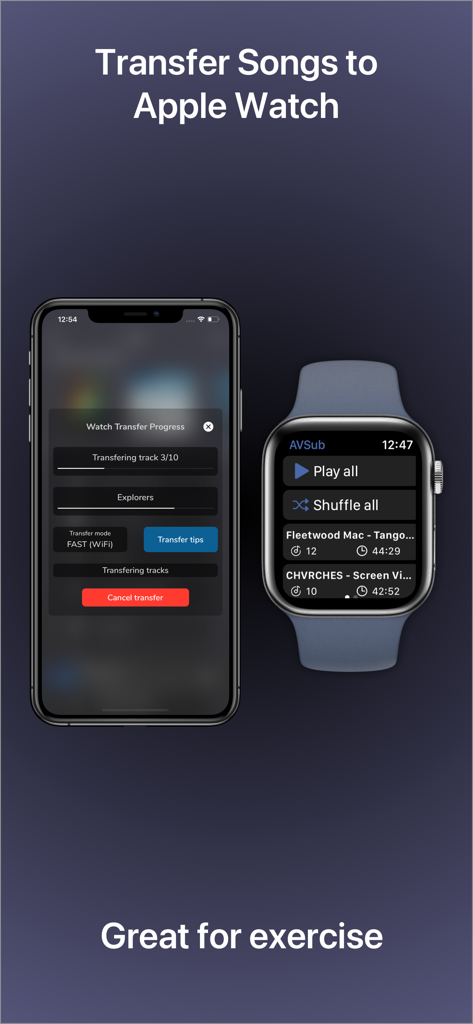
iPhone and Apple Watch displaying music transfer progress for offline listening in the AVSub app

iPhone and Apple Watch displaying music transfer progress for offline listening in the AVSub app

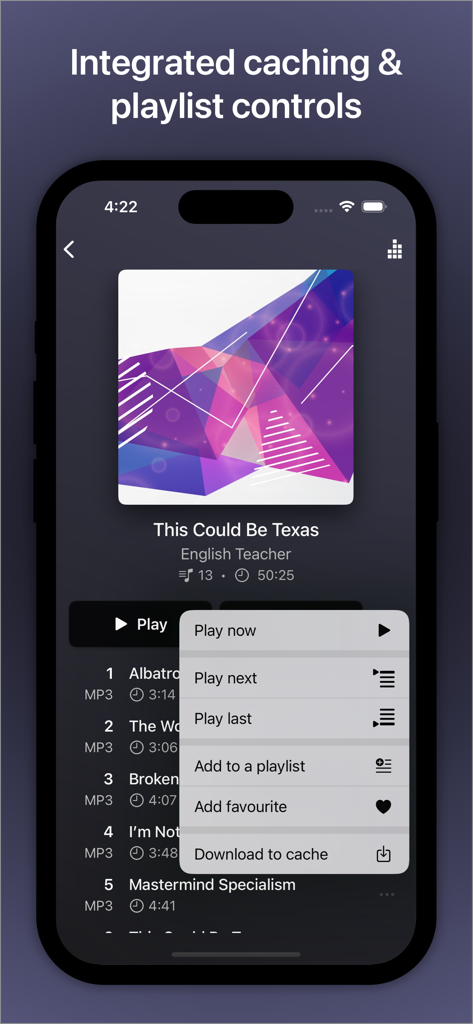
AVSub music player interface with integrated caching and playlist control menu

AVSub music player interface with integrated caching and playlist control menu

Master Your Personal Media Universe

The tools that make this app stand out, trusted by 78K+ users.

🔊

Audiophile-Grade Performance

Experience uncompromised sound with bit-perfect support for FLAC, DSD, and 24-bit/192kHz output designed for high-end DACs and headphones.

📶

Total Offline Independence

Take your library anywhere with intelligent background caching. Stream your music and videos without data caps or cellular dead zones.

🚗

Seamless Apple Integration

Your private server, modernized. Access your collection effortlessly via CarPlay, Apple Watch extensions, and high-quality AirPlay streaming.

About the app

Everything you need to know about AVSub.

Description

AVSub is a fully featured, multi-language music and video streaming (after in-app purchase) app for SubSonic. With multi-format (including FLAC) support, quick & easy browsing, caching for offline listening or viewing, playlist support and a great user interface, accessing your media is fast and simple. With full Bluetooth Audio, Apple Watch, CarPlay, AVCast/Chromecast/FireTV & Airplay support too, you can have your media with you anywhere, anytime. Connect AVSub to your licensed SubSonic server and you'll have access to your entire media collection. AVSub supports any audio format that SubSonic supports and SSL. AVSub's user interface is easy to use. Buttons are large and clear and playback can be controlled by gestures. Optimized views for both portrait & landscape orientations make the most of your device. AVSub has full Bluetooth Audio support - stream to any Bluetooth device (car stereo, amplifier, speaker, headphones) with superb quality. Bluetooth remote-control is fully supported. AVSub also fully suports CarPlay. The AVSub Apple Watch extension is the easiest way to get your Subsonic playlists onto your watch. The extension supports full background playback. You can take your music with you even without your phone! AVSub supports caching so you can listen to your music or watch video even when you're not connected to the Internet. AVSub will intelligently cache what you listen to in the background, or you can choose to download tracks, albums or videos direct to the cache for quick pre-loading. Cache size is configurable, along with options such as cache reading & writing and the ability to control direct-downloading over a mobile/cellular network. Cache management in AVSub is easy too! When browsing the cache, simple swipe right-to-left on item to reveal a delete button. See the AVSub website for details. AVSub supports Subsonic playlists and will intelligently cache tracks on your device. AVSub can be used on both WiFi or a mobile/cellular connection (3G/4G). Audio caching ensure smoother playback. AVSub shows enhanced information for your media, recognising movies, TV, artists and giving bio information, top tracks and similar artists. AVSub supports the casting app AVCast. With AVSub you can access your full media library by browsing, selecting from the most recently added, most recently played, most frequently played or highest rated tracks, or search over your entire library. AVSub also supports multiple SubSonic top-level music folders, allowing you to select an individual top-level folder, or your entire collection. You can browse by folder structure or ID3 tags. AVSub Features: - Universal app for iPhone/iPad/iPod Touch - MP3/AAC/FLAC/MP4/ALAC/Vorbis/Opus/WAV/DSD - High-resolution digital audio output via CCK up to 24bit/192kHz - CarPlay - TMDb integration for full movie & TV posters and details - VLC integration - Equaliser - Mini player - AVCast support - Google Cast & Amazon Fire TV audio and video (after in-app purchase) - Portrait and landscape - Video streaming with caching (in-app purchase) - Subsonic Jukebox (in-app purchase) - Home screen & Notification center widget with recent items - 3D Touch quick action shortcuts - Internet radio - Crossfade - SSL support, including self-signed certificates - Caching for all media - Folder & ID3 mode - Multi-disc album support - Artist Radio/Similar Songs - Intelligent Bookmarks - Podcasts - Gapless playback - Track seeking - Subsonic playlist support - Streams over 3G/4G/5G/WiFi - Maximum streaming bitrate control - Bluetooth Audio/Airplay support - Remembers your playlist from the last session - Streams from any licensed SubSonic server (v4.0 and up) - Browse/search music collection - Browse most recently added, recently played, frequently played, highest rated - Random albums/songs - Shuffle and repeat - Album cover art - Lock-screen integration - Documentation & guides available at the AVSub website - Supports iOS10+

Latest Version

27.1.1

Size

89.1 MB

First Released

Oct 25, 2014

Master Your Media. Anywhere.

Stop renting your music and start streaming your own high-fidelity collection. Join over 78,000 audiophiles who trust AVSub for bit-perfect FLAC playback, CarPlay integration, and total media sovereignty.

Download on App Store
FAQ

Frequently Asked Questions

Everything you need to know about AVSub

What audio formats does AVSub support?

AVSub supports various audio formats including MP3, AAC, FLAC, MP4, ALAC, Vorbis, Opus, WAV, and DSD. It also supports any audio format that your SubSonic server supports.

Does AVSub support video streaming?

Yes, AVSub supports video streaming with caching. This feature is available after an in-app purchase. It also includes TMDb integration for movie and TV show details.

Can I listen to music offline with AVSub?

Yes, AVSub supports caching for offline listening and viewing. You can intelligently cache content in the background or manually download tracks, albums, or videos directly to the cache.

Does AVSub work with Apple Watch?

Yes, AVSub includes an Apple Watch extension. This allows you to get your Subsonic playlists onto your watch and supports full background playback, enabling music listening without your phone.

Is AVSub compatible with Apple CarPlay?

Yes, AVSub fully supports Apple CarPlay. You can access your music library and podcasts directly through your car's infotainment system.

What casting options does AVSub offer?

AVSub supports AVCast, Google Cast, and Amazon Fire TV for audio and video streaming. Google Cast and Amazon Fire TV features require an in-app purchase for audio and video.

How does AVSub enhance media information?

AVSub shows enhanced information for your media. It recognizes movies, TV shows, and artists, providing bio information, top tracks, similar artists, and integrates with TMDb for film and TV posters and details.

How can I browse my media library in AVSub?

AVSub allows you to browse your full media library by folder structure, ID3 tags, or selecting from recently added, played, frequently played, or highest-rated tracks. It also supports multiple SubSonic top-level music folders.

Does AVSub have home screen widgets?

Yes, AVSub features home screen and Notification Center widgets. These widgets provide quick access to recent items and recently played albums directly from your device's home screen.

Which iOS versions does AVSub support?

AVSub supports iOS 10 and newer versions. It is a universal app compatible with iPhone, iPad, and iPod Touch devices.

App information, icons, screenshots, and descriptions displayed on this page are sourced from the Apple App Store and are the property of their respective developers. Download estimates and rankings are based on MWM's proprietary models and may not reflect actual figures. This page is provided for informational and analytical purposes only.

Believe this page infringes your intellectual property? File a dispute