Balance – Personal Finance

Balance – Personal Finance

Download on App Store
Logo of Balance – Personal Finance

Balance – Personal Finance: The Private, Native Way to Master Your Money

Take total control of your accounts with a beautiful, gesture-driven interface designed specifically for the Apple ecosystem. Securely sync your data via iCloud with zero tracking, zero data collection, and absolute privacy.

Download on App Store

Publisher

Anatoliy Gershman

Category

Finance

Downloads

3K+

User Rating

4.7/5

Total Ratings

0

Locales

1

Financial Clarity, Visualized

Discover the interface used by 3K+ users.
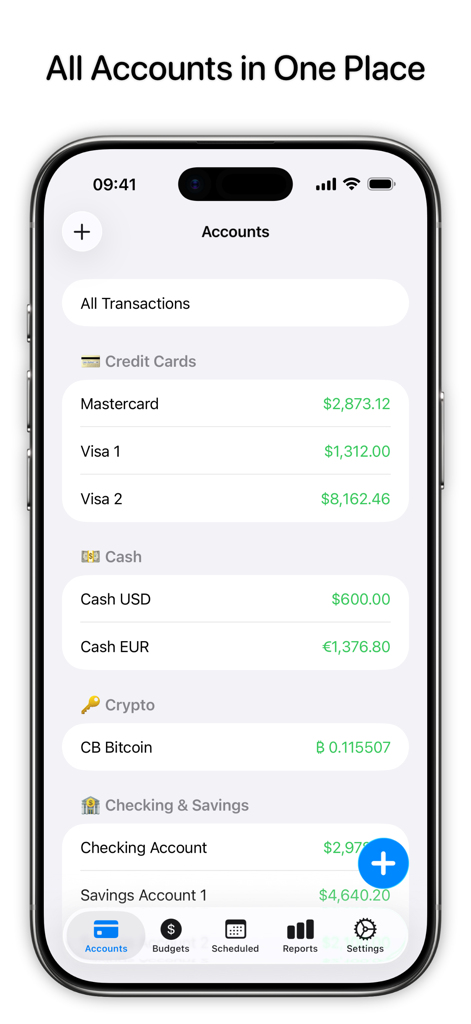
Balance app interface showing all financial accounts in one place including credit cards cash and crypto

Balance app interface showing all financial accounts in one place including credit cards cash and crypto

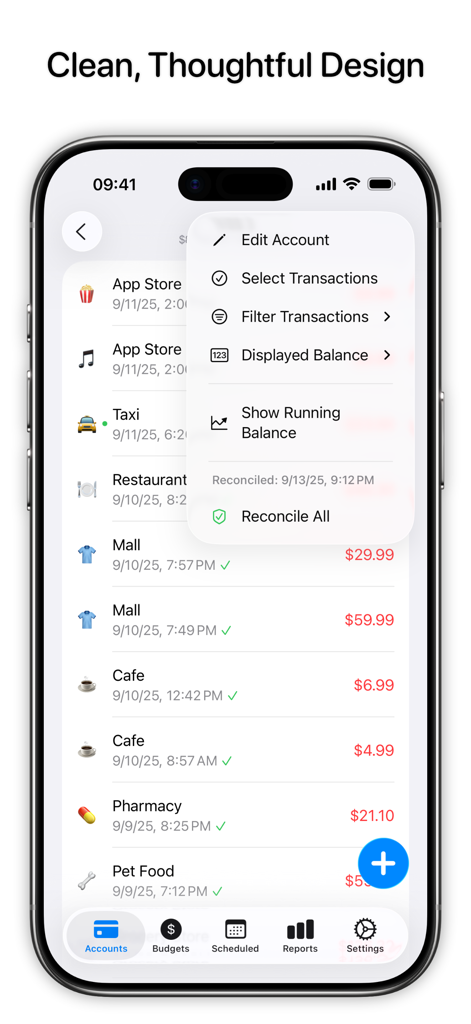
Balance app showing a list of transactions and an account management menu on an iPhone

Balance app showing a list of transactions and an account management menu on an iPhone

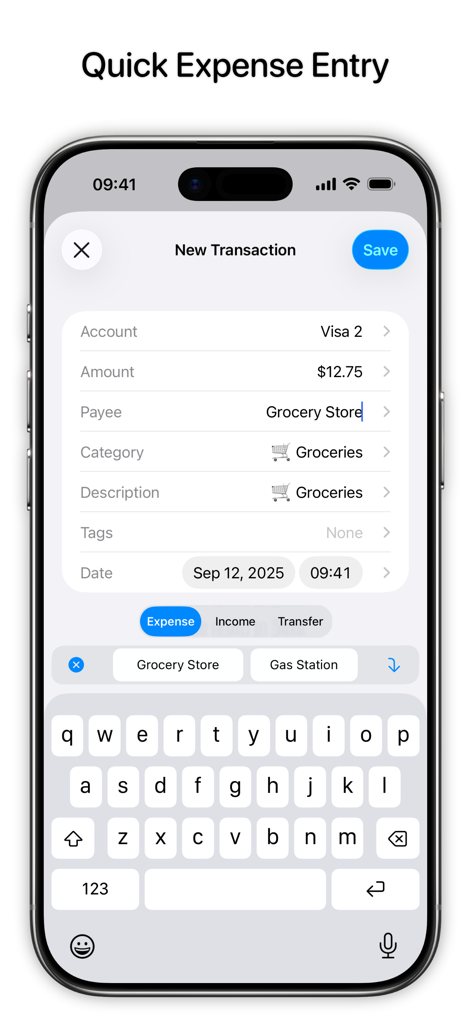
New transaction screen for quick expense entry in Balance app

New transaction screen for quick expense entry in Balance app

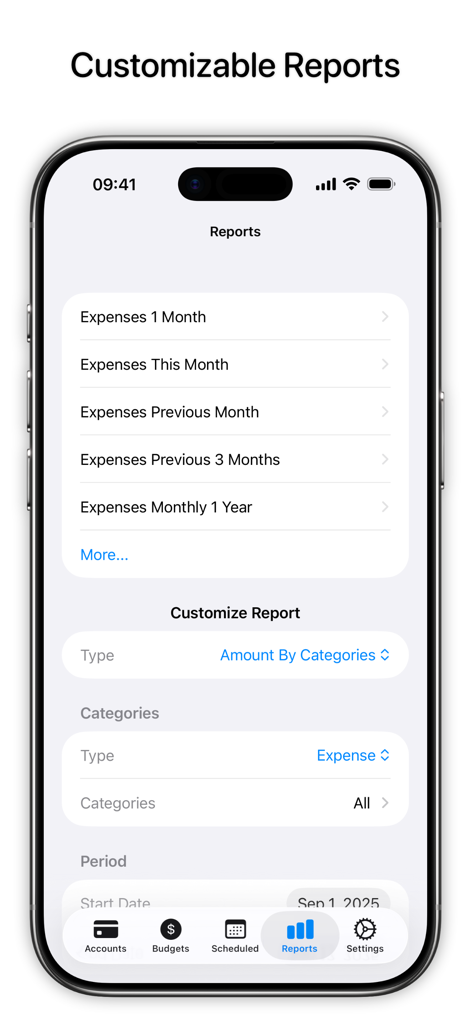
Balance app screen displaying customizable financial reports and expense tracking categories

Balance app screen displaying customizable financial reports and expense tracking categories

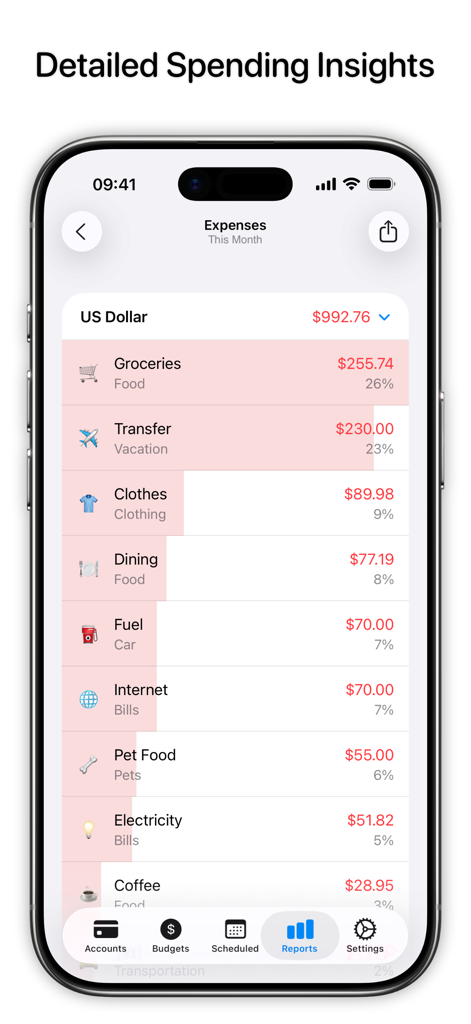
A mobile app screen displaying a detailed breakdown of monthly expenses by category like groceries, dining, and fuel.

A mobile app screen displaying a detailed breakdown of monthly expenses by category like groceries, dining, and fuel.

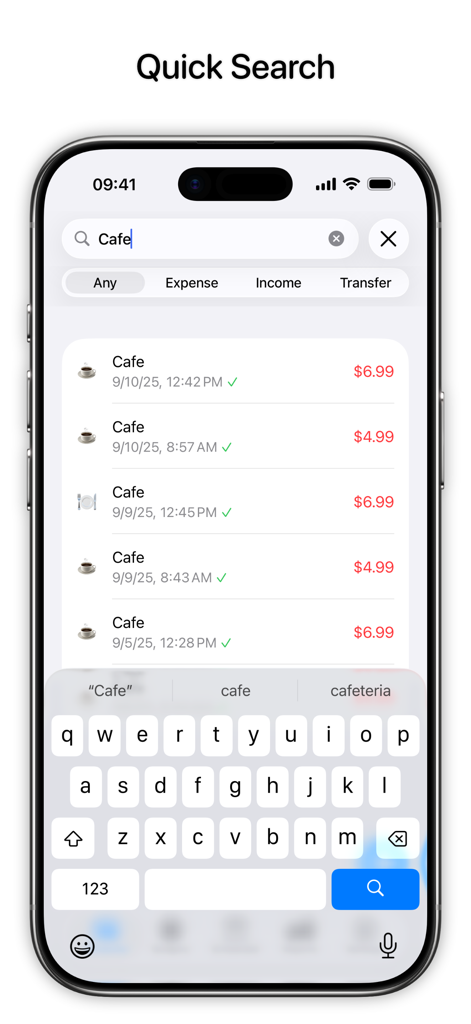
A mobile interface showing a quick search for cafe expenses in the Balance personal finance app.

A mobile interface showing a quick search for cafe expenses in the Balance personal finance app.

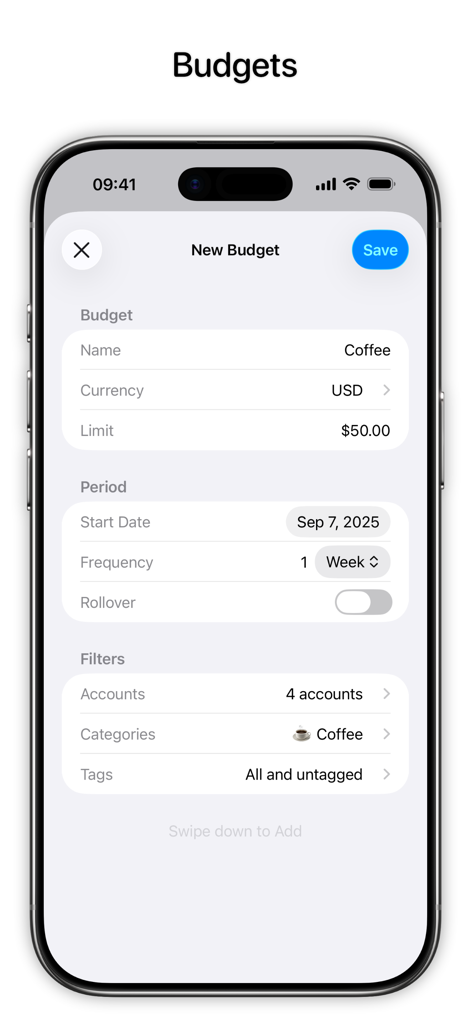
A screen from the Balance personal finance app showing the creation of a new weekly budget for coffee with a fifty dollar limit.

A screen from the Balance personal finance app showing the creation of a new weekly budget for coffee with a fifty dollar limit.

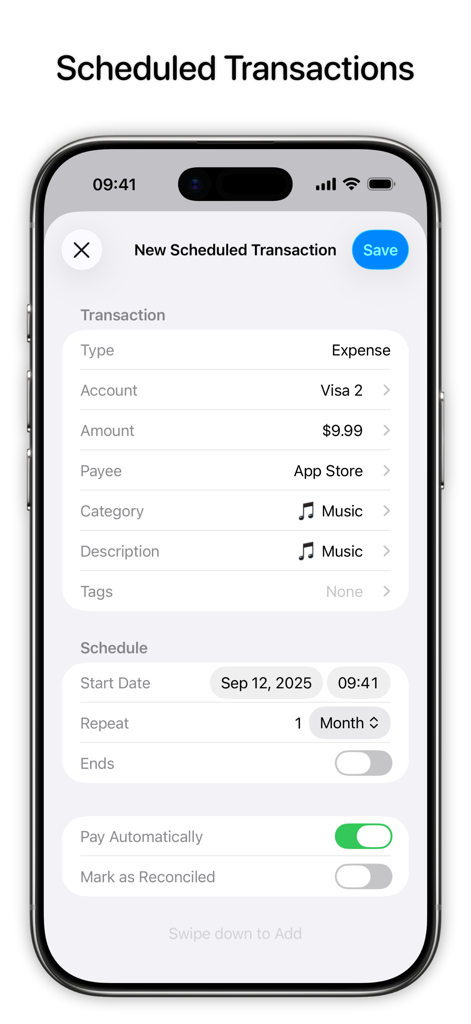
Interface for setting up a monthly recurring expense in the Balance personal finance app

Interface for setting up a monthly recurring expense in the Balance personal finance app

Master Your Money with Total Privacy

The tools that make this app stand out, trusted by 3K+ users.

🔒

Private & Secure by Design

Your data belongs to you. We don't collect, store, or sell your personal info—everything stays local and syncs securely via your private iCloud.

🍏

The Native Apple Experience

Designed for the power user. Switch seamlessly between iPhone, iPad, Mac, and Apple Vision Pro with zero friction and universal accessibility.

📈

Intentional Financial Clarity

Gain deep insights with customizable reports and reconciliation tools built for users who value precision and intentional spending habits.

About the app

Everything you need to know about Balance – Personal Finance.

Description

All Accounts Keep financial records for all accounts in one place. iCloud Sync Use Balance on your iPhone, iPad, Mac, or Apple Vision Pro. Your data will sync automatically via iCloud, no need to create additional accounts. Thoughtful Design Clean and easy-to-use interface designed for quick expense entry. Buttons at the bottom of the screen, swipe gestures, and suggestions allow effortless on-the-go transaction recording. Advanced Search Quickly filter existing transactions based on type, amount, payees, categories, or tags without the need to create detailed reports. Detailed Reports Create highly customizable reports to get insight on what your money is being spent on and what you can optimize. Budgets Use budgets to control spendings in particular categories, tags, or accounts. Scheduled & Recurring Transactions Create scheduled and recurring transactions to avoid missing a payment. Privacy We don’t collect or store your personal data. All data is stored locally on the devices you use Balance on and is synced across devices using your personal iCloud account. There are no analytics or tracking frameworks used. Advanced Features • Reconciliation • Siri Shortcuts • Split Category Transactions • Batch Transaction Editing • Refund Transactions • CSV Export and Import • Automatic Backups • Face ID & Touch ID • Keyboard Shortcuts Subscription Details • Balance Pro is an optional subscription to unlock unlimited number of accounts, custom report filters, and support future development. • Balance Pro is available as monthly, quarterly, annual subscriptions or lifetime purchase. • Payment will be charged to your iTunes account at confirmation of purchase. • Your subscription will automatically renew unless auto-renew is disabled at least 24 hours before the end of the current subscription period. • Subscriptions can be managed or cancelled by going to Account Settings on the App Store after purchase. Terms of Service: https://blnc.co/termsofservice Privacy Policy: https://blnc.co/privacypolicy

Latest Version

2.2.2

Size

47.2 MB

First Released

Apr 18, 2022

Take Control of Your Financial Future, Privately

Join thousands of Apple power users who manage their wealth with intentionality. No tracking, no data collection—just a beautiful, native experience on all your devices.

Download on App Store

App information, icons, screenshots, and descriptions displayed on this page are sourced from the Apple App Store and are the property of their respective developers. Download estimates and rankings are based on MWM's proprietary models and may not reflect actual figures. This page is provided for informational and analytical purposes only.

Believe this page infringes your intellectual property? File a dispute