Bank of Melbourne Banking

Bank of Melbourne Banking


Download on App Store
Logo of Bank of Melbourne Banking

Bank of Melbourne Banking: Award-Winning Finance for Your Global Lifestyle

Join thousands of expatriates and digital nomads managing their money with ease. Open an account in 3 minutes, split expenses effortlessly, and stay secure with a dynamic CVV—wherever you are in the world.

Publisher

St.George Bank Limited

Category

Finance

Downloads

393K+

User Rating

2.7/5

Total Ratings

1000

Locales

1

Your Finances at a Glance

Discover the interface used by 393K+ users.
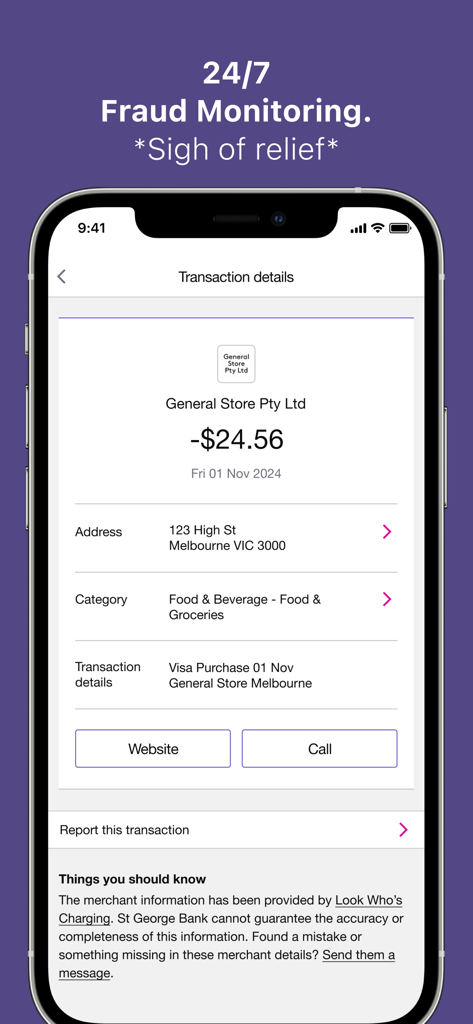
Bank of Melbourne transaction details screen showing a merchant purchase and 24/7 fraud monitoring alert

Bank of Melbourne transaction details screen showing a merchant purchase and 24/7 fraud monitoring alert

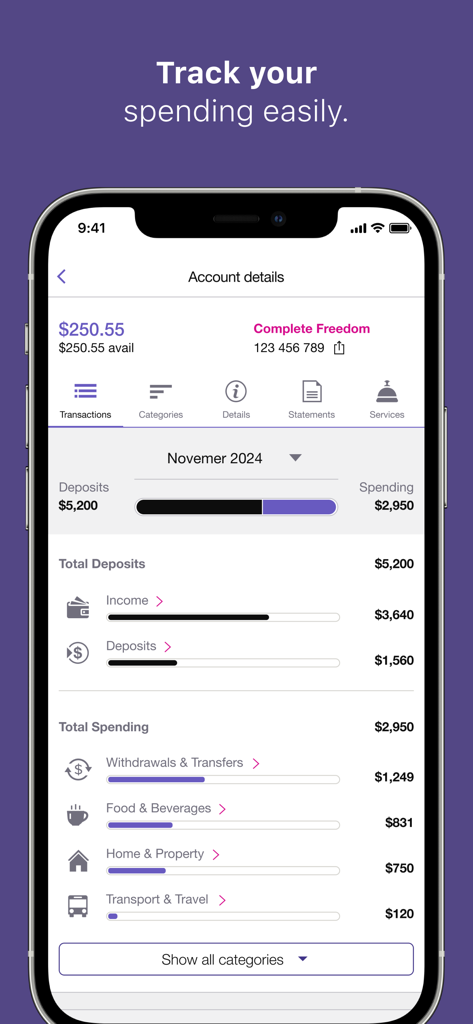
Mobile app screen showing Bank of Melbourne spending categories and financial tracking

Mobile app screen showing Bank of Melbourne spending categories and financial tracking

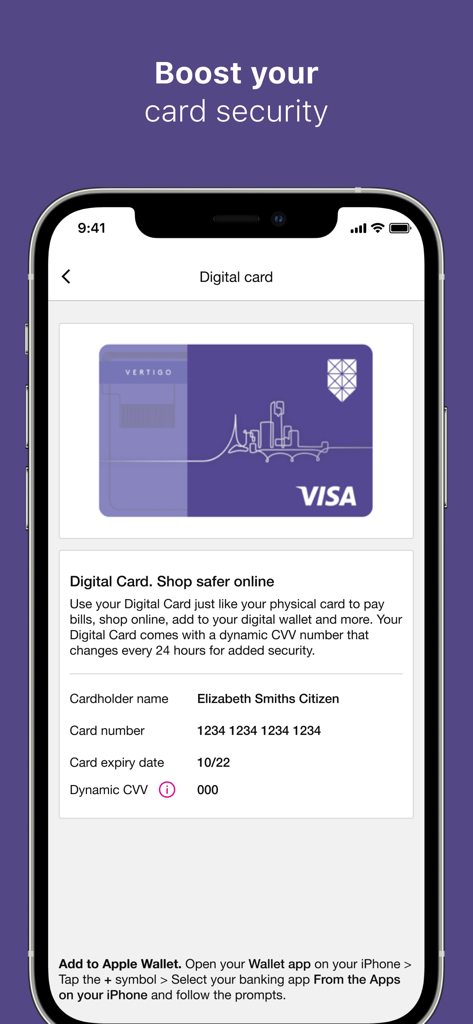
A smartphone screen displaying the Bank of Melbourne digital card feature with dynamic CVV for enhanced online security.

A smartphone screen displaying the Bank of Melbourne digital card feature with dynamic CVV for enhanced online security.

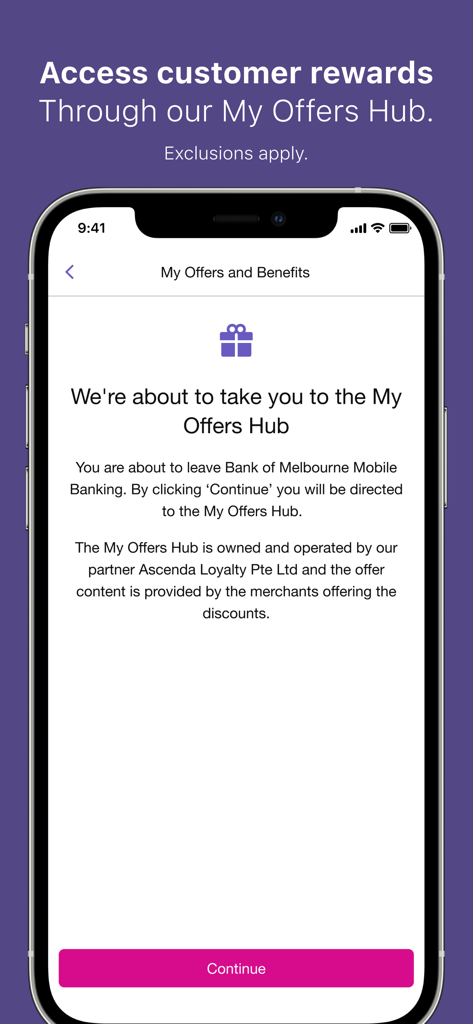
Bank of Melbourne mobile app screen showing access to customer rewards through the My Offers Hub

Bank of Melbourne mobile app screen showing access to customer rewards through the My Offers Hub

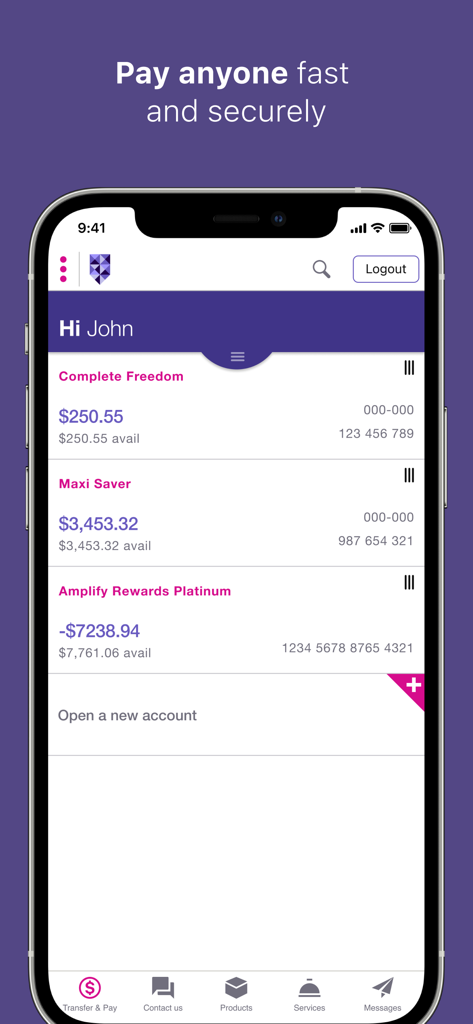
Bank of Melbourne mobile app dashboard showing multiple account balances and navigation menu for transfers and services

Bank of Melbourne mobile app dashboard showing multiple account balances and navigation menu for transfers and services

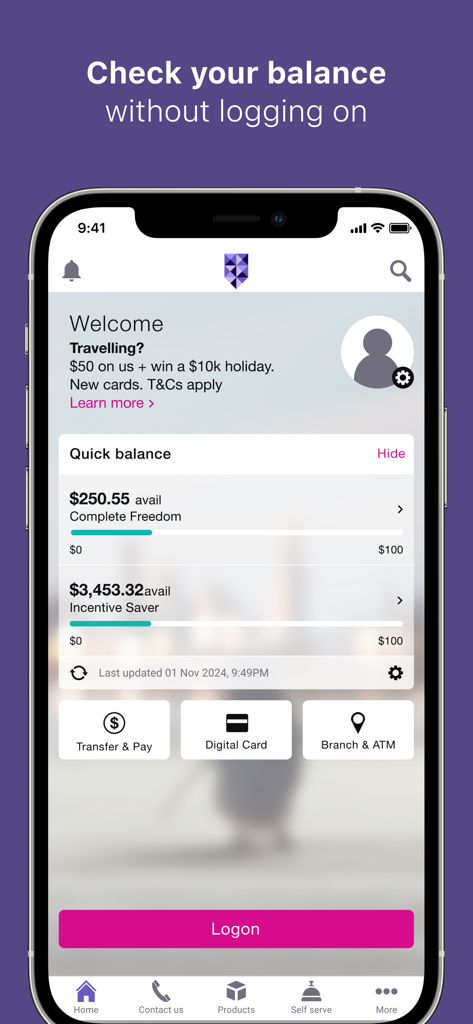
Bank of Melbourne mobile app interface showing the quick balance feature for multiple accounts

Bank of Melbourne mobile app interface showing the quick balance feature for multiple accounts

Smart Tools for Modern Financial Control

The tools that make this app stand out, trusted by 393K+ users.

🛡️

Advanced Digital Security

Shop globally with confidence using a dynamic CVV and instant card-locking features that keep your accounts safe 24/7.

📊

Intelligent Spending Insights

Master your budget with automatic categorization that tracks your habits and helps you reach your financial goals faster.

🤝

Seamless Expense Splitting

Simplify social outings by tracking shared costs and payments directly in the app, perfect for busy professionals on the move.

About the app

Everything you need to know about Bank of Melbourne Banking.

Description

Our award winning mobile app will help you with all your banking needs*. Open an account in 3 mins. Make payments • Make fast and secure payments & transfers or schedule them for the future • Apple Pay - Pay with your mobile • Digital Card† - Boost your card security by using the dynamic CVV on your credit or debit card • Verify# - Adding a new payee? We’ll check the account details you’ve entered have been commonly used Track your spending • ‘Categories’** - Track your spending habits • Set up notifications so you’re notified when your money comes and goes • Expense Splitter - Paid for a shared expense? Keep track of who’s paid you back • 24/7 Fraud monitoring detects any unusual purchase activity on your card Everyday banking tools • Quick Balance - see your account balance at a glance and transfer money between accounts • Activate, lock^ or cancel your card • Contact Us from the App to skip security questions~ • ATM & Branch finder – locate your Bank of Melbourne, BankSA, St.George, or Westpac ATM or branch Rewards •Enjoy offers and discounts on popular shopping, entertainment and hospitality venues around Melbourne+. Need Help? If you are having issues with our app, delete and re-install it. If issues persist, please call us on 13 22 66 (8am – 8pm Mon – Sat). *The Bank of Melbourne App was awarded the Mozo Experts Choice 2021 – Excellent Banking App Award. †The terms and conditions applicable to your product also apply to the use of your digital card. Internet and Phone Banking Terms and Conditions also apply. You may not always be able to access your digital card. #Bank of Melbourne Verify screening is based on the payment information available in our systems, at the time you add your payee details. As we are unable to validate the account details with the recipient bank, we can’t confirm whether the name and account details are an exact match. Bank of Melbourne Verify applies to Internet Banking and Mobile Banking only. It may be affected by such things as system outages or limitations, scheduled maintenance or other factors beyond our control, and may not be available at all times. **This tool provides general information and is intended to be a guide only. Available on savings, transactions and credit card accounts. ^Locking your card will temporarily stop new transactions on your card for up to 15 days or until reactivated. +My Offers Hub is available to eligible consumer debit and credit card customers only. ~Standard SMS, call or data charges apply. Read the Internet and Phone Banking terms and conditions at bankofmelbourne.com.au and consider whether this product is right for you. iPhone, iPad, iPod touch and Apple Watch are trademarks of Apple Inc., registered in the U.S. and other countries. App Store is a Service mark of Apple Inc. Bank of Melbourne – A Division of Westpac Banking Corporation ABN 33 007 457 141 AFSL Australian credit licence 233714.

Latest Version

9.49

Size

87.9 MB

First Released

Jul 24, 2011

Experience Melbourne’s Most Awarded Banking App

Secure, social, and seamless. Join thousands managing their money with dynamic CVV protection and instant expense splitting. Download now and open your account in just 3 minutes.

Download on App Store

App information, icons, screenshots, and descriptions displayed on this page are sourced from the Apple App Store and are the property of their respective developers. Download estimates and rankings are based on MWM's proprietary models and may not reflect actual figures. This page is provided for informational and analytical purposes only.

Believe this page infringes your intellectual property? File a dispute