BBVA México

BBVA México

Download on App Store
Logo of BBVA México

BBVA México: Your Financial Bridge Between the USA and Mexico

Manage your accounts, send cardless withdrawals to family, and pay services from anywhere. Open your account remotely and bank with the security of facial recognition.

Publisher

BBVA Bancomer, S.A.

Category

Finance

Downloads

15M+

User Rating

4.8/5

Total Ratings

4M+

Locales

2

Your Bank, Without Borders

Discover the interface used by 15M+ users.
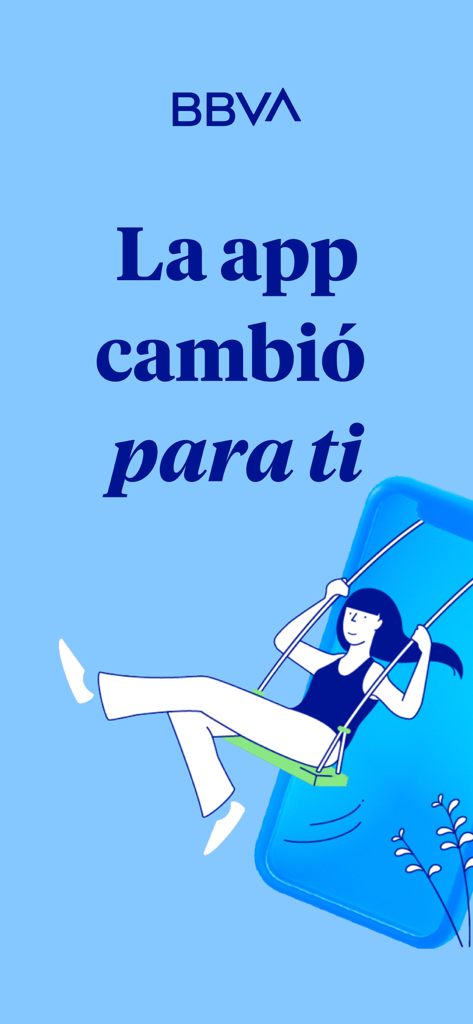
BBVA Mexico mobile app welcome screen with an illustration of a woman on a swing and the text La app cambio para ti

BBVA Mexico mobile app welcome screen with an illustration of a woman on a swing and the text La app cambio para ti

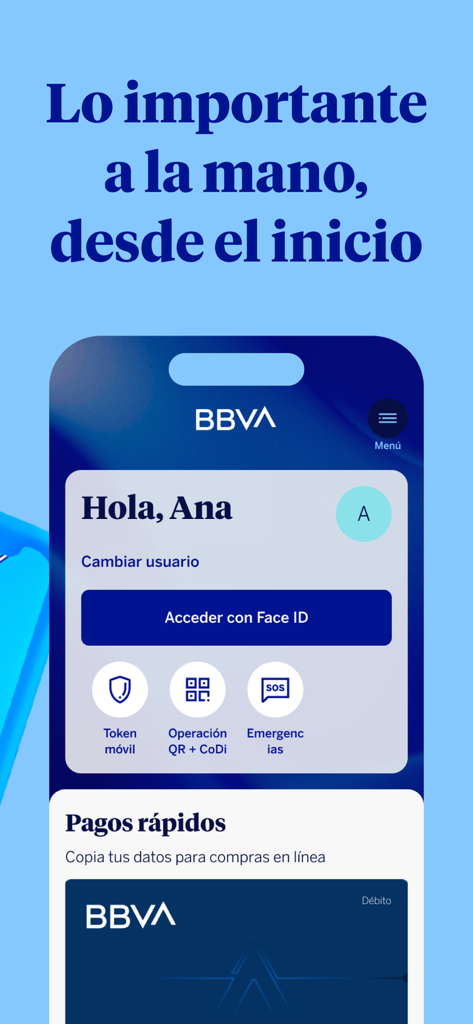
BBVA Mexico mobile app login screen featuring Face ID access and quick banking tools

BBVA Mexico mobile app login screen featuring Face ID access and quick banking tools

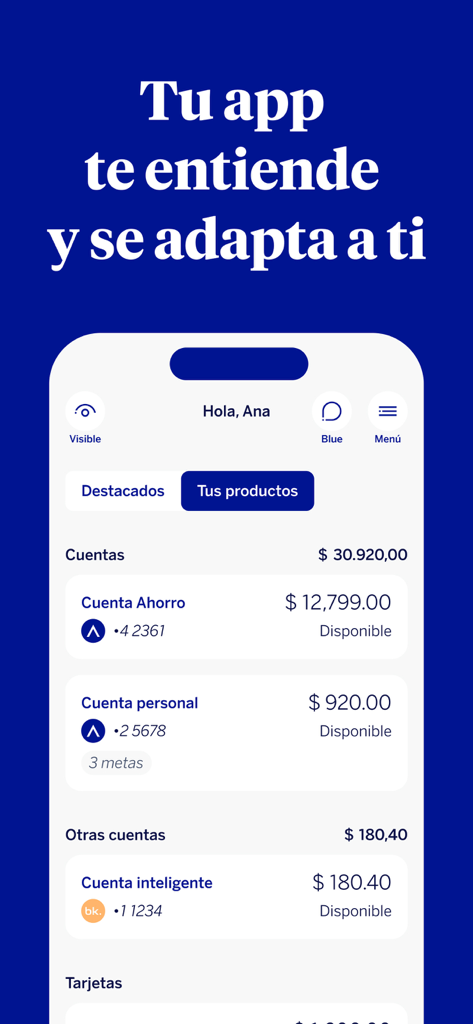
BBVA México mobile app dashboard showing various bank accounts and balances

BBVA México mobile app dashboard showing various bank accounts and balances

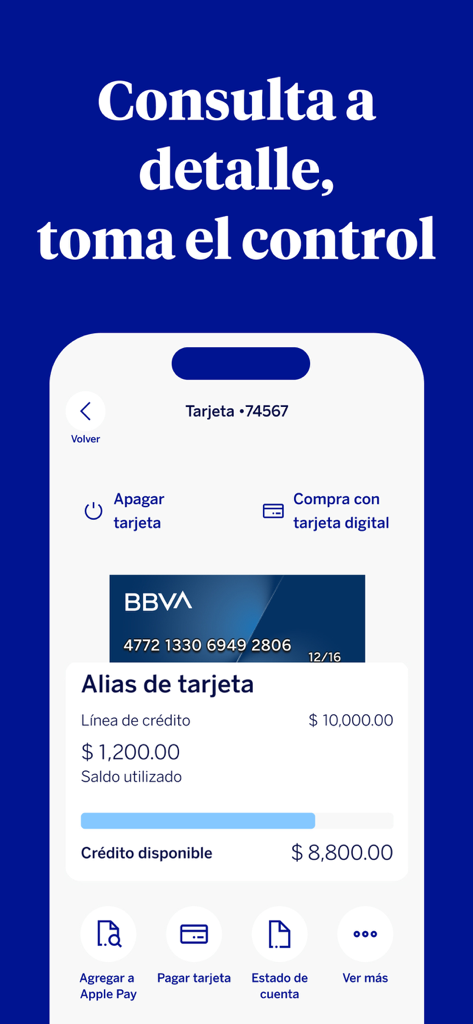
BBVA Mexico mobile app interface showing credit card details available credit and card security controls

BBVA Mexico mobile app interface showing credit card details available credit and card security controls

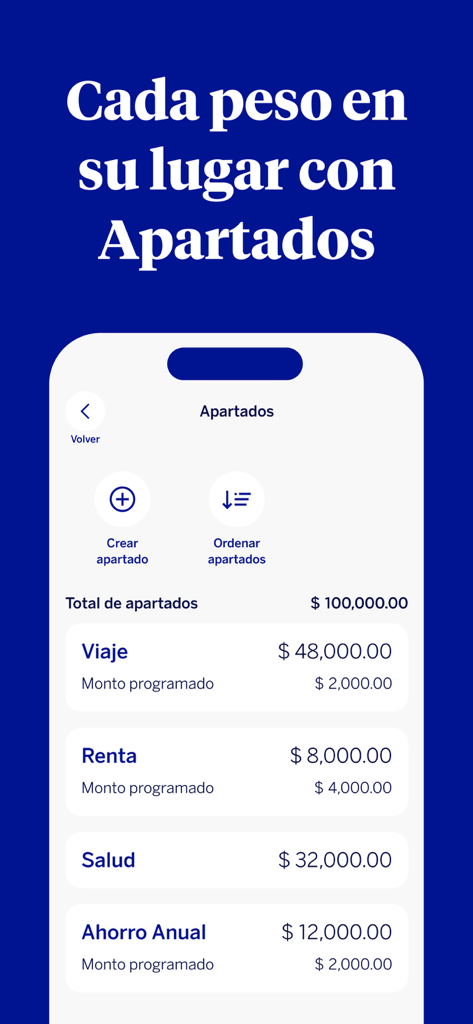
BBVA Mexico app screen showing the Apartados feature for organizing money into savings categories like travel and rent

BBVA Mexico app screen showing the Apartados feature for organizing money into savings categories like travel and rent

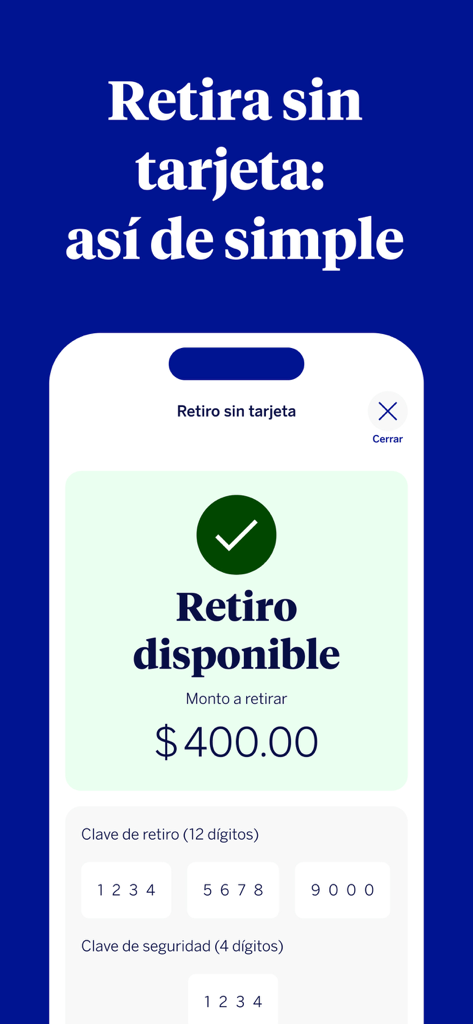
Interface of the BBVA Mexico app showing the cardless withdrawal feature with security codes

Interface of the BBVA Mexico app showing the cardless withdrawal feature with security codes

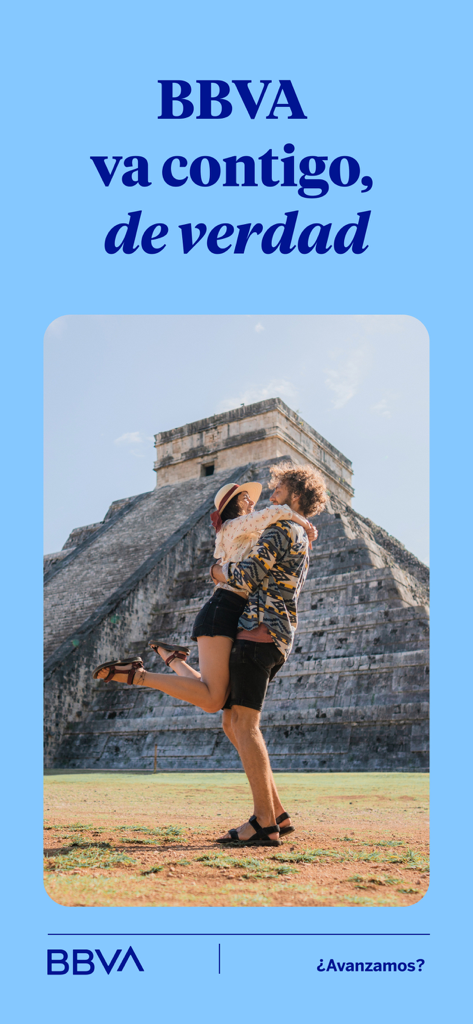
A couple hugging in front of the Chichen Itza pyramid for the BBVA Mexico banking app.

A couple hugging in front of the Chichen Itza pyramid for the BBVA Mexico banking app.

Banking Without Borders

The tools that make this app stand out, trusted by 15M+ users.

💸

Instant Cardless Transfers

Send money to your family in Mexico instantly. Generate a secure code so they can withdraw cash at any BBVA ATM without needing a physical card.

🛡️

Secure Cross-Border Shopping

Protect your primary account while shopping online from the US. Use a Digital Card with a dynamic CVV that refreshes every five minutes to stop fraud.

📱

Remote Account Opening

Skip the international trip and the paperwork. Open your Mexican bank account from your home in the USA in minutes, no branch visit required.

Review Analysis

Insights from user reviews.

Sentiment Score

10%
Negative

Summary

The mobile app has received predominantly negative feedback following recent updates, particularly those around October/November and December 2025. Users frequently criticize the new interface as confusing, non-intuitive, and difficult to navigate, with specific complaints about hidden features for transfers and digital cards, and in some cases, app instability leading to crashes. A strong sentiment for reverting to the previous version is evident throughout the reviews. Conversely, a small number of users have commended aspects such as the app's user-friendliness, fast transaction processing, clear interface design, and reliable performance, including a positive experience for international usage.

Common Themes

User Experience(3)
Transaction Processing(2)
Interface Design(2)
Continuous Improvement(2)
App Stability(1)
International Functionality(1)

About the app

Everything you need to know about BBVA México.

Description

Con la App BBVA México, las filas y traslados quedaron atrás. Realiza tus transacciones en minutos desde donde estés. ¿Aún no eres parte del banco? No hay problema; ya no es necesario ir a sucursal o ser cliente para abrir una cuenta, ábrela sin costo ni comisiones desde la comodidad de tu hogar. Ahora, con la función de reconocimiento facial, que únicamente tendrás que configurar cuando descargues la app por primera vez en un dispositivo, tus datos están más seguros que nunca. Ten la confianza de que tu información está protegida ante posibles fraudes. ¿Qué puedo hacer con esta app? Con BBVA, tus palabras son órdenes ¡No te pierdas entre aplicaciones! Utiliza el comando de voz para realizar transferencias, pagar servicios o tu tarjeta de crédito. Solo tienes que decir “pagar tarjeta de crédito desde BBVA”, o el movimiento que desees, para que se abra automáticamente la app, inicies sesión para mantener la seguridad, y enseguida, se abrirá lo que solicitaste; confirma la operación y ¡Listo! Tu pago en menos de 2 minutos. ¿Olvidaste tu tarjeta? ¡No pasa nada! Saca dinero del cajero usando solo tu celular o envía dinero a tus contactos para que puedan retirar desde donde estén. Retira tu dinero en el cajero automático utilizando la opción “Retiro sin tarjeta” e ingresa el código único que la app te genera. Si no tienes tu tarjeta de crédito o débito contigo, puedes apagarla y encenderla desde tu dispositivo cuando lo necesites, así nadie podrá hacer uso de esta. Compra en línea de forma más segura Crea una tarjeta digital para tus compras en línea. Cada vez que la uses se generará un CVV dinámico con vigencia de 5 minutos para evitar que alguien más pueda hacer uso de tus datos. Que no te confundan los intereses Con el nuevo simulador de intereses para tarjeta de crédito, puedes ingresar la cantidad que quieres pagar y visualizar el interés aproximado que generarás al realizar ese pago. Además te ofreceremos más detalle sobre el monto del siguiente mes en caso de pagar lo que tienes en mente. Así puedes tomar decisiones más informadas. ¿Necesitas apoyo con el pago de tu tarjeta de crédito? Accede a un plan de financiamiento con pagos fijos para que puedas liquidar tu tarjeta más fácil; y si así lo deseas, las compras que hagas págalas a meses sin intereses. ¿Tienes puntos acumulados? Paga el monto total o parcial de tus compras hechas con tu tarjeta de crédito con esos puntos, aplica para comercios extranjeros o de México con afiliación extranjera. ¿Te saliste de tu presupuesto con tu tarjeta de débito? No te preocupes, con tu app BBVA puedes acceder a un préstamo a pagos fijos, para que te recuperes económicamente. El crédito puede ir desde los $200 hasta los $6,200 MN. Transfiere y paga más fácilmente con Códigos QR Olvídate de los números de cuenta, la aplicación te proporcionará un Código QR para hacer transferencias. Asimismo puedes pagar con tu celular en algunos establecimientos, leyendo desde tu app el código. Además de todos estos beneficios, puedes recargar tiempo aire, cambiar tu nómina a BBVA, abrir una cuenta adicional, pagar servicios y realizar transferencias, todo sin salir de casa. ¿Tienes dudas sobre la seguridad? • Los datos de tus operaciones están protegidos y no se guardan en el celular. • Si pierdes tu celular, nadie puede ingresar a tu servicio, solo tú conoces la contraseña y puedes cancelarlo llamando a la Línea BBVA. Si tienes alguna otra duda llama a la Línea BBVA Área Metropolitana 5226-2663 Interior de la República 01-800-2262663 Nos encanta escucharte y que seas parte de esta app. Si tienes sugerencias, escríbenos a app.bbva.mx@bbva.com. Si te gusta BBVA México, ayuda a que otras personas la conozcan con una reseña de 5 estrellas. ¡Gracias!

Latest Version

25.110.11

Size

586.8 MB

First Released

Jun 3, 2010

Lleva tu banco de México siempre contigo

La solución ideal para gestionar tus cuentas desde EE.UU. sin fronteras. Abre tu cuenta hoy, realiza retiros sin tarjeta para tu familia y protege tu dinero con la seguridad biométrica más avanzada.

Download on App Store
FAQ

Frequently Asked Questions

Everything you need to know about BBVA México

Can I open a bank account with BBVA México without visiting a branch?

Yes, you can open an account with BBVA México directly from the app without needing to visit a branch or be an existing customer. The account opening is free of charge and commissions.

Does the BBVA México app use facial recognition for security?

Yes, the BBVA México app incorporates a facial recognition feature. Users configure this security measure only during the initial app download on a new device. This enhances data protection against fraud.

What can I do using voice commands in the BBVA México app?

With the BBVA México app, you can use voice commands to perform various transactions. These include making transfers, paying services, or settling credit card bills quickly and efficiently.

How do I withdraw cash without a card using the BBVA México app?

To withdraw cash without a card, use the BBVA México app to generate a unique code. Input this code at any ATM to retrieve money. You can also send money to contacts for them to withdraw.

Can I turn my credit or debit card on and off using the BBVA México app?

Yes, you can instantly turn your credit or debit card on and off using the BBVA México app. This feature prevents unauthorized use if your physical card is not with you.

How does the BBVA México app secure online purchases with a digital card?

The BBVA México app generates a digital card for online purchases. Each use creates a dynamic CVV valid for only 5 minutes. This prevents others from misusing your card details.

Does the BBVA México app offer a credit card interest simulator?

Yes, the BBVA México app includes a credit card interest simulator. You can input a payment amount to see the approximate interest generated and detailed information about the next month's payment.

Can I access financing plans for my credit card through the BBVA México app?

Yes, the BBVA México app allows you to access fixed-payment financing plans for your credit card. You can also convert purchases into interest-free monthly installments.

What is the range of personal loans offered by the BBVA México app for debit card users?

The BBVA México app offers fixed-payment loans for debit card users ranging from $200 MN to $6,200 MN. These loans are designed to provide economic recovery.

Does the BBVA México app support QR code transfers and payments?

Yes, the BBVA México app supports QR code functionality. It provides a QR code for easy transfers and enables mobile payments in participating establishments by scanning codes directly from the app.

Is my information safe if my phone with the BBVA México app is lost or stolen?

Yes, your information is secure. Operation data is not stored on the phone. Only you know your password, and you can cancel access by calling Linea BBVA if your phone is lost.

Can I log in to the BBVA México app using Face ID?

Yes, you can log in to the BBVA México app using Face ID. The app provides an option to "Acceder con Face ID" for convenient and secure access to your account.

Does the BBVA México app help manage savings goals?

Yes, the BBVA México app includes an "Apartados" (Sections) feature. This allows users to create and manage various savings goals like travel, rent, health, and annual savings, with programmed amounts.

App information, icons, screenshots, and descriptions displayed on this page are sourced from the Apple App Store and are the property of their respective developers. Download estimates and rankings are based on MWM's proprietary models and may not reflect actual figures. This page is provided for informational and analytical purposes only.

Believe this page infringes your intellectual property? File a dispute