BeatMirror: Track BPM

BeatMirror: Track BPM

Download on App Store
Logo of BeatMirror: Track BPM

BeatMirror: Master Your Rhythm with Real-Time BPM Tracking

Stop guessing your groove. Get instant visual feedback on your tempo history to stay in the pocket and build a rock-solid internal clock during every practice and performance.

Publisher

Ten Kettles Inc.

Category

Music

Downloads

77K+

User Rating

4.7/5

Total Ratings

400

Locales

1

Visualizing Your Groove

Discover the interface used by 77K+ users.
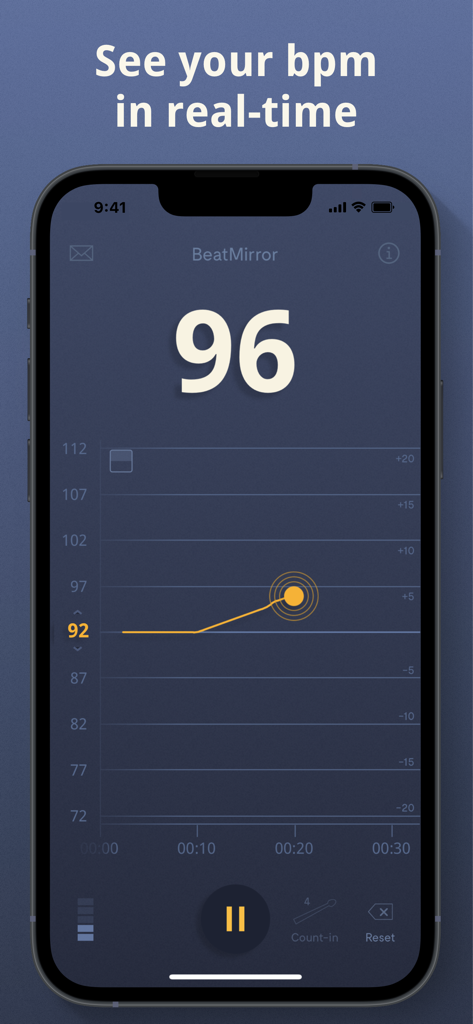
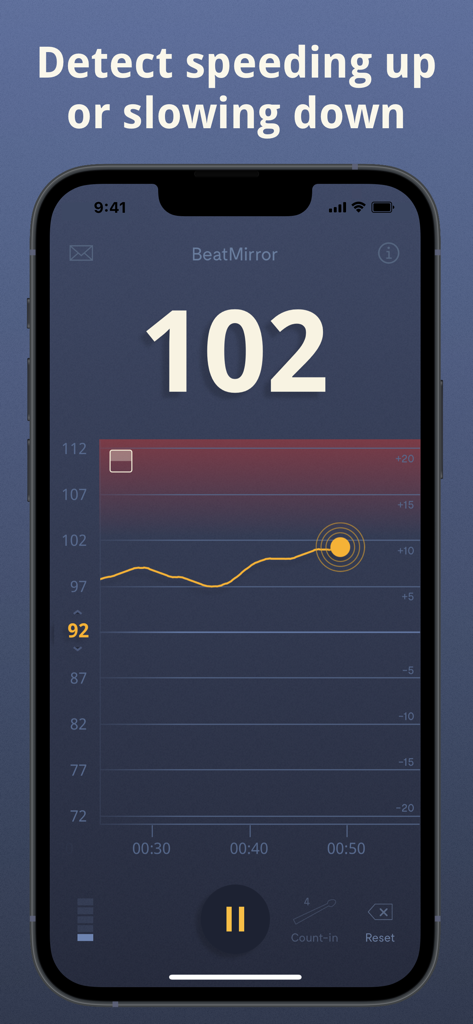
BeatMirror app interface displaying real-time BPM detection and a tempo history graph.

BeatMirror app interface displaying real-time BPM detection and a tempo history graph.

BeatMirror app interface displaying a real-time musical tempo graph and 102 BPM readout

BeatMirror app interface displaying a real-time musical tempo graph and 102 BPM readout

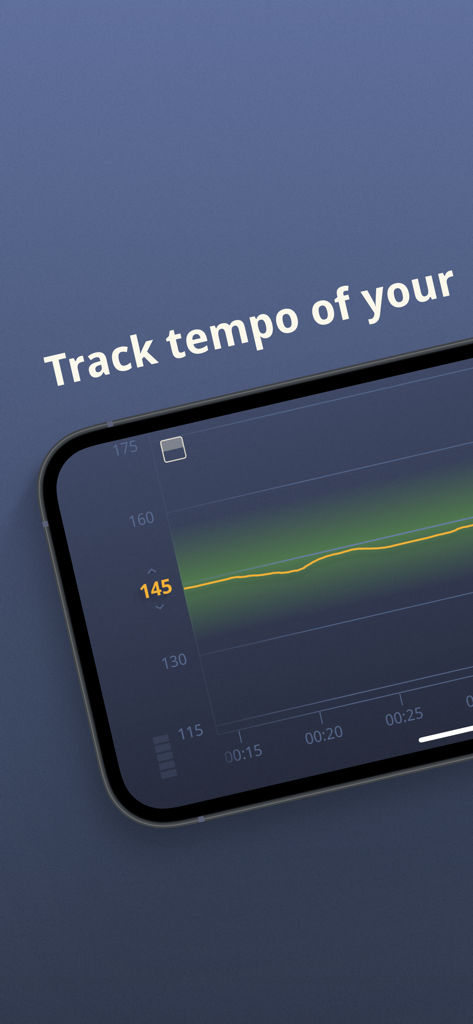
BeatMirror app displaying a real-time tempo graph on a mobile device screen

BeatMirror app displaying a real-time tempo graph on a mobile device screen

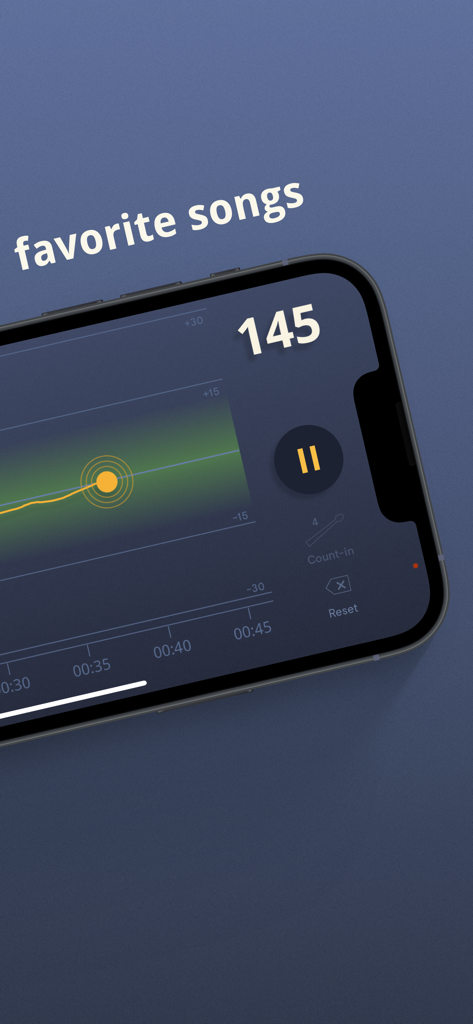
BeatMirror app interface tracking real-time tempo of a song at 145 BPM

BeatMirror app interface tracking real-time tempo of a song at 145 BPM

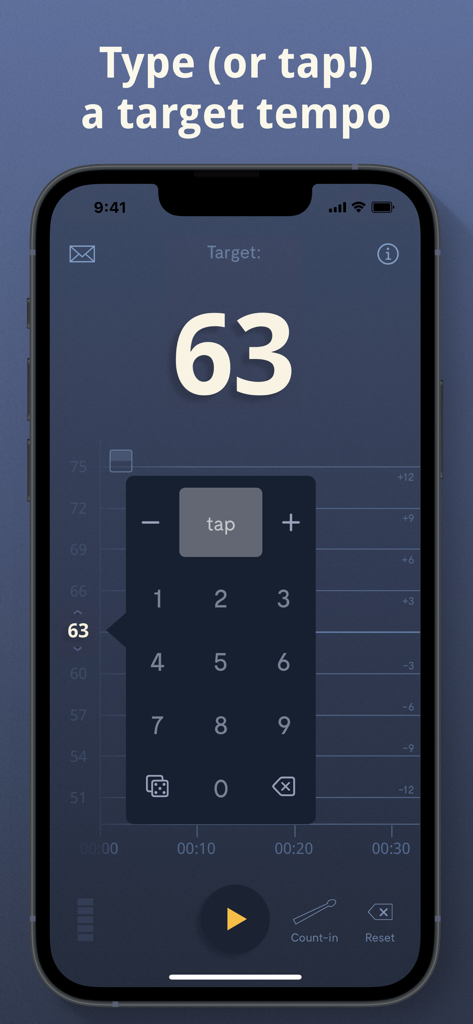
BeatMirror app interface showing the numeric keypad and tap pad to set a target tempo of 63 BPM

BeatMirror app interface showing the numeric keypad and tap pad to set a target tempo of 63 BPM

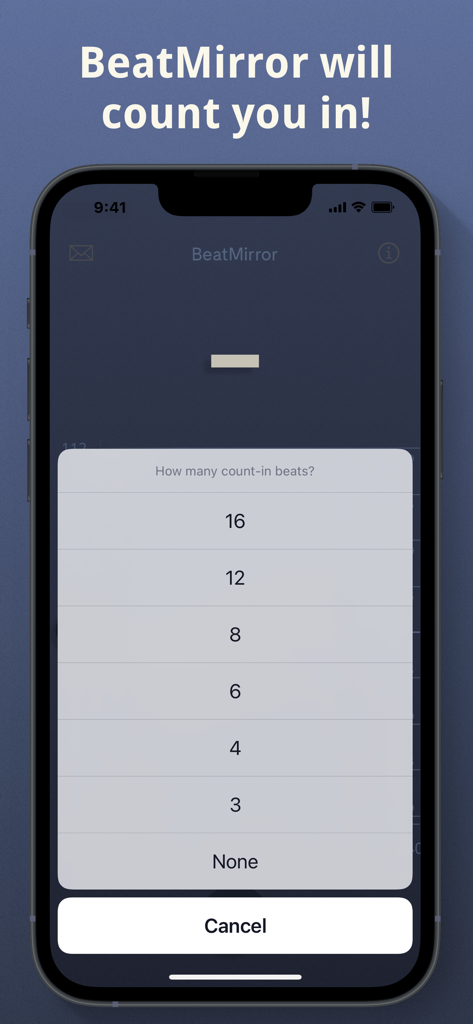
A smartphone showing the BeatMirror app with a menu to select the number of count-in beats.

A smartphone showing the BeatMirror app with a menu to select the number of count-in beats.

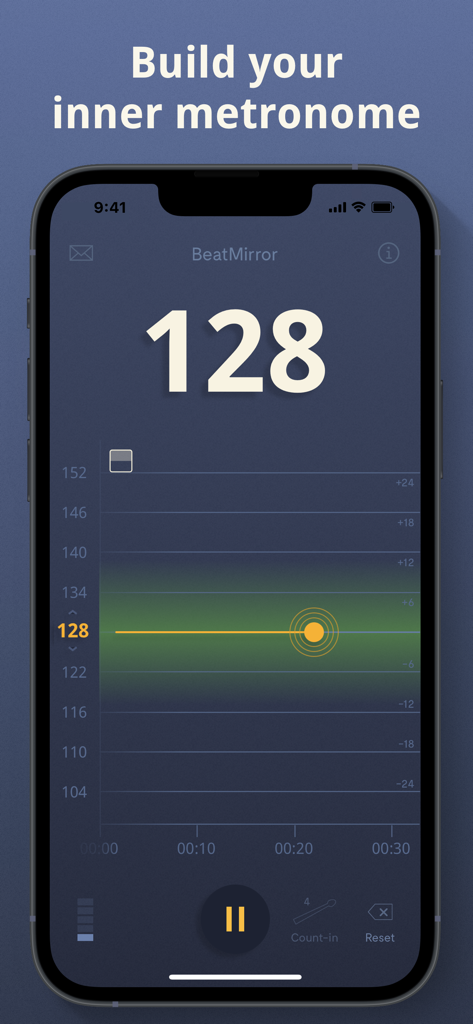
BeatMirror app interface showing a real-time tempo tracking graph and 128 BPM display

BeatMirror app interface showing a real-time tempo tracking graph and 128 BPM display

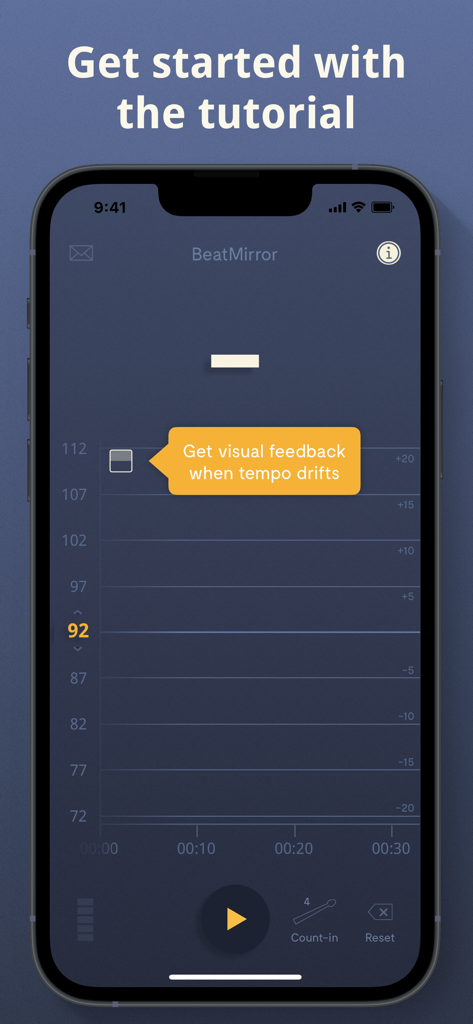
BeatMirror app tutorial screen on an iPhone showing real-time tempo tracking and visual feedback for tempo drift

BeatMirror app tutorial screen on an iPhone showing real-time tempo tracking and visual feedback for tempo drift

Master Your Timing with Data-Driven Precision

The tools that make this app stand out, trusted by 77K+ users.

📈

Real-Time Tempo Visualization

Watch your rhythm unfold on a live, scrollable graph. Detect shifts instantly and see exactly where your timing fluctuates.

🎯

Instant Groove Correction

Get immediate visual cues: green means perfect, blue means speed up, and red means slow down. Stay focused on the feel while the app tracks the math.

🥁

Built for the Practice Room & Stage

From solo sessions to loud rehearsals, use reliable BPM detection to analyze your performance and share progress graphs with your bandmates.

About the app

Everything you need to know about BeatMirror: Track BPM.

Description

BeatMirror uses your device's built-in microphone to detect musical tempo in real-time. Just tap start and a graph of your tempo will appear right away, allowing you to scroll through your tempo history and see trends. Perfect for musicians looking to build their internal rhythm, or to see the tempo of their favorite songs in real-time! TESTIMONIALS: "BeatMirror truly is simplicity at its finest. That quality is missing from most apps who try to cram too many features into one app thus making it difficult to use and many times buggy. We feel like your app is VERY good. We're reviewing BeatMirror and it will be a part of the next show. It's got nothing but thumbs up!" - Phil Smith of "Drummer's Weekly Groovecast" (podcast) "When I first heard about BeatMirror, I was kind of skeptical but after trying it out for weeks now and playing with it everyday, I'm mindblown. Alex really wanted to put a focus on helping drummers improve their internal clock and I really think he's done so." - Richard Ducat of "Drummers I Like" (podcast) "Overall, this app is so quick and simple to use, there's not really an excuse as to why you wouldn't use it during practice sessions, just to see how you’re improving. If you're a drummer, having an app on your phone or tablet like BeatMirror just makes sense." - Laura Barnes of MI-PRO (mi-pro.co.uk) FEATURES: Good music needs good rhythm. But learning to stay on beat—learning to groove—isn't always easy. Build your inner metronome with BeatMirror and catch yourself when you're speeding up or slowing down. Here’s what BeatMirror has to offer: - Wide tempo range. Tempo detection between 35 bpm and 220 bpm. - Fast. Detects tempo quickly and accurately. - Flexible. Accurate across time signatures (e.g., 4/4, 6/8) and rhythm styles (e.g., swing). - Real-time, scrollable graph. Displays current tempo and tempo history in real-time. - Zoom features. Choose tight, loose, or full zoom—or double-tap the graph for easy toggling. - Easy sharing. Share your tempo graph with a tap. - Easy-to-read interface. Optimized for various light environments, such as stages and practice spaces. - Tempo keyboard. A special tempo keyboard (with tap pad) lets you set a target tempo easily and intuitively. - Visual feedback. If you drift from your target tempo, BeatMirror shows a red (slow down!), blue (speed up!), or green (perfect!) indicator. - Custom count-in. BeatMirror gives you an optional count-in before you start playing. - Versatile. Perfect for solo practice, band rehearsals, recorded music, and you can even use it at concerts! - Triplet mode. Boost accuracy in triplet-time with the new triplet mode. - Tutorial. An in-app tutorial gets you up and running in a flash. TIPS FOR BEST PERFORMANCE: - Avoid handling your device during tempo measurement. - Be mindful of competing noise near the device's microphone (e.g., conversation, typing). NOTES ON USAGE: - Recorded music. To detect the tempo of recorded music using BeatMirror, follow these steps: 1) Play a song from your favorite music player app using the device speaker (i.e., unplug your headphones). Or, play the song from a different device altogether. 2) Open BeatMirror and start tempo detection, adjusting the tempo range if needed. 3) The song's precise tempo will then be displayed in real-time. Questions or feedback about BeatMirror? Please don't hesitate to get in touch anytime. Just tap the envelope icon in BeatMirror or reach out at tenkettles.com/contact. Happy practicing! -Alex

Latest Version

3.0.0

Size

4.3 MB

First Released

Jun 12, 2017

Master Your Internal Clock Today

Join 77,000+ musicians who have stopped guessing their tempo. Download BeatMirror and get the real-time visual feedback you need to stay perfectly in the pocket.

Download on App Store
FAQ

Frequently Asked Questions

Everything you need to know about BeatMirror: Track BPM

What is BeatMirror: Track BPM?

BeatMirror: Track BPM is an app that uses your device's built-in microphone to detect musical tempo in real-time. It helps musicians build internal rhythm and analyze song tempos.

How does BeatMirror detect musical tempo?

BeatMirror detects musical tempo using your device's built-in microphone. Users tap start, and the app immediately begins real-time tempo analysis, displaying it on a scrollable graph.

What is the tempo detection range for BeatMirror?

BeatMirror detects tempo within a wide range, specifically from 35 bpm to 220 bpm. This feature ensures versatility for various musical styles and practice requirements.

Does BeatMirror display a tempo history graph?

Yes, BeatMirror displays a real-time, scrollable graph of your tempo. This feature allows users to review their tempo history and identify performance trends over time.

How does BeatMirror provide visual feedback on tempo drift?

BeatMirror provides visual feedback with color indicators. Red signals slowing down, blue signals speeding up, and green indicates perfect tempo when compared to a target BPM.

Can I set a target tempo in BeatMirror?

Yes, BeatMirror allows you to set a target tempo. It features a special tempo keyboard with a tap pad, enabling easy and intuitive input of your desired BPM.

How do I use BeatMirror with recorded music?

To use BeatMirror with recorded music, play the song through your device speaker or a separate device. Then, open BeatMirror, start detection, and adjust the tempo range as needed.

Does BeatMirror offer a custom count-in feature?

Yes, BeatMirror offers a custom count-in feature. Users can select an optional count-in with various beat options, such as 4, 8, or 16 beats, before starting their practice sessions.

What is the purpose of BeatMirror's Triplet mode?

BeatMirror's Triplet mode boosts accuracy when detecting tempo in triplet-time musical passages. This feature provides more precise measurements for complex rhythmic patterns.

Is there a tutorial available in the BeatMirror app?

Yes, BeatMirror includes an in-app tutorial. This feature quickly guides users through the app's functionalities, ensuring they can get started immediately with tempo tracking.

App information, icons, screenshots, and descriptions displayed on this page are sourced from the Apple App Store and are the property of their respective developers. Download estimates and rankings are based on MWM's proprietary models and may not reflect actual figures. This page is provided for informational and analytical purposes only.

Believe this page infringes your intellectual property? File a dispute