BMO Spend Dynamics

BMO Spend Dynamics

Download on App Store
Logo of BMO Spend Dynamics

BMO Spend Dynamics: Master Your Business Expenses on the Go

Eliminate paperwork and reclaim your time. Capture receipts, code transactions, and manage approvals with banking-grade security—anytime, anywhere.

Publisher

Bank of Montreal

Category

Finance

Downloads

108K+

User Rating

4.2/5

Total Ratings

1K+

Locales

18

Effortless Expense Control

Discover the interface used by 108K+ users.
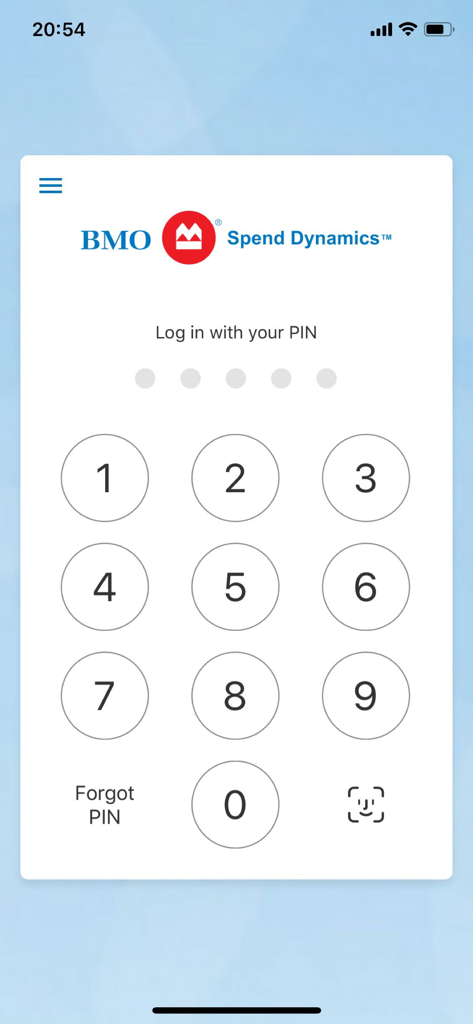
BMO Spend Dynamics app login screen with a numeric PIN pad for secure access

BMO Spend Dynamics app login screen with a numeric PIN pad for secure access

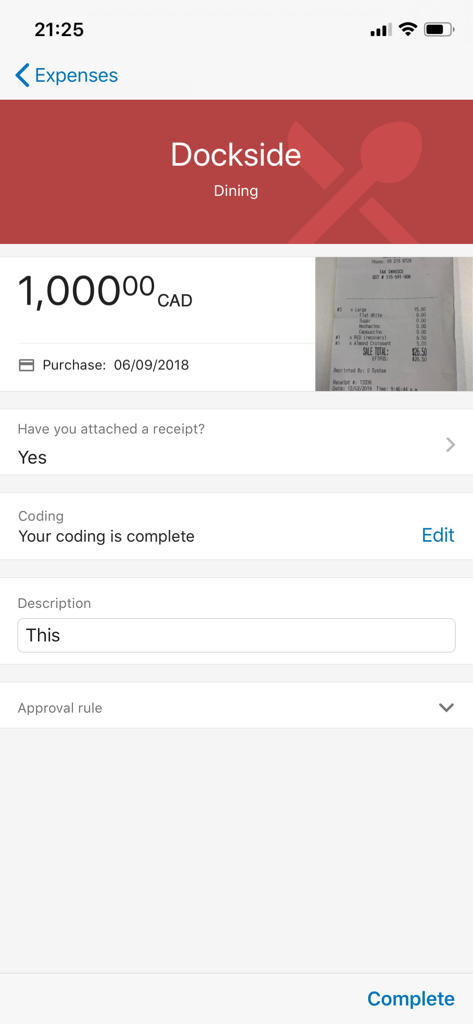
BMO Spend Dynamics app interface displaying detailed expense information and a receipt image

BMO Spend Dynamics app interface displaying detailed expense information and a receipt image

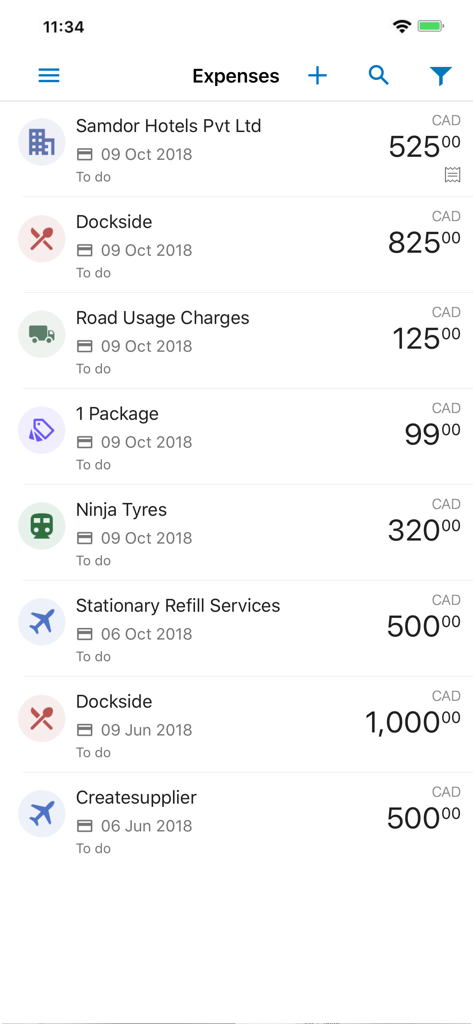
Mobile app interface showing a list of corporate expenses with vendor names dates and amounts

Mobile app interface showing a list of corporate expenses with vendor names dates and amounts

BMO Spend Dynamics mobile app showing corporate card accounts and available balances

BMO Spend Dynamics mobile app showing corporate card accounts and available balances

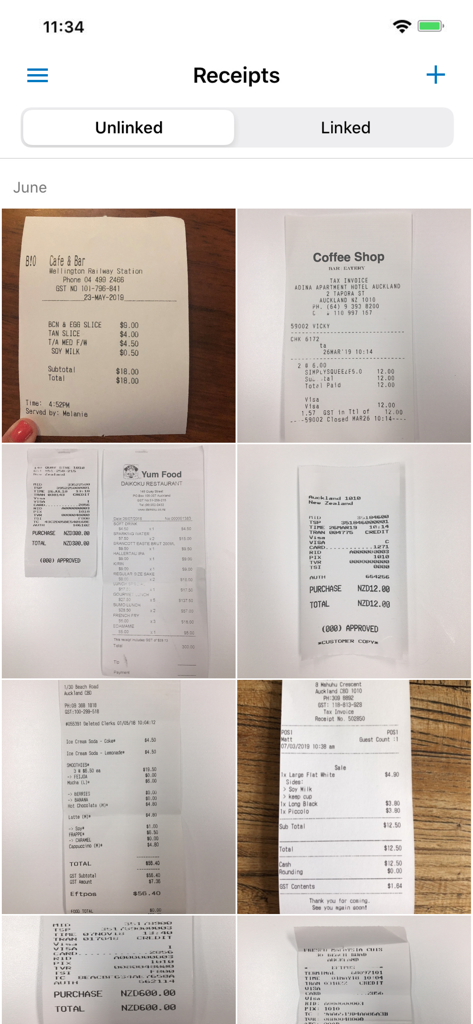
BMO Spend Dynamics app interface showing a grid of unlinked business receipts captured for expense reporting

BMO Spend Dynamics app interface showing a grid of unlinked business receipts captured for expense reporting

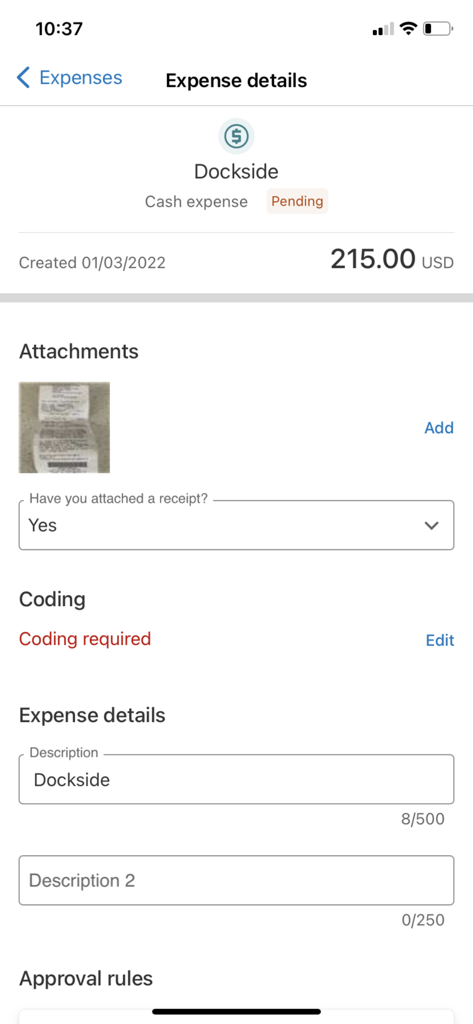
Mobile app screen showing expense details for a cash transaction at Dockside with a receipt attachment and status pending

Mobile app screen showing expense details for a cash transaction at Dockside with a receipt attachment and status pending

Streamline Your Business Expenses

The tools that make this app stand out, trusted by 108K+ users.

📸

One-Tap Receipt Capture

Instantly digitize paper receipts using your camera. Keep your expense records organized in the cloud and never lose a receipt again.

🛡️

Banking-Grade Security

Experience peace of mind with globally recognized security levels and secure PIN access designed to protect sensitive corporate data.

Effortless Mobile Approvals

Keep business moving by reviewing and approving expenses on the go, eliminating bottlenecks and late-night admin marathons.

About the app

Everything you need to know about BMO Spend Dynamics.

Description

Save time and money by managing your expenses on the go. Get expense management at your fingertips by using the BMO Spend Dynamics® mobile app to view, code and approve expenses – anytime, anywhere. Access all of BMO Spend Dynamics® powerful expense management functionality on the go from your iOS devices. From receipt capture to approvals, it’s easy for users and managers to complete all their expense tasks on the go. You’ll have visibility of all your card purchases and the ability to view any policy or approval rules associated with your expenses – all on the same screen. Simply download now and create your mobile PIN to enjoy all the functionality you’re already using with BMO Spend Dynamics. With BMO Spend Dynamics® mobile app, you can say goodbye to paperwork, spreadsheets, and paper receipts and say hello to mobile and cloud technology, freeing you up to get on with your day job. Easy Expense Management: - Capture expense data from your BMO Corporate Card - Take photos of your receipts using your device - Keep track of receipts using the image library - Code and submit expenses - Approve expenses - Banking-grade globally recognized security levels

Latest Version

254.1

Size

156.3 MB

First Released

Apr 22, 2018

Stop Chasing Receipts and Reclaim Your Weekends

Join over 100,000 professionals streamlining their workflow. Download BMO Spend Dynamics now to manage, code, and approve expenses in seconds—anytime, anywhere.

Download on App Store

App information, icons, screenshots, and descriptions displayed on this page are sourced from the Apple App Store and are the property of their respective developers. Download estimates and rankings are based on MWM's proprietary models and may not reflect actual figures. This page is provided for informational and analytical purposes only.

Believe this page infringes your intellectual property? File a dispute