Brim - Simple Budget Tracker

Brim - Simple Budget Tracker


Download on App Store
Logo of Brim - Simple Budget Tracker

Brim — Know exactly what you can spend right now.

Stop the mental math. Get one honest number that accounts for your bills, variable income, and upcoming expenses—all while keeping your data 100% private and beautifully integrated with iOS.

Publisher

Lazare Kolebka

Category

Finance

Downloads

1K+

User Rating

5.0/5

Total Ratings

0

Locales

11

Financial Clarity, Visualized

Discover the interface used by 1K+ users.
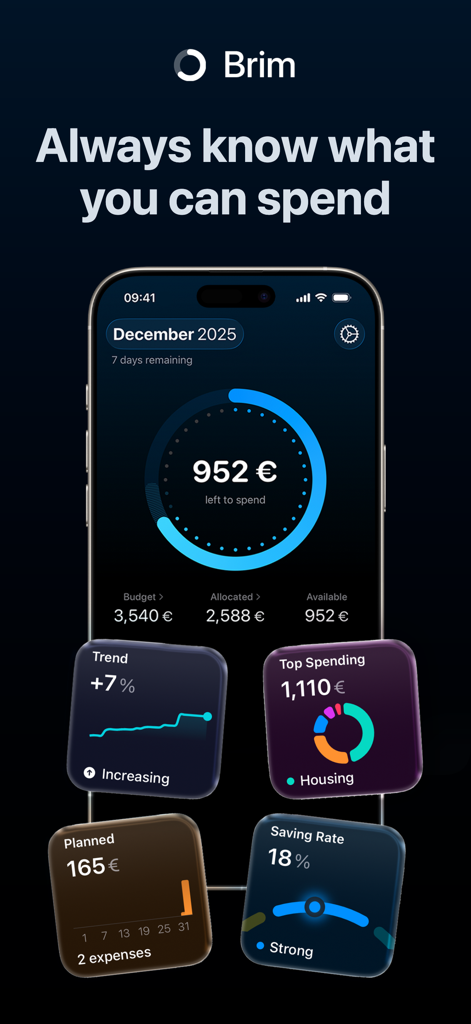
Brim app dashboard on iPhone showing left to spend balance and financial insight widgets for spending trends and saving rate

Brim app dashboard on iPhone showing left to spend balance and financial insight widgets for spending trends and saving rate

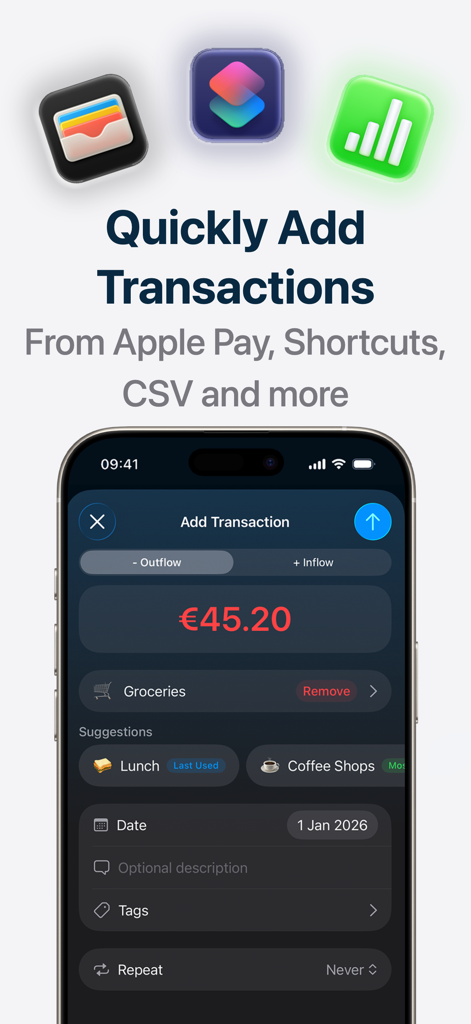
Brim app screen showing the Add Transaction interface with options for quick entry from Apple Pay and Shortcuts

Brim app screen showing the Add Transaction interface with options for quick entry from Apple Pay and Shortcuts

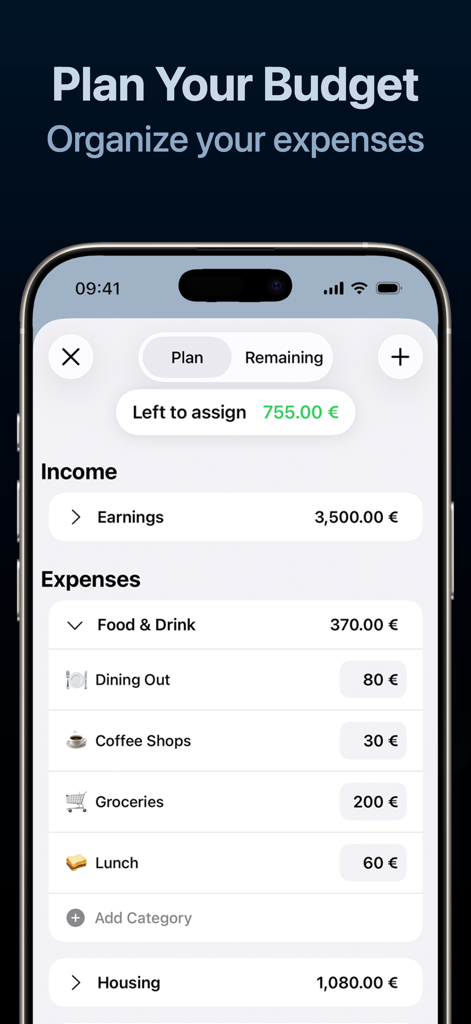
Brim app screenshot showing the budget planning screen with income and categorized expenses

Brim app screenshot showing the budget planning screen with income and categorized expenses

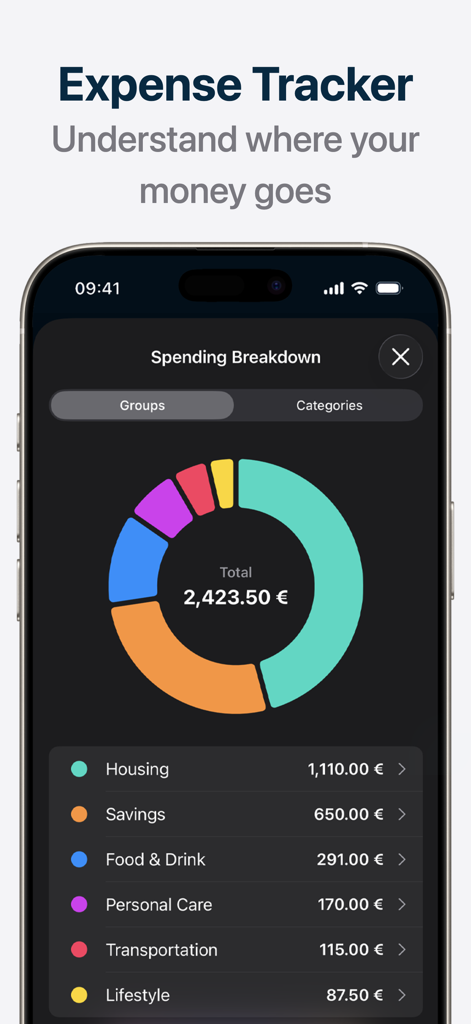
Brim budget app spending breakdown screen featuring a colorful donut chart of monthly expenses by category

Brim budget app spending breakdown screen featuring a colorful donut chart of monthly expenses by category

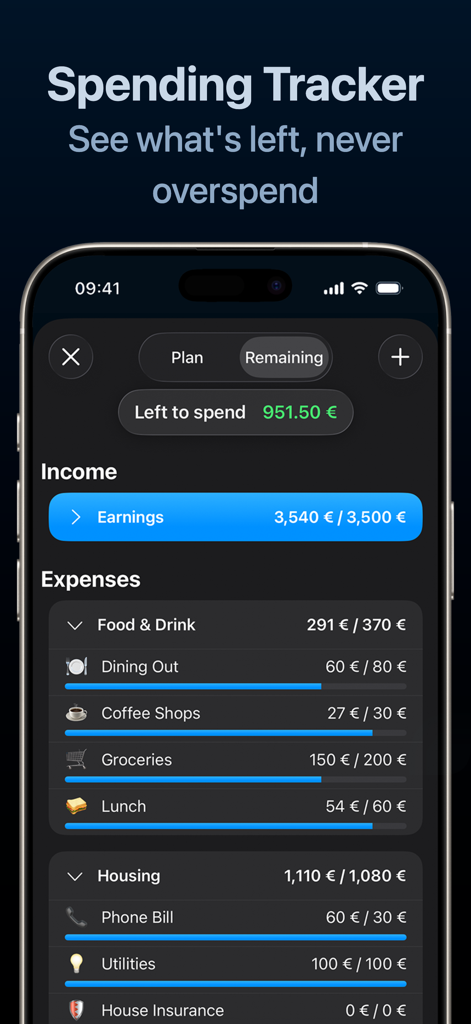
Brim mobile app interface showing income and categorized spending with progress bars.

Brim mobile app interface showing income and categorized spending with progress bars.

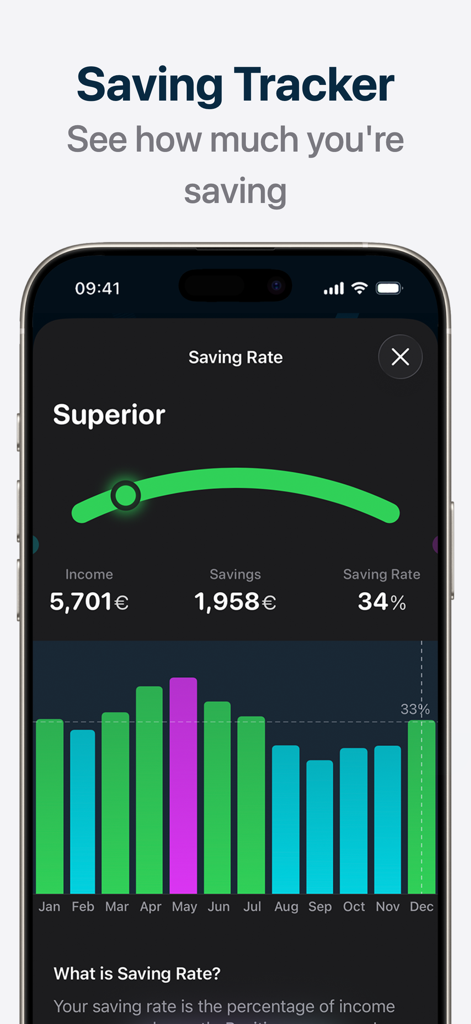
Brim budget tracker app interface showing a 34 percent saving rate with a monthly bar chart and superior status indicator

Brim budget tracker app interface showing a 34 percent saving rate with a monthly bar chart and superior status indicator

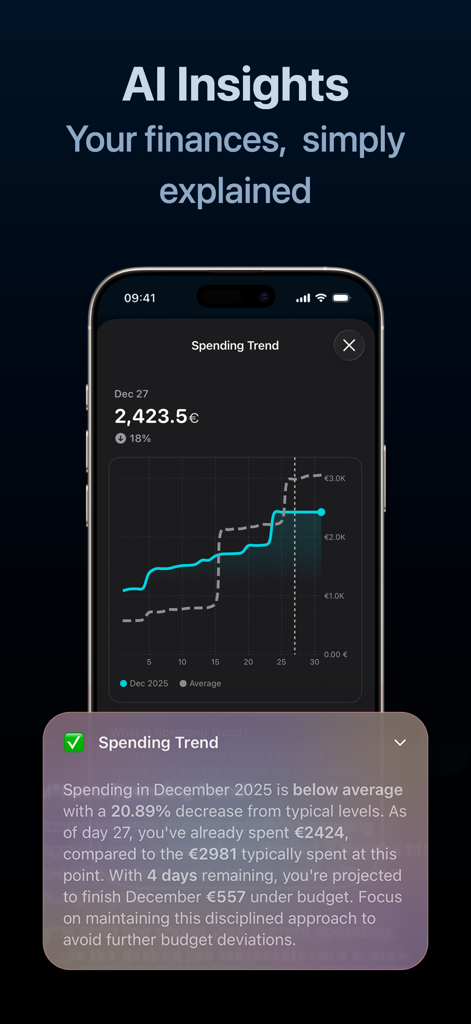
Brim budget tracker app screen showing AI powered spending insights and a financial trend graph

Brim budget tracker app screen showing AI powered spending insights and a financial trend graph

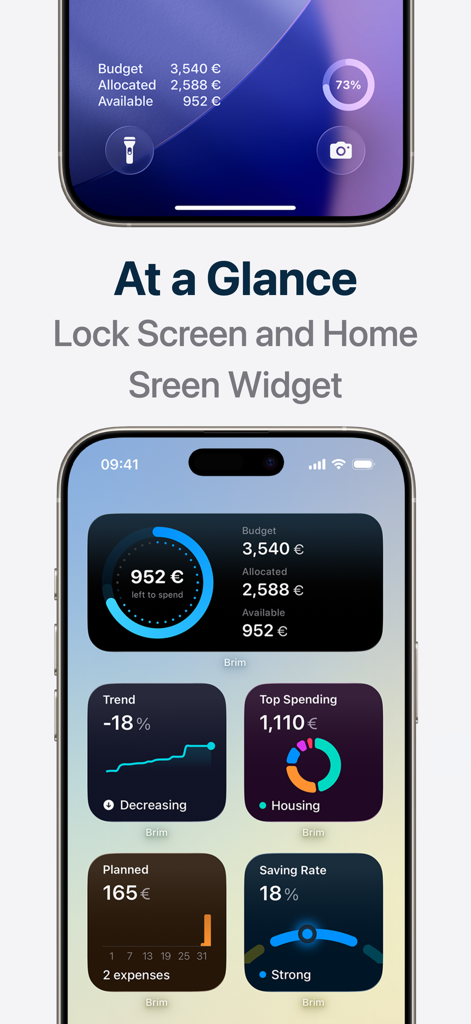
iPhone lock screen and home screen showcasing the Brim budget tracker widgets for quick financial insights

iPhone lock screen and home screen showcasing the Brim budget tracker widgets for quick financial insights

Master Your Financial Flow

The tools that make this app stand out, trusted by 1K+ users.

🎯

One Honest Number

See exactly what is safe to spend right now after all bills and savings are handled. No more mental math at the checkout.

🔄

Built for Variable Income

Perfect for freelancers and 1099s. Your budget adjusts automatically as your income unfolds, no matter when your payday hits.

🛡️

Privacy-First Design

Skip the invasive bank connections. Your financial data lives on your device and syncs via your personal iCloud for total security.

About the app

Everything you need to know about Brim - Simple Budget Tracker.

Description

What can I actually spend right now? Not what's in your bank account. What you can truly spend, after bills, before your next paycheck. Brim shows you one honest number. Payday on the 29th? Income varies? Most apps assume your money arrives on the 1st. Brim doesn't. Set your expected income, and your budget adjusts automatically as reality unfolds. Always know where you stand, even before payday. — BILLS? ALREADY HANDLED Set up rent, subscriptions, and recurring expenses once. Brim automatically deducts them and shows what's truly left after everything's paid. That "left to spend" number on your home screen? It's real. No mental math. No forgetting about that insurance payment. — SEE WHAT'S COMING The Planned widget shows every upcoming expense, recurring bills and one-time payments, on a timeline. No surprises. Know exactly what's hitting your account before it happens. — UNDERSTAND YOUR SPENDING Interactive charts powered by Apple Intelligence explain your finances in plain language: * Spending Trend: Compare this month to your 3-month average. Are you on track, behind, or overspending? * Top Spending: See exactly where your money goes, by category or group * Saving Rate: Track your savings percentage with benchmarks (0-8% starting, 15-20% strong, 20%+ excellent) Tap any chart. Get instant insights. No finance degree required. — ADD EXPENSES IN ONE TAP Brim is built for speed: * One-tap transaction entry * Long-press the app icon to add from Home Screen * Shortcuts integration for custom automations * Apple Pay automation support — PRIVATE BY DEFAULT Your financial data lives on your device and syncs via your iCloud. We never see it. No bank connection required. Ever. — DESIGNED FOR iOS 26 Built with Apple's Liquid Glass design. Stunning dark interface that feels right at home on your iPhone. — FEATURES Smart Budgeting * Flexible budget period — start on any day * Plan budget on expected income * Adapts when actual income differs * "Left to spend" after all recurring bills * Automatic recurring transactions * Planned transactions widget Insights & Analysis * Spending trend vs. 3-month average * Category and group spending breakdown * Saving Rate gauge with benchmarks * Apple Intelligence explanations Widgets & Quick Access * 5 Home Screen widgets * Lock Screen widgets * One-tap expense entry * Long-press quick actions * Shortcuts integration Data & Privacy * CSV import from other apps * CSV export for backup * iCloud sync across devices * 100% private, data stays on your device Design & Compatibility * iOS 26 Liquid Glass design * Beautiful dark interface * 180+ currencies supported — BUILT WITH YOU Brim is made by an indie developer who listens. Join the community, vote on the roadmap, and help shape what comes next. Your feedback directly influences the app. — Privacy: https://getbrim.app/privacy Terms: https://getbrim.app/terms

Latest Version

1.0.1

Size

47.8 MB

First Released

Jan 24, 2026

Stop the mental math. Get your one honest number.

Join thousands of mindful professionals mastering their variable income with total privacy. Download Brim and start spending with confidence today.

Download on App Store

App information, icons, screenshots, and descriptions displayed on this page are sourced from the Apple App Store and are the property of their respective developers. Download estimates and rankings are based on MWM's proprietary models and may not reflect actual figures. This page is provided for informational and analytical purposes only.

Believe this page infringes your intellectual property? File a dispute