British Columbia Roads

British Columbia Roads


Download on App Store
Logo of British Columbia Roads

British Columbia Roads: Real-Time Traffic & 870+ Live Cameras

Master your commute across BC and the border. Get visual confirmation of road conditions, instant incident alerts, and official Ministry data with a one-time purchase and zero subscriptions.

Download on App Store

Publisher

Coderun Technologies Ltd

Category

Travel

Downloads

32K+

User Rating

2.9/5

Total Ratings

0

Locales

1

Know Before You Go

Discover the interface used by 32K+ users.
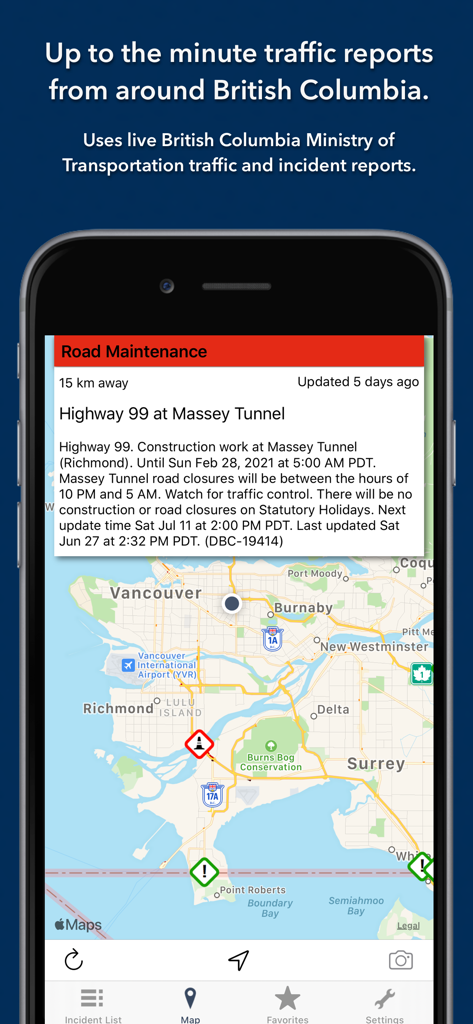
British Columbia Roads app showing a map with traffic incidents and road maintenance reports.

British Columbia Roads app showing a map with traffic incidents and road maintenance reports.

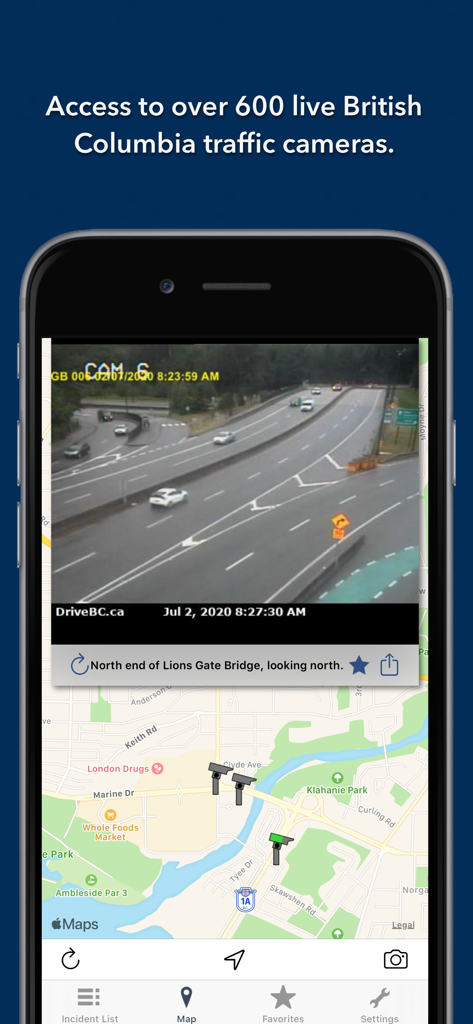
Screenshot of the British Columbia Roads app showing a live traffic camera feed of the Lions Gate Bridge on a map.

Screenshot of the British Columbia Roads app showing a live traffic camera feed of the Lions Gate Bridge on a map.

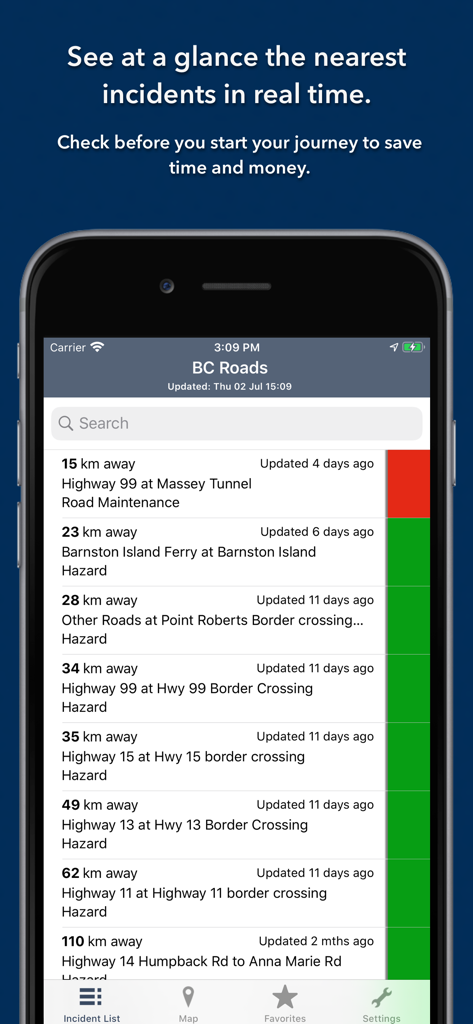
British Columbia Roads app incident list showing real time traffic alerts and road maintenance updates sorted by distance

British Columbia Roads app incident list showing real time traffic alerts and road maintenance updates sorted by distance

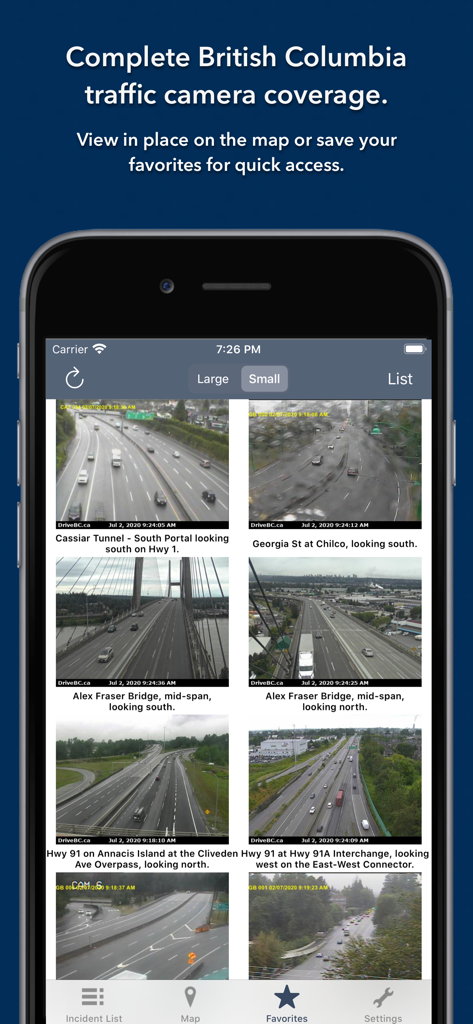
Grid view of live traffic camera feeds in the British Columbia Roads app showing various bridges and highways

Grid view of live traffic camera feeds in the British Columbia Roads app showing various bridges and highways

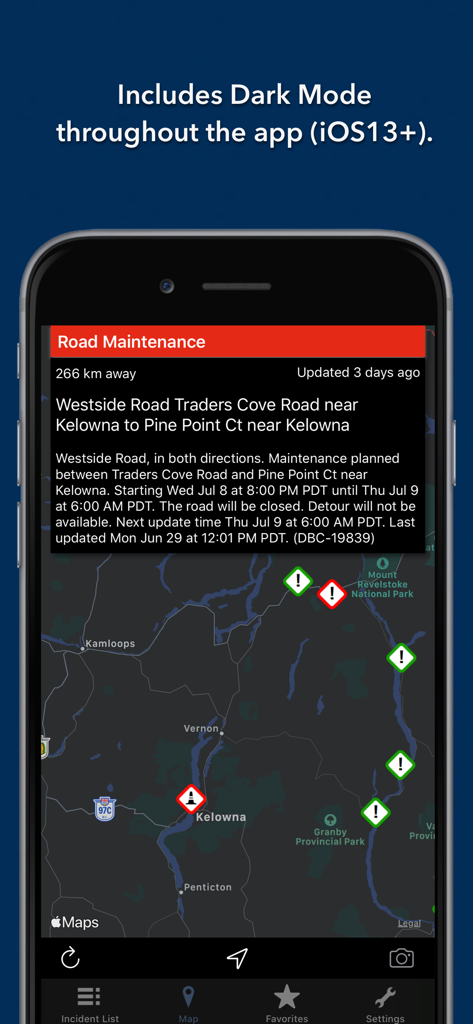
A smartphone screen displaying the British Columbia Roads app in dark mode featuring a map with traffic incident icons near Kelowna and a detailed road maintenance report.

A smartphone screen displaying the British Columbia Roads app in dark mode featuring a map with traffic incident icons near Kelowna and a detailed road maintenance report.

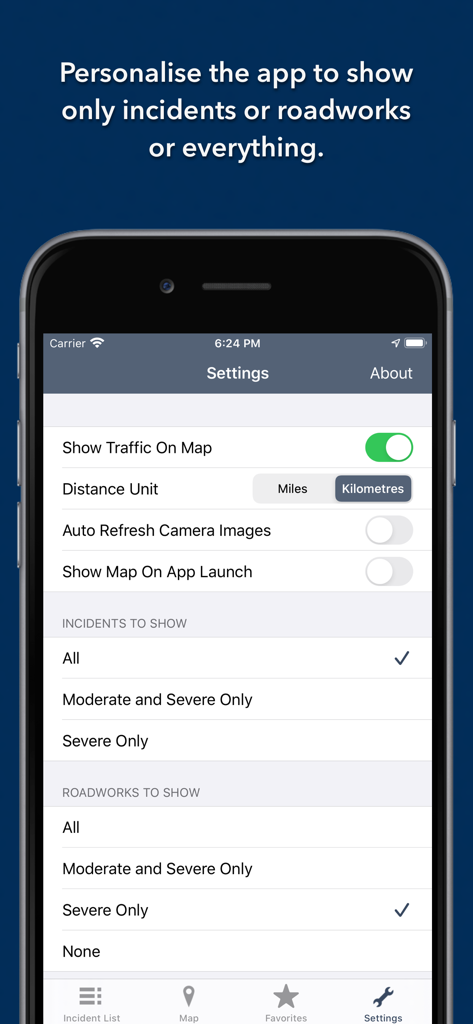
A screenshot of the British Columbia Roads app settings page showing options to filter traffic incidents and roadworks.

A screenshot of the British Columbia Roads app settings page showing options to filter traffic incidents and roadworks.

Navigate British Columbia Like a Pro

The tools that make this app stand out, trusted by 32K+ users.

📸

Visual Road Verification

Don't just trust an algorithm. Access 873 live traffic cameras across BC to see actual weather and congestion conditions before you put your car in gear.

🚨

Proximity-Based Alerts

Stay safe and save time with an intelligent list view that ranks incidents and roadworks by distance from your current location, sorted by severity.

⏱️

Glance-and-Go Widget

Efficiency at your fingertips. Use the Today View widget to monitor nearby incidents and access your favorite bridge or highway cameras without even unlocking your phone.

About the app

Everything you need to know about British Columbia Roads.

Description

Live traffic reports and cameras for British Columbia including Vancouver. Save your favorite cameras for quick access. One time purchase, no subscription required. The app was updated during December 2025. KEY FEATURES: Live data from The British Columbia Ministry of Transportation and Infrastructure: - 873 traffic cameras - Today screen widget to show at a glance the nearest current traffic incidents - Dark Mode throughout the app (iOS13+). - Sharing: you can easily share traffic camera images with your Twitter followers, Facebook friends or via email etc. - Optimised for all iPhone and iPad models. MAP VIEW - Shows current incidents and traffic cams - Each incident is color coded as well as being represented by an icon showing the incident type. - Clicking on an incident displays more detail right there on the map. - The map view can also show live traffic camera images. LIST VIEW - Shows current incidents in order of distance from your current location (closest incidents are shown first). - Each incident is color-coded to indicate the severity of the delay. - You can quickly see the distance the incident is from you, the road name and the type of incident. - The detail view shows the description together with a map showing the location. - Full search functionality, works across both the list and map views. TRAFFIC CAM FAVORITES - Save your favorite cameras for quick access to see how clear/congested your usual routes are. TODAY WIDGET - Shows at a glance the nearest current traffic incidents without launching the app. PERSONALISE - Toggle traffic information on the map. - Toggle auto refresh of camera images (will refresh every 10 seconds). - Toggle always show map on app launch. - Toggle roadworks on/off. - You can configure which incidents are displayed according to the severity of the delay caused. - Kilometres or Miles setting. CONTACT - Email me for feature requests/bug reports etc. I would love to hear from you! Data courtesy of The British Columbia Ministry of Transportation and Infrastructure.

Latest Version

3.4

Size

3.1 MB

First Released

Feb 21, 2017

Drive Smarter Across British Columbia

Join 32,000+ drivers who trade traffic stress for visual certainty. Get 873+ live cameras and real-time incident alerts with a single one-time purchase—no subscriptions required.

Download on App Store
FAQ

Frequently Asked Questions

Everything you need to know about British Columbia Roads

Can I view traffic incidents on a map in British Columbia Roads?

Yes, the British Columbia Roads app features a Map View. It displays current incidents and traffic cameras, with incidents color-coded and represented by icons.

How many traffic cameras does British Columbia Roads access?

The British Columbia Roads app provides data from 873 traffic cameras from The British Columbia Ministry of Transportation and Infrastructure.

Is the British Columbia Roads app a subscription service?

No, the British Columbia Roads app is a one-time purchase. It does not require any subscription for its features.

Does British Columbia Roads support Dark Mode?

Yes, the British Columbia Roads app includes Dark Mode throughout the application. It is supported on iOS13 and later versions.

Can I save favorite cameras in the British Columbia Roads app?

Yes, users can save favorite cameras within the British Columbia Roads app. This allows for quick access to assess traffic conditions on usual routes.

How does the "Today" widget function in British Columbia Roads?

The British Columbia Roads app includes a Today screen widget. It shows the nearest current traffic incidents at a glance without launching the app.

Can I personalize the incident display in the British Columbia Roads app?

Yes, the British Columbia Roads app allows personalization. Users can configure which incidents are displayed based on the severity of the delay caused.

What data source does British Columbia Roads use for traffic reports?

The British Columbia Roads app uses live data from The British Columbia Ministry of Transportation and Infrastructure for its traffic and incident reports.

Can I share traffic camera images from British Columbia Roads?

Yes, the British Columbia Roads app allows users to easily share traffic camera images. This feature supports sharing via platforms like Twitter, Facebook, or email.

Is British Columbia Roads optimized for iPad?

Yes, the British Columbia Roads app is optimized for all iPhone and iPad models. This ensures a consistent user experience across different Apple devices.

App information, icons, screenshots, and descriptions displayed on this page are sourced from the Apple App Store and are the property of their respective developers. Download estimates and rankings are based on MWM's proprietary models and may not reflect actual figures. This page is provided for informational and analytical purposes only.

Believe this page infringes your intellectual property? File a dispute