Business Expenses

Business Expenses

Download on App Store
Logo of Business Expenses

Business Expenses: Streamline Your Bookkeeping with Smart Receipt Scanning

The powerful, simple-to-use expense manager built for the Apple ecosystem. Automatically capture data from scans, organize deductions with tags, and stay tax-ready across your iPhone, iPad, and Mac.

Download on App Store

Publisher

Thomas Coomer

Category

Finance

Downloads

0

User Rating

1.0/5

Total Ratings

0

Locales

1

Financial Clarity at a Glance

Discover the interface used by 0 users.
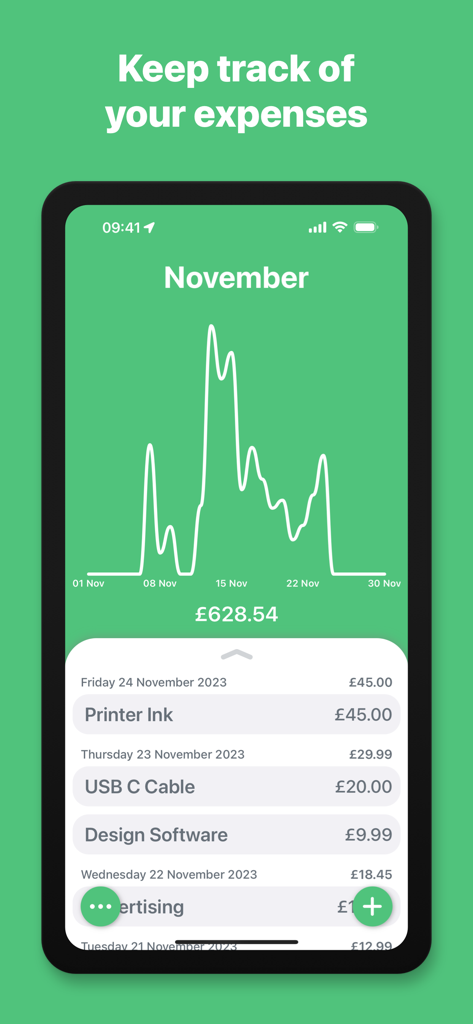
Dashboard of the Business Expenses app showing a monthly spend trend graph and categorized expense list

Dashboard of the Business Expenses app showing a monthly spend trend graph and categorized expense list

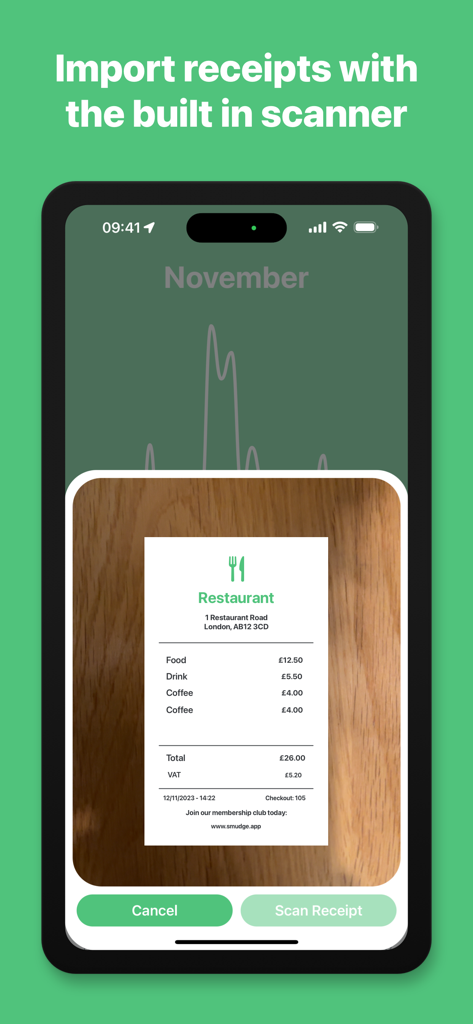
Business Expenses app interface showing the receipt scanning feature on an iPhone

Business Expenses app interface showing the receipt scanning feature on an iPhone

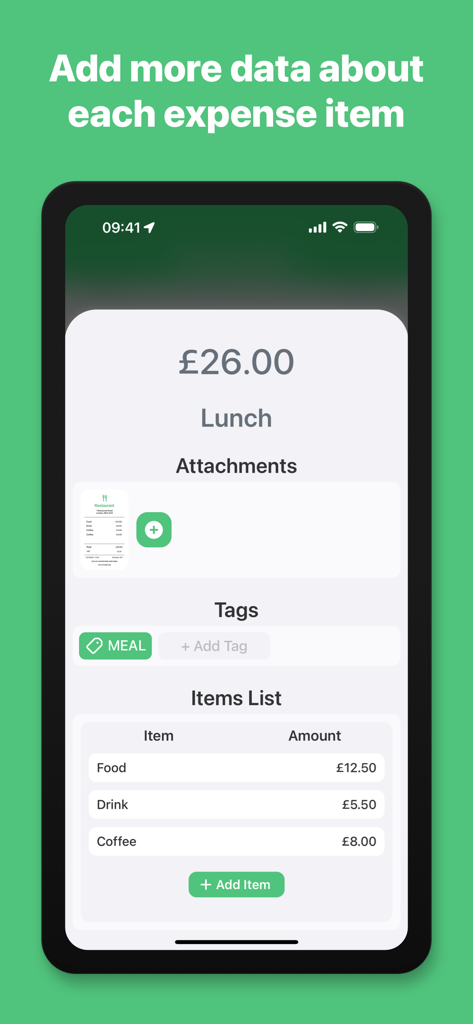
Business Expenses app screen showing an itemized lunch receipt with attachments and category tags.

Business Expenses app screen showing an itemized lunch receipt with attachments and category tags.

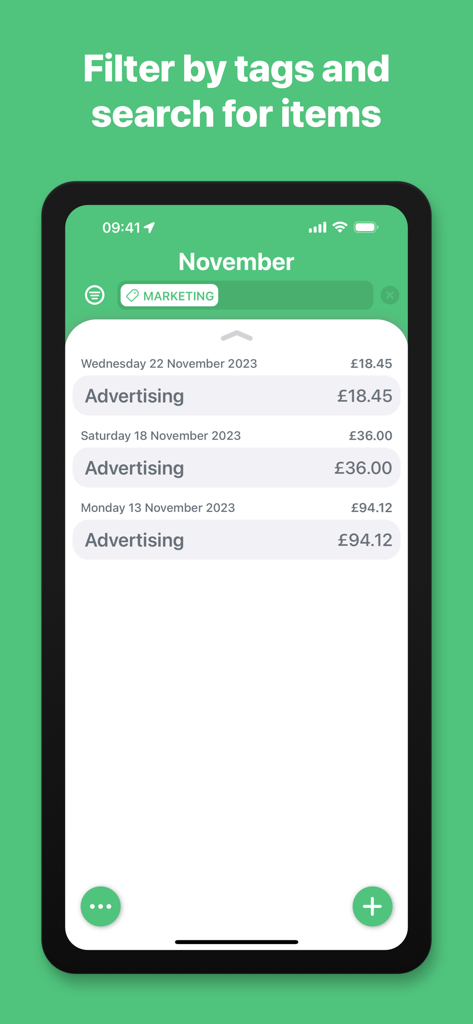
Business Expenses app interface showing filtered advertising costs under the marketing tag for November

Business Expenses app interface showing filtered advertising costs under the marketing tag for November

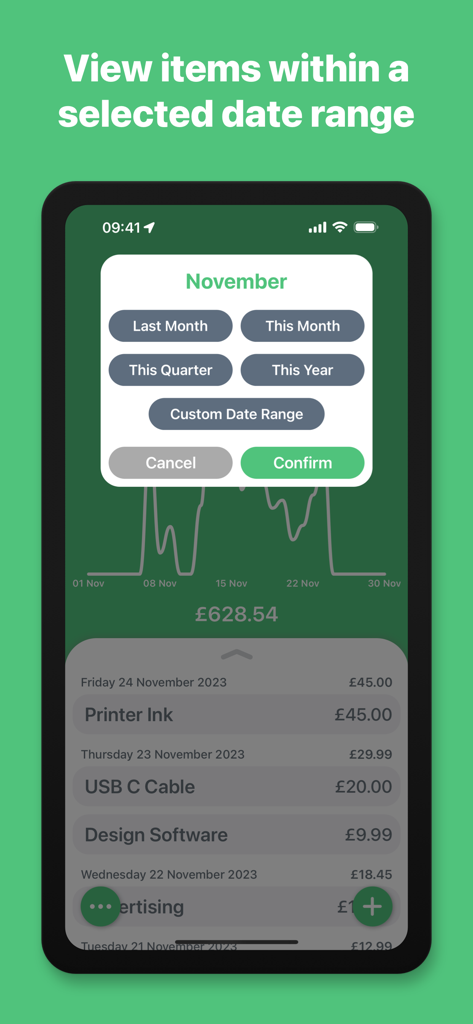
iPhone screen showing the Business Expenses app date range selection menu with options like Last Month and This Quarter over a spending trend chart.

iPhone screen showing the Business Expenses app date range selection menu with options like Last Month and This Quarter over a spending trend chart.

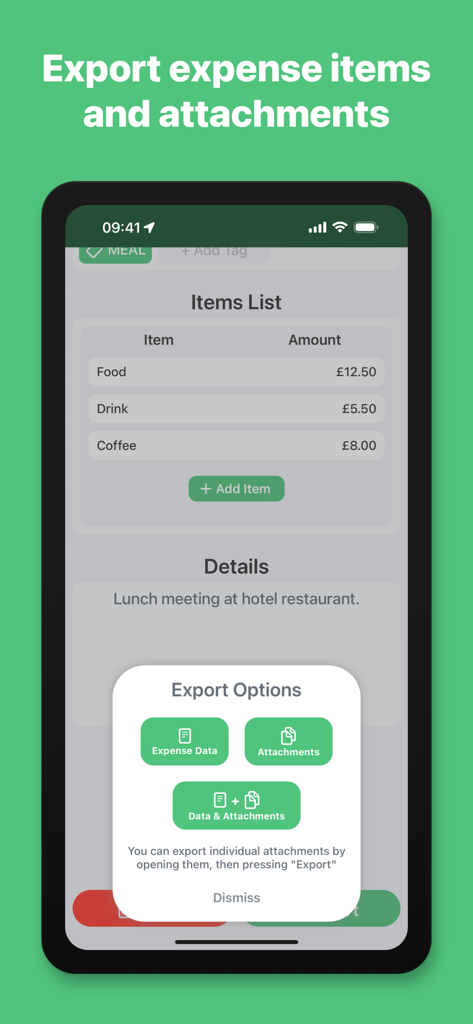
Business Expenses app screen showing export options for expense data and receipt attachments

Business Expenses app screen showing export options for expense data and receipt attachments

Effortless Expense Management for Professionals

The tools that make this app stand out, trusted by 0 users.

📸

Smart Receipt Scanning

Snap a photo or import a PDF and let our AI automatically detect dates and totals. No more manual typing or lost paper receipts.

💻

Seamless Apple Ecosystem

Capture expenses on your iPhone while in the field and review detailed spend trends on your Mac. Your data stays perfectly in sync.

📑

Tax-Ready Reporting

Export organized data and high-quality attachments instantly. Provide your accountant with everything they need for the IRS in just a few taps.

About the app

Everything you need to know about Business Expenses.

Description

Keep track of your expenses and organise your business receipts with this simple, powerful expenses management system. Add expense data by scanning receipts, import from an existing photo, add a PDF from the Files app or enter an expense manually. Expense data is automatically detected and organised from scans and imported files. Add more attachments, enter expense details and list multiple sub-items for each expense to keep detailed records. Group expense items by adding tags, which can then be used to filter for specific items, along with a custom search feature. View items for a selected date range, from the date picker shortcuts, or choose a custom date range with the built in date picker. The expense chart will show your spend trend across the selected date range. Export expense data and attachments to send by message, email and more. View and edit your expenses across your Apple devices. - Subscription Details - Business Expenses requires a month to month subscription after your 14 day free trial. Your subscription can be cancelled at any time. No long term commitment required. Subscriptions will be charged to your iTunes account at confirmation of purchase. Your subscription will automatically renew unless automatic renewal is turned off at least 24 hours before the end of the current period. Your account will be charged for renewal within 24 hours prior to the end of the current period. You can manage your subscriptions and automatic renewal status in Account Settings after purchase. Price may vary by location. Privacy Policy: https://smudge.app/privacy Terms and Conditions: https://smudge.app/app-terms

Latest Version

1.4.2

Size

17.0 MB

First Released

Nov 28, 2023

Ready to End the Receipt Chaos?

Join thousands of US solopreneurs and freelancers who save hours on bookkeeping. Start your 14-day free trial today and experience effortless expense tracking across your iPhone, iPad, and Mac.

Download on App Store

App information, icons, screenshots, and descriptions displayed on this page are sourced from the Apple App Store and are the property of their respective developers. Download estimates and rankings are based on MWM's proprietary models and may not reflect actual figures. This page is provided for informational and analytical purposes only.

Believe this page infringes your intellectual property? File a dispute