Call&Report

Call&Report

Download on App Store
Logo of Call&Report

Call&Report: Streamline Your Field Operations and Activity Tracking

Eliminate manual paperwork with a professional interface built for mobile teams. Effortlessly log tasks, track GPS positions, and record driven mileage to ensure accurate reporting and faster reimbursements.

Download on App Store

Publisher

Enera International AB

Category

Business

Downloads

0

User Rating

1.0/5

Total Ratings

0

Locales

-

Precision at Your Fingertips

Discover the interface used by 0 users.

Splash screen of the Call and Report app featuring its logo and Enera International branding on a red background.

Splash screen of the Call and Report app featuring its logo and Enera International branding on a red background.

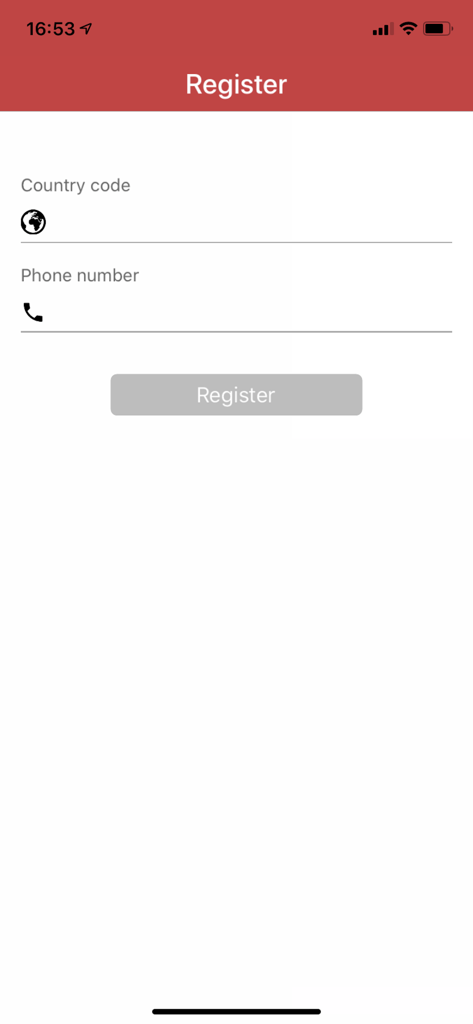
Mobile registration screen for Call and Report app showing fields for country code and phone number

Mobile registration screen for Call and Report app showing fields for country code and phone number

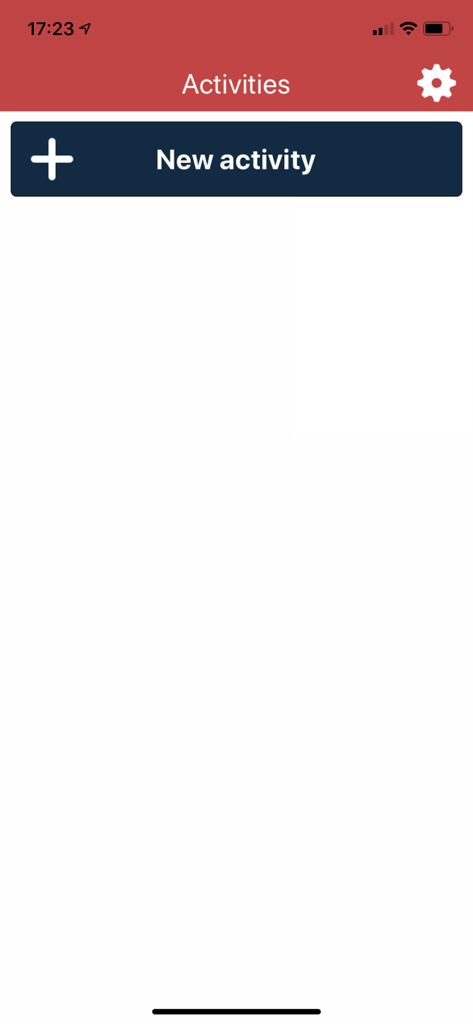
Call and Report app screen showing a new activity button and activities header

Call and Report app screen showing a new activity button and activities header

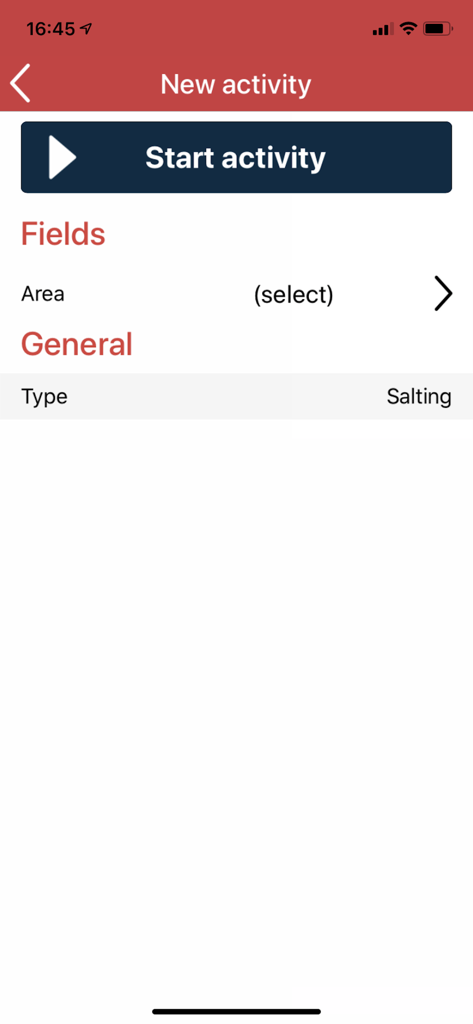
New activity screen in the Call and Report app featuring a Start activity button and salting task type.

New activity screen in the Call and Report app featuring a Start activity button and salting task type.

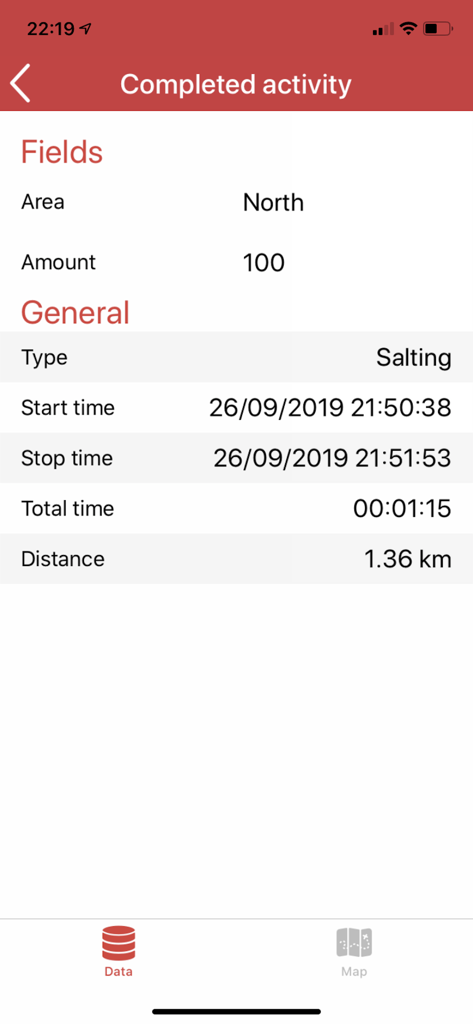
Summary of a completed salting activity showing duration and distance in the Call and Report app

Summary of a completed salting activity showing duration and distance in the Call and Report app

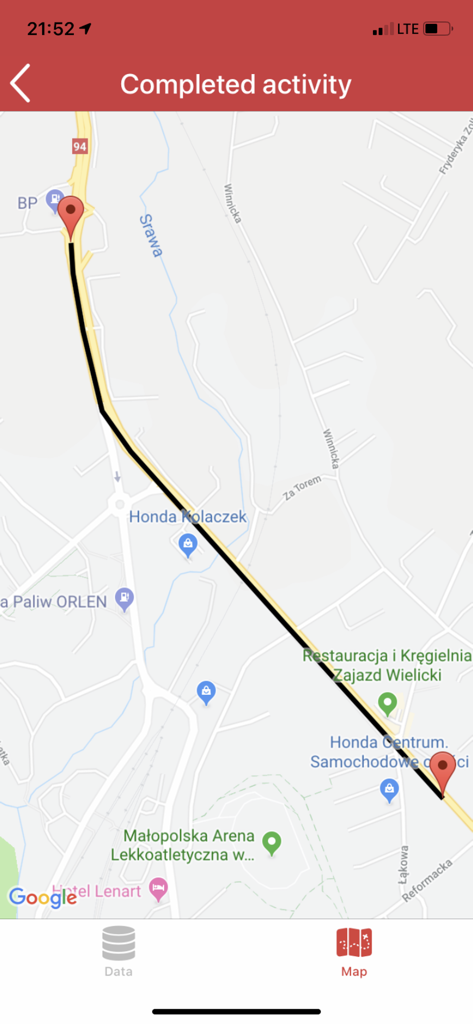
Map view in the Call and Report app showing a tracked route for a completed activity with start and end points.

Map view in the Call and Report app showing a tracked route for a completed activity with start and end points.

Simplify Your Field Workflow

The tools that make this app stand out, trusted by 0 users.

Instant Activity Logging

Clock in and out of tasks with a single tap. Our straightforward interface eliminates manual paperwork and ensures your hours are logged accurately.

📍

Precision Mileage Tracking

Automatically capture driven distances via GPS. Get every mile reimbursed correctly without the hassle of manual odometer readings.

🛡️

Verified Performance Proof

Build trust and resolve disputes with objective, time-stamped GPS data that provides an indisputable digital paper trail of your completed work.

About the app

Everything you need to know about Call&Report.

Description

This app will allow you to report back activities and GPS positions to Call&Report directly through your iPhone/iPad. Through a lucid, straight-forward interface you can log start and completion of your activities and monitor detailed information such as activity type, date, time, duration and your driven mileage. Before you download: To use this app, you or your employer must have a Call&Report account with a license that supports the app. Also, before you start using the app, make sure that your contact details have been added to the account and that smartphone activity reporting has been enabled on your record – this configuration is normally done by your Call&Report administrator. Note that the first time you start the Call&Report mobile app you will be asked to register on the Call&Report account and this registration will fail if the above requirements aren’t fulfilled. For more information, or if you have questions, please contact your Call&Report administrator or Enera Support. Note: continued use of GPS running in the background can dramatically decrease battery life.

Latest Version

1.7.16528

Size

280.6 MB

First Released

Apr 2, 2013

Ready to Simplify Your Reporting?

Join thousands of field professionals who use Call&Report to automate mileage tracking and activity logs. Download now to focus on the job, not the paperwork.

Download on App Store

App information, icons, screenshots, and descriptions displayed on this page are sourced from the Apple App Store and are the property of their respective developers. Download estimates and rankings are based on MWM's proprietary models and may not reflect actual figures. This page is provided for informational and analytical purposes only.

Believe this page infringes your intellectual property? File a dispute