CC Metronome

CC Metronome

Download on App Store
Logo of CC Metronome

CC Metronome: Pro-Grade Precision for Every Beat and Measure

Master your tempo with unshakeable stability. From complex meters to advanced Sync Mute training, get the professional accuracy you need for serious practice.

Download on App Store

Publisher

Kazuo Kamata

Category

Music

Downloads

200

User Rating

1.0/5

Total Ratings

0

Locales

2

Precision in Every Pixel

Discover the interface used by 200 users.
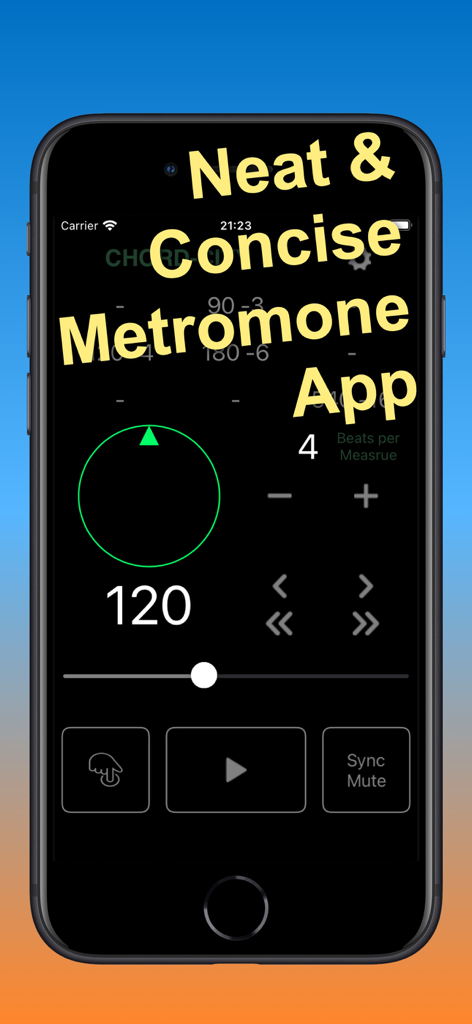
Interface of CC Metronome app showing tempo settings and a green beat ring on an iPhone

Interface of CC Metronome app showing tempo settings and a green beat ring on an iPhone

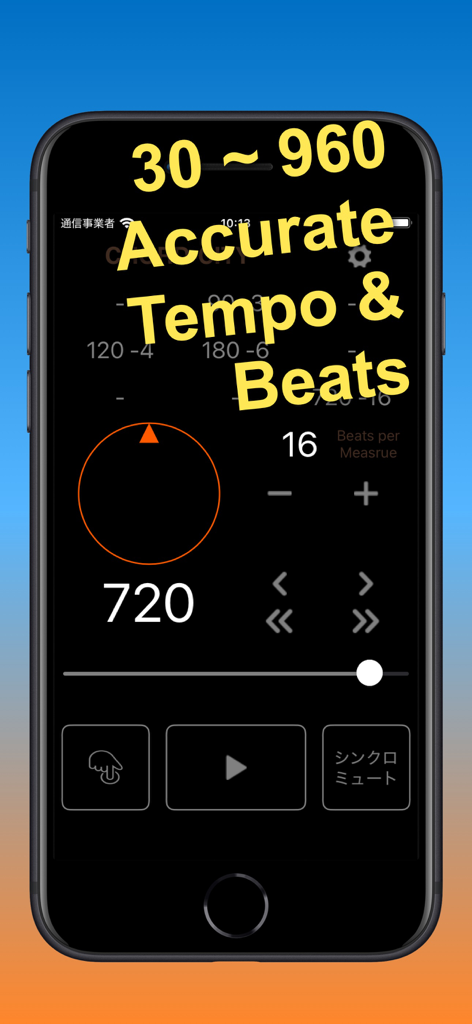
CC Metronome app interface showing a high tempo of 720 BPM and accurate beats per measure settings on a smartphone screen.

CC Metronome app interface showing a high tempo of 720 BPM and accurate beats per measure settings on a smartphone screen.

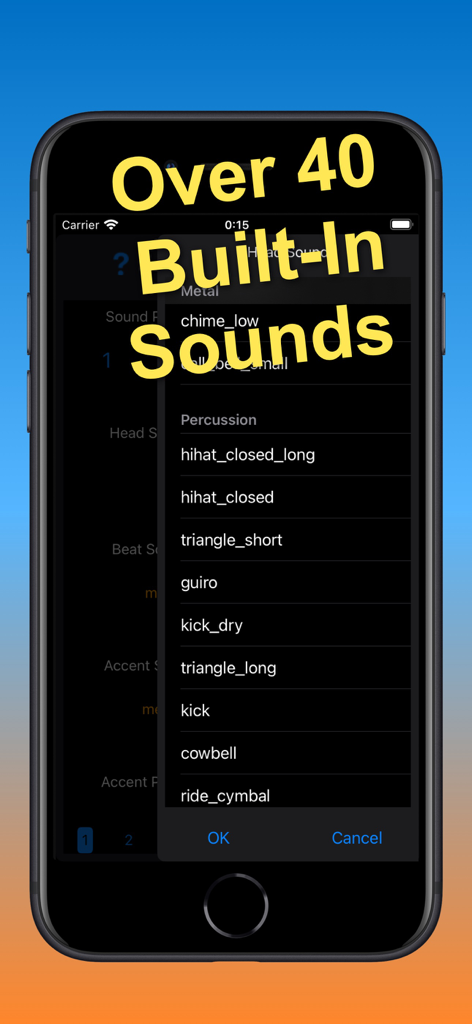
A menu in the CC Metronome app displaying a variety of built-in percussion and metal sounds

A menu in the CC Metronome app displaying a variety of built-in percussion and metal sounds

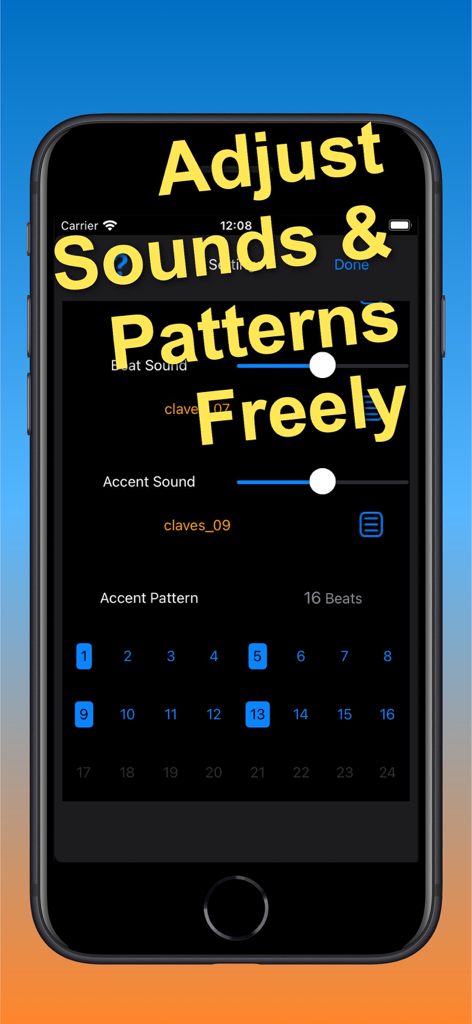
A settings screen in CC Metronome showing volume sliders for beat and accent sounds and a grid to customize accent patterns.

A settings screen in CC Metronome showing volume sliders for beat and accent sounds and a grid to customize accent patterns.

Pro-Grade Timing for Elite Musicians

The tools that make this app stand out, trusted by 200 users.

⏱️

Unwavering Precision

Engineered with device-level audio timebase technology to ensure rock-solid stability even under high CPU loads.

🔇

Master Your Internal Clock

Challenge your timing using the Sync Mute function, a professional training tool built to develop elite rhythmic accuracy.

📐

Complex Rhythmic Control

Effortlessly manage odd meters up to 24 beats and extreme tempos up to 960 BPM with fully customizable accent sounds.

About the app

Everything you need to know about CC Metronome.

Description

CC Metronome is a neat and concise metronome app. The sound source operates based on the device's audio playback timebase technology, so it maintains accurate tempo and beat stably, regardless of CPU load, etc. Features -Tempo settings range from 30 to 960 (Beats per Minute). -Beat settings are 2 to 24 (Beats per Measure). -Beat ring display allows you to see the beat and time position within a measure. -Rhythm is expressed using three types of sounds: beat sound, head sound, and accent sound. -Up to 9 (15 for iPad) combinations of beats, tempos, and accents can be preset. -Tap tempo function. -Sync change function: Useful for practicing moving between measures with different beat numbers and tempos. -Sync mute function: Useful for practicing and improving your sense of tempo and accuracy. The following extra features are available through in-app purchase: -The volume of the beat sound, head sound, and accent sound can be adjusted. -Accent editing function that allows you to add an accent sound to any beat within a measure. -The accent function allows you to group or characterize beats. -Choose from over 40 built-in sounds and freely assign them to beats, heads, and accents. -You can change the strength of the beat ring display. -You can change the color of the beat ring to suit your taste. -Background mode on/off setting. -Auto-lock prevention on/off function. You can try out the extra features for 1 week with the free trial available in the in-app purchases. Compatibility -Requires iOS 12.0 or later. -Compatible with iPhone, iPod touch, and iPad. Detailed features and usage of the CC Metronome can be found in the User Guide at https://chord-city.com/support/. If you have any questions or concerns, feel free to contact us at support@chord-city.com.

Latest Version

1.0

Size

13.9 MB

First Released

May 13, 2025

Master Your Timing with Pro-Grade Precision

Join thousands of serious musicians using CC Metronome for rock-solid stability and advanced rhythm training. Download now to experience the accuracy your performance deserves.

Download on App Store
FAQ

Frequently Asked Questions

Everything you need to know about CC Metronome

What is CC Metronome?

CC Metronome is a neat and concise metronome app that provides accurate tempo and beat stability. It operates using the device's audio playback timebase technology.

How accurate is CC Metronome's tempo?

CC Metronome maintains accurate tempo and beat stably regardless of CPU load. It uses the device's audio playback timebase technology for consistent performance.

What is the tempo range for CC Metronome?

CC Metronome offers a tempo setting range from 30 to 960 Beats per Minute (BPM). This allows for a wide variety of musical paces.

What beat settings does CC Metronome offer?

CC Metronome supports beat settings from 2 to 24 Beats per Measure. This provides flexibility for various time signatures.

Does CC Metronome include a tap tempo function?

Yes, CC Metronome includes a tap tempo function. This feature allows users to set the tempo by tapping directly on the screen.

Can I adjust individual sound volumes in CC Metronome?

Yes, CC Metronome allows adjustment of the volume for beat, head, and accent sounds. This feature is available through an in-app purchase.

How many built-in sounds are available in CC Metronome?

CC Metronome offers over 40 built-in sounds. Users can freely assign these to beats, heads, and accents with an in-app purchase.

What devices are compatible with CC Metronome?

CC Metronome is compatible with iPhone, iPod touch, and iPad devices. It requires iOS 12.0 or later to operate.

Is a free trial available for extra features in CC Metronome?

Yes, users can try out CC Metronome's extra features for 1 week with a free trial. This trial is available through in-app purchases.

What is the Sync Mute function in CC Metronome?

The Sync Mute function in CC Metronome is useful for practicing and improving your sense of tempo and accuracy. It helps users internalize the beat.

Can I customize accent patterns in CC Metronome?

Yes, CC Metronome offers an accent editing function as an in-app purchase. This allows users to add accent sounds to any beat within a measure.

Where can I find the user guide for CC Metronome?

The detailed features and usage of CC Metronome are available in the User Guide. It is located at https://chord-city.com/support/.

App information, icons, screenshots, and descriptions displayed on this page are sourced from the Apple App Store and are the property of their respective developers. Download estimates and rankings are based on MWM's proprietary models and may not reflect actual figures. This page is provided for informational and analytical purposes only.

Believe this page infringes your intellectual property? File a dispute