CDR Viewer Plus

CDR Viewer Plus

Download on App Store
Logo of CDR Viewer Plus

CDR Viewer Plus: Seamless CorelDraw File Access and Version Conversion

The ultimate utility for print shops and designers. Open any CDR file, convert versions down to X4-2020, and get instant technical insights to streamline your production workflow on the go.

Publisher

Foshan Ourfuture Technology Co., Ltd.

Category

Graphics & Design

Downloads

1K+

User Rating

1.0/5

Total Ratings

0

Locales

3

Inside the Interface

Discover the interface used by 1K+ users.
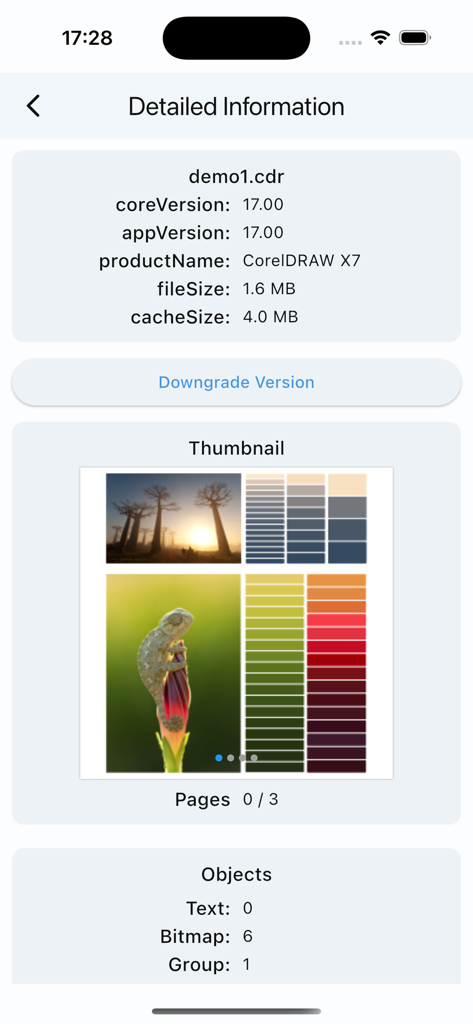
Interface of CDR Viewer Plus showing version information and object counts for a CorelDRAW X7 file.

Interface of CDR Viewer Plus showing version information and object counts for a CorelDRAW X7 file.

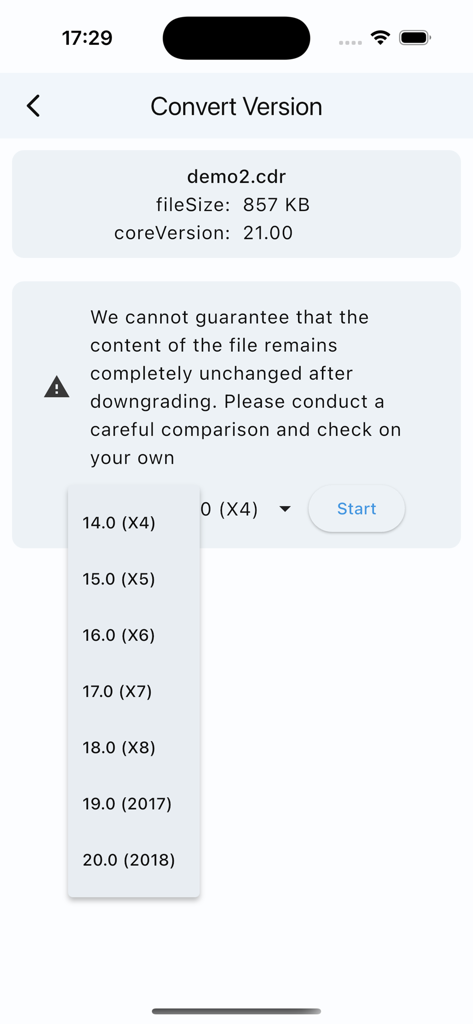
CorelDraw version conversion screen showing a dropdown list of legacy versions from X4 to 2018 for file downgrading

CorelDraw version conversion screen showing a dropdown list of legacy versions from X4 to 2018 for file downgrading

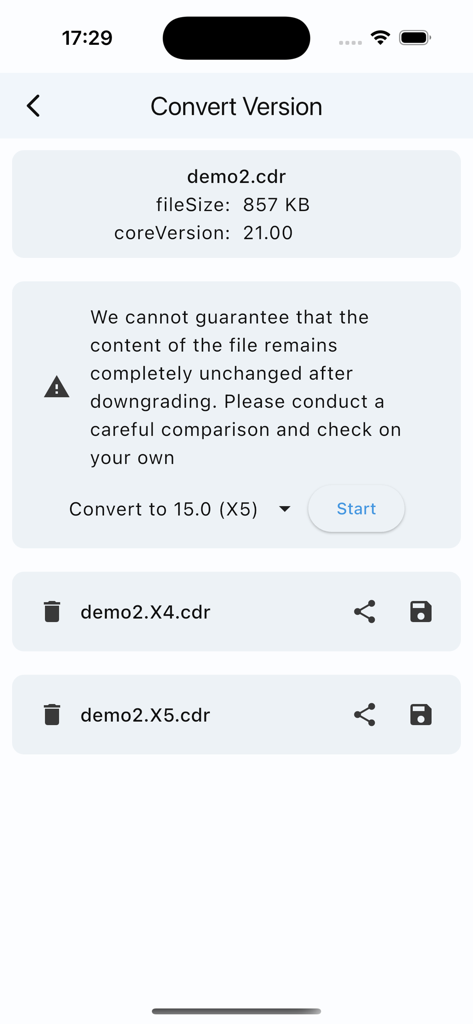
Mobile interface showing CorelDraw file version conversion from version 21 to X5 in the CDR Viewer Plus app

Mobile interface showing CorelDraw file version conversion from version 21 to X5 in the CDR Viewer Plus app

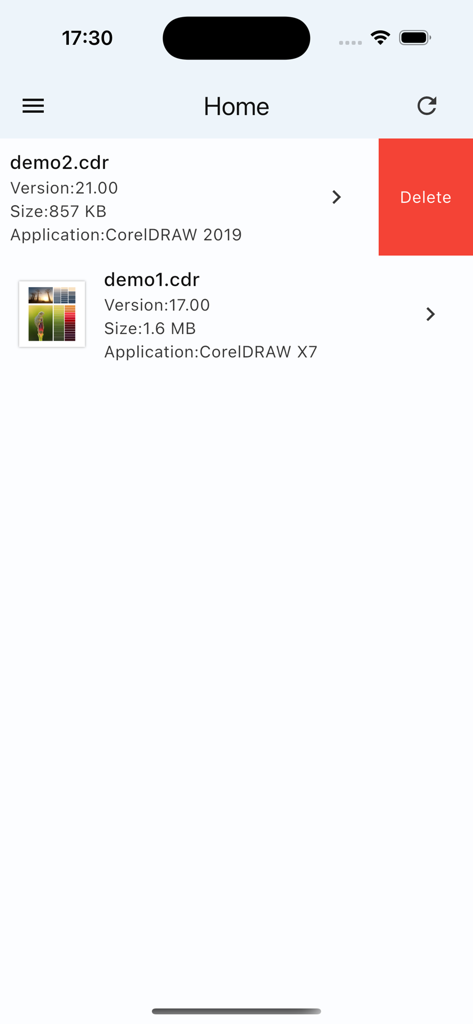
Home screen of CDR Viewer Plus app showing a list of CorelDRAW files with version and size information

Home screen of CDR Viewer Plus app showing a list of CorelDRAW files with version and size information

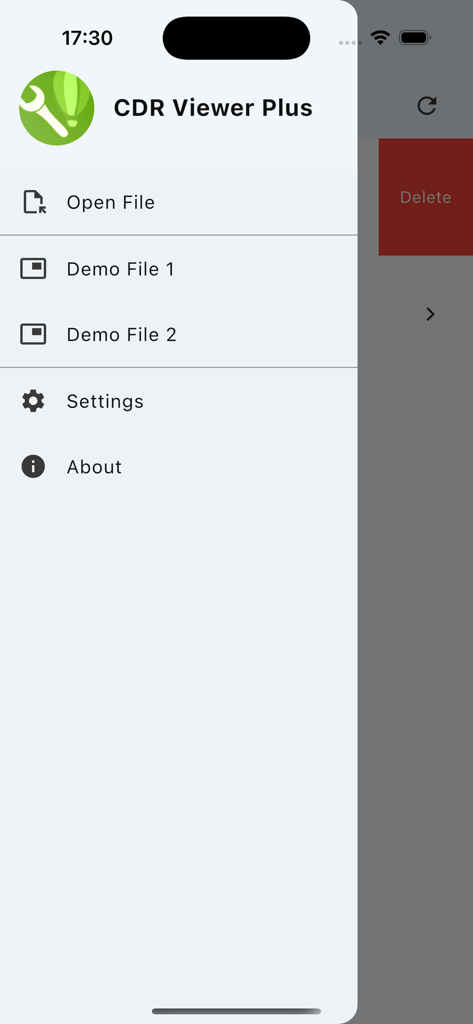
Side navigation menu of the CDR Viewer Plus app with options for opening files and settings

Side navigation menu of the CDR Viewer Plus app with options for opening files and settings

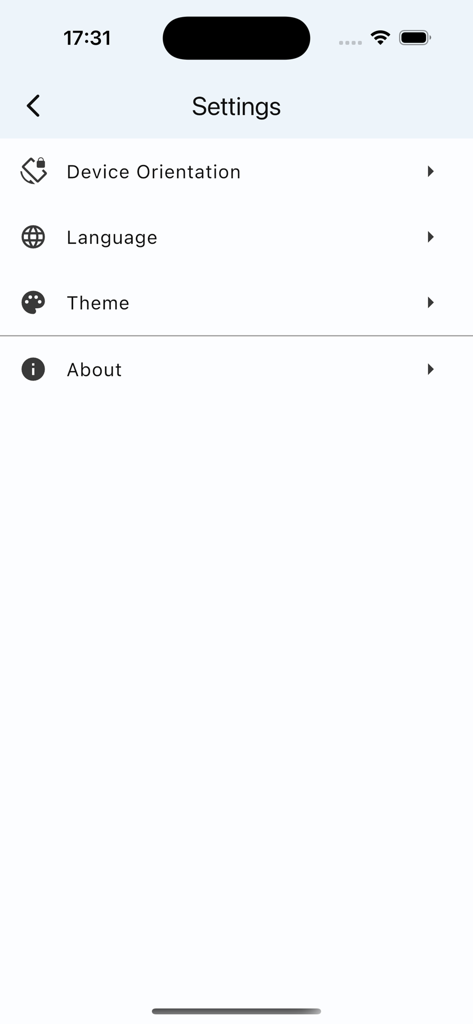
Settings menu of the CDR Viewer Plus app showing options for device orientation language and theme

Settings menu of the CDR Viewer Plus app showing options for device orientation language and theme

Professional CDR Tools at Your Fingertips

The tools that make this app stand out, trusted by 1K+ users.

🔄

One-Click Version Down-Saving

Seamlessly convert modern files to legacy versions like X4 or X7 to ensure production compatibility.

📊

Detailed Technical Audits

Instantly view element counts and effects to quote projects accurately and optimize your workflow.

📱

On-the-Go File Verification

Preview and inspect CDR versions directly on your mobile device, saving you time away from your desk.

About the app

Everything you need to know about CDR Viewer Plus.

Description

Dear designers, Have you ever been frustrated by not being able to open higher-version CorelDraw files? Want to get detailed information about CDR files? Now, all of this is possible! We proudly launch a brand new app - CDR Viewer Plus. Designed specifically for designers, this app offers the following powerful features: ======One-click version conversion====== 1. Convert to X4 and X5, Safety Rating: ** 2. Convert to X6 and X7, Safety Rating: *** 3. Convert to X8~2020, Safety Rating: **** Important reminder: Please carefully check the consistency of the content before and after conversion!!! ======Basic Information Display====== 1. Version Number Display: Quickly view the CorelDraw file version number to ensure file compatibility. 2. Element Count: Detailed count of the number of elements within a file, such as text and curves, helps you fully understand the file content. 3. Effect Count: Counts the number of effects like gradients and prisms used in a file, allowing you to clearly see the impact of your design. 4. Fill and Outline Type Count: Detailed counts of fill and outline types used in a file help you better manage and optimize your designs. This app is not only powerful but also easy to use with a user-friendly interface, making your design work more efficient and convenient. Download CDR Viewer Plus now and start your efficient design journey!

Latest Version

1.2.5

Size

47.3 MB

First Released

Jul 24, 2025

Never Let a File Version Slow Your Production Again

Get CDR Viewer Plus and handle every CorelDraw file with confidence. Convert legacy versions and audit design details anywhere, anytime.

Download on App Store

App information, icons, screenshots, and descriptions displayed on this page are sourced from the Apple App Store and are the property of their respective developers. Download estimates and rankings are based on MWM's proprietary models and may not reflect actual figures. This page is provided for informational and analytical purposes only.

Believe this page infringes your intellectual property? File a dispute