CFOPTrainer

CFOPTrainer

Download on App Store
Logo of CFOPTrainer

CFOPTrainer: Master the 3x3 Cube with AI-Powered Precision

The ultimate speedcubing toolkit for the data-driven solver. Learn 100+ algorithms with 3D visualizations, connect your Smart Cube for real-time feedback, and track every PB with pro-level analytics.

Download on App Store

Publisher

ghislain pellegrin

Category

Games

Downloads

0

User Rating

1.0/5

Total Ratings

0

Locales

1

Master Every Move

Discover the interface used by 0 users.
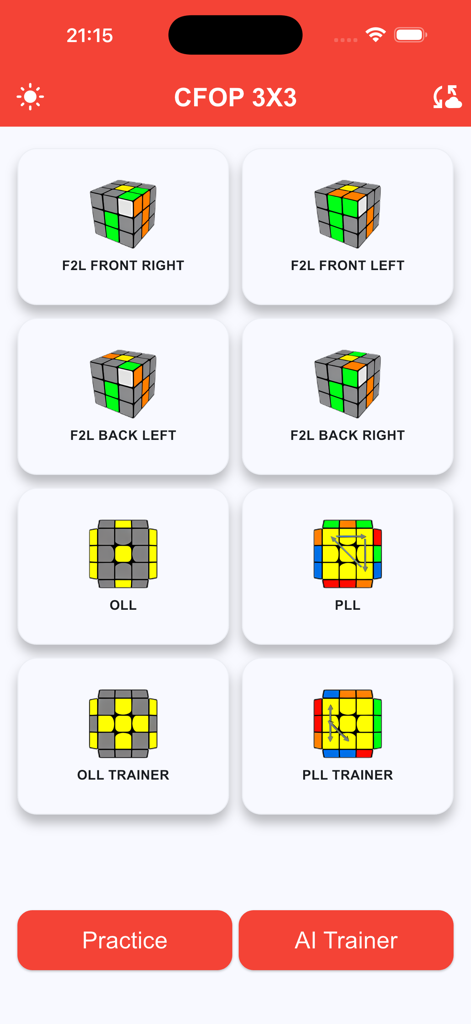
Main menu of the CFOPTrainer app showing training modules for F2L OLL and PLL with Practice and AI Trainer buttons

Main menu of the CFOPTrainer app showing training modules for F2L OLL and PLL with Practice and AI Trainer buttons

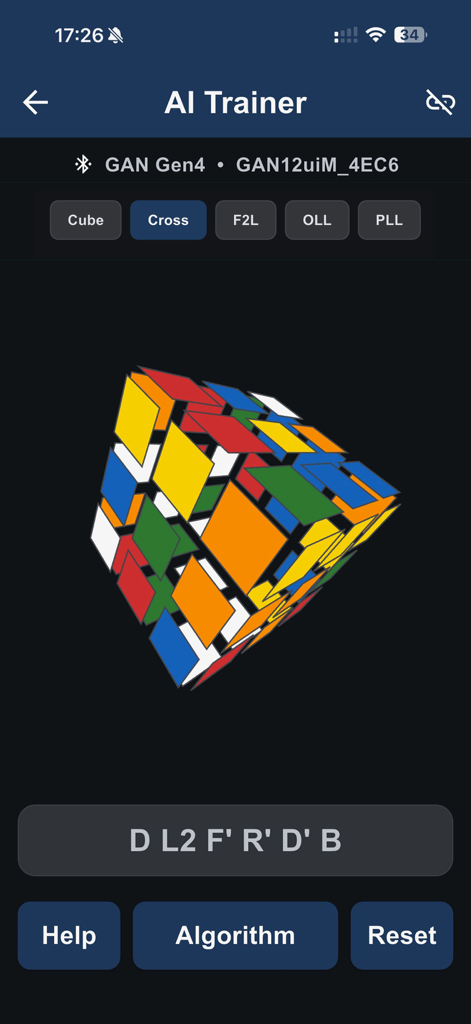
AI Trainer interface for Rubik's cube cross training with smart cube integration and 3D visualization.

AI Trainer interface for Rubik's cube cross training with smart cube integration and 3D visualization.

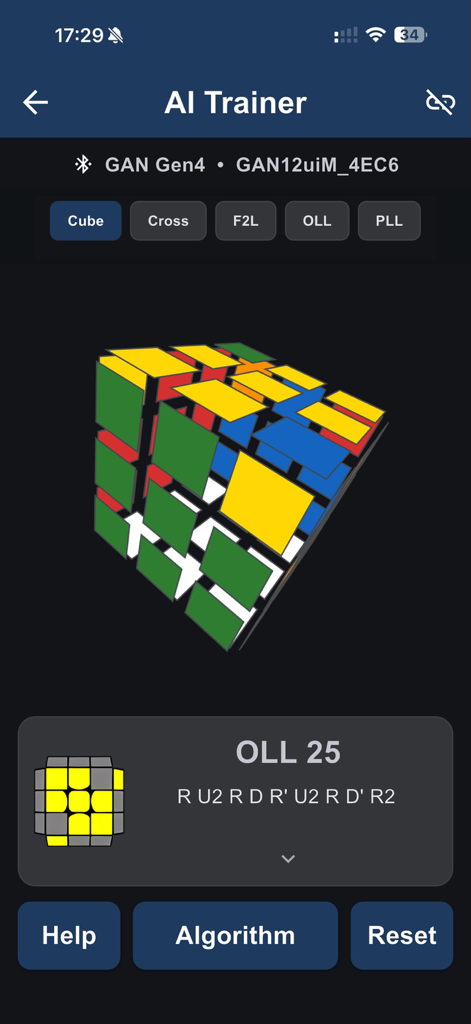
CFOPTrainer AI trainer screen displaying OLL 25 algorithm and 3D cube model for smart cube training

CFOPTrainer AI trainer screen displaying OLL 25 algorithm and 3D cube model for smart cube training

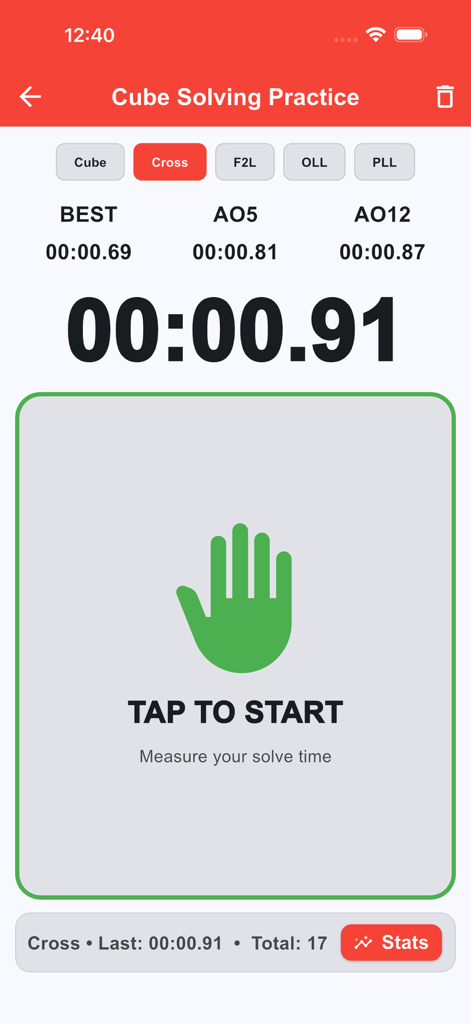
CFOPTrainer app interface showing the cube solving practice timer with cross solve statistics and AO5 and AO12 averages

CFOPTrainer app interface showing the cube solving practice timer with cross solve statistics and AO5 and AO12 averages

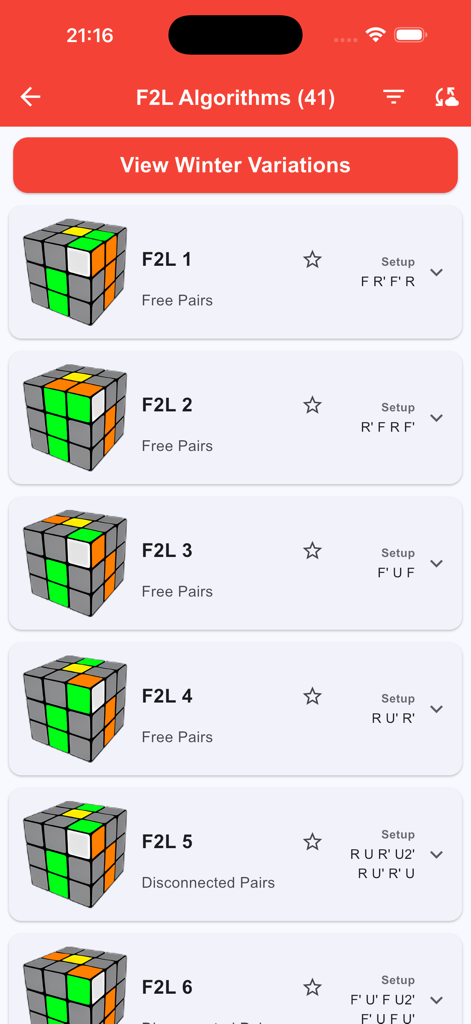
CFOPTrainer app display of F2L algorithms for speedcubing with 3D cube visualizations

CFOPTrainer app display of F2L algorithms for speedcubing with 3D cube visualizations

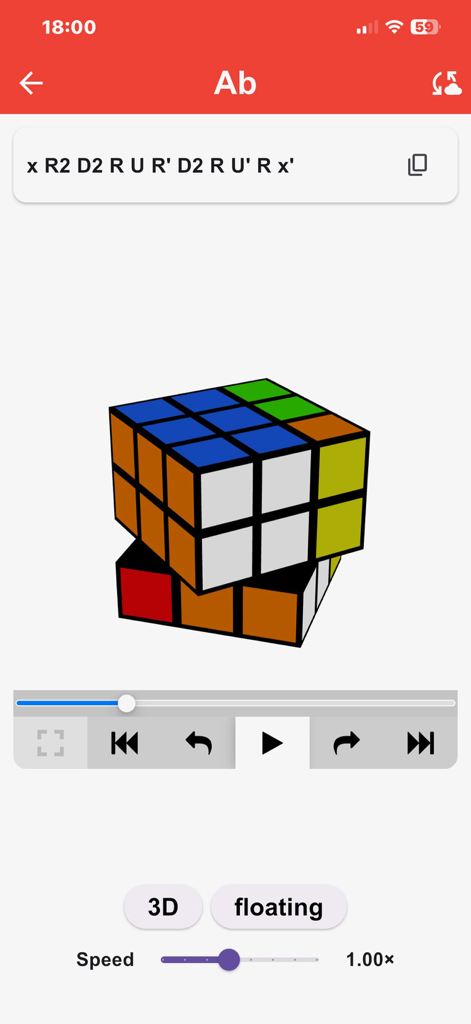
Rubiks Cube algorithm trainer showing 3D visualization and move notation for the Ab permutation

Rubiks Cube algorithm trainer showing 3D visualization and move notation for the Ab permutation

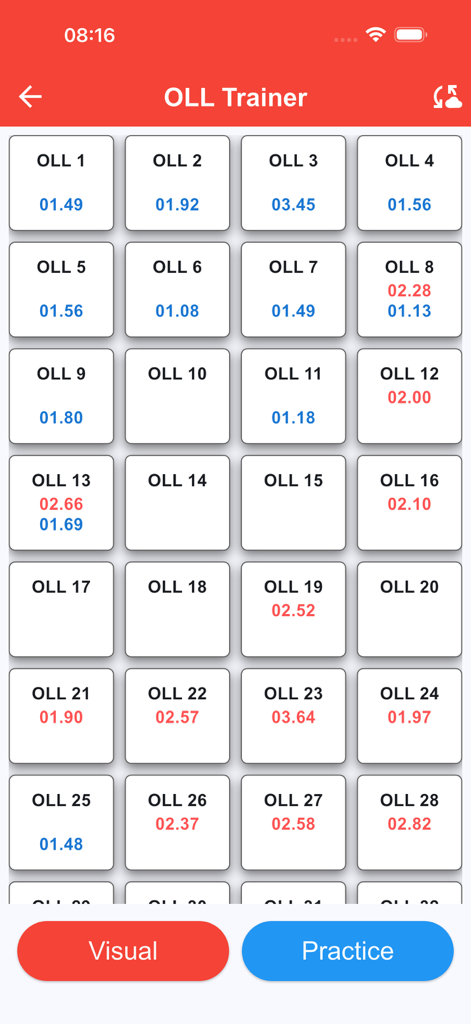
Interface of the OLL Trainer within the CFOPTrainer app showing a grid of algorithm cases with individual solve times and practice buttons

Interface of the OLL Trainer within the CFOPTrainer app showing a grid of algorithm cases with individual solve times and practice buttons

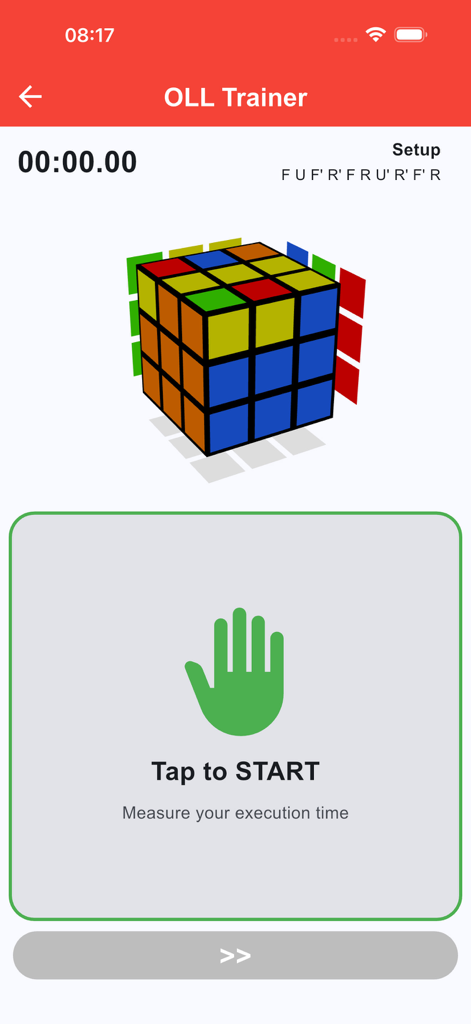
OLL Trainer screen in CFOPTrainer app featuring a 3D Rubik's cube model and a Tap to Start execution timer.

OLL Trainer screen in CFOPTrainer app featuring a 3D Rubik's cube model and a Tap to Start execution timer.

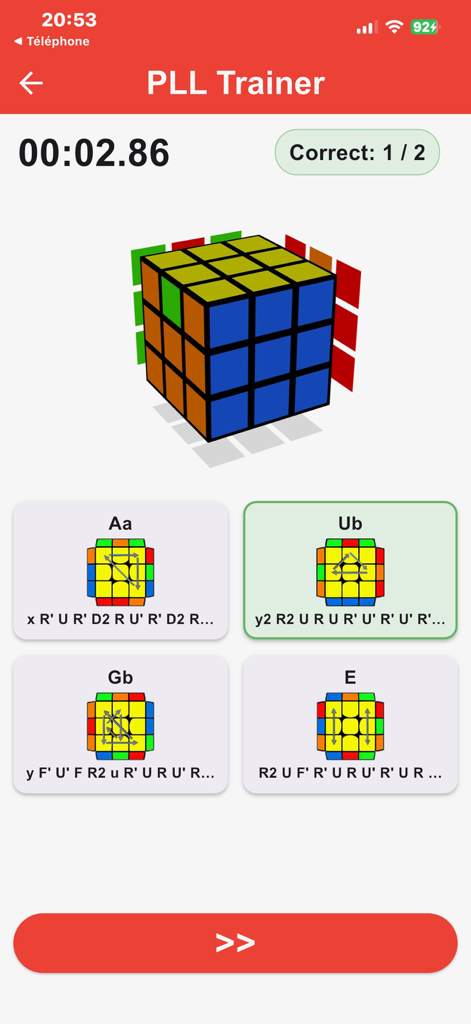
PLL Trainer screen in the CFOPTrainer app featuring a 3D Rubik's Cube case and multiple choice algorithm cards for speedcubing practice.

PLL Trainer screen in the CFOPTrainer app featuring a 3D Rubik's Cube case and multiple choice algorithm cards for speedcubing practice.

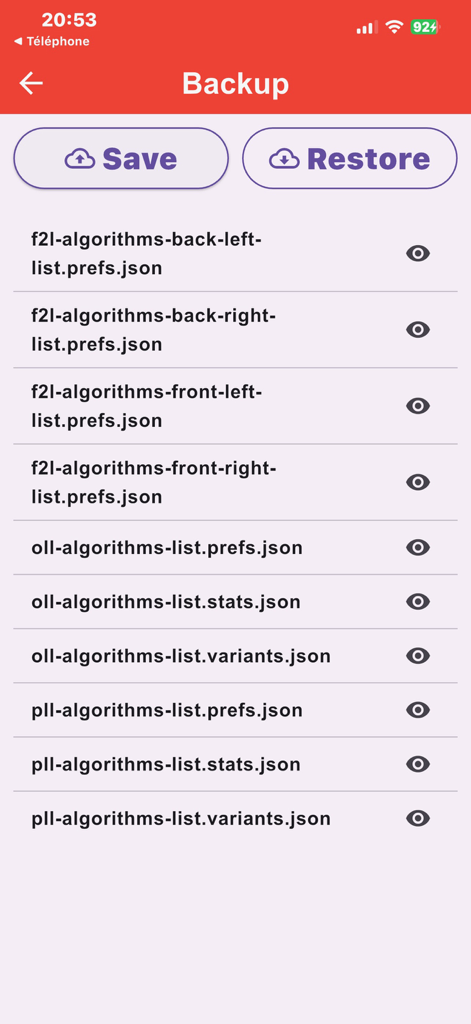
Backup screen in CFOPTrainer for saving and restoring cubing algorithm data and statistics.

Backup screen in CFOPTrainer for saving and restoring cubing algorithm data and statistics.

Level Up Your Speedcubing Performance

The tools that make this app stand out, trusted by 0 users.

AI-Powered Smart Training

Connect your Smart Cube via Bluetooth for real-time move detection and instant feedback on your execution and cross-solving efficiency.

📊

Data-Driven Progress

Track your AO5, AO12, and AO100 with precision. Identify your weakest cases automatically to focus your practice where it actually moves the needle.

🧊

Interactive 3D Algorithms

Visualize every rotation with animated 3D playback. Stop struggling with notation and start mastering the flow of 78+ essential CFOP cases.

About the app

Everything you need to know about CFOPTrainer.

Description

CFOPTrainer – Master the 3x3 Rubik's Cube like a pro! Want to solve the 3x3 Rubik's Cube faster than ever and achieve champion-worthy times? CFOPTrainer is the ultimate app for all enthusiasts, from motivated beginners to experienced speedcubers. Learn, train, and improve Find all the essential algorithms of the CFOP method (Cross, F2L, OLL, PLL): • F2L: over 40 cases explained with images • OLL: 57 cases optimized to orient all sides • PLL: 21 cases for swapping pieces and completing the cube in a flash A visual and interactive approach • Animated 3D visualization of each algorithm with interactive cube • Step-by-step or continuous playback with speed control Customize your learning • Add your custom algorithms with a floating keyboard • Edit or delete your variations at any time • Choose your favorites to find them easily Trainer mode (OLL & PLL) • Quick quiz launch with timer • 4 suggestions per case (1 correct + 3 incorrect) with immediate feedback • Best time recorded per case AI Trainer – Smart Cube • Train with a Smart Cube and get instant, real-time feedback. • Real-time move detection via Bluetooth • Cross Trainer: get the exact move sequence for your cross • Cube Trainer: automatically detects OLL / PLL and displays your preferred algorithm • Smarter training, faster progress, real cube, real results. Timer Mode • Timed training (Cube, Cross, F2L, OLL, PLL) • High-precision timer designed for speedcubing • Overall performance overview by section (AO5, AO12, AO20, AO50, AO100) • Progress curve based on your recent averages • Weakest – the part you should focus on first • Progress – the section where you improve the fastest Designed for performance • Smooth and intuitive interface • Optimal organization to find an algorithm immediately • Full support for official ratings For all cubers • Reduce your times • Improve your case recognition • Memorize your algorithms efficiently • Find your forgotten algorithms Backup & Restore (Premium) • ZIP export/import of your data: preferences, variants, and statistics • Easy sharing via the sharing sheet • One-click restore to recover your environment Premium Version (one-time purchase, no subscription) • Ad-free – an interface 100% dedicated to your concentration • Cloud/Backup unlocked • Backup to find your favorites and custom algorithms on all your devices Download now and take your speedcubing to the next level to become a formidable speedcuber.

Latest Version

2.0.7

Size

54.6 MB

First Released

Aug 7, 2025

Ready to Shatter Your Personal Best?

Join the next generation of speedcubers using data-driven insights and Smart Cube integration. Download CFOPTrainer and start your journey to Sub-10 mastery today.

Download on App Store

App information, icons, screenshots, and descriptions displayed on this page are sourced from the Apple App Store and are the property of their respective developers. Download estimates and rankings are based on MWM's proprietary models and may not reflect actual figures. This page is provided for informational and analytical purposes only.

Believe this page infringes your intellectual property? File a dispute