Chase Point of Sale (POS)℠

Chase Point of Sale (POS)℠

Download on App Store
Logo of Chase Point of Sale (POS)℠

Chase Point of Sale (POS)℠: Accept Payments Anywhere with Just Your iPhone

Transform your phone into a complete checkout solution. Get started in minutes, accept Tap to Pay on iPhone, and access your funds with same-day deposits into your Chase business account.

Download on App Store

Publisher

JPMorgan Chase Bank, NA

Category

Business

Downloads

0

User Rating

4.8/5

Total Ratings

0

Locales

2

Your Business in View

Discover the interface used by 0 users.
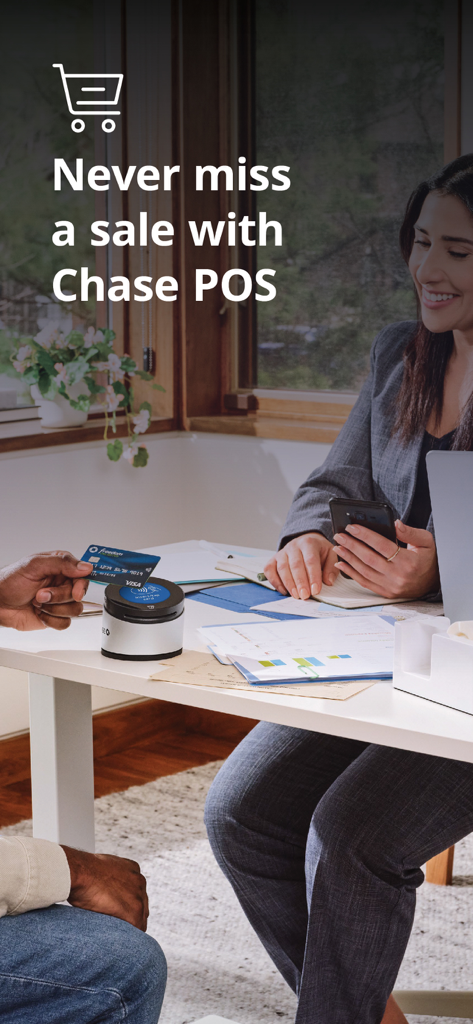
A business owner accepting a credit card payment using the Chase Point of Sale app and card reader

A business owner accepting a credit card payment using the Chase Point of Sale app and card reader

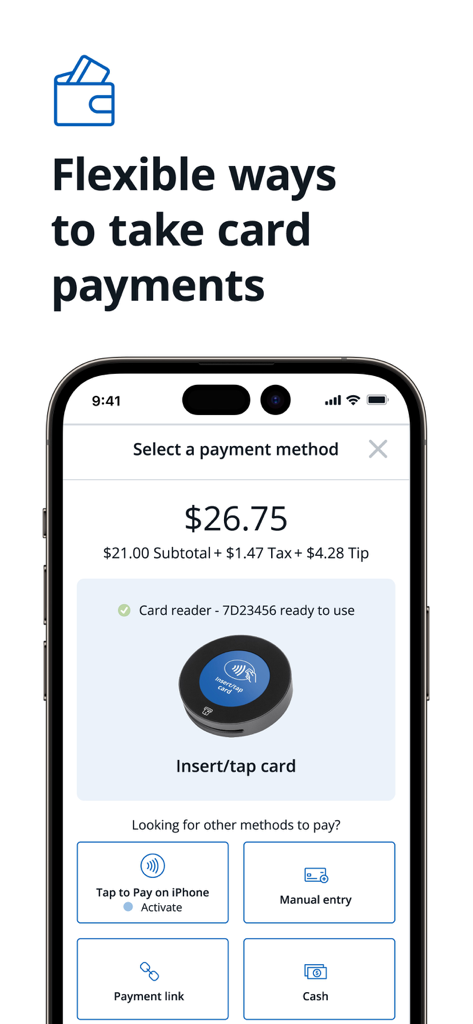
Interface of the Chase Point of Sale app showing various payment methods including card reader tap to pay and cash

Interface of the Chase Point of Sale app showing various payment methods including card reader tap to pay and cash

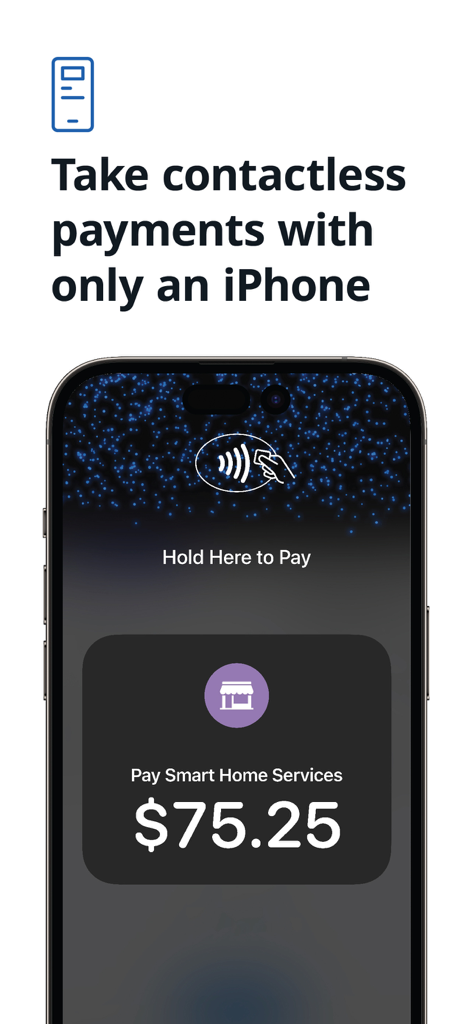
iPhone screen displaying the Tap to Pay feature in the Chase Point of Sale app

iPhone screen displaying the Tap to Pay feature in the Chase Point of Sale app

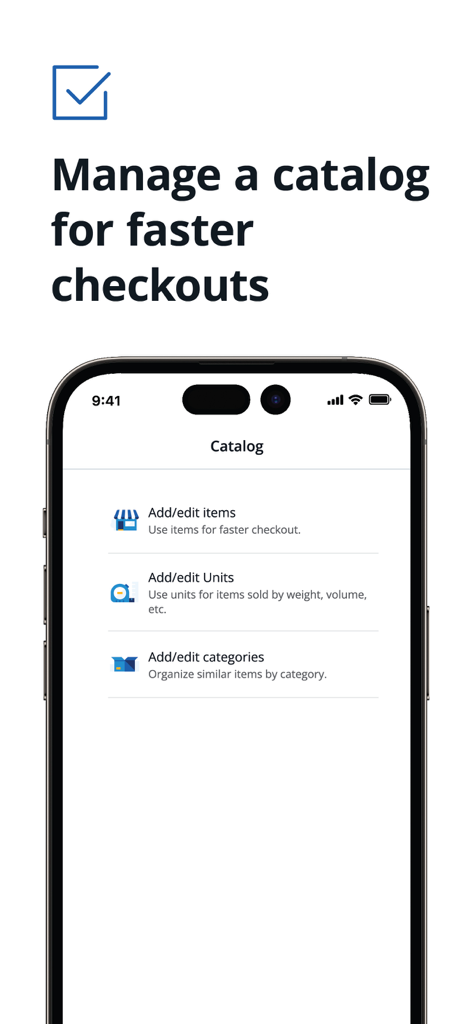
Chase Point of Sale app catalog screen showing options to add or edit items and categories

Chase Point of Sale app catalog screen showing options to add or edit items and categories

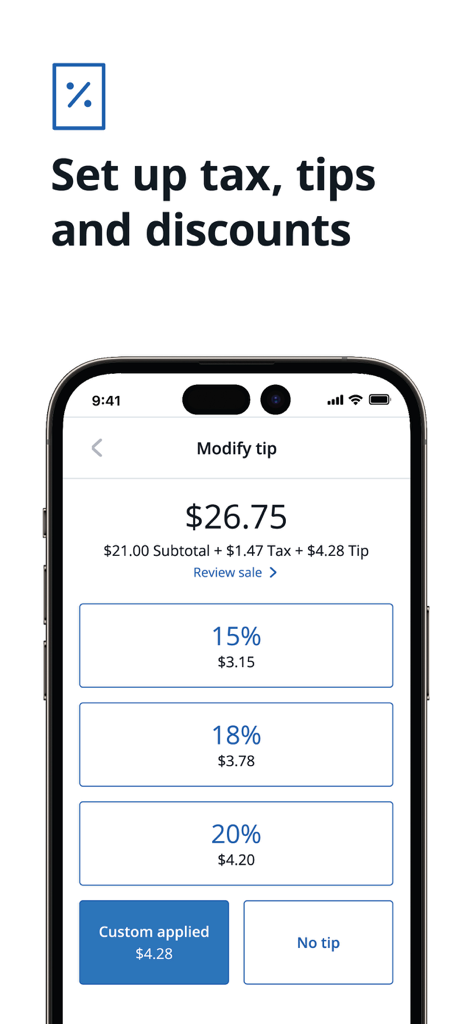
Chase POS app interface for setting up tax tips and discounts during a transaction

Chase POS app interface for setting up tax tips and discounts during a transaction

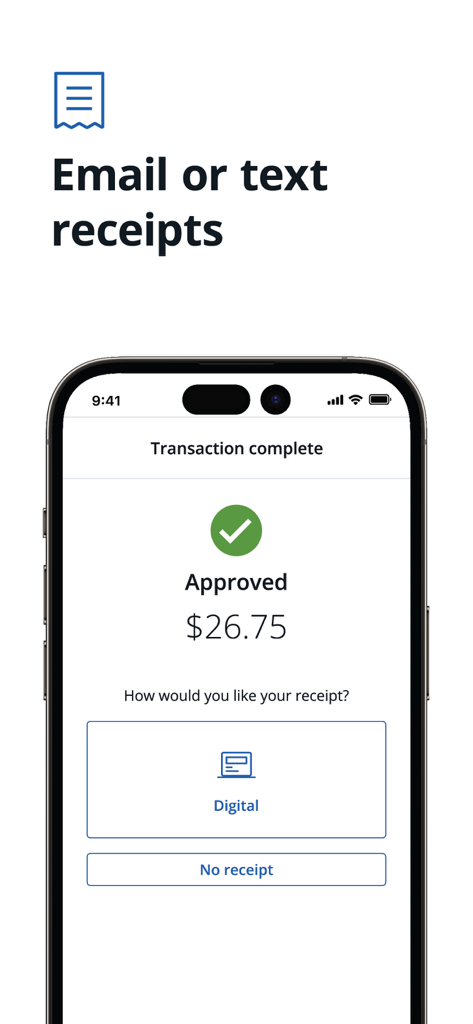
Chase POS app showing a completed transaction and digital receipt options

Chase POS app showing a completed transaction and digital receipt options

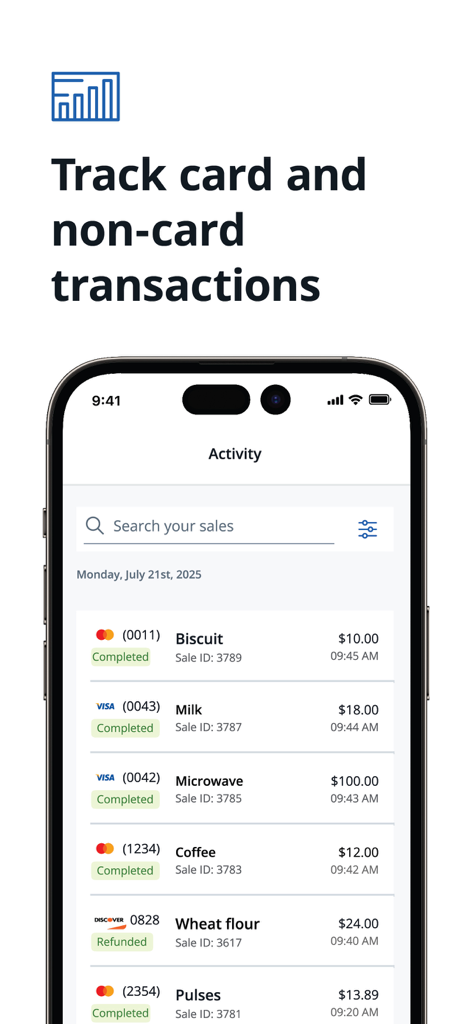
Chase POS app screen showing a detailed list of business transactions and sales activity

Chase POS app screen showing a detailed list of business transactions and sales activity

Streamline Your Sales with Professional POS Tools

The tools that make this app stand out, trusted by 0 users.

Get Your Money Faster

Enjoy no-fee, same-day deposits into your Chase business checking account, ensuring your cash flow stays as mobile as your business.

📱

Tap to Pay on iPhone

Accept contactless payments directly on your device with no extra hardware required—perfect for markets, job sites, and boutique counters.

🏦

All-In-One Business Hub

Consolidate your banking, payment processing, and inventory management into a single app with professional analytics and reporting.

About the app

Everything you need to know about Chase Point of Sale (POS)℠.

Description

Chase Point of Sale (POS)℠ is a mobile point-of-sale app that transforms your phone into a powerful tool to accept payments. With essential features to support your business at every stage, this app ensures you never miss a sale and offers a seamless checkout experience for your customers. • Get started with payments in minutes by using your existing Chase for Business® log-in • Accept payments with convenient options for your business, including with the Chase Card Reader™, or secure payment links from your iPhone • Tap to Pay on iPhone¹ – Now you can accept in-person contactless payments with only your iPhone. No extra hardware needed. • View sales reports and track other forms of payment like cash or check • Create a product catalog, manage inventory, set up tax, tip and discounts and text or email receipts with customer information securely stored in the cloud • Empower your team to sell uninterrupted with employee accounts that stay logged in for up to 12 hours, synchronize transactions across devices and order a card reader directly in the app • Access cash quickly with no-fee, same-day deposits² for Chase business checking account holders • Unlock more powerful tools to manage and grow your business with Chase’s integrated banking and payment. Card acceptance, banking, free business analytics and more are all conveniently in one place Need a card reader? Take card payments in-store or on-the-go with the sleek Chase Card Reader. This versatile reader provides a simple and secure way to accept cards and digital wallets like Apple Pay and Google Pay. Set the reader on top of the Chase Card Reader Base to elevate your payment experience at the counter and charge it at the same time. Requirements: To process transactions, you must have a Chase Business Complete Banking® account or Chase Payment Solutions℠ account, and install the Chase POS app℠ on your mobile device. • Already a Chase for Business customer and have an account? Get started quickly by signing into your account and activating payment acceptance through Chase Business Online. Use your banking credentials to log in to Chase POS app. • New to Chase for Business? Get started with payments here: chase.com/acceptcards Disclosure: • For illustrative purposes only—not intended as an endorsement or recommendation. • ¹Tap to Pay on iPhone requires the latest version of iOS. Update to the latest version by going to Settings > General > Software Update. Tap Download and Install. Some contactless cards may not be accepted. The Contactless Symbol is a trademark owned by and used with permission of EMVCo, LLC. Tap to Pay on iPhone is not available in all markets. View Tap to Pay countries and regions. For more details, see https://developer.apple.com/tap-to-pay/. • ²Payments processed, approved, and completed by 5 PM Pacific Time (PT) / 8 PM Eastern Time (ET) are eligible for same-day deposits, 6 days a week, excluding Saturdays. All deposits are subject to the applicable Terms of Service, including risk assessment and fraud monitoring, which may result in delays. Payments processed, approved and completed by 5 PM PT / 8 PM ET, Sunday through Friday (including holidays), will be deposited into the business owner's Chase business checking account that night. Payments processed, approved and completed by 5 PM PT / 8 PM ET on Saturdays will be deposited into the business owner's Chase business checking account Sunday morning by 7:30 AM ET. There is no additional cost for same-day deposits, but standard rates and fees will apply for business checking and payment processing. Customers qualify for same-day deposits upon sign-up when processing payments through an eligible Chase Payment Solutions℠ or Chase Integrated Payments product and depositing into a Chase business checking account. Same-day deposits are available in the U.S. only. Additional exclusions may apply.

Latest Version

5.200

Size

204.1 MB

First Released

Feb 24, 2023

Ready to Get Paid Faster?

Turn your phone into a professional point of sale and enjoy same-day deposits at no extra cost. Download the Chase POS app and start accepting payments in minutes.

Download on App Store

App information, icons, screenshots, and descriptions displayed on this page are sourced from the Apple App Store and are the property of their respective developers. Download estimates and rankings are based on MWM's proprietary models and may not reflect actual figures. This page is provided for informational and analytical purposes only.

Believe this page infringes your intellectual property? File a dispute