ClickClack: Master Your Typing Speed with Precision and Style
Boost your WPM with distraction-free practice, advanced analytics, and satisfying mechanical sounds. Experience the ultimate data-driven typing trainer, powered by on-device AI and built for the Apple ecosystem.
Publisher
Alfian Losari
Category
Games
Downloads
48K+
User Rating
4.5/5
Total Ratings
600
Locales
20
A Glimpse Inside
Discover the interface used by 48K+ users.
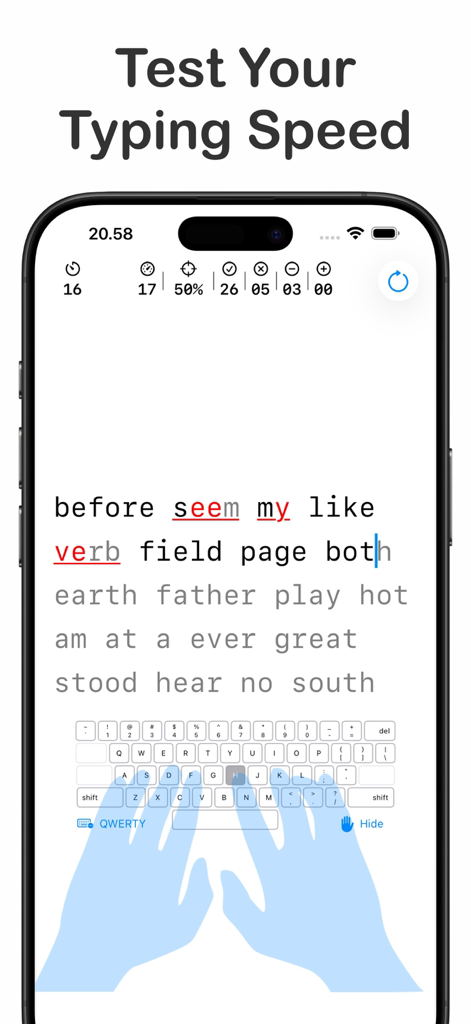
Typing speed test interface with virtual hand guide and live metrics
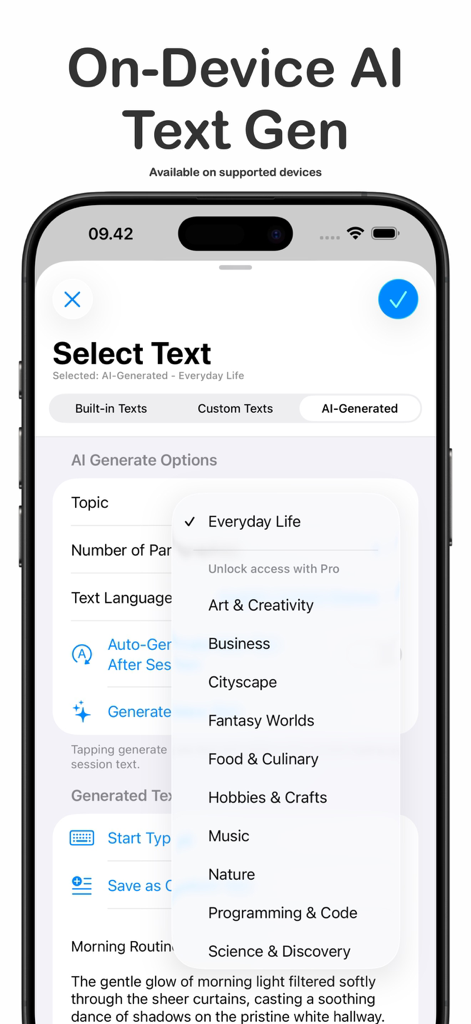
ClickClack app interface showing on-device AI text generation options for personalized typing practice
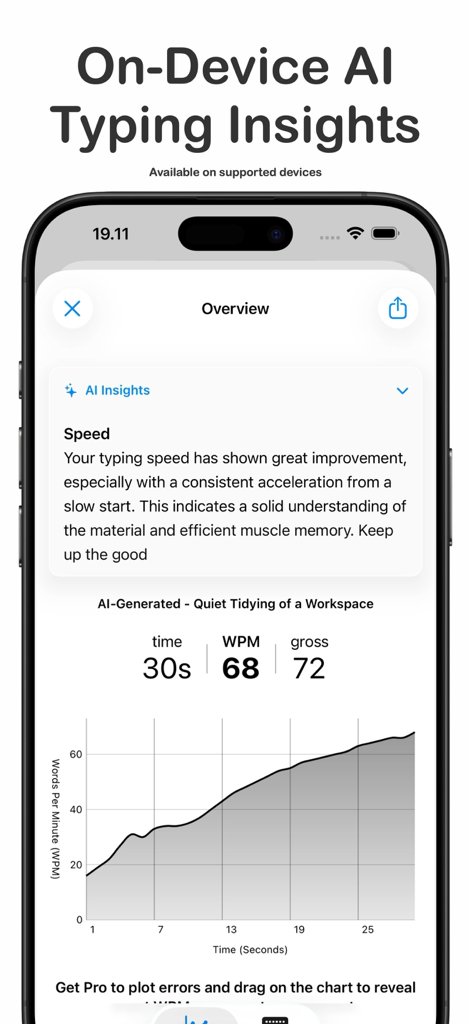
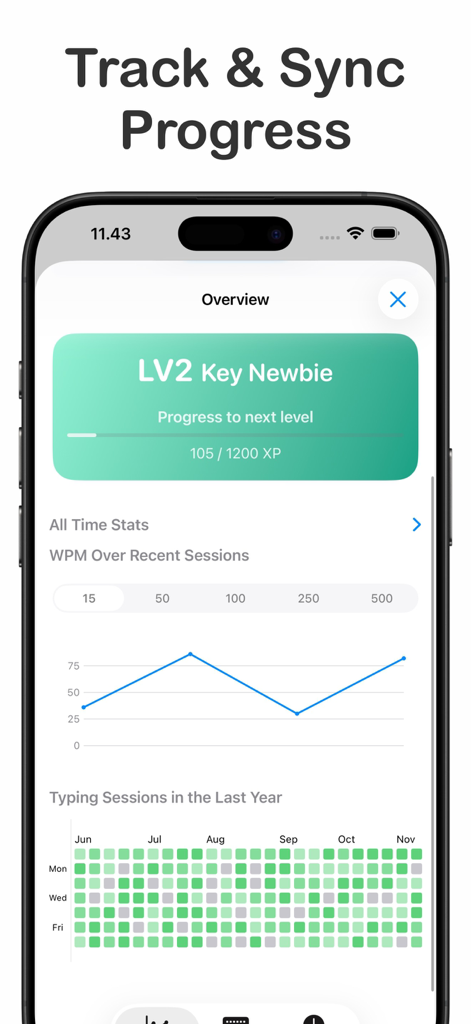
Smartphone screen showing ClickClack typing trainer AI insights with performance feedback and a WPM progress graph
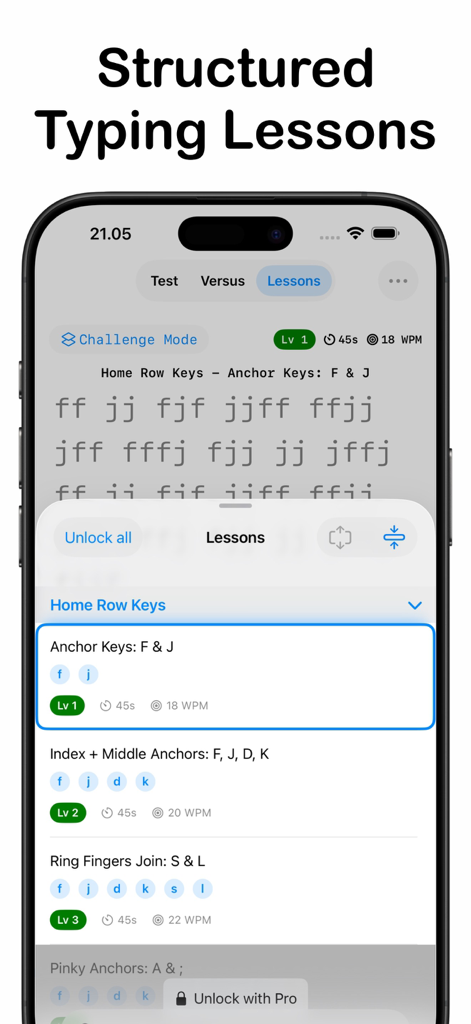
Structured typing lessons interface in the ClickClack app showing home row key exercises and level progression
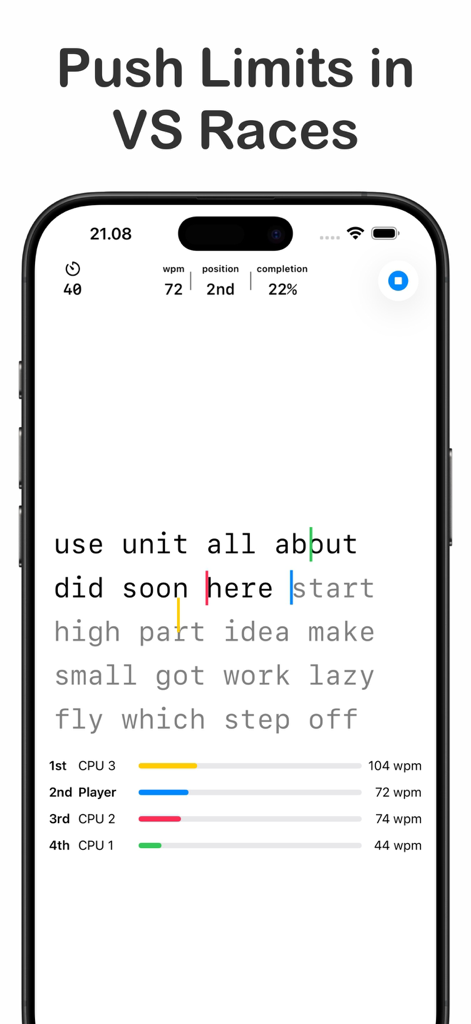
A mobile interface showing a competitive typing race against AI opponents with real-time WPM stats and progress bars.
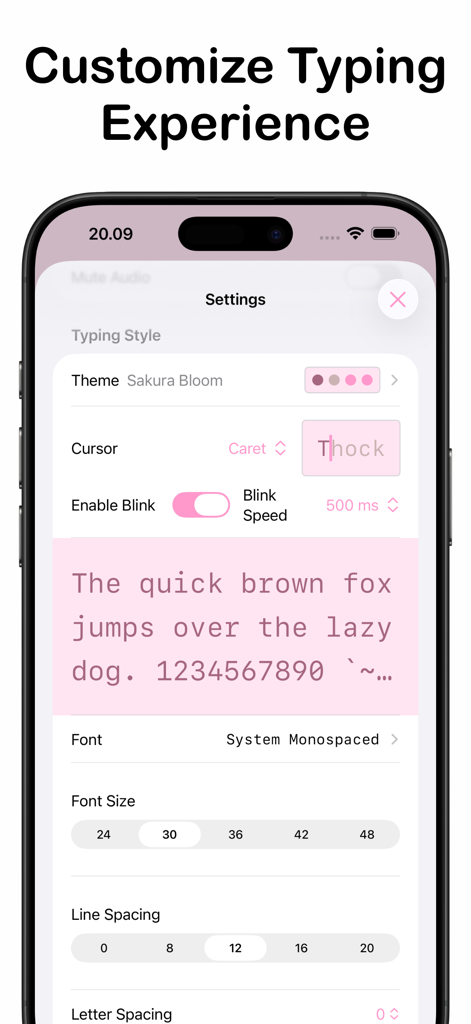
Settings screen in ClickClack Typing Trainer for customizing themes and fonts
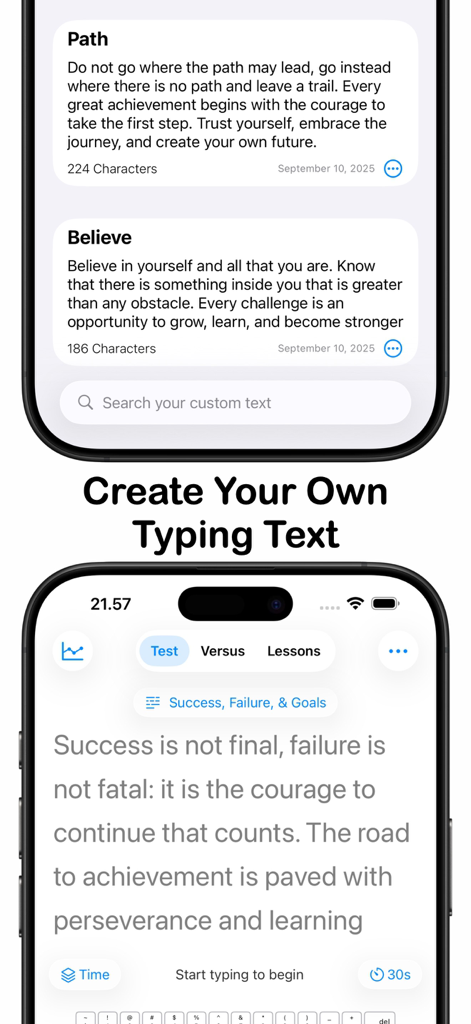
Interface of ClickClack app showing custom typing text selection and a typing test screen
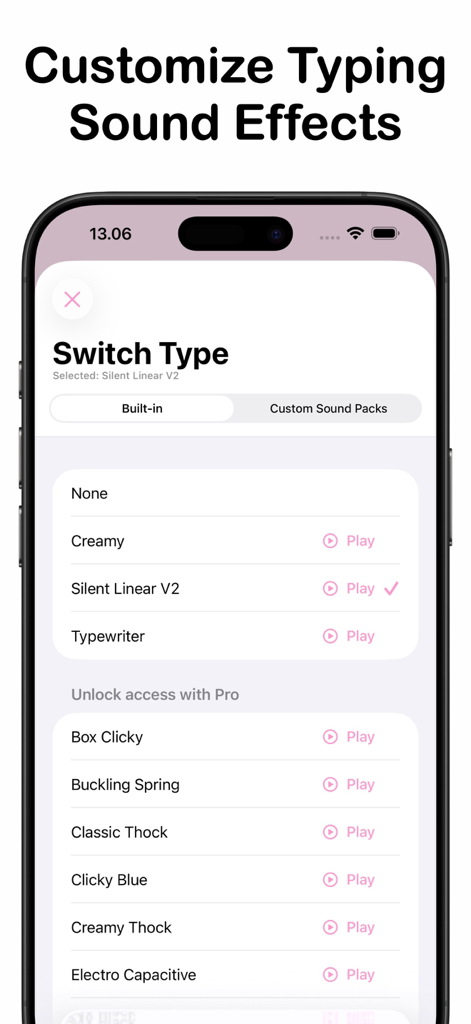
ClickClack app interface showing a list of customizable mechanical keyboard typing sound effects.
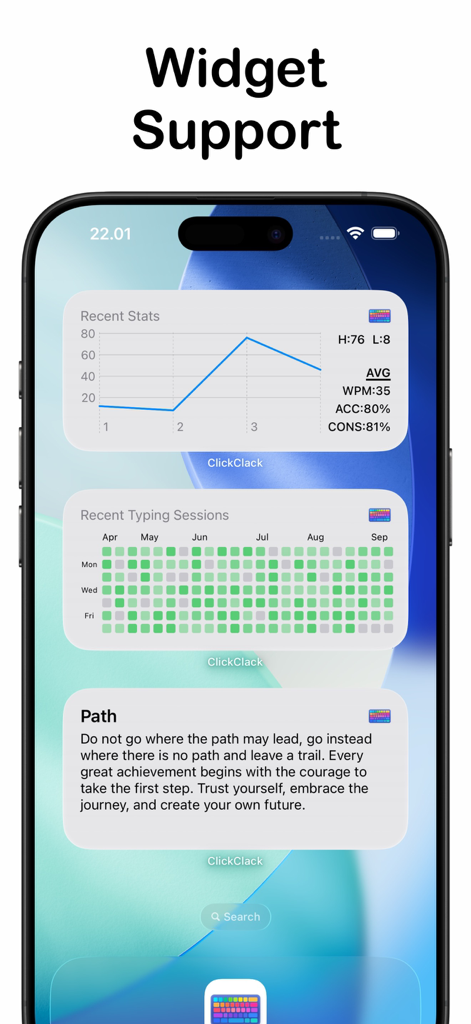
iOS widgets for ClickClack typing trainer showing performance stats and activity heatmap
Master the Art of Speed
The tools that make this app stand out, trusted by 48K+ users.
📈
Deep Performance Insights
Go beyond WPM with heatmaps and N-Gram analysis that reveal your specific typing patterns and weaknesses for marginal gains.
⌨️
Tactile Sensory Immersion
Choose from mechanical switch or typewriter sounds to create a satisfying, ASMR-like environment that fuels your creative focus.
🛡️
Secure On-Device AI
Leverage Apple Intelligence to generate infinite practice passages locally, ensuring your data remains private and your workflow uninterrupted.
About the app
Everything you need to know about ClickClack - Typing Trainer.
Description
Boost your typing speed with a distraction-free and clean UI. Upgrade to Pro for extra challenges, stats & unlimited custom text.
Key Features
Typing Speed Test:
• Timer-Based Session.
• Word Count-Based Session.
Lessons Practice Mode:
• Structured Learning: Improve your typing with guided lessons covering the home row, top row, bottom row, symbols, and number keys.
• Progress Tracking: Monitor your accuracy, WPM, and high scores over time for each lesson to see your growth at a glance.
On-Device AI Text Generator & Typing Insights (Requires iOS 26 & Apple Intelligence Enabled)
• Infinite Content: Instantly generate unique, high-quality practice passages from various topics and supported languages.
• Typing Insights: Receive on-device AI analysis of your typing results, including speed insights, with deeper accuracy and consistency analysis available in Pro.
• Privacy First: All AI generation and analysis run locally on-device with zero data collection.
Detailed Typing Analytics:
• Performance Metrics: Calculates WPM (Net & Gross), Accuracy, and Consistency.
• Error Tracking: Tracks correct, incorrect, and missed characters.
• Level Progression Tracking: Earn XP from each typing session and unlock new levels as you improve.
• WPM Graph: Displays a graph over sessions to track your progress over time.
• Mistyped Keys & N-Gram Analysis: View a heatmap of your most frequent key errors and charts showing missing bigram/trigram sequences, helping you target weaknesses across keys.
Multiplayer Mode:
• Real-Time Matches: Compete in 60-second typing challenges with English text against 2–4 players.
• Play With Anyone: Invite friends directly or use automatch to quickly find opponents worldwide.
• Game Center Integration: Earn achievements and climb multiplayer leaderboards as you win matches.
VS CPU Mode:
• Race Simulated Opponents: Sharpen your typing skills by racing against AI opponents with adjustable difficulty. Choose how many CPUs to face, set their individual speeds, or let Smart Difficulty auto-tune the challenge based on your recent typing performance.
Custom Typing Text:
• Personalized Practice: Create and manage your own typing texts using your favorite quotes, song lyrics, or any text. Import directly from URL webpage
Customizable Style:
• Typography: Choose your favorite font, adjust font size, line spacing, letter spacing, line break mode, and text alignment for a personalized experience.
• Themes: Select from a curated collection to match your mood and enhance your focus.
Keyboard & Hand Guide Overlay:
• Activate the Keymap Overlay to visualize your keystrokes and next key targets in real time.
• Enable the new Hand Guide to see virtual hands showing correct finger placement — perfect for mastering 10-finger typing.
Typing Sound Effects:
• Enhance your typing experience with satisfying sound effects that simulate real keyboards. Choose from a variety of styles like mechanical switches, typewriters, or use your own sound packs.
iCloud Sync:
• Sync your comprehensive typing stats across iPhone, iPad, and macOS. Enjoy a unified experience and access your data anywhere, anytime.
Upgrade to Pro: Unlock advanced features with a one-time in-app purchase:
• Extended sessions timer and word count.
• Access All Levels in Lessons Mode.
• Access All CPU Counts, Match Duration, Difficulties, Smart Difficulty options.
• Comprehensive All-Time Stats: Gain deep insights into your performance, including total typing sessions, duration, highest & average net/gross WPM, accuracy, and consistency.
• More WPM Stats Graph over session data points selection.
• More Mistyped Keys Heatmap data points range.
• AI Gen Feature Unlock: Access all topics, full insights, and enable the auto-generate toggle for seamless, non-stop practice.
• Extended Custom Text Limit.
• More Overlay keyboard layout.
• Extra Themes, Fonts, Typing Sound Effects: Enhance your experience with an expanded selection of themes, fonts, and typing sound effects.
Latest Version
3.5.2
Size
17.0 MB
First Released
Feb 6, 2025
Master Your Flow. Boost Your WPM.
Join thousands of productivity hackers and mechanical keyboard enthusiasts. Experience deep analytics, satisfying tactile sounds, and on-device AI—all in one distraction-free app.
FAQ
Frequently Asked Questions
Everything you need to know about ClickClack - Typing Trainer
What is ClickClack - Typing Trainer?
ClickClack - Typing Trainer is an app designed to boost typing speed with a distraction-free interface. It offers speed tests, structured lessons, AI insights, multiplayer races, and extensive customization options across Apple devices.
Does ClickClack - Typing Trainer offer typing lessons?
Yes, ClickClack - Typing Trainer provides structured lessons covering home row, top row, bottom row, symbols, and number keys. Users can monitor accuracy, WPM, and high scores for each lesson to track their progress.
Can I use AI to generate practice text in ClickClack - Typing Trainer?
Yes, ClickClack - Typing Trainer includes an on-device AI Text Generator. It creates unique practice passages from various topics and supported languages. This feature requires iOS 26 and Apple Intelligence.
Does ClickClack - Typing Trainer have a multiplayer mode?
Yes, ClickClack - Typing Trainer features a Multiplayer Mode. Users can compete in real-time 60-second typing challenges against 2–4 players. It includes options to invite friends or use automatch, with Game Center integration.
How does ClickClack - Typing Trainer track typing progress?
ClickClack - Typing Trainer offers detailed analytics including WPM (Net & Gross), Accuracy, Consistency, and error tracking. It also tracks level progression with XP, provides a WPM graph, and analyzes mistyped keys and N-grams.
Is there a Pro version of ClickClack - Typing Trainer?
Yes, ClickClack - Typing Trainer offers a Pro upgrade. Pro features include extra challenges, advanced stats, unlimited custom text, deeper AI accuracy analysis, and access to additional sound packs.
Does ClickClack - Typing Trainer collect user data for its AI features?
No, ClickClack - Typing Trainer prioritizes user privacy. All AI generation and analysis for typing insights run locally on-device. The app performs zero data collection for these features.
App information, icons, screenshots, and descriptions displayed on this page are sourced from the Apple App Store and are the property of their respective developers. Download estimates and rankings are based on MWM's proprietary models and may not reflect actual figures. This page is provided for informational and analytical purposes only.
Believe this page infringes your intellectual property? File a dispute