Clicks – ClubCard and Pharmacy

Clicks – ClubCard and Pharmacy

Download on App Store
Logo of Clicks – ClubCard and Pharmacy

Clicks – ClubCard and Pharmacy: Your Health, Your Rewards, Your Way

Skip the pharmacy queue, earn instant cashback, and unlock personalized deals. Everything you need to manage your household’s wellness and savings is now right in your pocket.

Publisher

Clicks Retailers (PTY) Limited

Category

Shopping

Downloads

633K+

User Rating

4.5/5

Total Ratings

10K+

Locales

1

Convenience at Your Fingertips

Discover the interface used by 633K+ users.
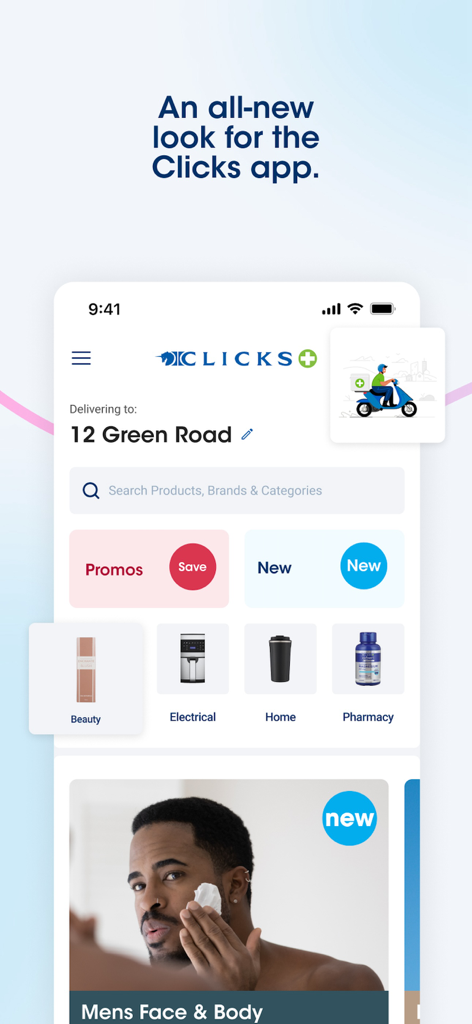
Clicks mobile app home screen showing shopping categories and delivery information

Clicks mobile app home screen showing shopping categories and delivery information

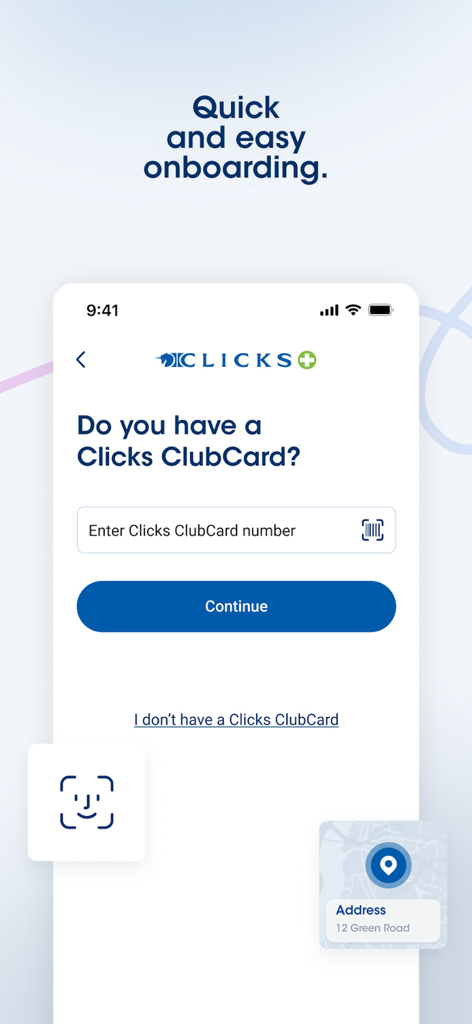
Clicks app onboarding screen showing the ClubCard sign-in and registration process.

Clicks app onboarding screen showing the ClubCard sign-in and registration process.

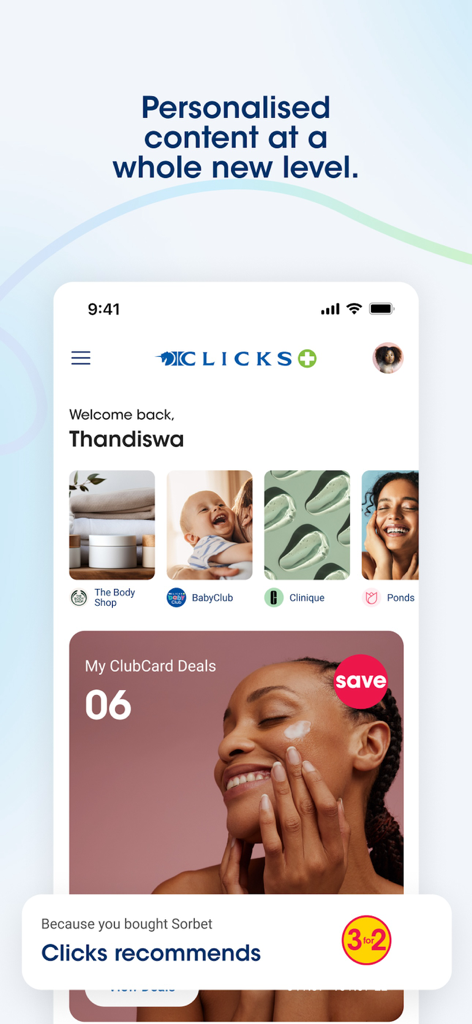
Clicks mobile app interface showing personalized beauty and health deals for ClubCard users

Clicks mobile app interface showing personalized beauty and health deals for ClubCard users

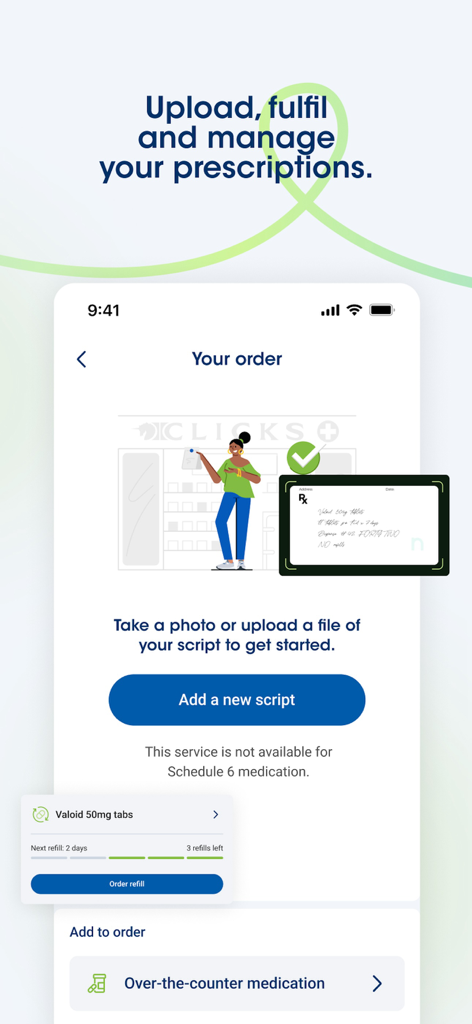
Mobile app screen showing options to upload a prescription script and manage medication refills at Clicks Pharmacy.

Mobile app screen showing options to upload a prescription script and manage medication refills at Clicks Pharmacy.

Interface of the Clicks app beauty section showing shopping categories like fragrances and luxury beauty with a 3 for 2 promotion

Interface of the Clicks app beauty section showing shopping categories like fragrances and luxury beauty with a 3 for 2 promotion

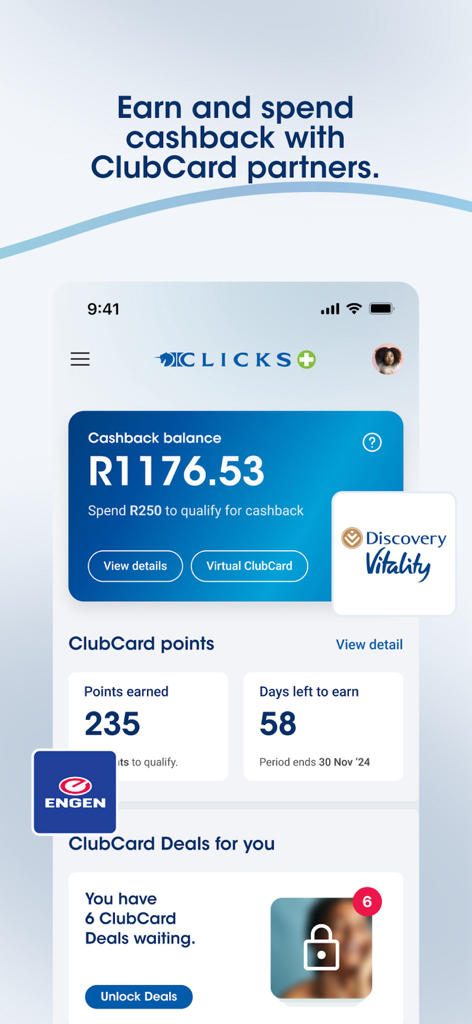
Clicks app dashboard showing cashback balance and ClubCard rewards deals

Clicks app dashboard showing cashback balance and ClubCard rewards deals

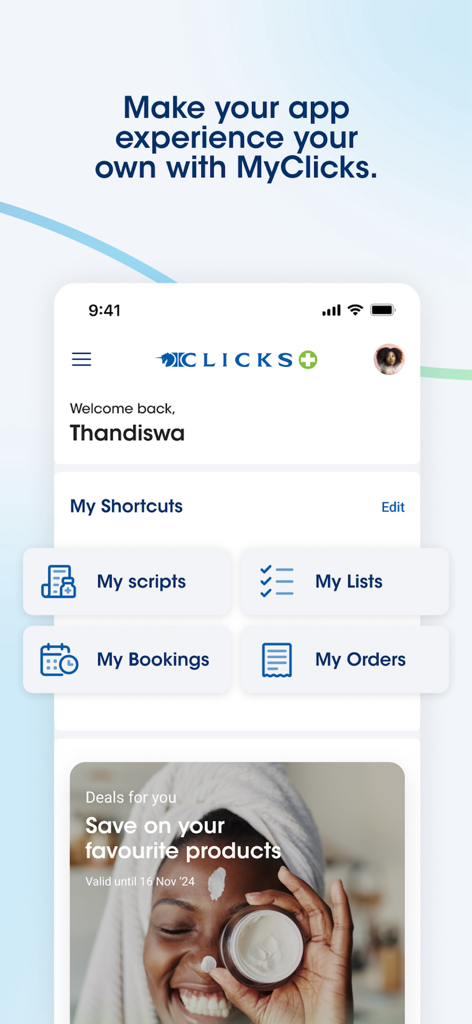
Personalized home screen of the Clicks app showing shortcuts for pharmacy scripts bookings and shopping deals

Personalized home screen of the Clicks app showing shortcuts for pharmacy scripts bookings and shopping deals

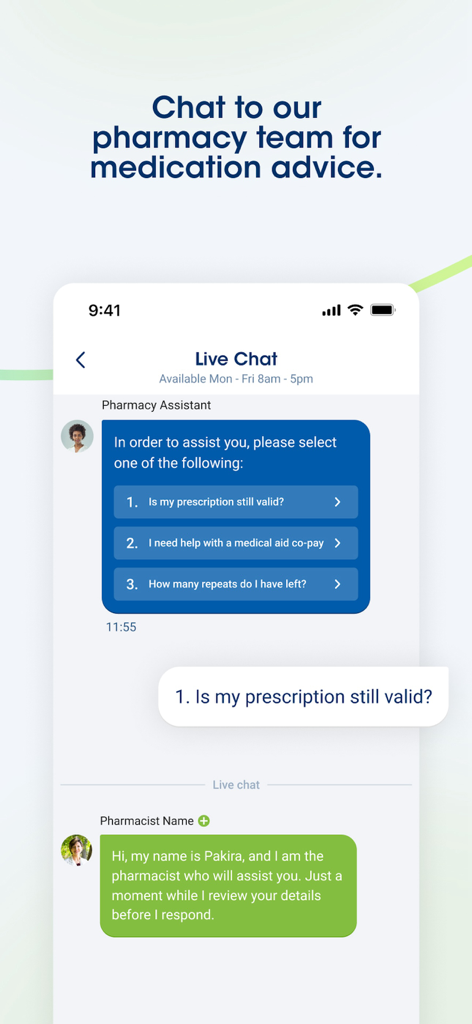
A mobile screen showing a live chat interface between a user and a pharmacist for medication advice

A mobile screen showing a live chat interface between a user and a pharmacist for medication advice

Your Health & Savings, Simplified

The tools that make this app stand out, trusted by 633K+ users.

💊

Skip the Pharmacy Queue

Snap a photo of your script or order medication repeats instantly. Get notified via SMS when your order is ready for a priority 4-hour collection.

💸

Hand-Picked Personalized Deals

Ditch the plastic card. Earn points and unlock rewards tailored to your shopping habits, with cashback you can spend at Clicks or our partners.

🗓️

Expert Care on Your Schedule

Book clinic appointments in seconds or shop our widest range online with free door-to-door delivery. Manage your health without the stress.

About the app

Everything you need to know about Clicks – ClubCard and Pharmacy.

Description

Clicks ClubCard and pharmacy convenience - now in your hands.   1. ClubCard on your phone Keep enjoying your Feel Good Rewards – with a convenient digital ClubCard. One less plastic card in your wallet. Simply scan your digital ClubCard at till point to earn points and spend your cashback. Contact details out of date? Cut out the call centre, and simply update your profile on the app. Not yet a ClubCard member? Simply download the app and register for ClubCard. It’s quick and easy.   2. Choose your savings My ClubCard deals are personalised savings hand-picked JUST FOR YOU Simply load the deals to your ClubCard on the app. Your savings will be applied when you use your ClubCard at the till in-store or when you shop online. 3. Check your ClubCard rewards Track your cashback balance and points activity. Grow your cashback even more at our partners - including Engen, Sorbet and The Body Shop.   4. Pharmacy convenience on your phone Submit scripts - simply snap and send us a photo of your script. Order script repeats - check the number of repeats remaining and simply order medication on the app. We’ll send you an SMS when your order is ready for collection in 4 hours or less. Save time - go straight to the pharmacy collection counter.  Book a clinic appointment – choose your Clicks clinic, the day and time-slot most convenient for you.   5. Shop online Stay up to date with our latest promotions, and shop our widest range of products right on your phone. Door to door delivery, FREE on orders over R450. Collect your order at any Clicks store, FREE on orders over R150. Order OTC medication online. Access your shopping lists.   6. Find your closest Clicks store Wherever you are, there is always a Clicks pharmacy near you. Check store details such as address, trading hours and contact numbers. Find a store that has exactly what you’re looking for, including in-store pharmacies and clinics.

Latest Version

9.0

Size

113.4 MB

First Released

Jul 23, 2017

Ready to Save Time and Earn More Rewards?

Download the Clicks app today to manage your family's prescriptions, book clinic visits, and unlock personalized ClubCard deals—all from the palm of your hand.

Download on App Store
FAQ

Frequently Asked Questions

Everything you need to know about Clicks – ClubCard and Pharmacy

How do I use my Clicks ClubCard on the Clicks app?

The Clicks app includes a convenient digital ClubCard. Simply scan your digital ClubCard at the till point in-store to earn points and spend your cashback.

Can I update my Clicks ClubCard profile details through the app?

Yes, you can easily update your contact details and profile information directly within the Clicks app, eliminating the need to contact a call centre.

How do personalized savings work with the Clicks app?

The Clicks app offers "My ClubCard deals" which are personalized savings. You load these deals to your ClubCard within the app, and savings apply when you use your ClubCard in-store or online.

How can I manage my prescriptions using the Clicks app?

The Clicks app allows you to submit new prescriptions by snapping and sending a photo. You can also order script repeats and track remaining repeats directly from the app.

What is the collection time for medication orders placed through the Clicks app?

When you order medication through the Clicks app, you receive an SMS notification when your order is ready for collection, typically within 4 hours or less.

Can I book clinic appointments using the Clicks app?

Yes, the Clicks app allows you to book clinic appointments. You choose your preferred Clicks clinic, and select a convenient day and time slot.

Does the Clicks app offer online shopping and delivery?

Yes, the Clicks app enables online shopping with access to promotions and a wide product range. It offers door-to-door delivery and free collection options.

What are the delivery and collection options for online orders from the Clicks app?

Clicks offers door-to-door delivery, which is free on orders over R450. You can also collect your order at any Clicks store for free on orders over R150.

How can I find a Clicks store near me using the app?

The Clicks app helps you find your closest Clicks store. You can check store details like address, trading hours, contact numbers, and specific in-store services.

Can I chat with a Clicks pharmacy team member through the app for medication advice?

Yes, the Clicks app provides a live chat feature to connect with a pharmacy assistant for medication advice and queries.

Does the Clicks app allow me to track my ClubCard cashback and points?

Yes, the Clicks app provides a dashboard to track your ClubCard cashback balance and monitor your points activity in real-time.

Which partners allow users to grow their cashback with Clicks ClubCard?

Users can grow their cashback with Clicks ClubCard partners including Engen, Sorbet, and The Body Shop.

Is it possible to order over-the-counter medication via the Clicks app?

Yes, the Clicks app supports ordering over-the-counter (OTC) medication online for convenience.

Can new users register for a Clicks ClubCard directly through the app?

Yes, if you are not yet a ClubCard member, you can download the Clicks app and register for a ClubCard quickly and easily within the app.

App information, icons, screenshots, and descriptions displayed on this page are sourced from the Apple App Store and are the property of their respective developers. Download estimates and rankings are based on MWM's proprietary models and may not reflect actual figures. This page is provided for informational and analytical purposes only.

Believe this page infringes your intellectual property? File a dispute