Company Seals

Company Seals

Download on App Store
Logo of Company Seals

Company Seals: Professional Digital Authentication for Modern Businesses

Instantly create, customize, and stamp high-resolution corporate seals on your PDF documents. The paperless solution for professionals who need to look official, anywhere.

Publisher

Kandasamy Kaleeswaran

Category

Business

Downloads

96K+

User Rating

1.0/5

Total Ratings

0

Locales

1

Precision in Every Mark

Discover the interface used by 96K+ users.
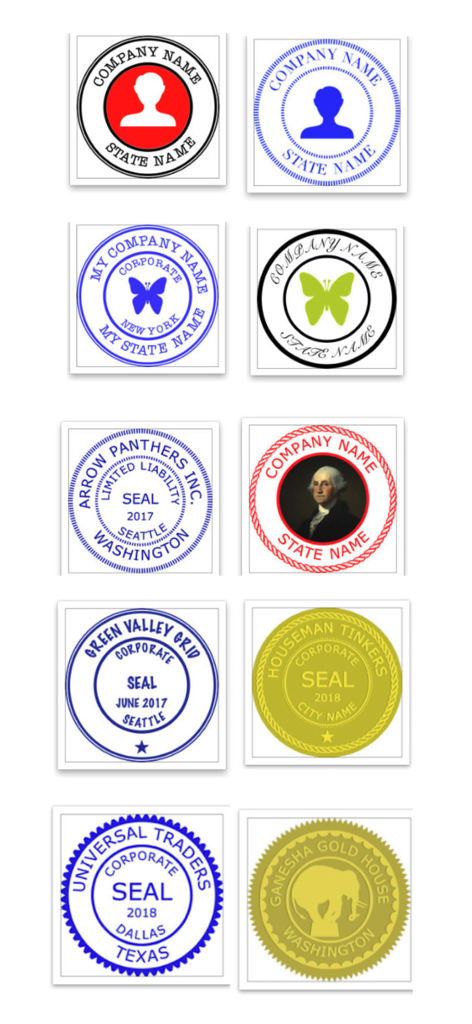
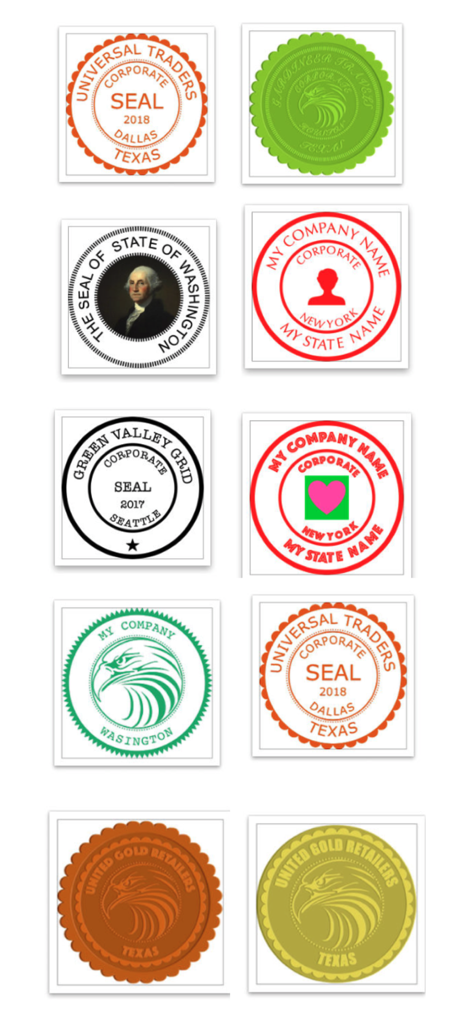
A collection of digital company seal templates in different colors and styles for business documentation

A collection of digital company seal templates in different colors and styles for business documentation

A variety of digital company seal templates in different colors and styles

A variety of digital company seal templates in different colors and styles

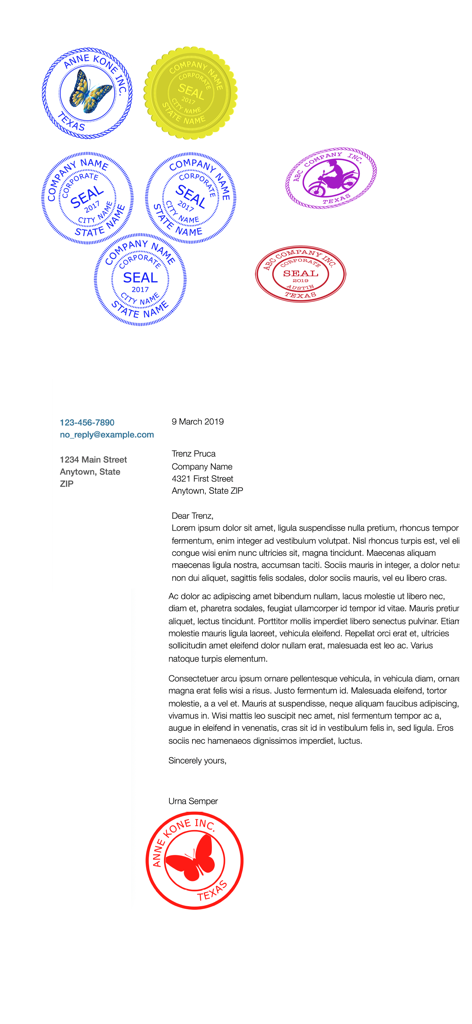
A collection of various digital corporate seals in different colors and a business letter with a red seal applied at the bottom

A collection of various digital corporate seals in different colors and a business letter with a red seal applied at the bottom

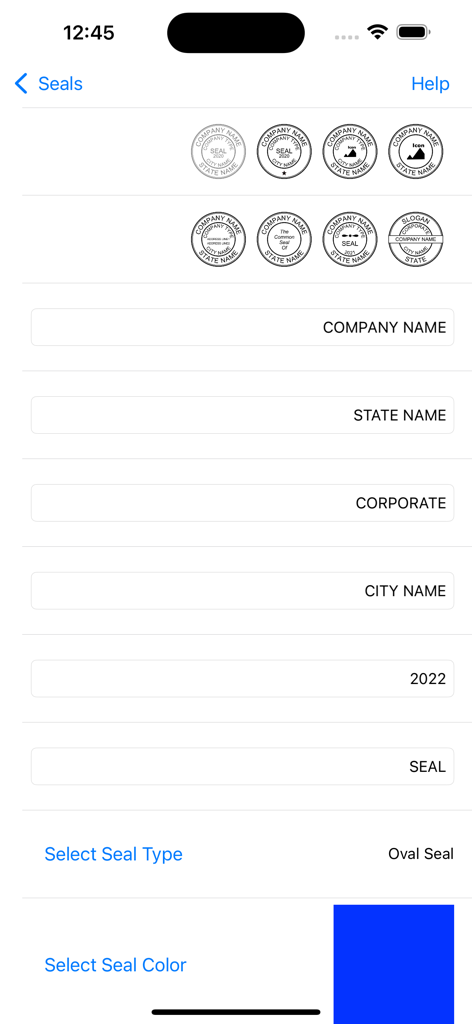
Interface for designing a digital company seal with fields for company name state and color.

Interface for designing a digital company seal with fields for company name state and color.

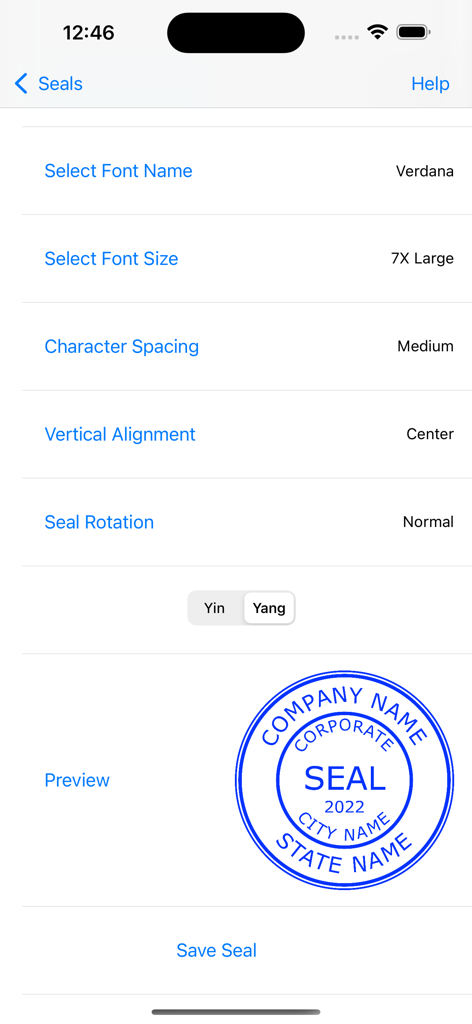
A digital seal editor interface with font settings and a preview of a blue corporate seal

A digital seal editor interface with font settings and a preview of a blue corporate seal

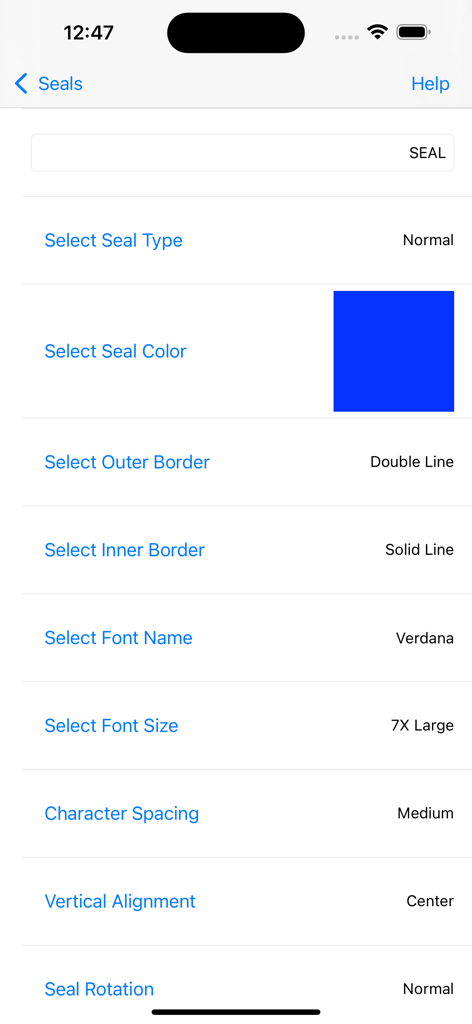
Interface for customizing a digital company seal with options for color borders and typography

Interface for customizing a digital company seal with options for color borders and typography

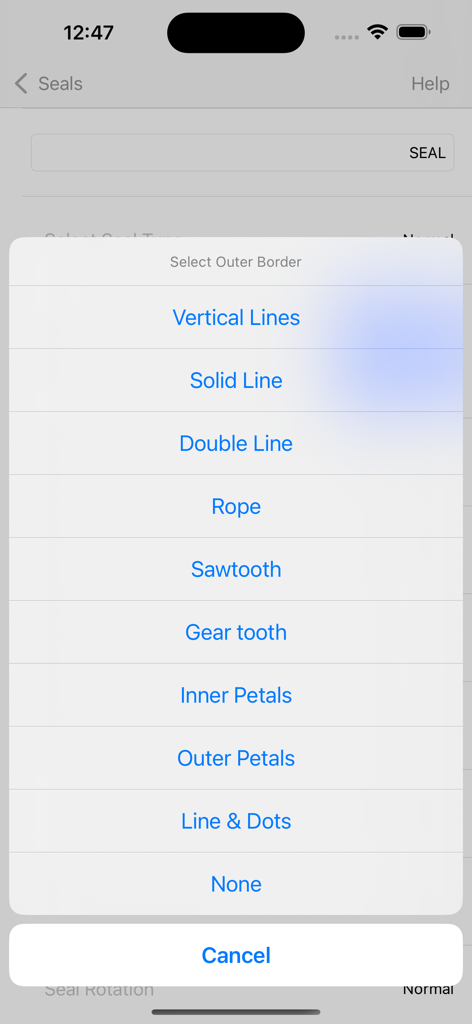
A selection menu for choosing the outer border style of a digital company seal

A selection menu for choosing the outer border style of a digital company seal

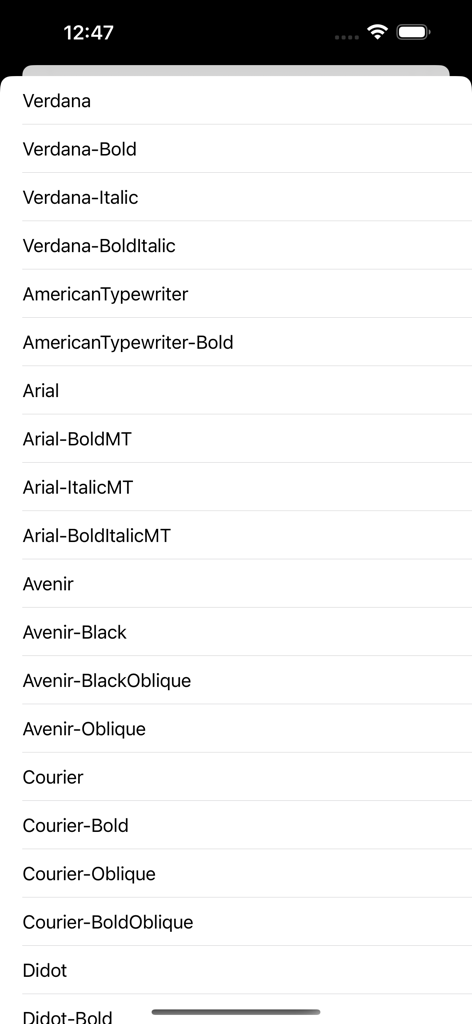
A list of available professional fonts for customizing a digital company seal

A list of available professional fonts for customizing a digital company seal

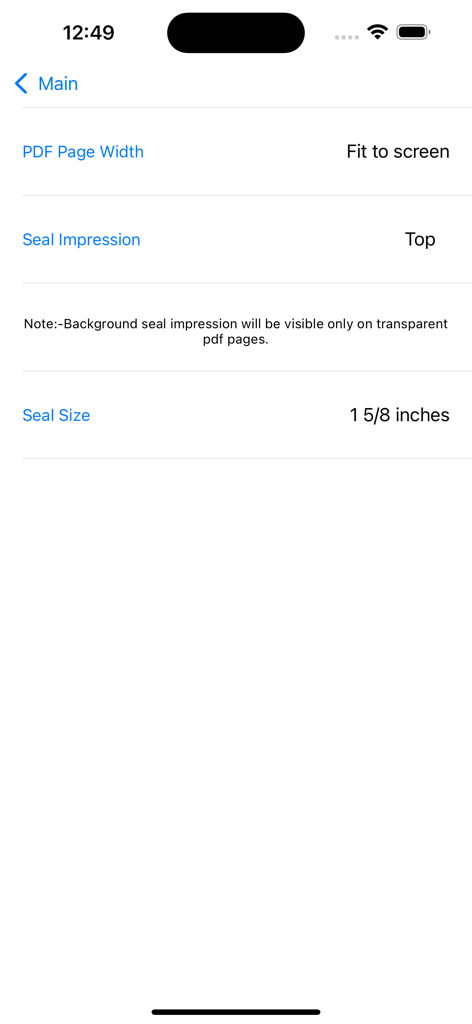
Interface showing settings for PDF page width seal impression location and seal size configuration

Interface showing settings for PDF page width seal impression location and seal size configuration

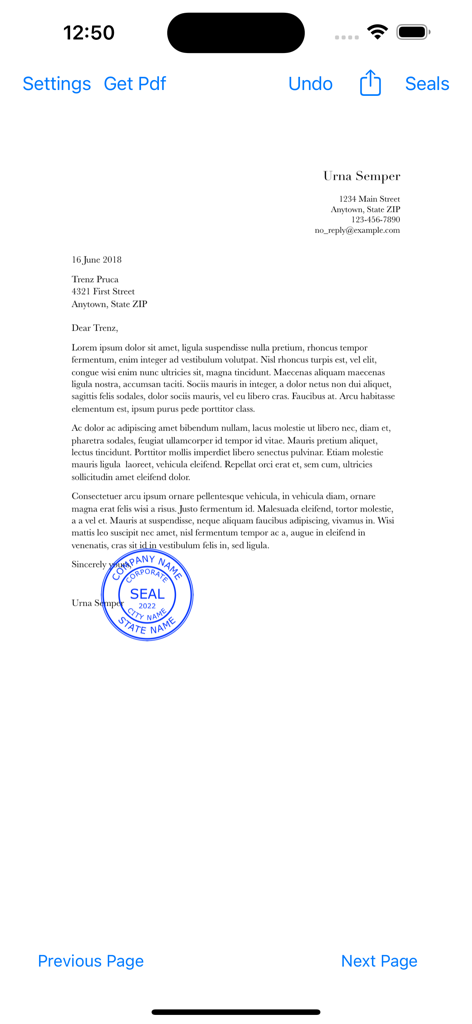
A blue digital company seal stamped onto a PDF document within the Company Seals mobile app

A blue digital company seal stamped onto a PDF document within the Company Seals mobile app

Elevate Your Professional Authority

The tools that make this app stand out, trusted by 96K+ users.

🛠️

Precision Design Tools

Select from industry-standard sizes and templates. Customize colors, fonts, and borders to match your professional identity and regulatory requirements.

📑

Seamless PDF Stamping

Apply permanent seal impressions directly onto your contracts and certifications. Keep your workflow 100% digital, secure, and professional.

🌍

Global Business Ready

Export high-definition 1024pt seals for international trade or digital letterheads. Look established and build trust with clients worldwide.

About the app

Everything you need to know about Company Seals.

Description

This app creates digital Company Seals. The user can stamp the company seal on pdf and save it. The user can export the company seal as a png image(1024 pt x 1024 pt) for other uses. Create A New Seal:- Hit + Button and 1)Select a seal Template, 2)Edit Text, 3)Leave blank for no text, 4)Select icon image if required by the template, 5)Select Other Properties of the seal 6)Preview and 7)Save the seal. Note:- Company Icon Images needs to be 1024 pt x 1024 pt image with/without transparent background.Lower resolution icons may give poor quality seal images.Icon Image can be imported from iCloud Drive or “On My iPhone/iPad”, locations. Eight seal templates are provided. The following can be chosen by the user:- 1)Seal colour 2)Seal Type 3)Border Type 4)Inner Border Type 5)Font Size 6)Font Name 7)Icon type(Round or Square) 8)Icon colour (seal colour mask or original). 9) Rotation 0-30 deg left/right. 10)Yin or Yang Seal(for normal type seals). Yang seal - Transparent background with Letters in Seal colour. Yin Seal - Background in seal colour and Letters are transparent. Select an Available Seal for stamping:- 1)Select a seal 2)Hit Pick seal Export an Available Seal:- 1)Select a seal 2)Hit Export Seal 3)Save the seal image to your location Delete an Available Seal:- 1)Select a seal 2)Hit Delete Seal Stamping On Pdf:- Hit Import Pdf & Choose a Pdf Document. 1)Go to the page where you want to stamp. 2)Move to the required location on the page. 3)Tap to stamp. Reset Selected page:- 1)Select the page 2) Hit Undo Original pdf documents are not changed. But,Seal impressions are permanent on saved Pdf Documents.Seal impressions are not pdf annotations. Company Seals has the following Sizes:- 1 1/4 inches, 1 1/2 inches, 1 3/4 inches, 1 9/16 inches, 1 5/8 inches, 1 3/4 inches, 1 7/8 inches, 2 inches Other seal images can be imported to this app. You need to import a 1024 pt x 1024 pt png/tiff image.The seal image background needs to be transparent. Note:- Avoid very Dark Colours for Emboss or Wax Seal types. www.appskou.com for support

Latest Version

4.5

Size

5.2 MB

First Released

Jul 25, 2018

Finalize Your Documents with Authority

Join 96,000+ professionals. Create custom, high-resolution company seals and stamp your PDFs with permanent legitimacy directly from your iPhone or iPad.

Download on App Store

App information, icons, screenshots, and descriptions displayed on this page are sourced from the Apple App Store and are the property of their respective developers. Download estimates and rankings are based on MWM's proprietary models and may not reflect actual figures. This page is provided for informational and analytical purposes only.

Believe this page infringes your intellectual property? File a dispute