Console Remote

Console Remote

Download on App Store
Logo of Console Remote

Console Remote: The Pro-Grade PS5 Streaming Experience for iPad and iPhone

Unlock the full potential of your PS5 with native 2K streaming, ultra-low latency, and full DualSense haptics. Engineered with Apple Metal for the elite performance and visual fidelity that power users demand.

Publisher

莼乾 沈

Category

Entertainment

Downloads

2K+

User Rating

4.8/5

Total Ratings

100

Locales

2

Peak Performance Visualized

Discover the interface used by 2K+ users.
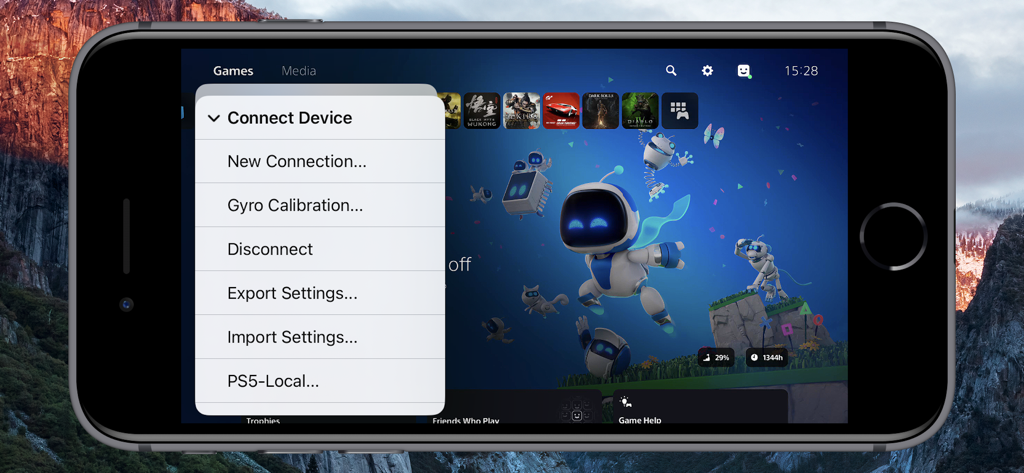
iPhone screen showing the Connect Device menu in the Console Remote app with a PlayStation 5 dashboard in the background

iPhone screen showing the Connect Device menu in the Console Remote app with a PlayStation 5 dashboard in the background

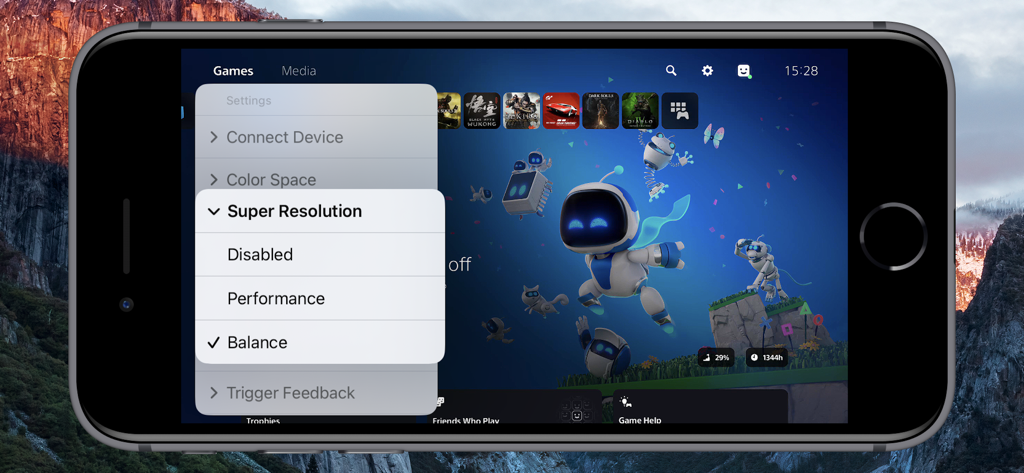
Console Remote app interface on iPhone showing PS5 super resolution settings menu

Console Remote app interface on iPhone showing PS5 super resolution settings menu

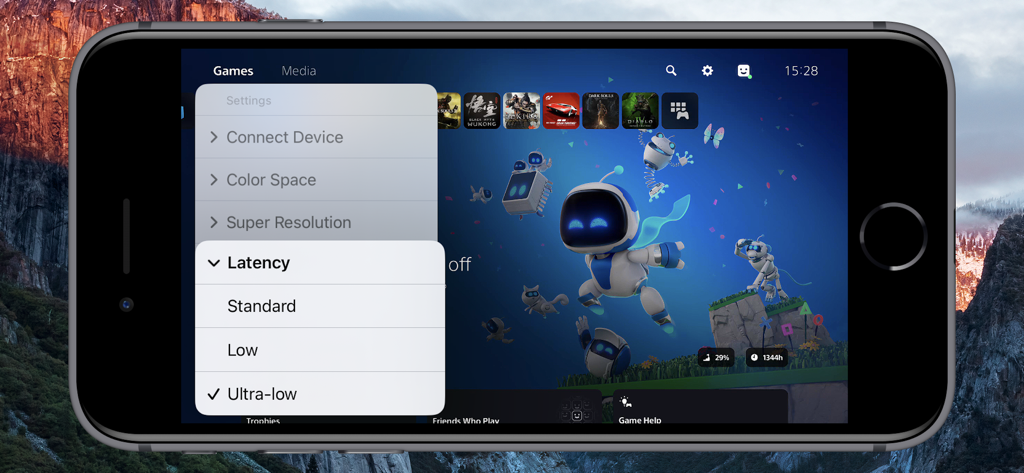
Console Remote app on iPhone displaying PS5 game library with ultra-low latency setting selected.

Console Remote app on iPhone displaying PS5 game library with ultra-low latency setting selected.

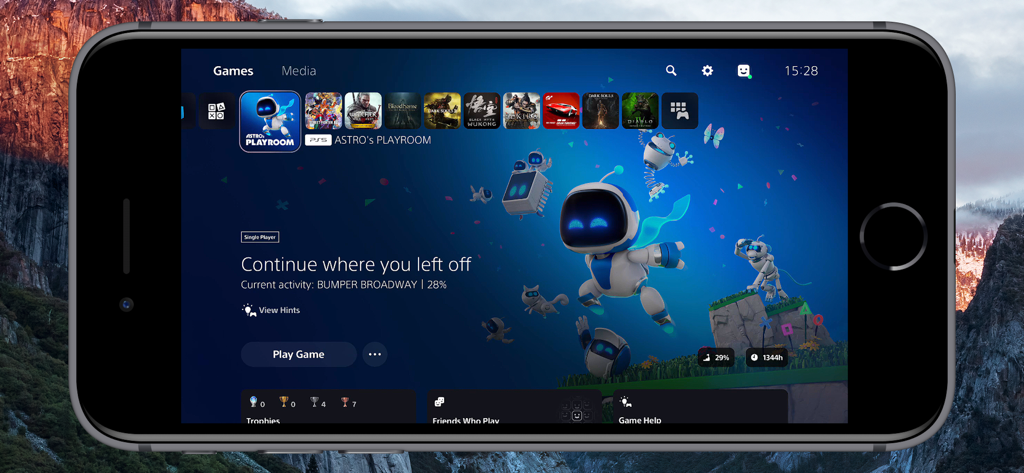
PlayStation 5 home screen displayed on an iPhone using Console Remote app

PlayStation 5 home screen displayed on an iPhone using Console Remote app

Pro-Level Features for Elite Gamers

The tools that make this app stand out, trusted by 2K+ users.

Zero-Lag Performance

A custom synchronization engine built on Apple Metal delivers near-zero latency, ensuring frame-perfect responsiveness for competitive gameplay.

💎

Native 2K Visual Fidelity

Experience stunning clarity with native 2K streaming and advanced image upsampling, optimized for high-end iPad and iPhone displays.

🎮

Complete Immersion

Unlock full DualSense support including haptic feedback and adaptive triggers, paired with low-latency audio optimized for AirPods.

About the app

Everything you need to know about Console Remote.

Description

Turn Your iPad and iPhone into the Ultimate PS5 Streaming Companion! Console Remote is a powerful remote play tool built specifically for iPad and iPhone, designed to deliver a premium PlayStation 5 streaming experience. With ultra-low latency, native 2K resolution, and full DualSense controller support, it transforms your iPad and iPhone into a true PS5 companion-anytime, anywhere. Whether you are on the couch, in bed, or on the go, enjoy console-quality gameplay directly on your iPad and iPhone. Key Features Ultra-low Latency Mode New synchronization engine, experience near-zero delay. Perfect sync with iPad and iPhone refresh rate for smooth, responsive gameplay. Native 2K Video Streaming Enjoy enhanced visuals with up to native 2K resolution, powered by advanced super-resolution and image upsampling technologies. Full DualSense Controller Support Connect via native Bluetooth with full support for adaptive triggers, haptic feedback, touchpad, and gyroscope. Optimized Rendering Engine Built on Apple Metal and Audio Unit for high-performance video and audio rendering with reduced power consumption. Advanced Upscaling & Sampling Choose from low, medium, or high sampling modes to boost image clarity without sacrificing performance. Professional Color Space Support Switch between sRGB, Display P3, and Adobe RGB for accurate color tuning based on your screen. AirPods Optimized Audio Enjoy stable, low-latency wireless audio with seamless AirPods integration. Requirements Virtual Button and Touchpad Only the virtual touchpad is supported, virtual buttons are not supported. Open Console Remote > Check [Virtual Touchpad]. Remote Streaming Configure port forwarding on your router for ports 9295, 9296, 9297 and 9302 (UDP/TCP), or directly enable DMZ. Enable UPnP on your router. Open [Connect Device] > [PS5-Local] > [Edit] > [Connect Channel] > Select [Remote Connect]. Network Environment To avoid lag or pixelation, please follow the recommendations below Connect using a Wi-Fi 6 5GHz network Set your router channel to 149 (or 44 for EU/JP users) For improved stability, disable Location Services in your iPad and iPhone system settings Devices PlayStation 5 console DualSense wireless controller (third-party controllers are not officially supported) Systems iPad and iPhone running iOS 17.0 or higher, can work perfectly. Terms of Service https://www.apple.com/legal/internet-services/itunes/dev/stdeula/ Disclaimer PS5, PS4, PlayStation 5, PlayStation 4, DualShock, DualSense and PSN are trademarks of Sony Computer Entertainment Inc. Console Remote is in no way endorsed by or affiliated with Sony Computer Entertainment lnc, or any associated subsidiaries, logos or trademarks.

Latest Version

26.0.39

Size

4.3 MB

First Released

Nov 24, 2024

Ready to Experience PS5 in Native 2K?

Stop settling for standard streaming. Join the power users today and unlock ultra-low latency with full DualSense support on your iPad and iPhone.

Download on App Store

App information, icons, screenshots, and descriptions displayed on this page are sourced from the Apple App Store and are the property of their respective developers. Download estimates and rankings are based on MWM's proprietary models and may not reflect actual figures. This page is provided for informational and analytical purposes only.

Believe this page infringes your intellectual property? File a dispute