Craftify Editor

Craftify Editor

Logo of Craftify Editor

Craftify Editor: Design Custom Skins, Capes & Worlds for Minecraft PE

The ultimate all-in-one toolbox to express your creativity. Create unique skins, design exclusive capes, and import maps instantly with one-tap integration—no PC or complex file managers required.

Publisher

Riken Sonani

Category

Entertainment

Downloads

0

User Rating

1.0/5

Total Ratings

0

Locales

10

Design Your Legend

Discover the interface used by 0 users.

Main menu of Craftify Editor showing selection buttons for Skin Cap and Map

Main menu of Craftify Editor showing selection buttons for Skin Cap and Map

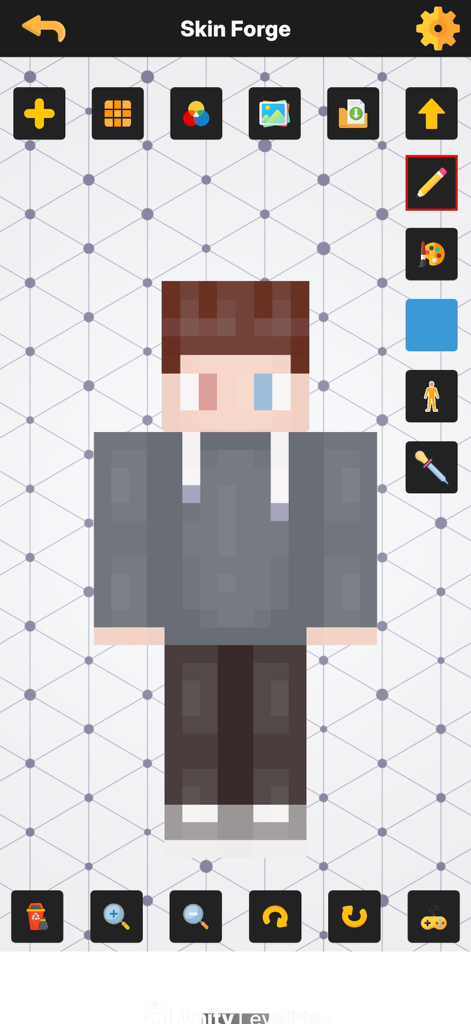
Interface of the Craftify Editor Skin Forge showing a custom Minecraft skin being edited.

Interface of the Craftify Editor Skin Forge showing a custom Minecraft skin being edited.

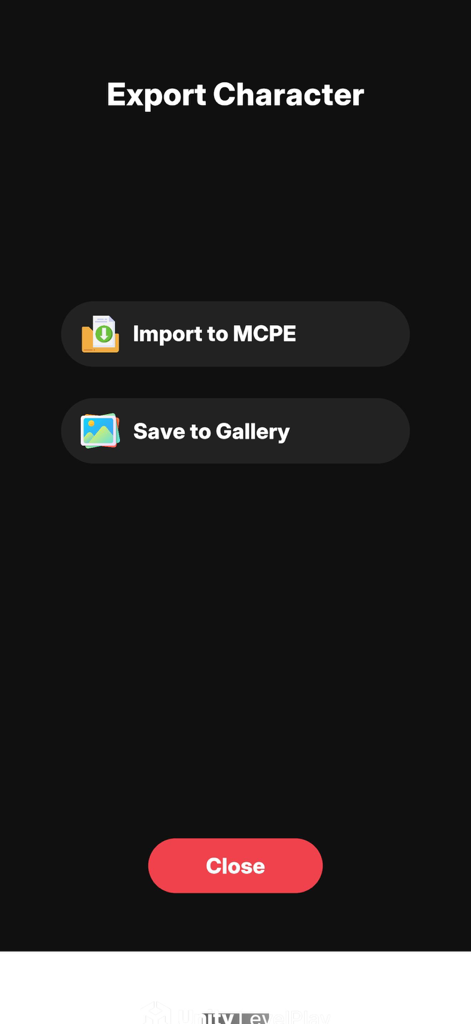
Craftify Editor export screen with options to import a character to Minecraft PE or save to gallery

Craftify Editor export screen with options to import a character to Minecraft PE or save to gallery

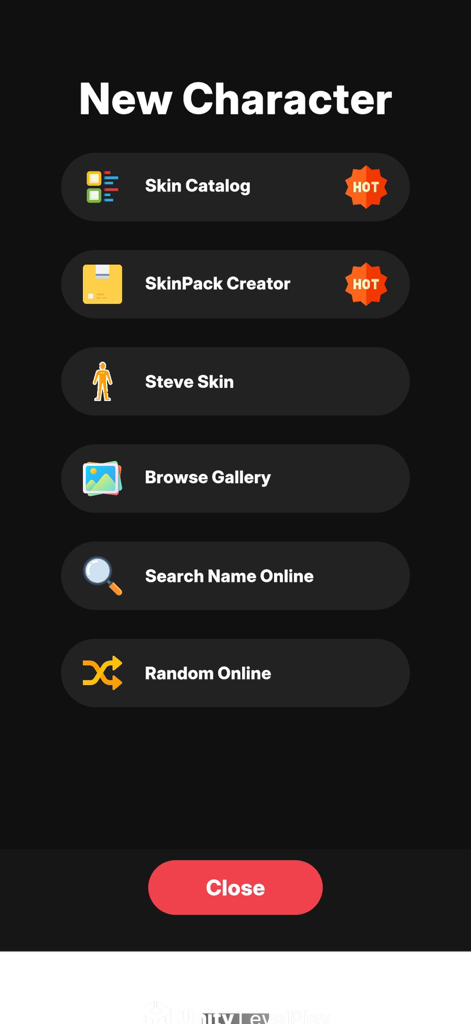
Menu for creating new characters in Craftify Editor with skin catalog and skinpack options

Menu for creating new characters in Craftify Editor with skin catalog and skinpack options

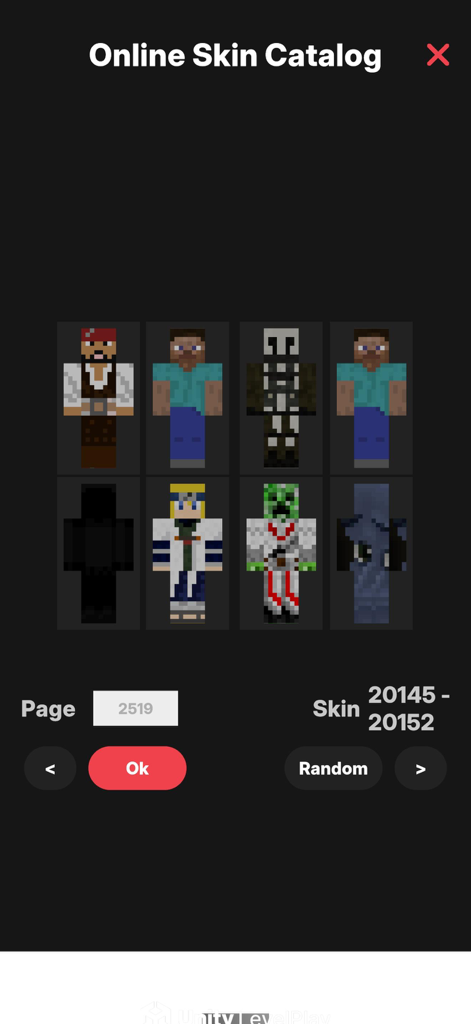
Online skin catalog in the Craftify Editor app displaying a variety of Minecraft character skins for selection

Online skin catalog in the Craftify Editor app displaying a variety of Minecraft character skins for selection

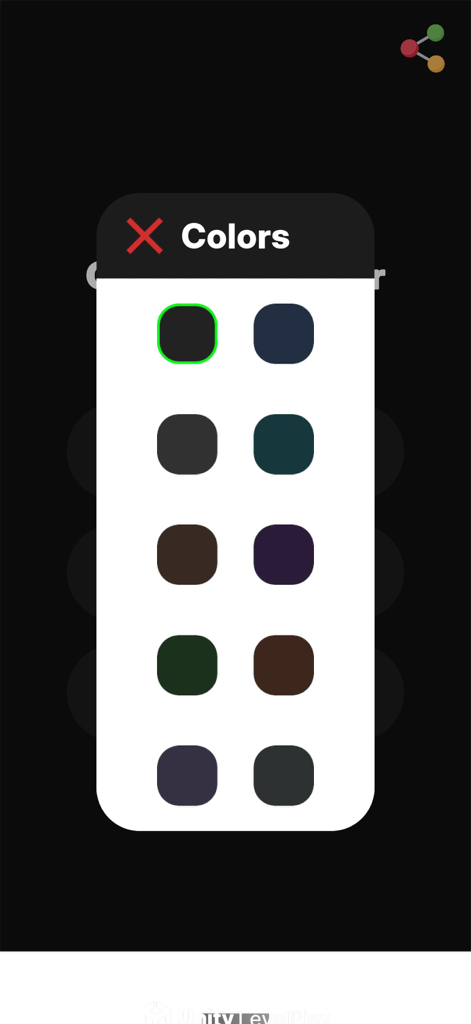
Interface showing a color selection menu for customizing Minecraft skins and capes in Craftify Editor.

Interface showing a color selection menu for customizing Minecraft skins and capes in Craftify Editor.

Your All-in-One Minecraft Creative Hub

The tools that make this app stand out, trusted by 0 users.

🎨

Custom Skin Studio

Design your look from scratch or edit existing skins with pro precision. Express your unique style and escape the 'noob' look on any multiplayer server.

Exclusive Cape Creator

Craft rare capes that grab attention. Use full color control and 3D previews to create accessories that show off your status in the world of blocks.

🚀

One-Tap Map Importer

Ditch the PC and complex file managers. Import .mcworld maps directly to your iPhone or iPad instantly so you can get straight to the gameplay.

About the app

Everything you need to know about Craftify Editor.

Description

Craftify Editor: Skins, Capes & Maps for Minecraft PE Unlock your creativity and take your Minecraft Bedrock experience to the next level. Craftify Editor is an easy-to-use toolbox for creating, editing, and importing Minecraft skins, capes, and worlds — all directly from your device. Features Custom Skin Editor Create and edit Minecraft skins with precision Import existing skins or design from scratch Save to your device or export directly into Minecraft PE Cape Creator & Importer Design your own cape with full color control Preview in 3D before saving Import into Minecraft with one tap Map Importer Import Minecraft maps (.mcworld files) instantly No PC required — tap and play One-Tap Minecraft Integration Send creations directly into Minecraft PE with secure sharing No login or file managers needed Safe & Privacy-Friendly Your creations stay on your device No sign-up or personal data collection Why Choose Craftify Editor? Complete skin editor for Minecraft PE Cape maker and importer Map import support One-tap Minecraft integration User-friendly design built for Minecraft players Start building your Minecraft identity today with Craftify Editor — and stand out in the world of blocks.

Latest Version

0.6

Size

305.2 MB

First Released

Aug 19, 2025

Ready to Stand Out in the Overworld?

Stop being a default skin and start creating. Design your custom look, craft rare capes, and import epic maps instantly to Minecraft PE with just one tap—no PC required.

App information, icons, screenshots, and descriptions displayed on this page are sourced from the Apple App Store and are the property of their respective developers. Download estimates and rankings are based on MWM's proprietary models and may not reflect actual figures. This page is provided for informational and analytical purposes only.

Believe this page infringes your intellectual property? File a dispute