CueZy 9 Pad Sampler

CueZy 9 Pad Sampler

Download on App Store
Logo of CueZy 9 Pad Sampler

CueZy 9 Pad Sampler: Professional Live Sound Triggering and Performance

Transform your iOS device into a reliable, high-performance soundboard. Engineered for theater technicians, DJs, and event producers who demand precision fading, MIDI control, and seamless cloud integration for every cue.

Download on App Store

Publisher

TAKU MITSUHASHI

Category

Music

Downloads

20K+

User Rating

4.2/5

Total Ratings

200

Locales

2

Precision at Your Fingertips

Discover the interface used by 20K+ users.
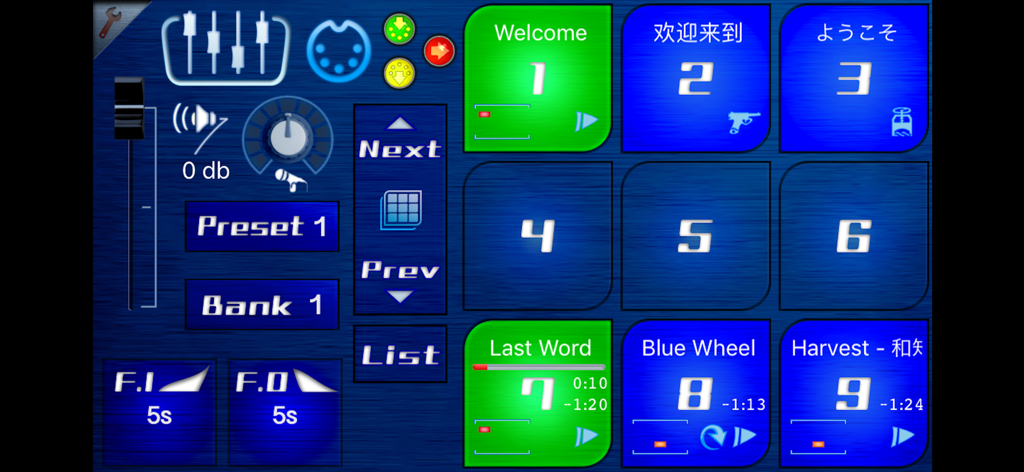
Main interface of the CueZy 9 Pad Sampler app showing nine large sound trigger pads and audio control settings

Main interface of the CueZy 9 Pad Sampler app showing nine large sound trigger pads and audio control settings

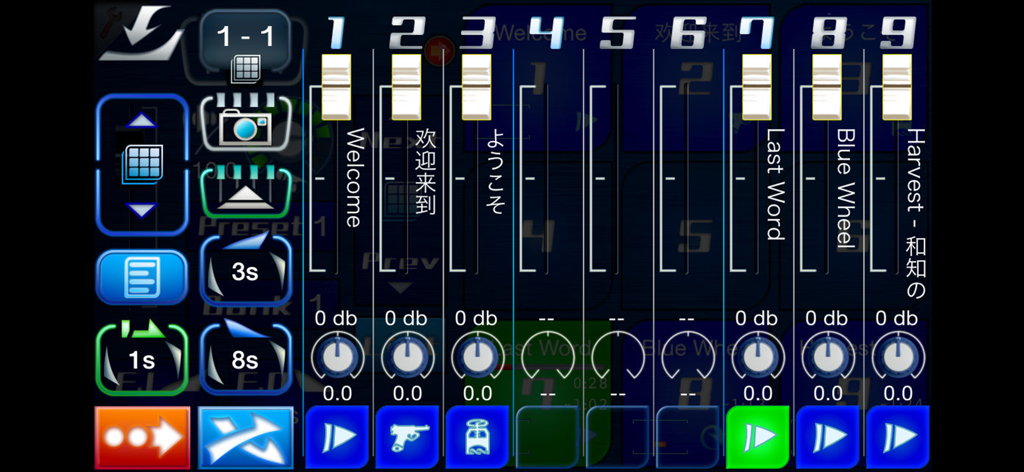
CueZy 9 Pad Sampler fader view interface with volume sliders and playback controls for live audio performance

CueZy 9 Pad Sampler fader view interface with volume sliders and playback controls for live audio performance

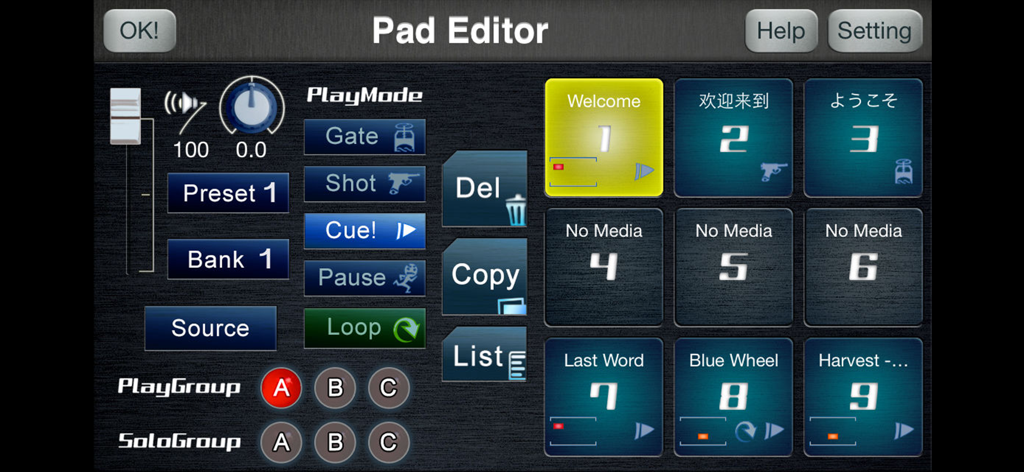
Interface of the CueZy Pad Editor showing configuration settings for audio samples including play modes and group assignments

Interface of the CueZy Pad Editor showing configuration settings for audio samples including play modes and group assignments

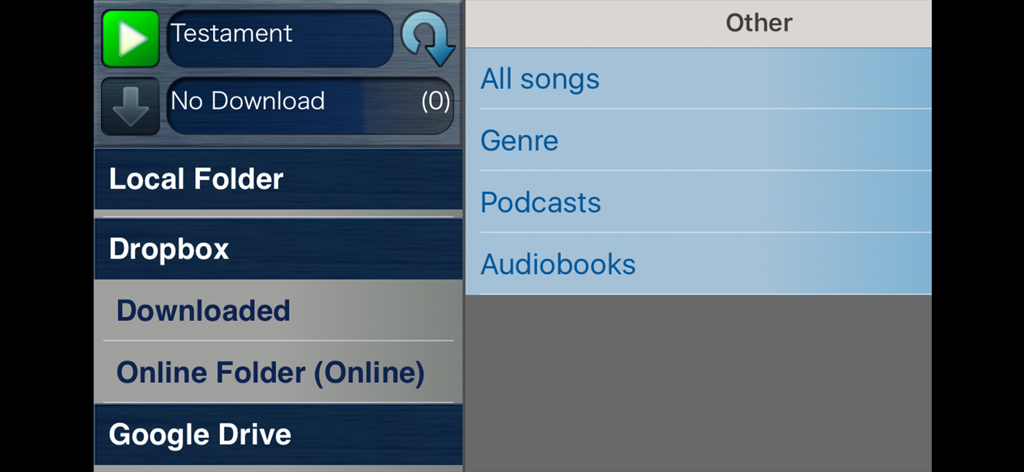
CueZy 9 Pad Sampler interface for importing audio files from cloud storage and local folders

CueZy 9 Pad Sampler interface for importing audio files from cloud storage and local folders

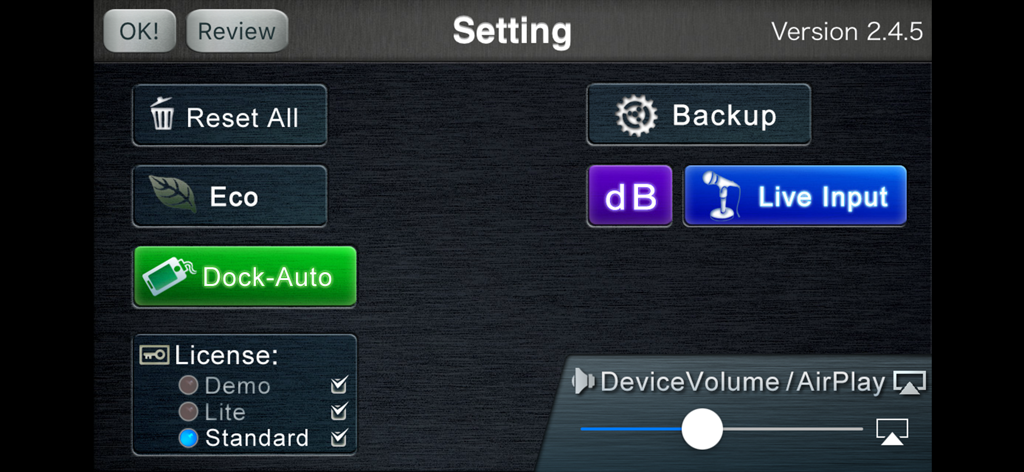
Settings interface of CueZy 9 Pad Sampler showing license options and AirPlay volume control.

Settings interface of CueZy 9 Pad Sampler showing license options and AirPlay volume control.

Precision Performance Features

The tools that make this app stand out, trusted by 20K+ users.

🔘

Total Playback Control

Master every cue with specialized Gate, Shot, and Cue! modes. Fine-tune your sound with custom loop settings and adjustable fade-in/out effects.

📥

Seamless Cloud Integration

Skip the desktop sync. Directly import your high-quality audio assets from Dropbox, Google Drive, or your local library for a fast, mobile workflow.

🎭

Built for the Stage

Reliability is key. Run your show with rock-solid background audio, external MIDI device control, and flexible AirPlay connectivity for any venue.

About the app

Everything you need to know about CueZy 9 Pad Sampler.

Description

*Play your music dramatically. CueZy is a 9 pad sampler (sample player) app. You can select songs from your iPhone/iPad/iPod touch library and play with the features right away. Different arrangements are possible through the four play modes, looping, two group modes, and in addition, and fading in and out. These features will allow you to create a personalized music system, designed for performances, parties, and more. -What CueZy can do- - Simultaneous audio playback using nine sample pads. - Audio assignment from your iPhone/iPad/iPod touch library to the sample pad. - Audio file import from Dropbox, Google Drive, iTunes File sharing, "Open-in" function. - Adjust volume via the fader view. - Saving a maximum of 729 samples (Preset [9] x Bank [9] = 81 pages). - Fade in and fade out effects. - Adjusting the fade in and fade out time (0.5 to 9.0 seconds). - Adjusting the master volume. - Play audio in the background. - AirPlay control (Connection with Apple TV, AirMac Express, Bluetooth audio device, etc...) - Control an App via external MIDI devices. - Designating a specific play mode for each audio (Gate/Shot/Cue!/Pause). - Setting up the loop mode. - Setting up a play group (simultaneous play). - Setting up a solo group (solo play). - Assigning specific volume settings for each audio. - Pan control for assigned audio (adjusting the sound image). CueZy is a simple yet reliable player created for playing music in various professional settings. For instance, it can be used for a professional theatre performance, a live DJ party, or for playing music and adding sound effects at a house party. *When CueZy launches - On the upper left corner of the screen, there is an edit button. When you press this button, the Pad Editor will open. - When you press the "Help" button located on the upper right, it will assist you with the app. - If you press a pad number while pressing the "Source" button, located lower left, you will be able to allocate one or more audio from your audio library. *About the license - Purchase the license for CueZy through the Setting page. - By using two upgradable licenses, you can save different settings, remove the limitations for simultaneous play and audio time, and enhance other performances. *For more information on CueZy and how to use it, check out the website: -> http://www.cuezy.net *Developer blog English -> http://cuezy.blogspot.com Japanese -> http://d.hatena.ne.jp/cuezy

Latest Version

2.6.2

Size

39.8 MB

First Released

Sep 10, 2012

Take Full Control of Your Live Sound

Join thousands of DJs, theater technicians, and performers who trust CueZy for professional-grade sampling and seamless audio transitions.

Download on App Store

App information, icons, screenshots, and descriptions displayed on this page are sourced from the Apple App Store and are the property of their respective developers. Download estimates and rankings are based on MWM's proprietary models and may not reflect actual figures. This page is provided for informational and analytical purposes only.

Believe this page infringes your intellectual property? File a dispute