CxAlloy TQ

CxAlloy TQ

Download on App Store
Logo of CxAlloy TQ

CxAlloy TQ: Professional Commissioning and Field Management for Construction Projects

The industry-leading offline-first solution for commissioning authorities and engineers. Eliminate double-entry, complete checklists, and manage issues on-site—even without a signal.

Download on App Store

Publisher

WorkingBuildings, LLC

Category

Business

Downloads

4K+

User Rating

4.4/5

Total Ratings

600

Locales

5

Precision in Every View

Discover the interface used by 4K+ users.
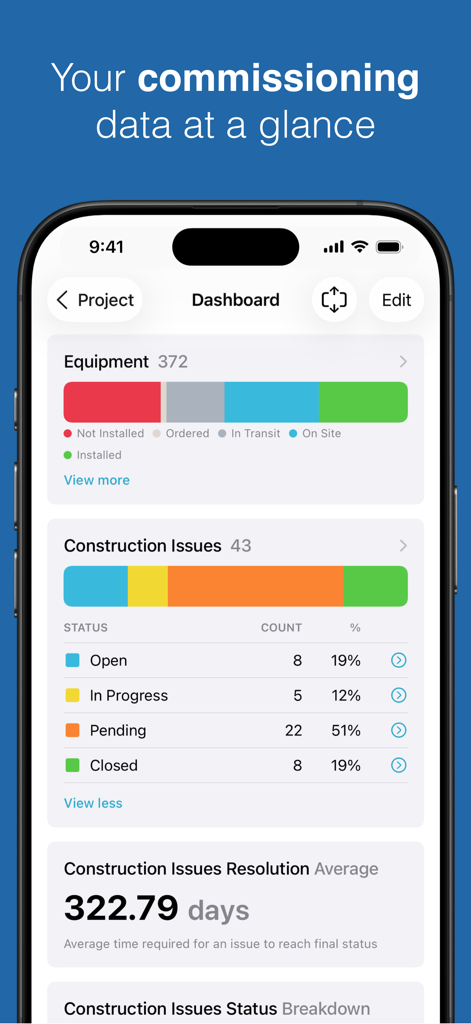
CxAlloy TQ dashboard showing commissioning equipment status and construction issue reports.

CxAlloy TQ dashboard showing commissioning equipment status and construction issue reports.

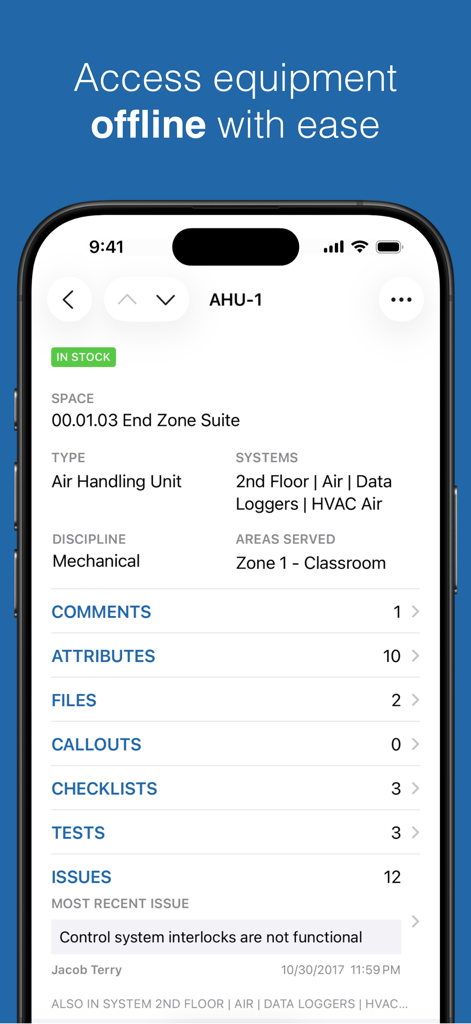
CxAlloy TQ app interface showing equipment details for an air handling unit with offline access

CxAlloy TQ app interface showing equipment details for an air handling unit with offline access

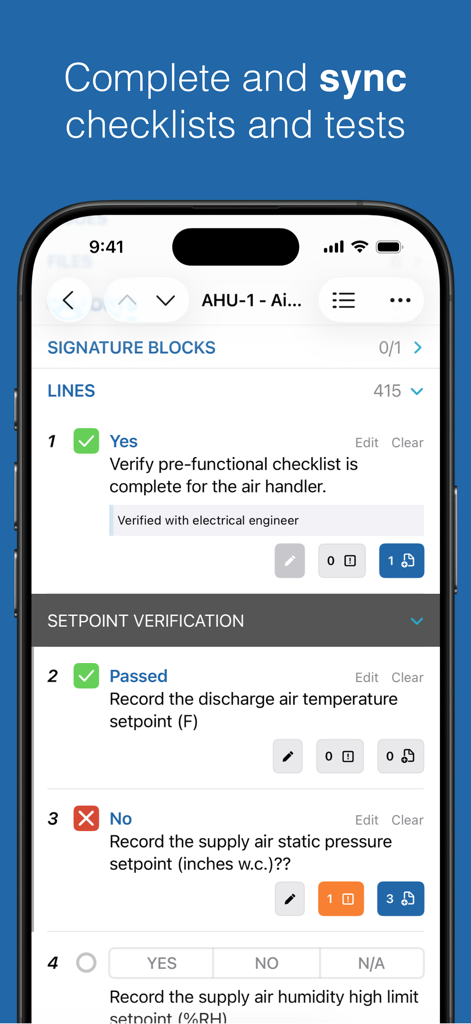
CxAlloy TQ mobile app interface showing a detailed construction commissioning checklist for mechanical equipment

CxAlloy TQ mobile app interface showing a detailed construction commissioning checklist for mechanical equipment

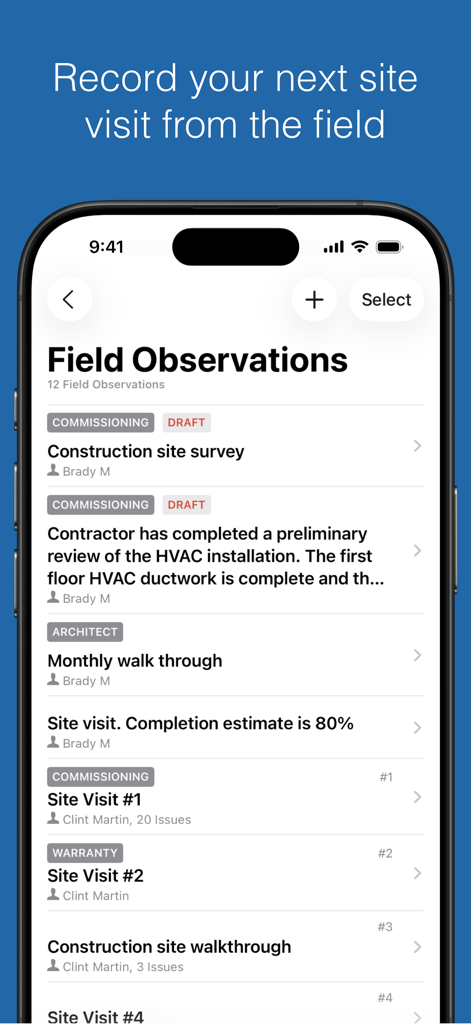
CxAlloy TQ mobile app displaying a list of construction field observations and site visits

CxAlloy TQ mobile app displaying a list of construction field observations and site visits

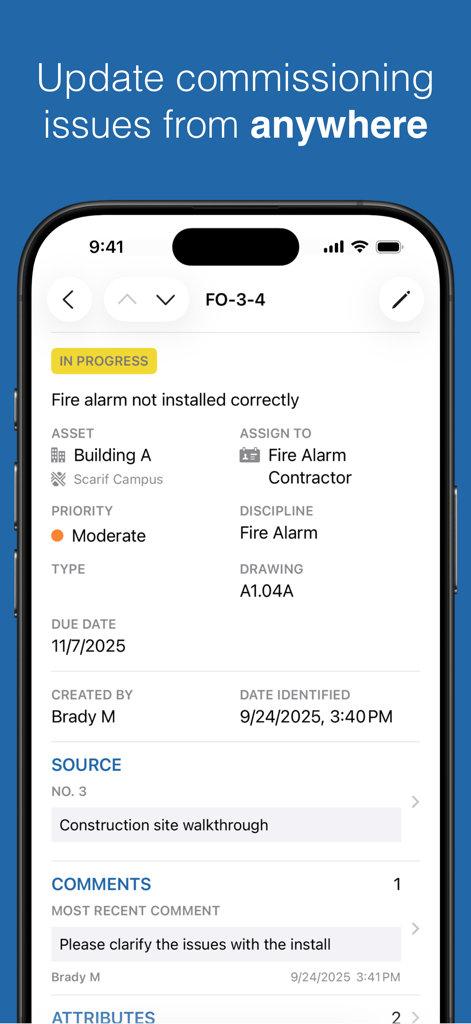
CxAlloy TQ mobile app interface showing a detailed commissioning issue report for a fire alarm system installation.

CxAlloy TQ mobile app interface showing a detailed commissioning issue report for a fire alarm system installation.

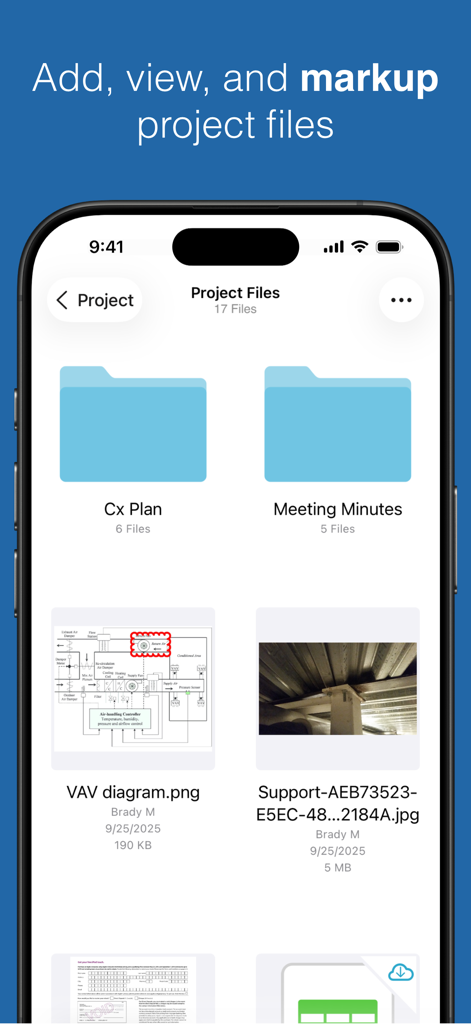
Project files screen in CxAlloy TQ showing folders diagrams and construction site photos for commissioning tasks

Project files screen in CxAlloy TQ showing folders diagrams and construction site photos for commissioning tasks

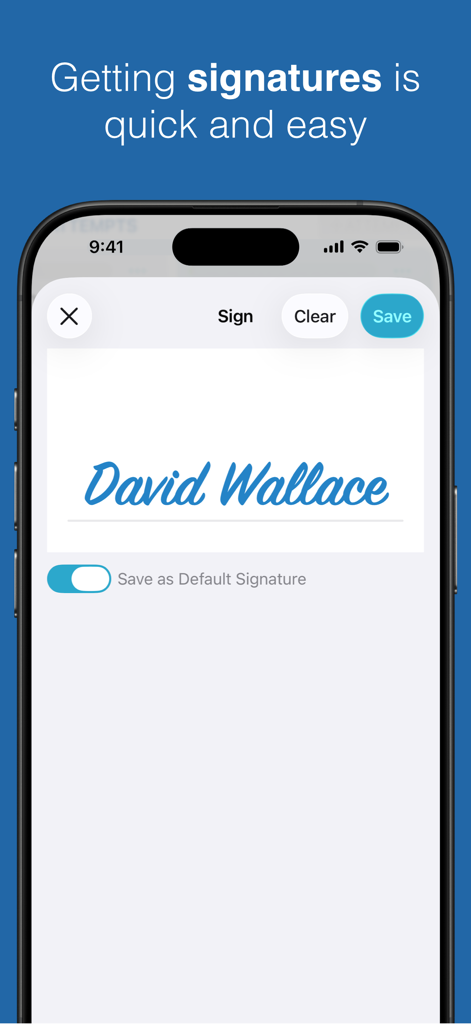
CxAlloy TQ mobile app interface showing a digital signature capture screen with the name David Wallace

CxAlloy TQ mobile app interface showing a digital signature capture screen with the name David Wallace

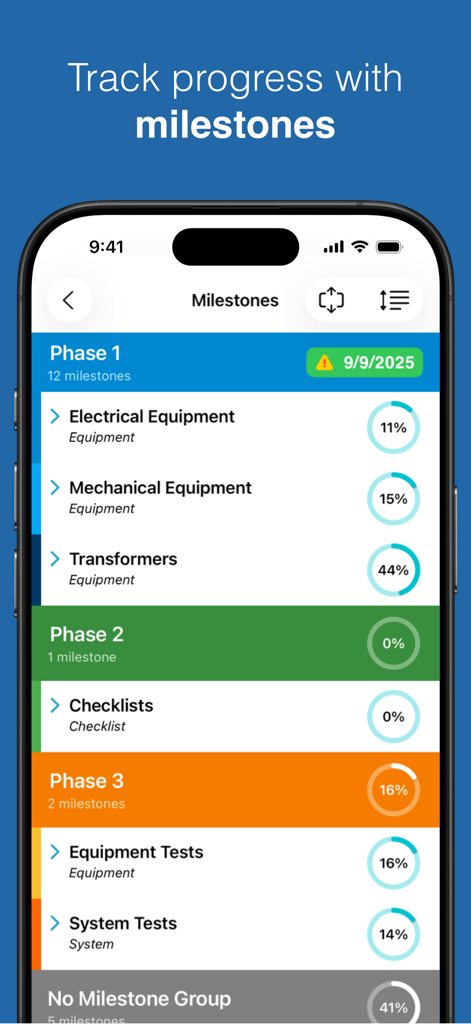
Mobile app interface showing construction project milestones with progress percentages for electrical and mechanical equipment

Mobile app interface showing construction project milestones with progress percentages for electrical and mechanical equipment

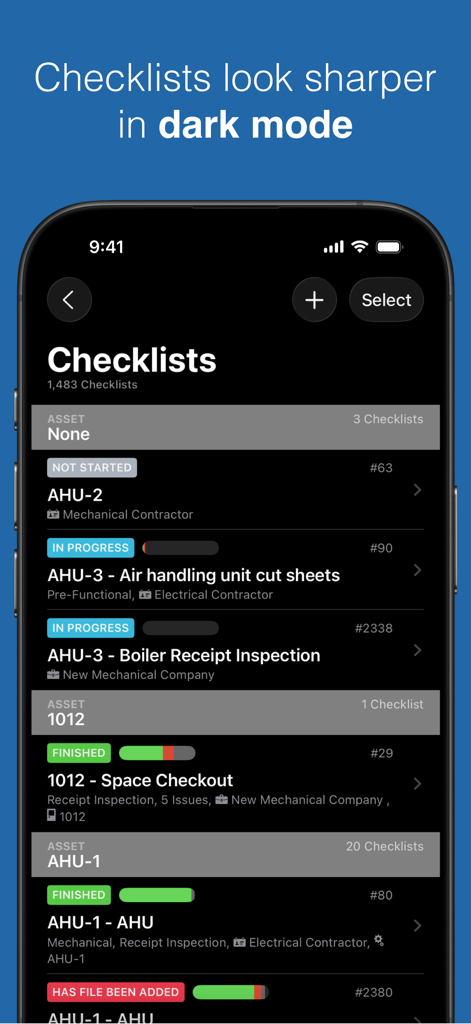
A smartphone screen displaying the CxAlloy TQ app checklists in dark mode showing various asset statuses like AHU-2 and AHU-3.

A smartphone screen displaying the CxAlloy TQ app checklists in dark mode showing various asset statuses like AHU-2 and AHU-3.

Streamline Commissioning from the Field

The tools that make this app stand out, trusted by 4K+ users.

📵

Offline-First Reliability

Perform critical inspections in any environment. Complete complex checklists and tests without a cellular signal; your data syncs automatically the moment you are back online.

📸

Instant Evidence Capture

Say goodbye to manual reports. Attach photos and documents directly to field observations and assets to provide a clear, indisputable paper trail for every deficiency found.

📋

Dynamic Asset Tracking

Maintain total control over project equipment. Update statuses, assign tasks to subcontractors, and verify quality standards in real-time to ensure operational excellence.

About the app

Everything you need to know about CxAlloy TQ.

Description

CxAlloy TQ helps manage commissioning work for design and construction projects, recommissioning, and retrocommissioning. It provides collaborative issue management, asset tracking, and quality verification through checklists and tests. App features: - Offline - the entire app is built around the concept of offline use. - Download multiple projects - Automatic sync - Create field observations and issues - Complete checklists - Complete tests - Update equipment - Update issues - Download and view checklist, test, issue, and equipment files - Add photos and files to issues, checklists, tests, and equipment - Add and assign Tasks **Requires CxAlloy TQ account.**

Latest Version

10.3.2

Size

98.5 MB

First Released

May 16, 2014

Take Your Commissioning Workflow Into the Field

Eliminate double-entry and stay productive in any environment. Download the CxAlloy TQ app to manage checklists, track assets, and sync your progress—with or without a connection.

Download on App Store

App information, icons, screenshots, and descriptions displayed on this page are sourced from the Apple App Store and are the property of their respective developers. Download estimates and rankings are based on MWM's proprietary models and may not reflect actual figures. This page is provided for informational and analytical purposes only.

Believe this page infringes your intellectual property? File a dispute