DAK app

DAK app

Download on App Store
Logo of DAK app

DAK app: Your Health Insurance, Simplified

Skip the paperwork. Scan invoices, earn cash rewards, and access video consultations with the secure service center in your pocket.

Publisher

DAK-Gesundheit

Category

Health & Fitness

Downloads

1M+

User Rating

4.6/5

Total Ratings

57K+

Locales

2

Health Management, Visualized

Discover the interface used by 1M+ users.
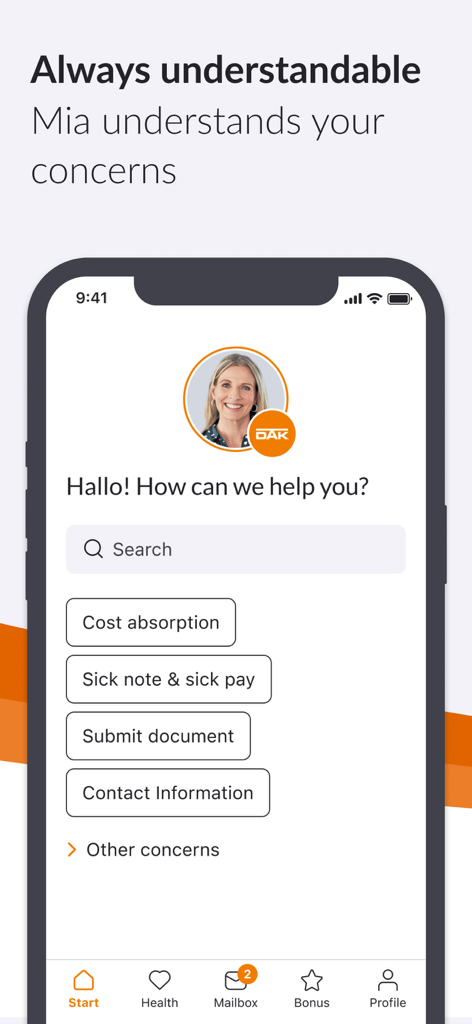
DAK app interface showing help search options and digital assistant Mia for health insurance support

DAK app interface showing help search options and digital assistant Mia for health insurance support

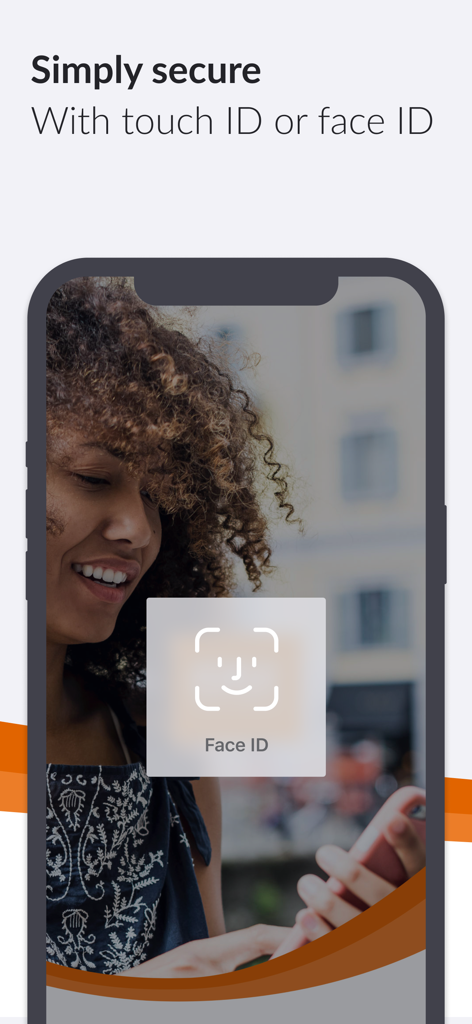
Smartphone screen showcasing the Face ID biometric security feature for the DAK health insurance app.

Smartphone screen showcasing the Face ID biometric security feature for the DAK health insurance app.

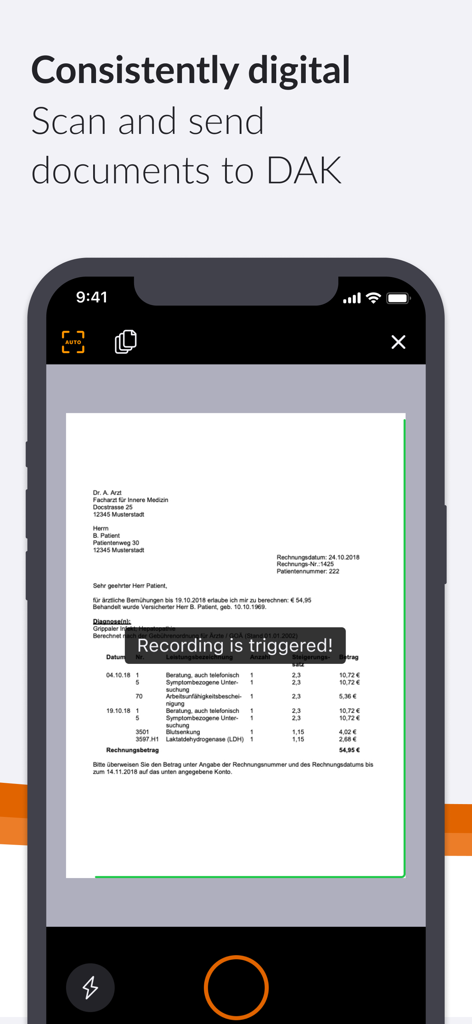
iPhone screen showing the DAK app document scanning feature with a document in the viewfinder

iPhone screen showing the DAK app document scanning feature with a document in the viewfinder

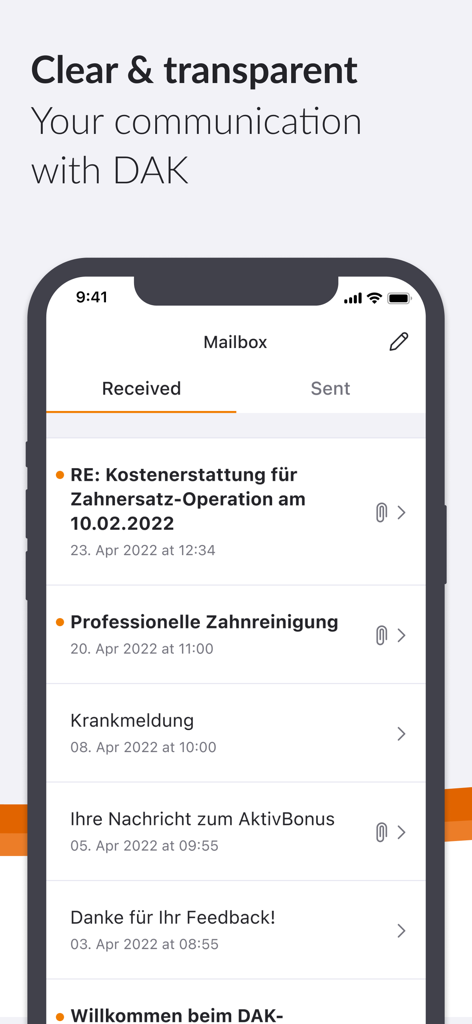
DAK app interface showing a secure digital mailbox with a list of insurance messages

DAK app interface showing a secure digital mailbox with a list of insurance messages

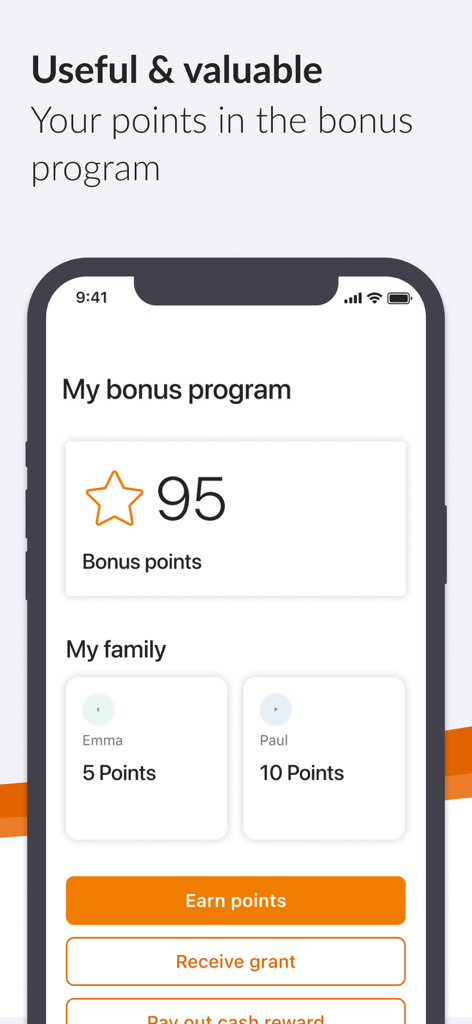
DAK health insurance app screen showing the bonus program with earned points for the user and family members

DAK health insurance app screen showing the bonus program with earned points for the user and family members

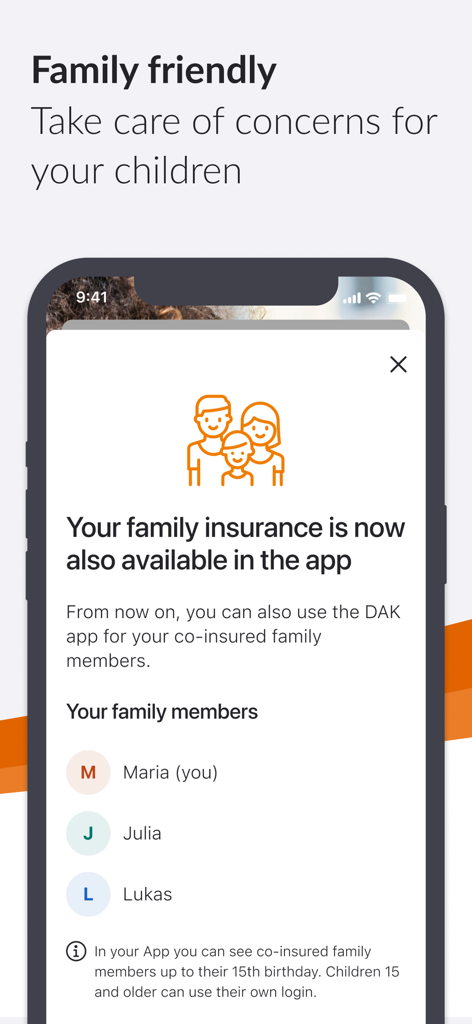
DAK app screenshot showing the family insurance feature for managing children's health records

DAK app screenshot showing the family insurance feature for managing children's health records

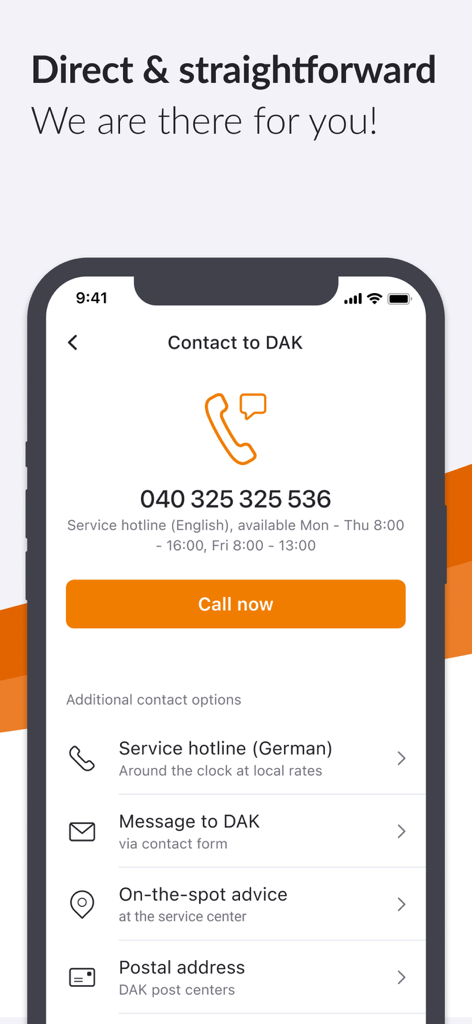
Contact screen of the DAK health insurance app showing support hotline and messaging options

Contact screen of the DAK health insurance app showing support hotline and messaging options

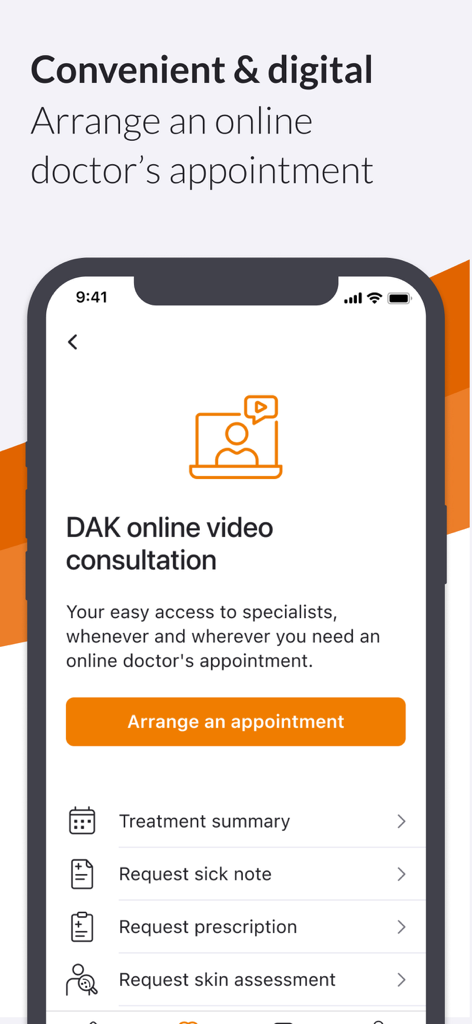
A screenshot of the DAK app displaying the online video consultation feature with options to arrange an appointment and request sick notes or prescriptions.

A screenshot of the DAK app displaying the online video consultation feature with options to arrange an appointment and request sick notes or prescriptions.

Effortless Health Management at Your Fingertips

The tools that make this app stand out, trusted by 1M+ users.

📸

Scan & Send Documents Instantly

Skip the paperwork and the post office. Use your phone’s camera to securely scan and submit invoices, certificates, or sick notes in just a few taps.

💰

Cash Rewards for Healthy Living

Turn your activity into earnings. Track your AktivBonus progress and convert your healthy habits directly into cash rewards through our digital bonus program.

🩺

Digital Doctor Visits

Avoid the waiting room with DAK online video consultations. Connect with medical specialists from anywhere to receive professional care on your schedule.

About the app

Everything you need to know about DAK app.

Description

DAK App: My pocket DAK Submit invoices and certificates, manage bonus programs, report a move or change of name, apply for a new insurance card – with the DAK App this is easy, fast and accessible. Discover the service center for your pocket! What is Meine DAK? "Meine DAK" is your protected area where you can quickly and easily handle your matters, either via app or on the web. The app is also your personal key for a secure login on the web – you always need it for two-factor authentication. We thus ensure that your health data is well protected. What are the advantages of the DAK App? • Submit invoices and certificates: Send documents easily and conveniently with the scanning function. • See the sick notes received by DAK, both the sick notes submitted by you and any electronically transmitted sick notes (eCoIfW). • Manage the bonus program "AktivBonus": Earn points and convert them into cash rewards via the DAK app. • Easy to use and barrier-free: Set the DAK App exactly as you need it, for example the font size. • Your fastest connection to us: Call back service, chat, telephone or e-mail – you have the choice. • Digital mailbox saves paper and time: Deal with matters quickly, easily and paperless with the app. • Family service: Deal with matters related to your family-insured children conveniently via the app. • DAK online video consultation: Easy access to specialists with online doctor´s appointment Other functions of the DAK App • Unlock the ePA app and use electronic patient files To the DAK App in four steps To use the DAK App, you need to register once. After that, you can log in to the DAK App with your fingerprint or facial recognition, for example. How to set up the app 1. Download the app 2. Confirm e-mail address 3. Set up app code 4. Identify yourself personally Here you can find video instructions for setting up the app: https://www.dak.de/app Register once, use all DAK applications The registration and identification process is designed to protect your health data. Another advantage: You only have to identify yourself personally once and then you can use our various digital offers, easily and safely. With only a password or your app code! Here you will find common questions about the app and the registration process: https://www.dak.de/dak-id Who can use the DAK App? The DAK App can be used by all insured persons aged 15 or over, provided they have a health card and a smartphone with the current operating system (iOS 15 or higher). The smartphone must also be protected by a display lock, for example by biometric recognition. Other technical requirements • No rooted device Accessibility The accessibility statement of the app can be found at: https://www.dak.de/barrierefreiheit-app How to contact us Are you having technical problems with the DAK App? When installing, registering or logging in? We are happy to help you. Please let us know your technical problem using this form: https://www.dak.de/app-support Or just call us on: 040 325 325 555. We look forward to your feedback! We will continuously expand the scope of the app according to your wishes. To make it as easy as possible for you, we ask for your opinion directly in the app at various points. We look forward to your comments, evaluations and suggestions to continually develop the DAK App so that the benefit for you will be even better.

Latest Version

3.53.0

Size

134.3 MB

First Released

May 14, 2020

Take Control of Your Health, Anytime, Anywhere

Join over 1 million members managing insurance with ease. Download the DAK App now to scan invoices, earn cash rewards, and access digital care in seconds.

Download on App Store
FAQ

Frequently Asked Questions

Everything you need to know about DAK app

What is the DAK App?

The DAK App is a mobile service center for DAK insured persons. It allows users to manage insurance matters, submit documents, and access health services easily from their smartphone.

How do I submit documents using the DAK App?

Users submit invoices and certificates through the DAK App by utilizing its integrated scanning function. This feature ensures convenient and digital document submission directly from the device.

Can I manage my bonus program with the DAK App?

Yes, the DAK App allows users to manage the "AktivBonus" program. Users earn points and convert them into cash rewards directly within the application, seeing their progress and family points.

Is the DAK App secure for health data?

Yes, the DAK App ensures health data protection. It features a protected "Meine DAK" area and requires two-factor authentication, using the app for a secure web login.

Who is eligible to use the DAK App?

The DAK App is for insured persons aged 15 or over with a health card, a smartphone running iOS 15 or higher, and a display lock. It does not support rooted devices.

What are the steps to set up the DAK App?

To set up the DAK App, users download the app, confirm their email address, set an app code, and identify themselves personally. Video instructions are available online.

Can I use the DAK App for family insurance matters?

Yes, the DAK App includes a family service feature. Users manage matters related to their family-insured children directly through the app, up to their 15th birthday.

Does the DAK App offer online doctor consultations?

Yes, the DAK App provides easy access to specialists through its DAK online video consultation feature. Users arrange online doctor's appointments for various medical needs.

How can I contact DAK support for technical problems with the app?

Users contact DAK technical support via an online form at dak.de/app-support or by calling 040 325 325 555. This applies to installation, registration, or login issues.

Does the DAK App support biometric login?

Yes, after initial registration, users log into the DAK App using biometric recognition methods. This includes fingerprint or facial recognition for convenient and secure access.

App information, icons, screenshots, and descriptions displayed on this page are sourced from the Apple App Store and are the property of their respective developers. Download estimates and rankings are based on MWM's proprietary models and may not reflect actual figures. This page is provided for informational and analytical purposes only.

Believe this page infringes your intellectual property? File a dispute