Delay & Reverb Time Calculator

Delay & Reverb Time Calculator

Download on App Store
Logo of Delay & Reverb Time Calculator

Delay & Reverb Time Calculator: Professional Timing for Every Mix

The essential second-screen utility for producers and engineers. Stop the guesswork and calculate precise millisecond values to ensure your effects breathe in perfect sync with your BPM.

Download on App Store

Publisher

Priyankaben Satashiya

Category

Music

Downloads

600

User Rating

1.0/5

Total Ratings

0

Locales

1

Precision at Your Fingertips

Discover the interface used by 600 users.
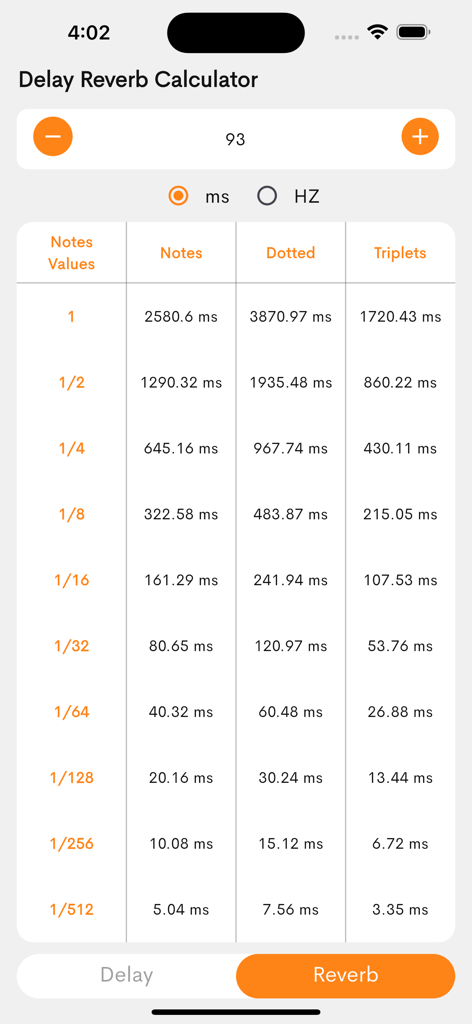
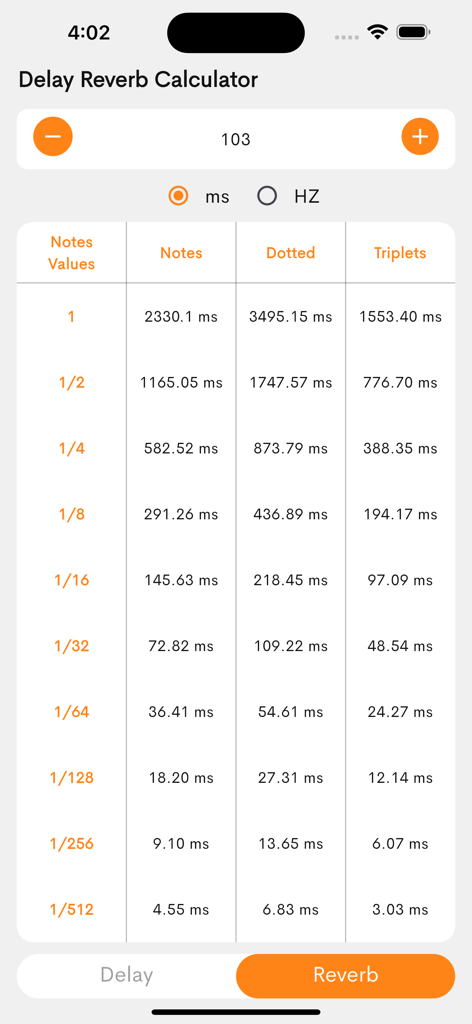
Reverb calculation table showing millisecond values for different note types at ninety three BPM

Reverb calculation table showing millisecond values for different note types at ninety three BPM

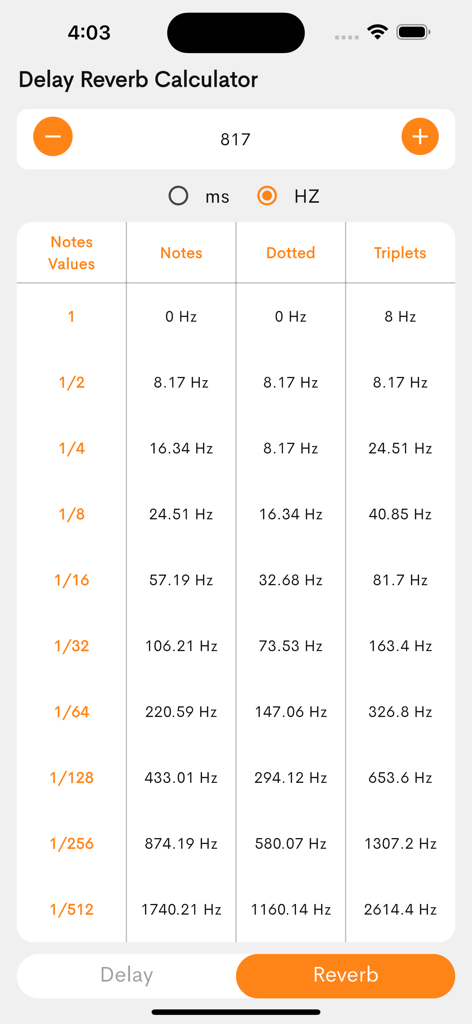
A screenshot of the Delay and Reverb Time Calculator app interface showing frequency values in Hertz for various music note lengths

A screenshot of the Delay and Reverb Time Calculator app interface showing frequency values in Hertz for various music note lengths

Table of delay and reverb time calculations in milliseconds based on BPM for various note values

Table of delay and reverb time calculations in milliseconds based on BPM for various note values

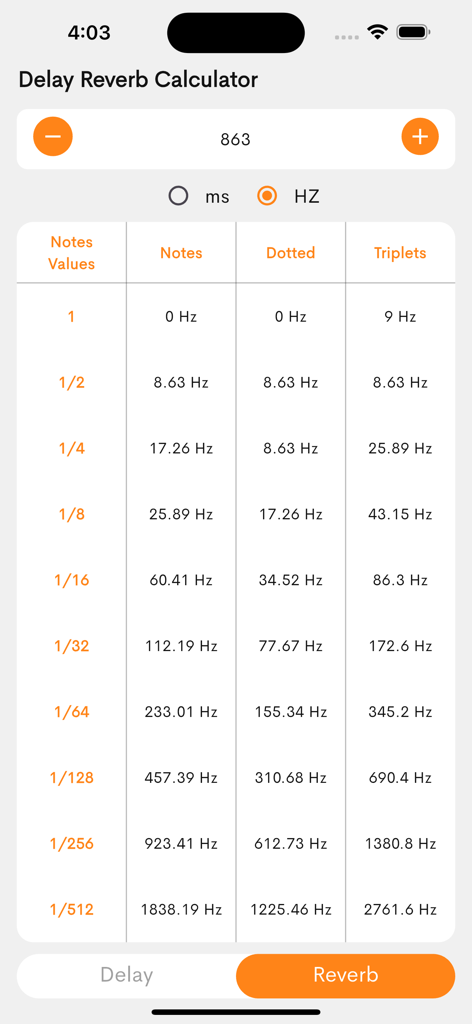
Table of frequency values in Hertz for music note lengths in the Reverb section of the Delay and Reverb Time Calculator app

Table of frequency values in Hertz for music note lengths in the Reverb section of the Delay and Reverb Time Calculator app

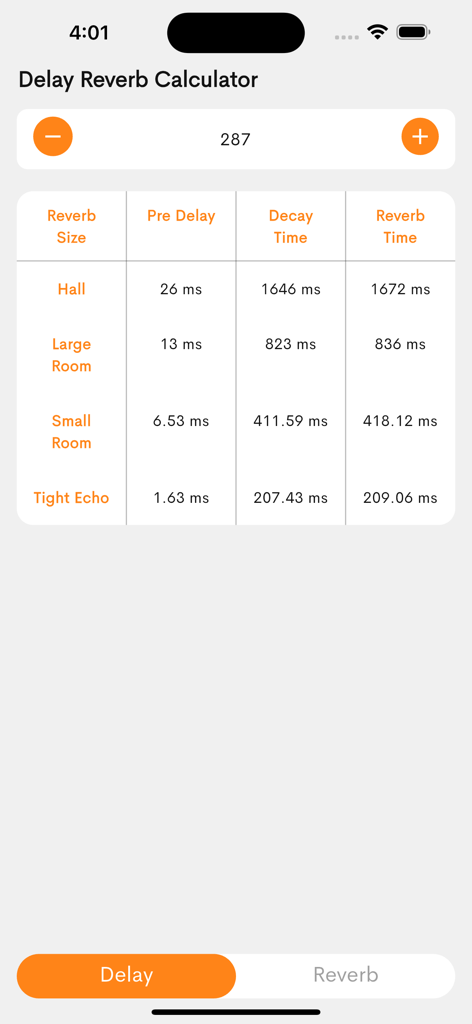
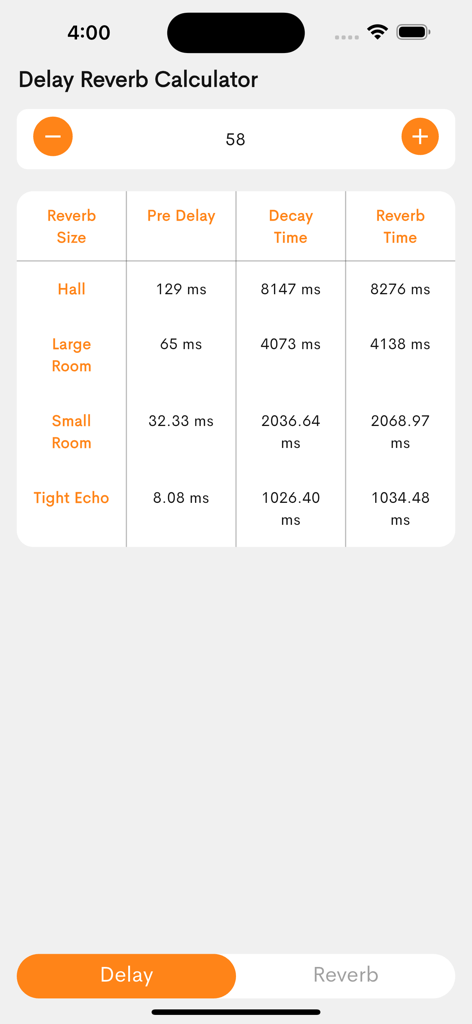
A table showing reverb pre-delay and decay time calculations in milliseconds for different room sizes based on a specific BPM

A table showing reverb pre-delay and decay time calculations in milliseconds for different room sizes based on a specific BPM

Table showing reverb pre-delay and decay time calculations in milliseconds for different room sizes based on BPM.

Table showing reverb pre-delay and decay time calculations in milliseconds for different room sizes based on BPM.

Precision Timing for a Professional Sound

The tools that make this app stand out, trusted by 600 users.

⚑

Instant BPM-to-MS Conversion

No more manual math. Instantly calculate accurate delay times for quarter, eighth, and sixteenth notes to keep your echoes perfectly in sync.

🎹

Crystal Clear Reverb Tails

Eliminate mud in your mix. Fine-tune your pre-delay and decay settings so your reverb breathes naturally with the rhythm of your track.

πŸ“±

Seamless Studio Workflow

Keep your DAW full-screen. Use your iPhone as a dedicated second-screen utility to find the perfect settings without breaking your creative flow.

About the app

Everything you need to know about Delay & Reverb Time Calculator.

Description

Enhance your music production with the Delay & Reverb Time Calculator! This essential tool helps musicians, producers, and sound engineers calculate precise delay times and reverb pre-delay based on BPM (beats per minute). Whether you're mixing, mastering, or designing soundscapes, achieve perfect rhythmic effects effortlessly. Key Features: Delay Time Calculator – Get accurate delay times for quarter, eighth, and sixteenth notes. Reverb Pre-Delay & Decay – Fine-tune reverb settings for optimal clarity. BPM-Based Calculations – Input your tempo for instant results. Easy-to-Use Interface – Quick and efficient workflow. Perfect your mix and create professional soundscapes with the Delay & Reverb Time Calculator!

Latest Version

1.0

Size

26.8 MB

First Released

Feb 9, 2025

Ready to Achieve the Perfect Mix?

Stop the manual math and eliminate muddy tracks. Download the ultimate studio companion to calculate precise, BPM-synced effects in seconds.

Download on App Store

App information, icons, screenshots, and descriptions displayed on this page are sourced from the Apple App Store and are the property of their respective developers. Download estimates and rankings are based on MWM's proprietary models and may not reflect actual figures. This page is provided for informational and analytical purposes only.

Believe this page infringes your intellectual property? File a dispute