Design Lab・Logo・Graphics Maker

Design Lab・Logo・Graphics Maker

Download on App Store
Logo of Design Lab・Logo・Graphics Maker

Design Lab: Create Stunning Logos and Professional Graphics in Seconds

The all-in-one creative suite for solo-preneurs and influencers. Build a high-end brand with pro templates, advanced typography, and layer-based editing—all from your mobile device.

Publisher

Onelight Apps CY Ltd

Category

Graphics & Design

Downloads

1M+

User Rating

4.8/5

Total Ratings

1K+

Locales

9

Your Studio in Your Pocket

Discover the interface used by 1M+ users.
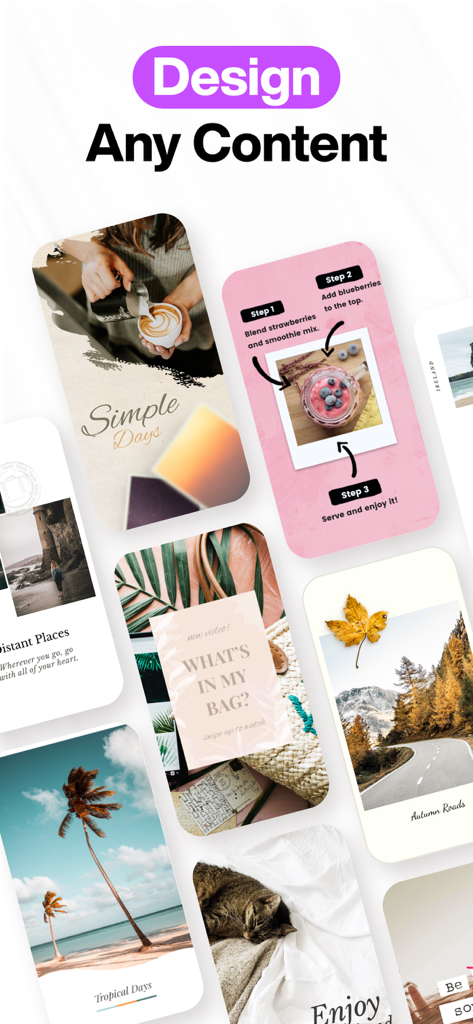
A showcase of various social media posts and stories designed with Design Lab app featuring travel food and lifestyle themes

A showcase of various social media posts and stories designed with Design Lab app featuring travel food and lifestyle themes

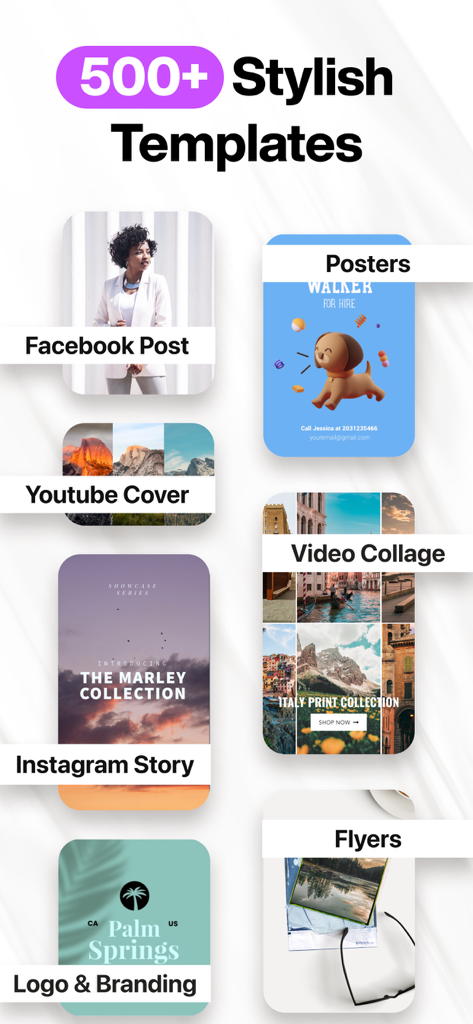
A showcase of over 500 stylish design templates for social media posts, posters, and brand logos.

A showcase of over 500 stylish design templates for social media posts, posters, and brand logos.

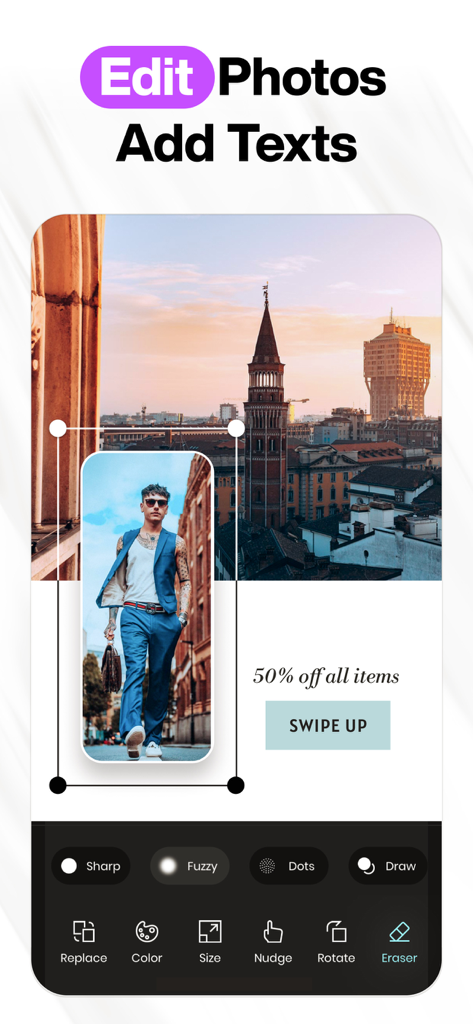
Mobile app interface showing photo editing and text overlay tools for graphic design

Mobile app interface showing photo editing and text overlay tools for graphic design

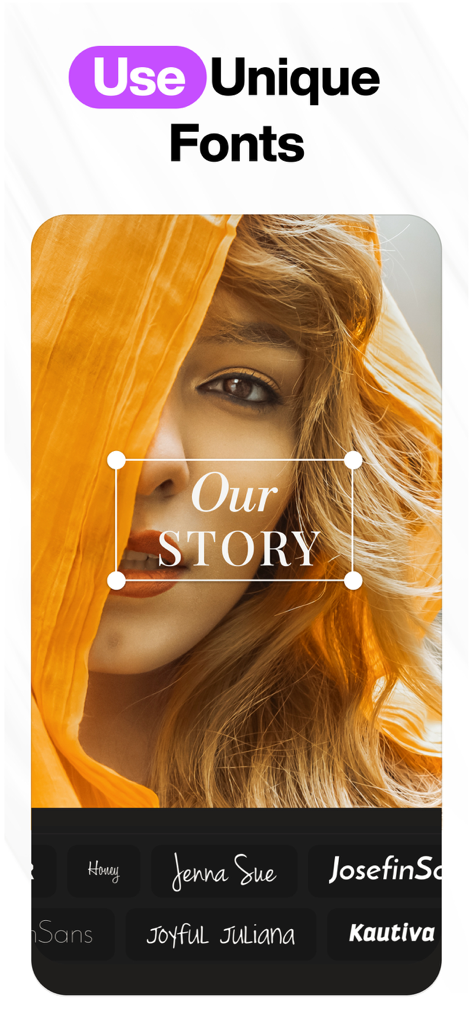
Graphic design app interface showing the use of unique fonts over a portrait photo for social media

Graphic design app interface showing the use of unique fonts over a portrait photo for social media

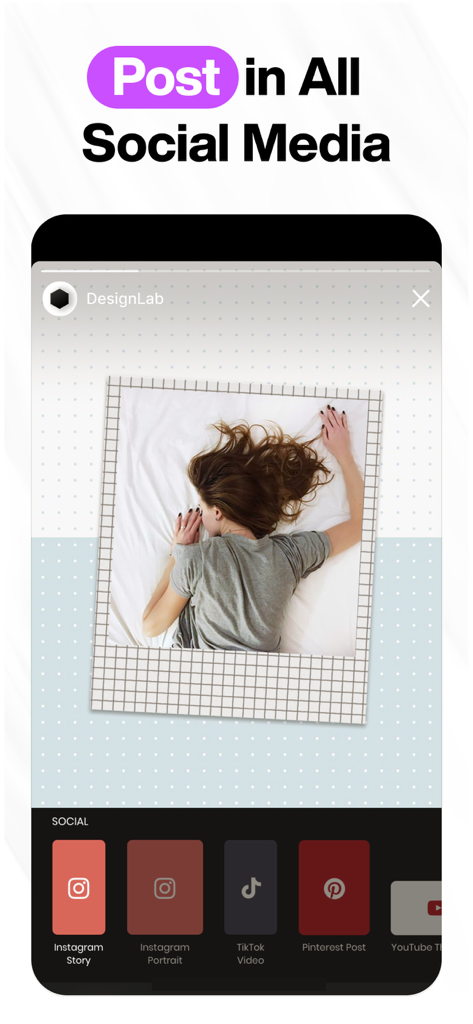
Interface of Design Lab app displaying various social media post size options for Instagram TikTok and Pinterest

Interface of Design Lab app displaying various social media post size options for Instagram TikTok and Pinterest

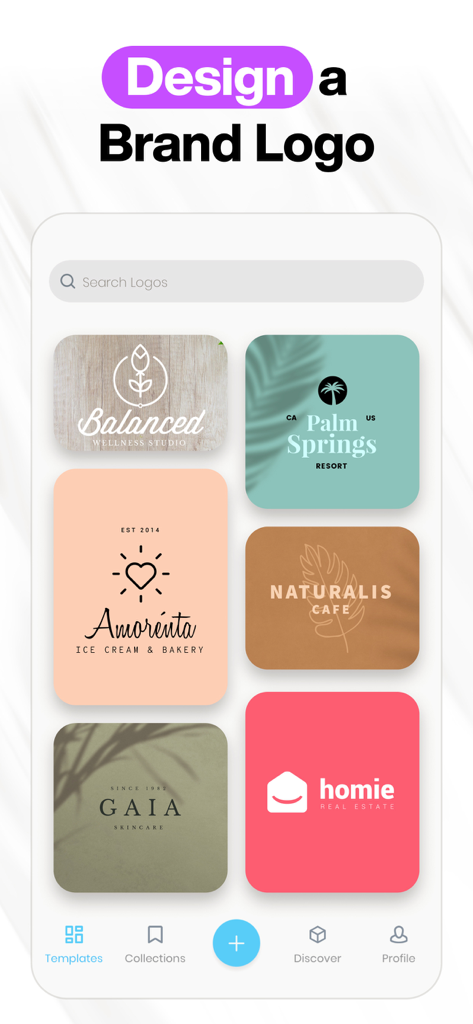
Design Lab app screen showing a selection of brand logo templates for various industries like wellness and real estate

Design Lab app screen showing a selection of brand logo templates for various industries like wellness and real estate

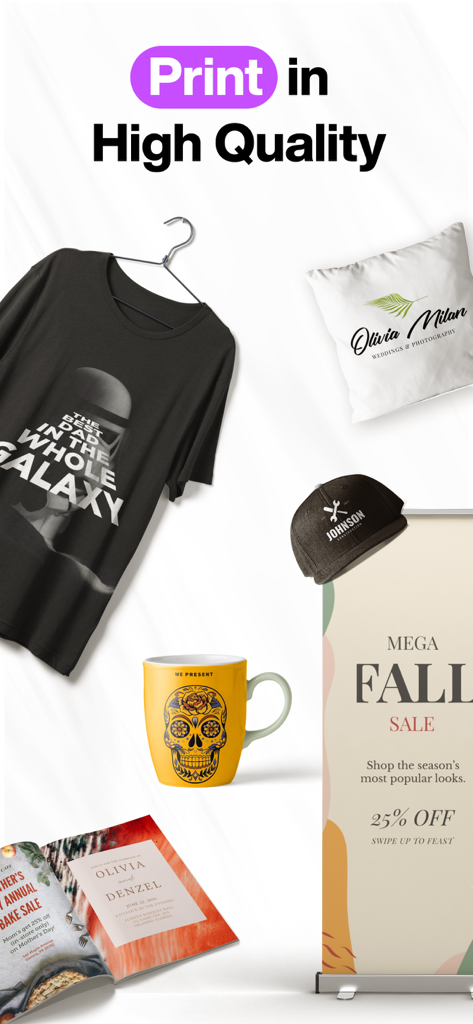
Custom graphic designs on a t-shirt, mug, and promotional banner

Custom graphic designs on a t-shirt, mug, and promotional banner

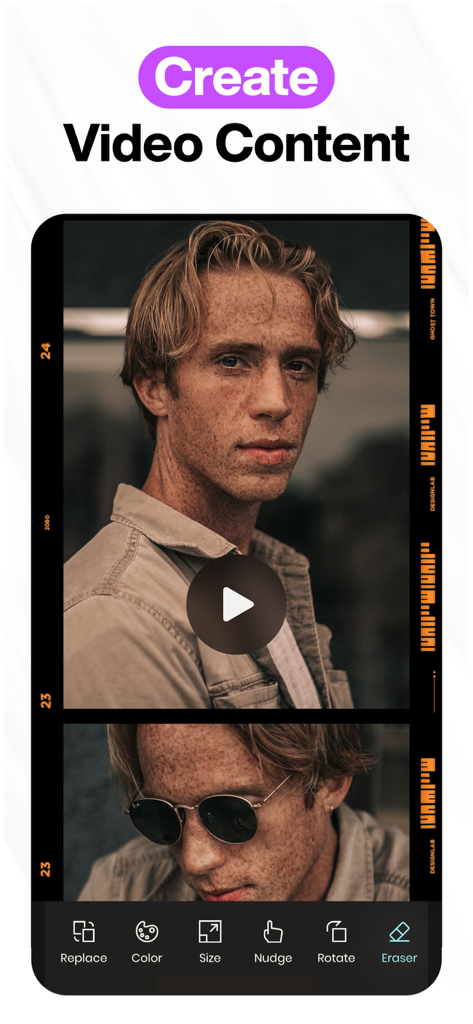
Mobile app interface for creating video content with editing tools like color, size, and rotation.

Mobile app interface for creating video content with editing tools like color, size, and rotation.

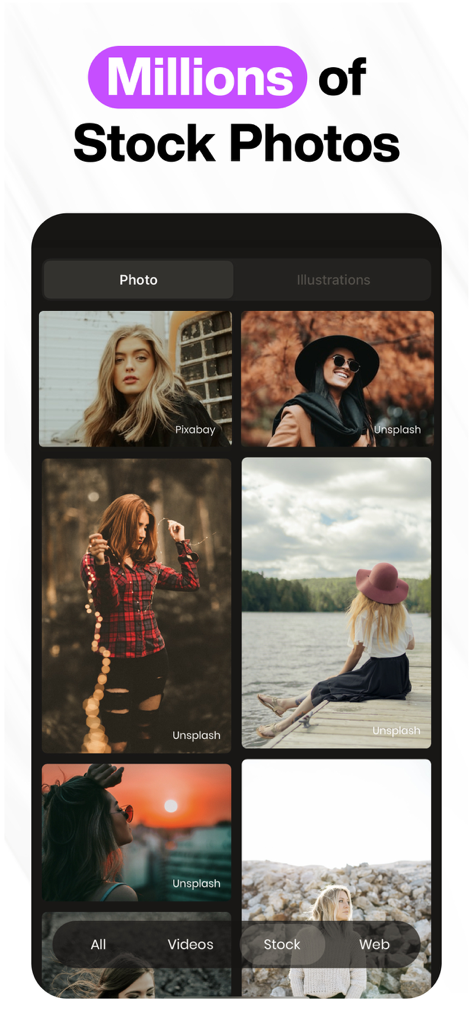
Design Lab app screen showing a library of millions of high quality stock photos

Design Lab app screen showing a library of millions of high quality stock photos

Professional Design Tools for Your Side Hustle

The tools that make this app stand out, trusted by 1M+ users.

Bespoke Branding Templates

Access thousands of designer-made templates that you can fully customize to ensure your brand never looks like everyone else's.

📐

Precision Typography Tools

Master your message with professional text controls including 3D transformations, custom kerning, and curved paths for a truly unique look.

🎨

Pro Layer-Based Editing

Experience desktop-level control with non-destructive layers, blending modes, and precision erasing to create complex, high-end visuals.

About the app

Everything you need to know about Design Lab・Logo・Graphics Maker.

Description

Create beautiful designs and pro graphics with DesignLab! Choose from millions of images, fonts and templates to produce stunning visuals, perfect for social media. FEATURES: • CUSTOMIZABLE TEMPLATES Search & select from our famous library of thousands of professionally designed templates. Organize them into customizable folders with our favoriting tool. • PHOTO FILTERS & ADJUSTMENTS Choose from our collection of filters to get the look you desire. Finely tune your photos with our suite of photo adjustments, including brightness, contrast, exposure, saturation, blur & more. • ADVANCED TEXT TOOLS Easily add multiple text layers, controlling their size, positioning, opacity, rotation, kerning, leading & color. You can also curve, bend, erase, and apply 3D transformations. • GORGEOUS ARTWORK DesignLab comes jam-packed with hundreds of irresistibly gorgeous illustrations, decorative ornaments, and design elements. • FREE STOCK PHOTOGRAPHY Search from a collection of millions of free stock photos & illustrations. • LAYER-BASED EDITING Tap the layer menu to select one or multiple layers to edit. You can also rearrange their orders by long-tapping and dragging to the desired position. • CUSTOM ARTWORK Import custom artwork or your own logo, and use it in your photos as a fully editable layer. Perfect for the mobile creative, it helps branding efforts everywhere. • BLEND & ERASE TOOLS Erase parts of your artwork, text, or imported photo layers & apply several different blend modes to create unique images. There is also a built in "focus mode" - which allows for great precision when the eraser is active. • SHAPES Create vector shapes and control their properties with ease. • CROP TOOL Choose from a variety of aspect ratios. ...and more! Payment will be charged to your Apple ID account at the time of purchase confirmation. Subscription renews automatically unless it is canceled at least 24 hours before the end of the current period. Your account will be charged for renewal within 24 hours prior to the end of the current period. You can manage and cancel your subscriptions by going to your account settings on the App Store after purchase. Privacy Policy: https://onelightapps.io/privacy-policy Terms of Use: https://onelightapps.io/terms-of-use

Latest Version

5.57.3

Size

145.7 MB

First Released

Sep 15, 2013

Ready to Level Up Your Brand?

Join over 1 million entrepreneurs and creators who use Design Lab to turn their ideas into professional visuals. Download now and start designing your success right from your phone.

Download on App Store
FAQ

Frequently Asked Questions

Everything you need to know about Design Lab・Logo・Graphics Maker

What is Design Lab: Logo Graphic Maker used for?

Design Lab: Logo Graphic Maker is used to create beautiful designs and professional graphics. It offers millions of images, fonts, and templates for stunning visuals, ideal for social media and branding.

Does Design Lab: Logo Graphic Maker provide customizable templates?

Yes, Design Lab offers thousands of professionally designed templates. Users can search, select, and organize these templates into customizable folders using a favoriting tool.

Does Design Lab: Logo Graphic Maker include photo editing features?

Yes, Design Lab includes photo editing features such as filters and adjustments. Users can fine-tune photos with brightness, contrast, exposure, saturation, and blur controls.

What advanced text tools are available in Design Lab: Logo Graphic Maker?

Design Lab provides advanced text tools including multiple layers, size, positioning, opacity, rotation, kerning, leading, and color control. Users can also curve, bend, erase, and apply 3D transformations.

Does Design Lab: Logo Graphic Maker offer free stock photography?

Yes, Design Lab provides access to a collection of millions of free stock photos and illustrations. This allows users to easily incorporate high-quality visuals into their designs.

How does layer-based editing function in Design Lab: Logo Graphic Maker?

Layer-based editing in Design Lab allows users to select one or multiple layers from the layer menu. Users can rearrange layer orders by long-tapping and dragging them to a desired position.

Can users import custom artwork or logos into Design Lab: Logo Graphic Maker?

Yes, Design Lab allows users to import custom artwork or their own logo. These imports function as fully editable layers, enhancing branding efforts for mobile creatives.

Does Design Lab: Logo Graphic Maker require a subscription for full access?

Yes, Design Lab uses a subscription model. Payment charges to your Apple ID account upon purchase confirmation. Subscriptions renew automatically unless canceled 24 hours before the period ends.

How can I manage or cancel my Design Lab: Logo Graphic Maker subscription?

Users can manage and cancel their Design Lab subscriptions through their account settings on the App Store after purchase. The account is charged for renewal within 24 hours of the current period's end.

Can I create video content using Design Lab: Logo Graphic Maker?

Yes, Design Lab: Logo Graphic Maker supports creating video content. The app provides tools and features specifically designed for producing video visuals effectively.

Is Design Lab: Logo Graphic Maker suitable for creating logos and branding materials?

Yes, Design Lab is highly suitable for creating logos and branding materials. The app name itself, "Logo Graphic Maker", indicates this core functionality, further supported by dedicated templates.

App information, icons, screenshots, and descriptions displayed on this page are sourced from the Apple App Store and are the property of their respective developers. Download estimates and rankings are based on MWM's proprietary models and may not reflect actual figures. This page is provided for informational and analytical purposes only.

Believe this page infringes your intellectual property? File a dispute