Device Magic: Get Mobile Forms

Device Magic: Get Mobile Forms


Download on App Store
Logo of Device Magic: Get Mobile Forms

Device Magic: Streamline Your Field Workflow with Professional Mobile Forms

Stop wasting time on manual paperwork. Capture accurate data, photos, and locations anywhere—even offline—and sync instantly with your team to get the job done faster.

Download on App Store

Publisher

Device Magic

Category

Business

Downloads

109K+

User Rating

4.2/5

Total Ratings

0

Locales

2

See Efficiency in Action

Discover the interface used by 109K+ users.
Device Magic app interface displaying job inspection and safety forms on a mobile device

Device Magic app interface displaying job inspection and safety forms on a mobile device

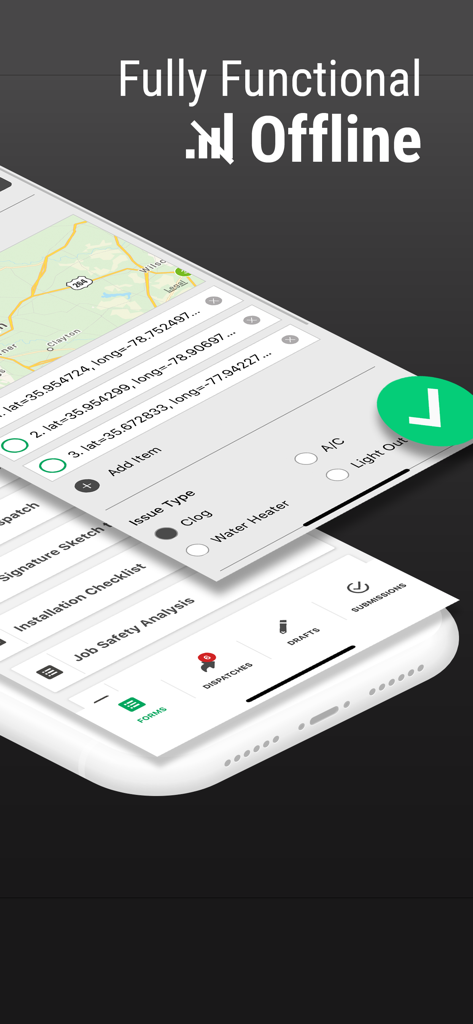
Smartphone screen showing Device Magic mobile forms with a map and offline functionality highlighted.

Smartphone screen showing Device Magic mobile forms with a map and offline functionality highlighted.

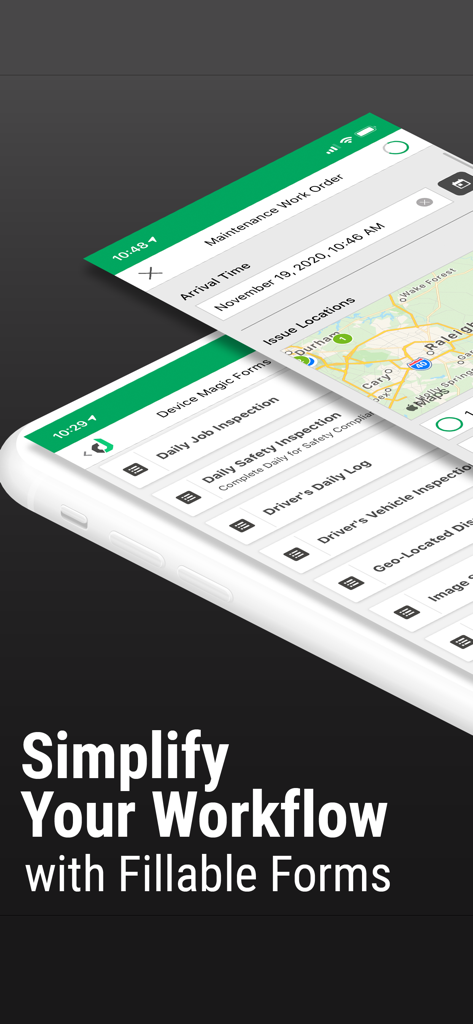
Device Magic app interface displaying a list of mobile forms including daily job inspections and vehicle reports.

Device Magic app interface displaying a list of mobile forms including daily job inspections and vehicle reports.

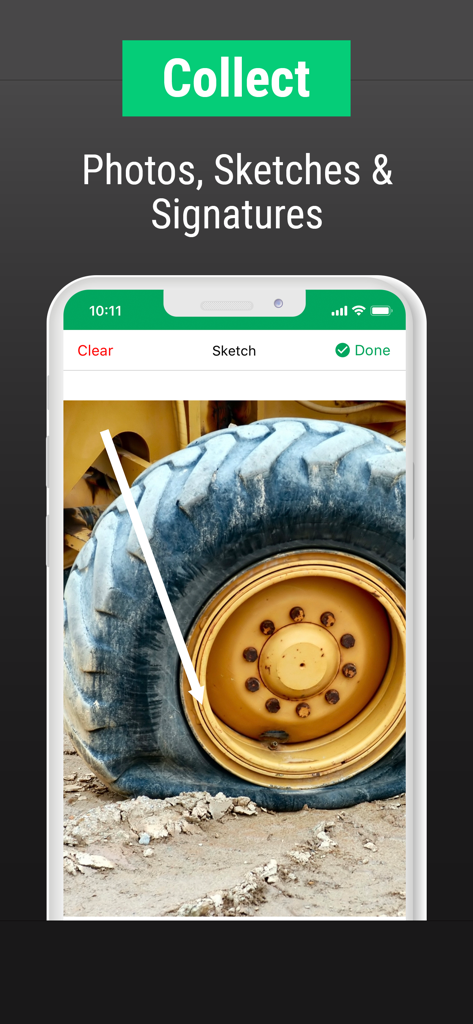
Device Magic app interface showing a photo annotation of a damaged construction vehicle tire for field data collection

Device Magic app interface showing a photo annotation of a damaged construction vehicle tire for field data collection

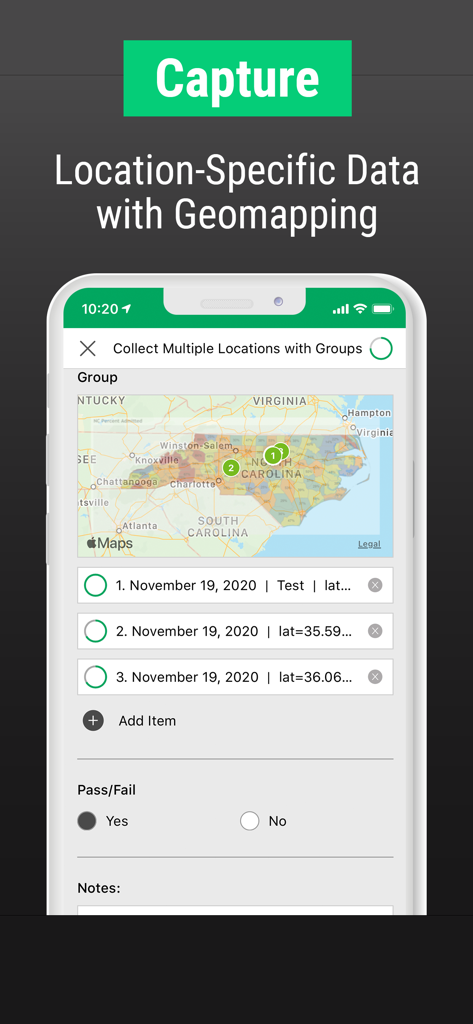
Device Magic app interface for capturing location specific data with geomapping and map pins

Device Magic app interface for capturing location specific data with geomapping and map pins

Powering the Modern Field Force

The tools that make this app stand out, trusted by 109K+ users.

📵

Work Anywhere, Offline

Capture data in remote sites or cellular dead zones without missing a beat. Your forms save automatically and sync the moment you are back online.

📍

Verify with Rich Media

Add photos, digital signatures, and GPS coordinates to your reports to ensure total accuracy and protect your team from liability.

Instant Office Sync

Submit timesheets and site audits the second they are finished. Eliminate double-entry and get your crew onto the next job faster.

About the app

Everything you need to know about Device Magic: Get Mobile Forms.

Description

Collect field data, submit forms, instantly streamline your workflow with Device Magic - and do it all remotely. We know how frustrating and time-consuming it can be to fill out form after form when you’re out in the field. It’s messy, it’s unproductive, forms can get lost, and even filled out incorrectly. So we created Device Magic to help you work the way you want to work - quickly, efficiently, and all through your mobile device. It’s paperless, it’s stress-free - you can even add pictures to the form you’re filling in and submit it all instantly. Device Magic is on your side to help you work smarter and save time, so you’re ready for the next job - faster. Now let’s see how Device Magic takes the stress out of forms: • Reduce admin work - Fill in easy-to-use fields and you can add as much detail as you need • Everything you need in one place - Draft forms and outstanding dispatches are saved automatically, so you can keep track of everything • Work offline - Manage all your forms in your submissions folder (even when you’re offline) And you can upload timesheets, input data and even your location to get all the accurate information you and your team need. Do it all on your mobile, wherever you are, at the touch of a button. Go paperless, go mobile, go get Device Magic now! • Downloading the Device Magic app creates a free account which allows you to build and submit forms from your original device • If you upgrade to a paid account within app, you will be enrolled in a $49.99 US dollars auto-renewed monthly subscription • Payment will be charged to iTunes Account at confirmation of purchase • Subscription automatically renews unless auto-renew is turned off at least 24-hours before the end of the current period • An account will be charged for renewal within 24-hours prior to the end of the current period, and identify the cost of the renewal • Subscriptions may be managed by the user and auto-renewal may be turned off by going to the user's Account Settings after purchase • Any unused portion of a free trial period, if offered, will be forfeited when the user purchases a subscription to that publication. To view our Terms & Conditions, please visit: https://www.devicemagic.com/terms-conditions/

Latest Version

2025.6.2

Size

128.2 MB

First Released

Jan 6, 2011

Ready to Ditch the Clipboard?

Join over 100,000 field professionals who use Device Magic to eliminate admin stress, work offline, and get the job done faster. Start your free account today.

Download on App Store

App information, icons, screenshots, and descriptions displayed on this page are sourced from the Apple App Store and are the property of their respective developers. Download estimates and rankings are based on MWM's proprietary models and may not reflect actual figures. This page is provided for informational and analytical purposes only.

Believe this page infringes your intellectual property? File a dispute