DomuSpect

DomuSpect

Download on App Store
Logo of DomuSpect

DomuSpect: Professional Digital Move-In and Move-Out Reports

Streamline your inspections with smart checklists, instant photo documentation, and digital signatures. Protect your assets and eliminate security deposit disputes with fast, lawyer-vetted reports—ready in minutes with no startup fees.

Download on App Store

Publisher

Unbolt ApS

Category

Business

Downloads

2K+

User Rating

4.1/5

Total Ratings

0

Locales

6

A Glimpse of Efficiency

Discover the interface used by 2K+ users.
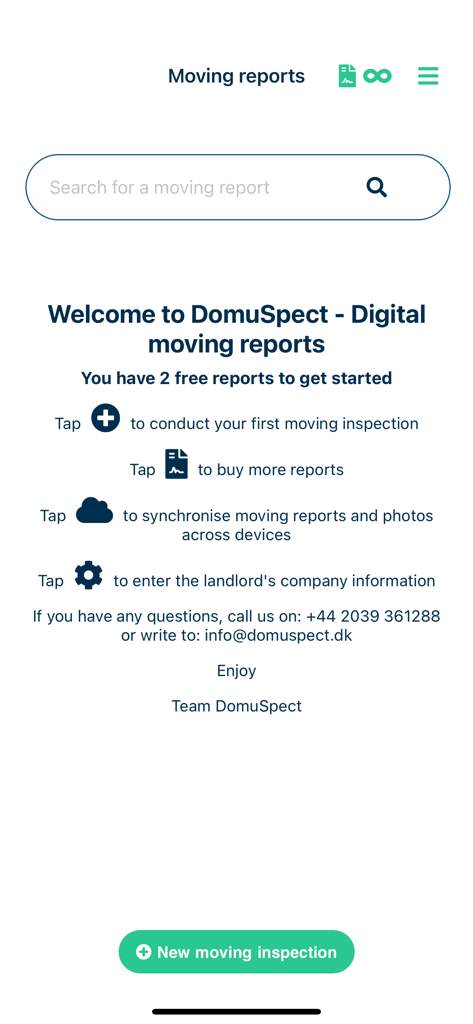
Welcome screen of DomuSpect app for digital moving reports featuring a new inspection button and startup instructions

Welcome screen of DomuSpect app for digital moving reports featuring a new inspection button and startup instructions

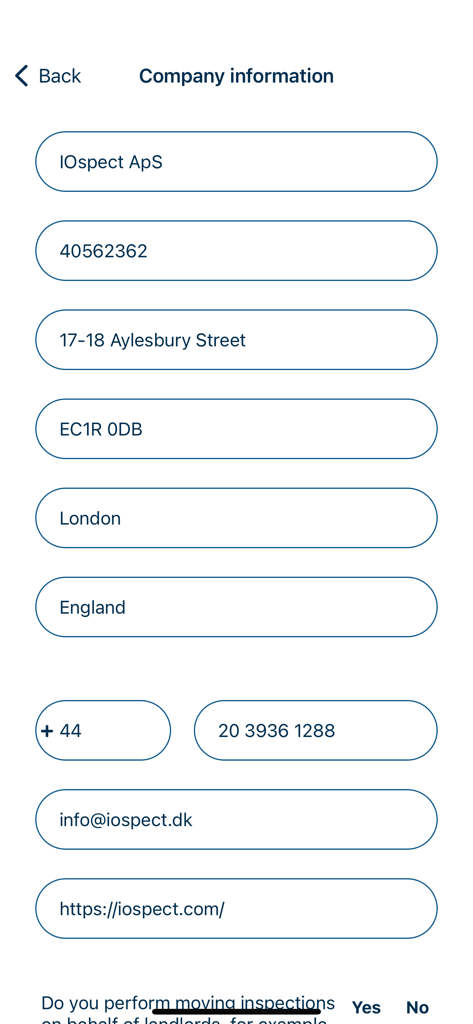
A screenshot of the DomuSpect app company information form for property managers and landlords.

A screenshot of the DomuSpect app company information form for property managers and landlords.

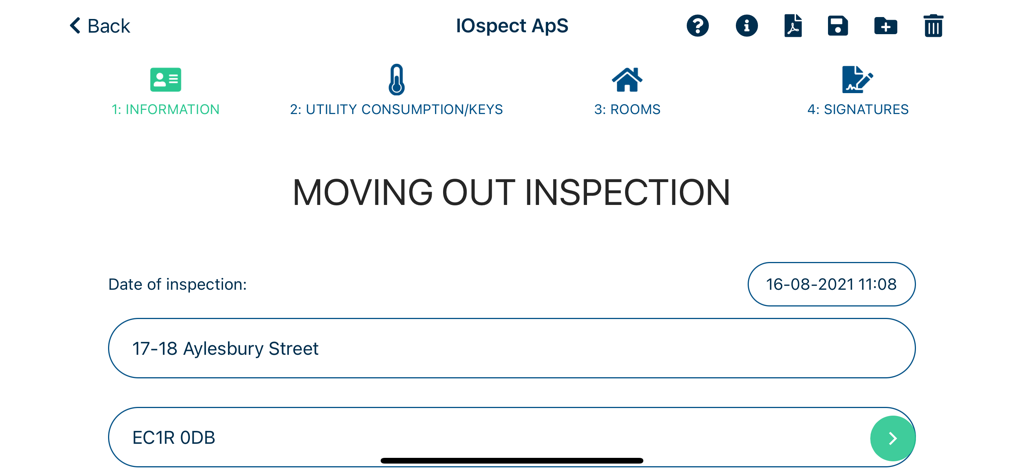
Moving out inspection screen in DomuSpect app showing property address and date

Moving out inspection screen in DomuSpect app showing property address and date

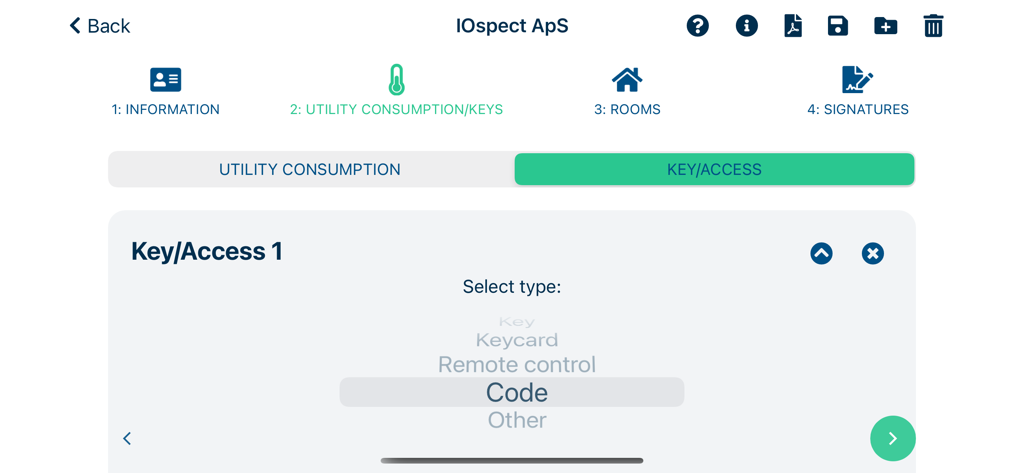
Interface for selecting property access types like keys and codes in the DomuSpect app

Interface for selecting property access types like keys and codes in the DomuSpect app

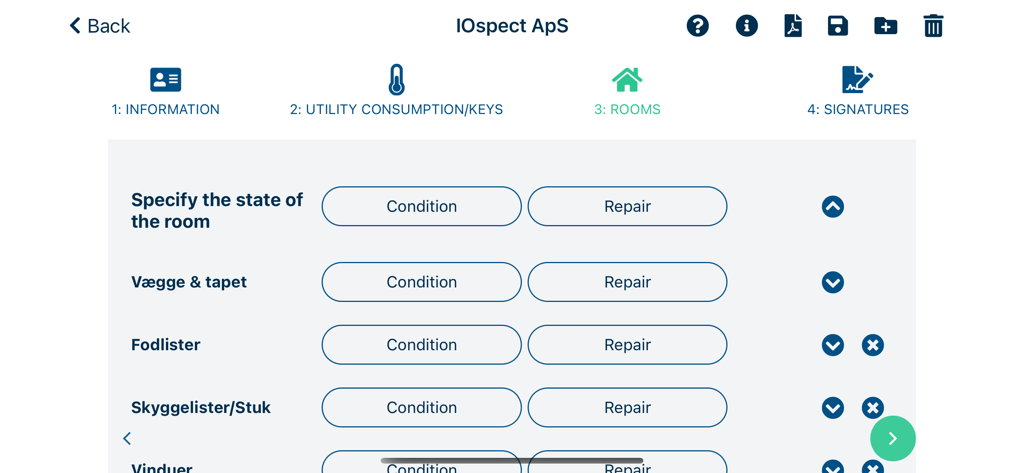
DomuSpect mobile app interface showing a room inspection checklist with condition and repair options.

DomuSpect mobile app interface showing a room inspection checklist with condition and repair options.

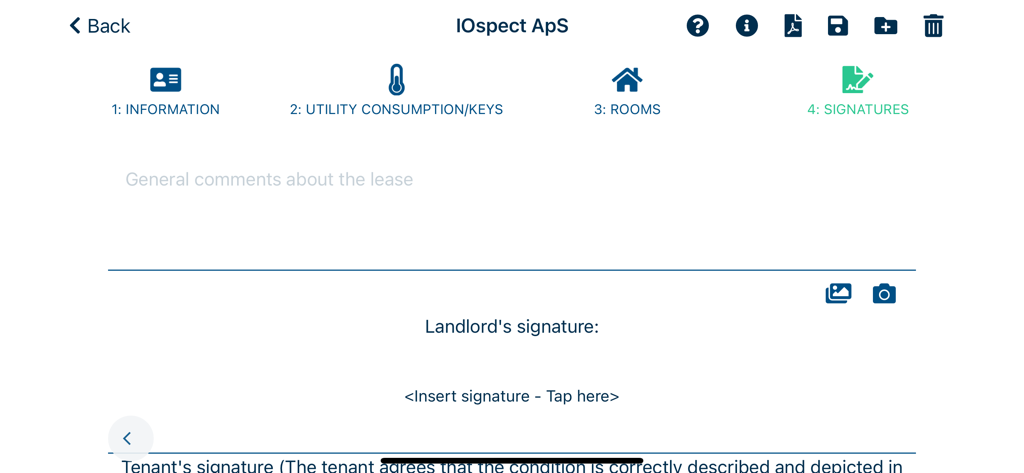
DomuSpect app interface showing the signature stage of a rental inspection report including a field for the landlord signature.

DomuSpect app interface showing the signature stage of a rental inspection report including a field for the landlord signature.

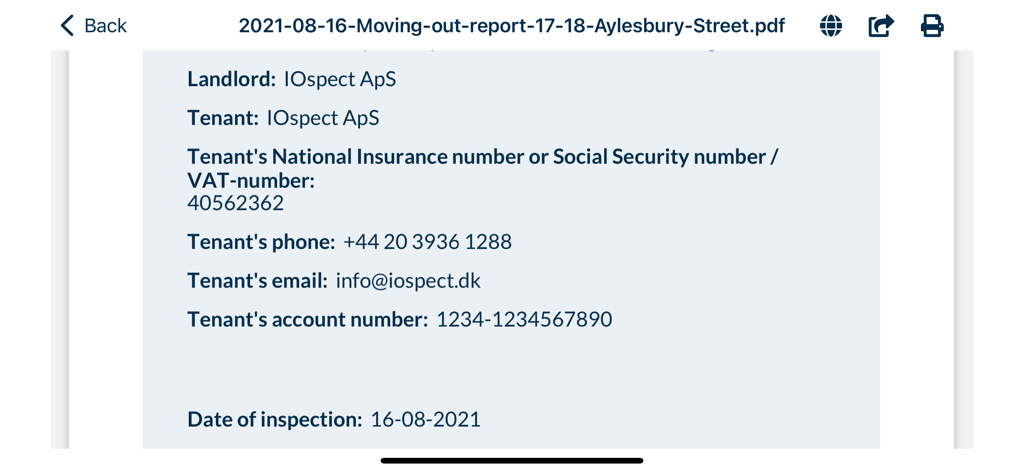
A digital move-out report summary in the DomuSpect app showing landlord and tenant contact details and inspection date

A digital move-out report summary in the DomuSpect app showing landlord and tenant contact details and inspection date

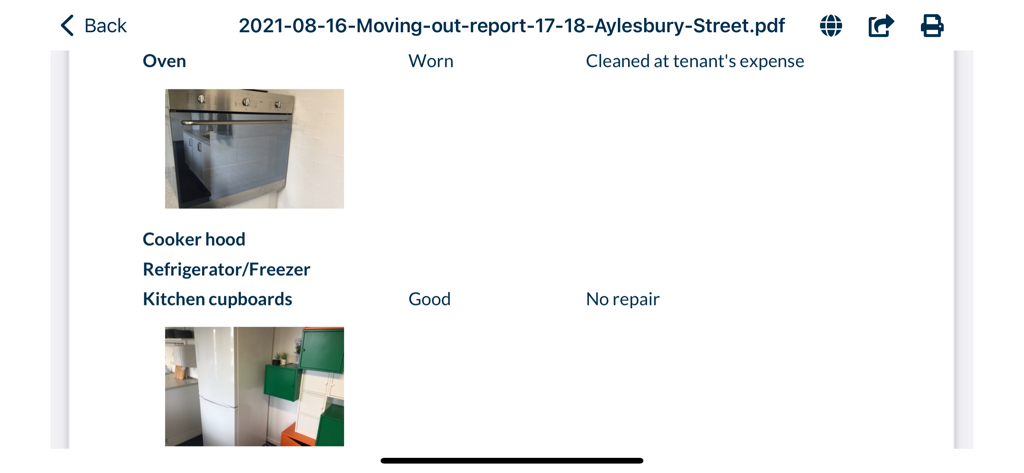
Digital moving out report showing kitchen appliance inspection photos and condition notes

Digital moving out report showing kitchen appliance inspection photos and condition notes

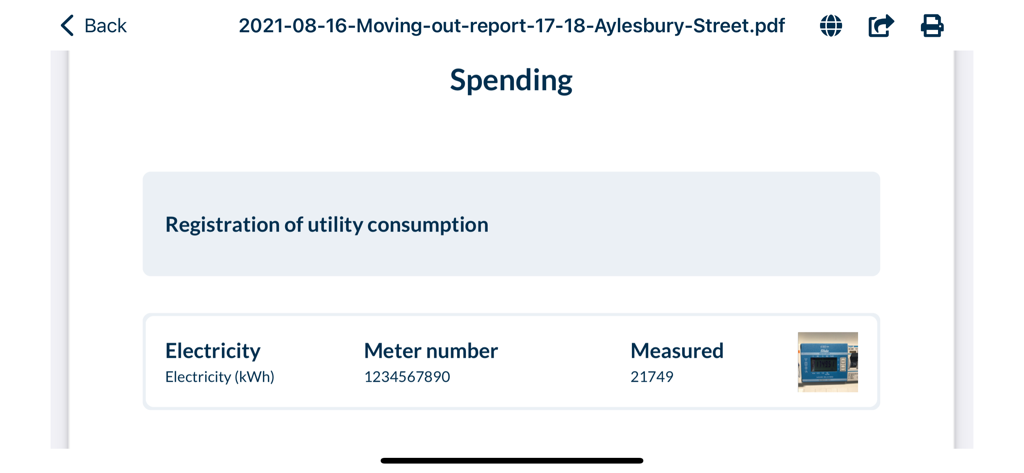
DomuSpect app screen showing utility meter registration with electricity meter number and reading photo

DomuSpect app screen showing utility meter registration with electricity meter number and reading photo

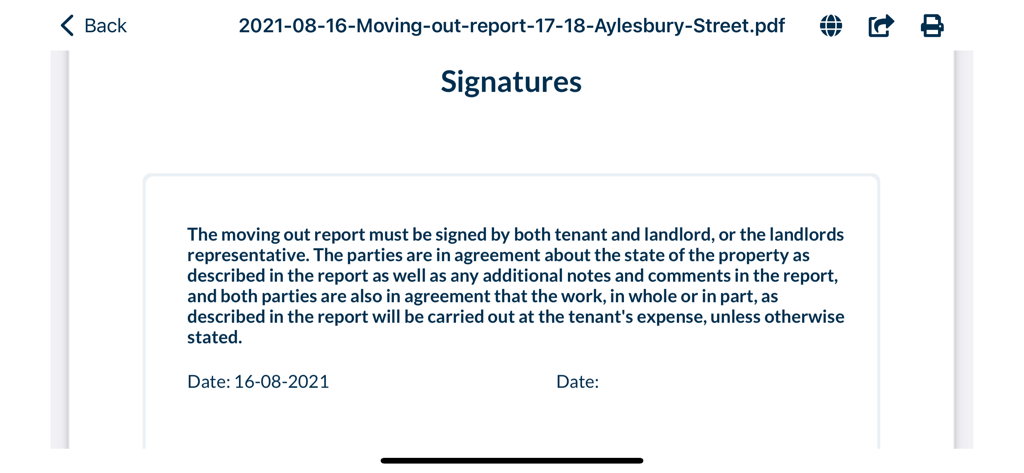
Digital signature section for a rental property move out report

Digital signature section for a rental property move out report

Professional Inspections, Simplified

The tools that make this app stand out, trusted by 2K+ users.

🛡️

Bulletproof Digital Evidence

Protect yourself from security deposit disputes with comprehensive checklists and integrated photo documentation that stand up to legal scrutiny.

✍️

Instant On-Site Signing

Finalize reports on the spot by capturing tenant signatures directly on your device. Email professional PDFs to tenants and contractors before you even leave the property.

Zero Setup, Maximum Efficiency

Skip the expensive consulting and long-term contracts. Download the app and complete your first inspection in minutes with our intuitive, cross-platform workflow.

About the app

Everything you need to know about DomuSpect.

Description

DomuSpect - moving in & out reports for landlords Digital reports for moving in and out of rental housing. Are you a landlord, inventory clerk, housing administrator or inspector ? Do you need to get everything about the property documented fast and reliable in order to avoid misunderstandings and claims from the tenant ? Using DomuSpect will ensure that your moving in & out reports are detailed and well documented. The smart checklist will guide you so that all details are checked during the inspection - adding photos to the report is fast and easy. What can DomuSpect do ? - Fast and reliable inspection of rental housing including photo documentation - Easy checklist so that nothing is forgotten during the inspection - Landlord and tenant can sign the inventory report directly on the iPad/iPhone - Send the report to the tenant and back home to the office - Send the report directly to carpenters/painters or cleaners - Save time during the inspection - Draw or attach a floor plan - Create multiple landlords if you are a clerk or administrator - Prepare inventory reports at the office - Work cross platform - start on one device, continue on another device And perhaps best of all: - No startup fee - No expensive consulting hours - Get started right away - it is easy and fast! Download DomuSpect for free and get started right away. Quick and easy case handling with DomuSpect: 1: Easily create a new moving in or moving out report Fast setup via our intuitive interface - prepare the report in the office or at the property. Punch in a few details and you are ready to start your inspection. 2: Use the checklist The checklist ensures that you get everything checked in the rental property - insert photos directly into the report for e.g. documenting damages. Everything is automatically assembled into a moving in or moving out report - That’s it, you are done - it is just one fast workflow. 3: Sign the report Once you have checked and documented everything, the moving in/out report is ready - you and the tenant can sign directly on the iPad and you can email the report to the tenant, your own administration, or e.g. cleaning people if necessary - all of it directly from the app. DomuSpect is developed in collaboration with lawyers and it is continuously updated.

Latest Version

5.7.3

Size

93.3 MB

First Released

Apr 14, 2016

Ready to Streamline Your Rental Inspections?

Join thousands of property professionals who save time, avoid deposit disputes, and create professional reports in minutes. Download DomuSpect for free today and start your first inspection right away.

Download on App Store

App information, icons, screenshots, and descriptions displayed on this page are sourced from the Apple App Store and are the property of their respective developers. Download estimates and rankings are based on MWM's proprietary models and may not reflect actual figures. This page is provided for informational and analytical purposes only.

Believe this page infringes your intellectual property? File a dispute