Dot Marker - Stitch, Pixel art

Dot Marker - Stitch, Pixel art


Download on App Store
Logo of Dot Marker - Stitch, Pixel art

Dot Marker - Stitch, Pixel art: The Ultimate Grid Design Tool for Crafters

Design intricate cross-stitch patterns, knitting charts, and retro pixel art with 86 specialty symbols and seamless PDF exports for your next DIY masterpiece.

Download on App Store

Publisher

Chizuru Kondo

Category

Graphics & Design

Downloads

2K+

User Rating

4.0/5

Total Ratings

0

Locales

2

See Your Craft Take Shape

Discover the interface used by 2K+ users.
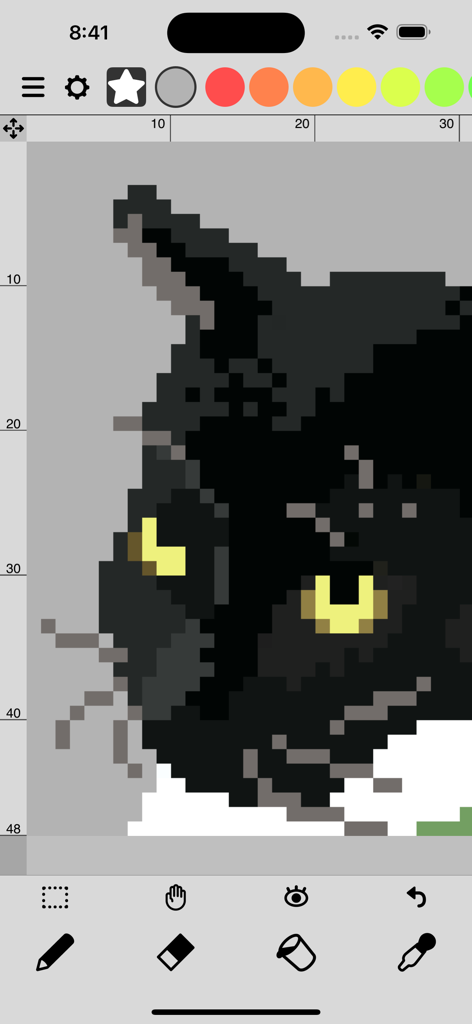
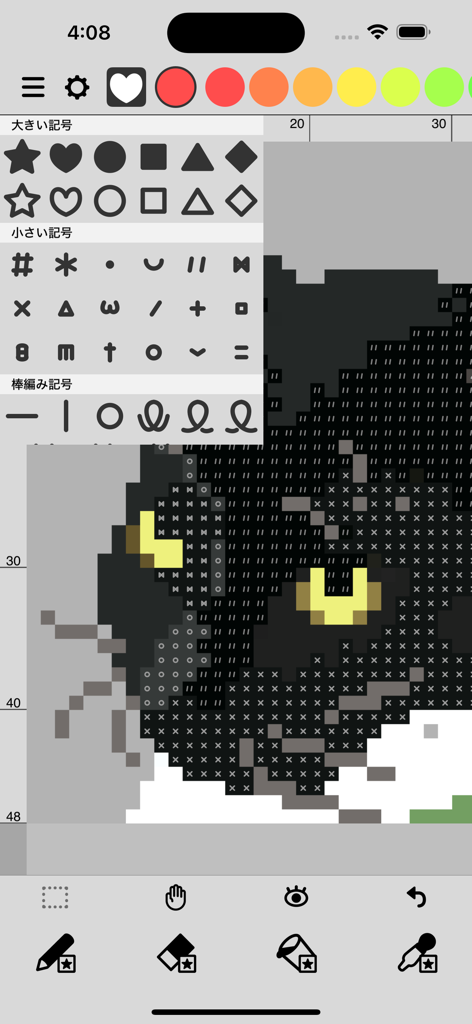
A pixel art drawing of a black cat head being created in the Dot Marker app interface

A pixel art drawing of a black cat head being created in the Dot Marker app interface

Mobile interface of Dot Marker app showing a black cat pixel art design using various craft symbols and knitting marks.

Mobile interface of Dot Marker app showing a black cat pixel art design using various craft symbols and knitting marks.

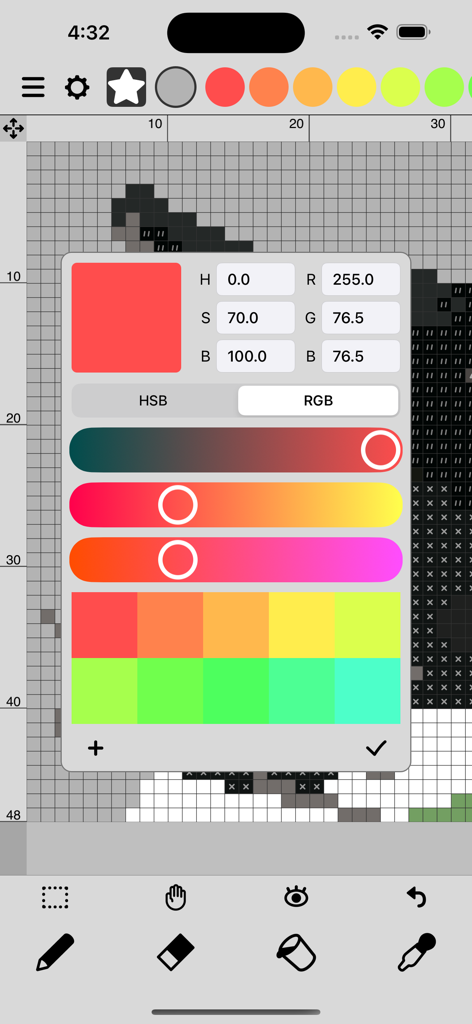
Dot Marker app screen showing a color picker tool for pixel art and stitch patterns

Dot Marker app screen showing a color picker tool for pixel art and stitch patterns

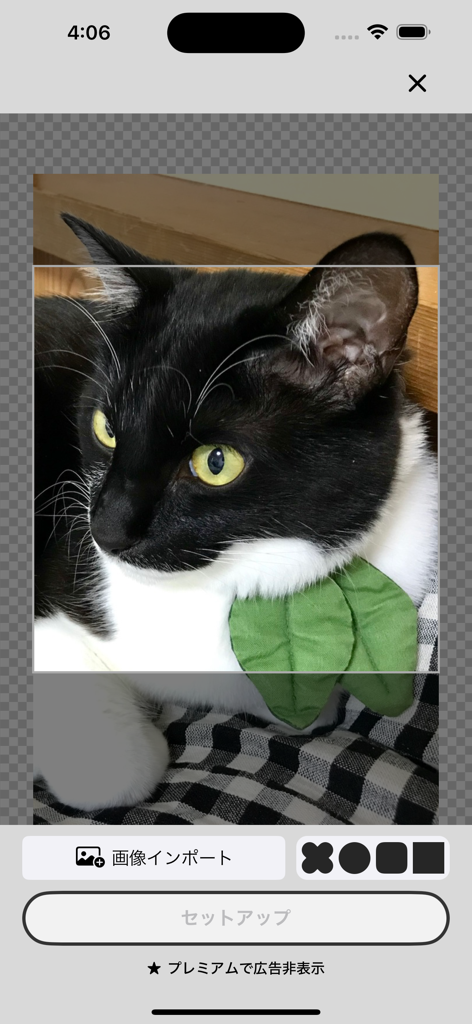
Interface showing a cat photo being imported into the Dot Marker app for pixel art conversion

Interface showing a cat photo being imported into the Dot Marker app for pixel art conversion

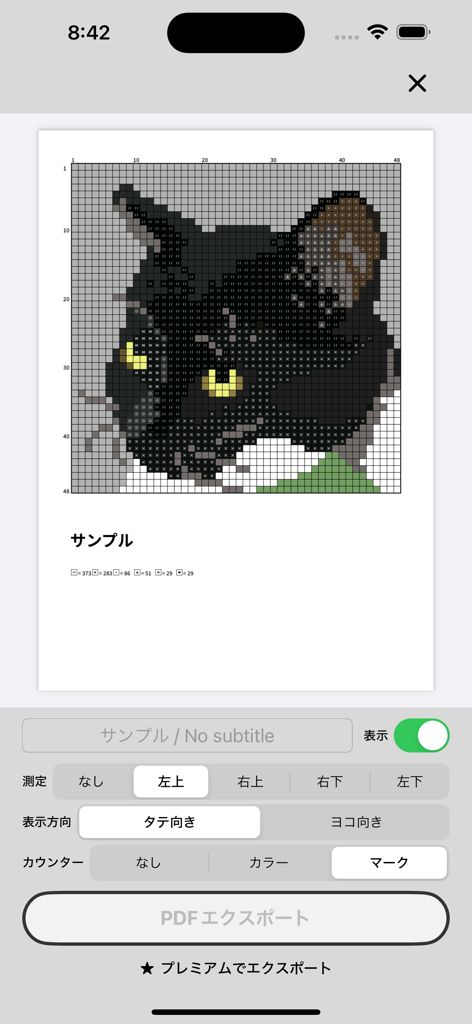
A black cat pixel art pattern on a grid with stitch symbols in the Dot Marker app

A black cat pixel art pattern on a grid with stitch symbols in the Dot Marker app

Everything You Need to Chart and Create

The tools that make this app stand out, trusted by 2K+ users.

🧶

86+ Specialized Symbols

Design with precision using knitting symbols, alphabets, and patterns tailored for high-quality cross-stitch and textile charts.

📸

Smart Image Import

Effortlessly transform your favorite photos into workable pixel data or symbol-based patterns, saving you hours of manual charting.

📐

Professional PDF Exports

Generate vector-based PDF outputs perfect for printing or selling your custom designs on Etsy, with seamless iCloud sync across your devices.

About the app

Everything you need to know about Dot Marker - Stitch, Pixel art.

Description

/// Standard Features /// Marks (86 types) / Includes large symbols, small symbols, knitting symbols, numbers, alphabets, and patterns. Pen, Eraser, Bucket, Eyedropper / Double-tap the button to switch to mark-specific functions. Color Picker / Supports RGB/HSB conversion and saving color palettes separately for each canvas. Selection Tool / Move, copy, flip, rotate, or delete selected areas. Image Import / Convert imported images into pixel data or pattern marks. Image Export / Includes display options for transparency, grid, marks, and fill. Undo / Undo up to 10 times. Other Features / Save up to 5 files, toggle display settings (transparency, grid, marks, fill), clear all marks, clear all fills, duplicate. Canvas Size / Up to 160×160. /// Premium Features /// Ad-Free / Removes all ads within the app. Unlimited Saves / Removes the 5-file save limit. PDF Export / Export vector-based PDFs for pattern output. iCloud Save & Sync / Save and sync edited data via iCloud Drive across multiple devices.

Latest Version

3.0.1

Size

29.4 MB

First Released

Aug 28, 2022

Ready to chart your next masterpiece?

Join thousands of digital crafters and start turning your pixel art into beautiful handmade projects today. Your next stitch is just a tap away.

Download on App Store

App information, icons, screenshots, and descriptions displayed on this page are sourced from the Apple App Store and are the property of their respective developers. Download estimates and rankings are based on MWM's proprietary models and may not reflect actual figures. This page is provided for informational and analytical purposes only.

Believe this page infringes your intellectual property? File a dispute