Drawing Pad procreate Sketch

Drawing Pad procreate Sketch

Download on App Store
Logo of Drawing Pad procreate Sketch

Drawing Pad procreate Sketch: The Easiest Way to Draw, Design, and Doodle

From quick work diagrams to relaxing evening sketches, unlock your creativity with thousands of stickers, brushes, and shapes. Designed for instant fun and professional productivity, no complex tutorials required.

Publisher

Rohan Singh Rajput

Category

Productivity

Downloads

3M+

User Rating

4.1/5

Total Ratings

71K+

Locales

1

Creativity in Every Stroke

Discover the interface used by 3M+ users.
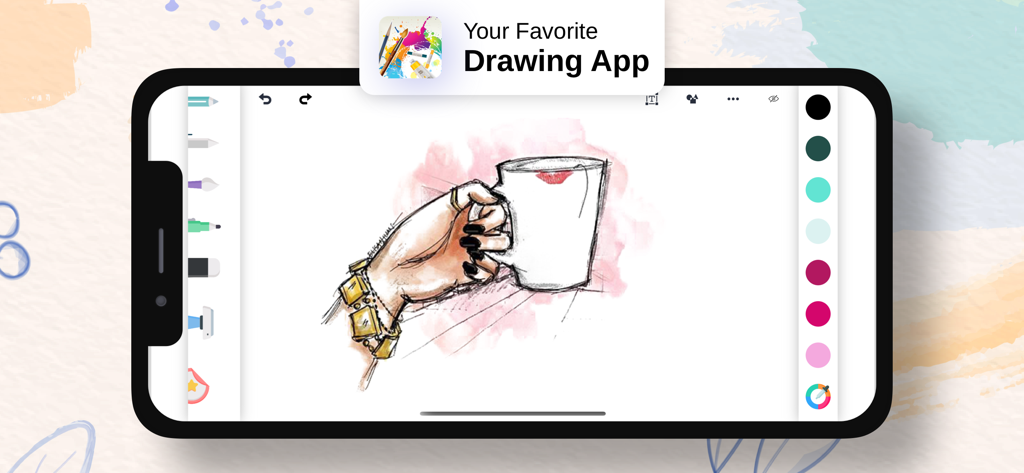
Drawing Pad app interface on a smartphone showing a digital sketch of a hand holding a coffee mug

Drawing Pad app interface on a smartphone showing a digital sketch of a hand holding a coffee mug

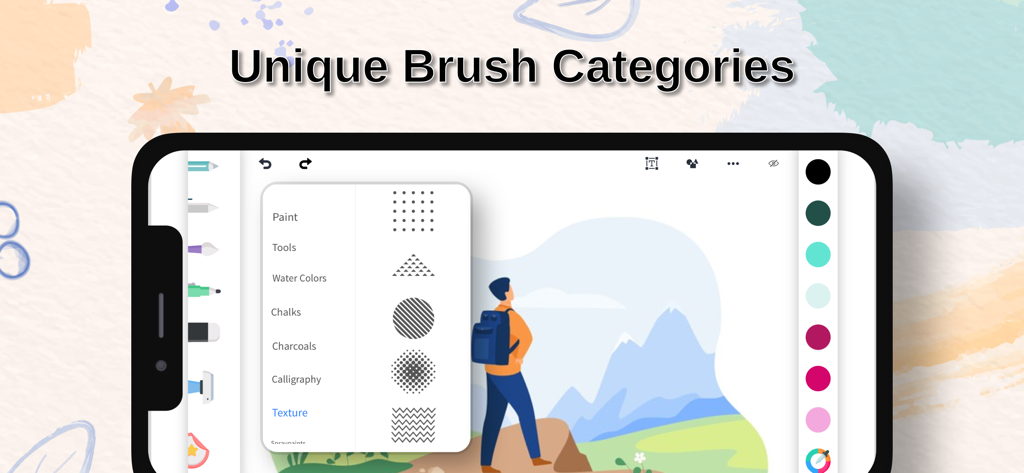
Interface of the Drawing Pad app displaying a variety of unique brush categories for digital art

Interface of the Drawing Pad app displaying a variety of unique brush categories for digital art

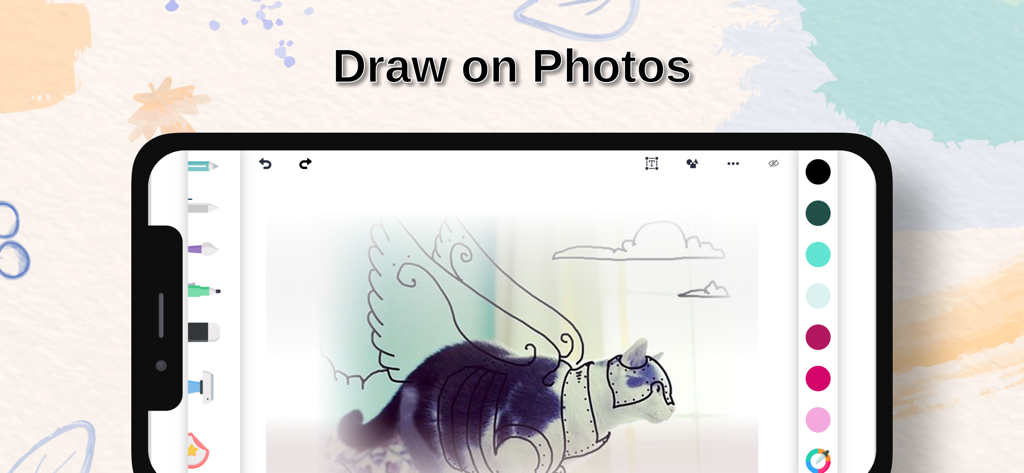
A smartphone displaying the mobile app interface for drawing and sketching over existing photos

A smartphone displaying the mobile app interface for drawing and sketching over existing photos

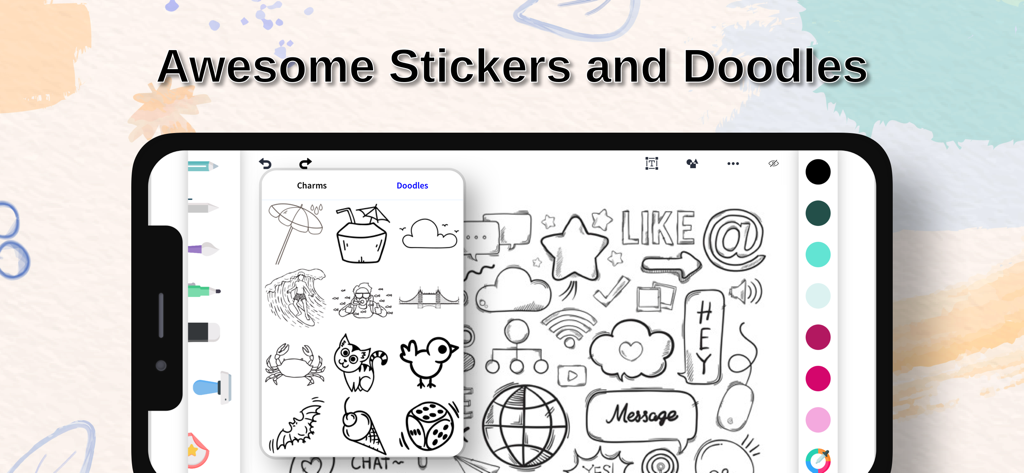
Drawing Pad app interface showcasing a library of artistic stickers and doodles.

Drawing Pad app interface showcasing a library of artistic stickers and doodles.

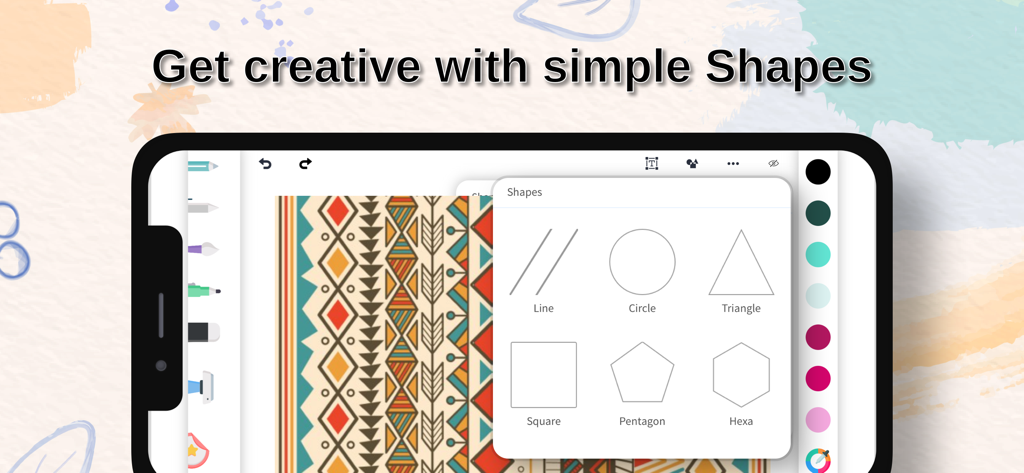
Drawing app interface showing a menu with various geometric shapes like circle triangle and square

Drawing app interface showing a menu with various geometric shapes like circle triangle and square

Unleash Your Inner Artist, No Experience Required

The tools that make this app stand out, trusted by 3M+ users.

🎨

Simple Yet Powerful Tools

Sketch, paint, and doodle with ease. Our intuitive design ensures that creating beautiful art is as simple as picking up a stylus.

Endless Creative Assets

Elevate your work with thousands of stickers, charms, and stock images. Perfect for adding a personal touch to any project.

📐

Work and Play Anywhere

Whether you are drafting a quick floor plan with precision rulers or editing photos for social media, we have got you covered.

About the app

Everything you need to know about Drawing Pad procreate Sketch.

Description

Drawing pad is an easy to use whiteboard app that can be used anywhere, anytime for work purpose or for fun.. To help all the creative people out there and all those who are looking forward to being creative, Drawing pad brings along amazing features like Stickers, Brushes, Doodles, Charms, Shapes etc. It is so easy to use that even a child can bring out amazing artwork with very little effort. Features : # Sketch, Paint, Doodle, Share with friends # Give your artwork a new stroke with our varied range of brushes # Make your work more colorful with any color you wish with our very own color pallete and color picker # Didn't like something you created. No worries.. You can undo or redo anytime. Or simply erase and work again # Add more perfection with ruler and different shapes like: Square, Triangle, Circle and many more # Draw using various brush sizes and adjust opacity as you wish # Say more with the use of amazing Stickers, Doodles, and Charms # You can also edit/enhance your gallery images # Make use of 1000's of stock images too... # Share with friends and family Or share on social platforms Experience the app and share you feedback. :) Graphics designed by Freepik. (www.freepik.com) Get Drawing Pad Premium Unlimited access to all the premium features and new brushes, doodles and stickers updates during the subscription period. The subscription price is $2.99 per week. You may cancel a subscription or free-trial anytime via the subscription setting through your iTunes account. This must be done 24 hours before the end of the free trial or subscription period to avoid being charged. The subscription will automatically renew unless auto-renew is turned off at least 24 hours before the end of the current period. No cancellation of the current subscription is allowed during the active subscription period. Any unused portion of a free trial period will be forfeited when the user purchases a Drawing Pad Premium subscription. Terms & Conditions : https://sites.google.com/view/colordrawingterms/home Privacy Policy : https://sites.google.com/view/colordrawingapp/home

Latest Version

3.1.1

Size

124.0 MB

First Released

Dec 31, 2017

Ready to Start Creating?

Join over 3 million users who turn their ideas into art instantly. Whether it's for professional sketches or creative play, your next masterpiece is just a tap away.

Download on App Store
FAQ

Frequently Asked Questions

Everything you need to know about Drawing Pad procreate Sketch

What is Drawing Pad procreate Sketch?

Drawing Pad procreate Sketch is an easy-to-use whiteboard app for creating artwork, sketches, and doodles. It includes features like brushes, colors, shapes, stickers, and image editing.

Does Drawing Pad procreate Sketch offer various brush types?

Yes, Drawing Pad procreate Sketch offers a varied range of brush types, including Paint, Water Colors, Chalks, Charcoals, Calligraphy, and Texture brushes, to enhance your artwork.

Can I draw on photos using Drawing Pad procreate Sketch?

Yes, Drawing Pad procreate Sketch allows users to edit and enhance their gallery images. You can draw directly on photos within the app to personalize them.

What creative tools does Drawing Pad procreate Sketch include?

Drawing Pad procreate Sketch includes creative tools like Stickers, Brushes, Doodles, Charms, and various Shapes such as Square, Triangle, and Circle to assist in creating artwork.

How much does Drawing Pad Premium cost?

Drawing Pad Premium costs $2.99 per week. This subscription provides unlimited access to all premium features, new brushes, doodles, and sticker updates.

How do I cancel a Drawing Pad Premium subscription?

To cancel a Drawing Pad Premium subscription, you must do so via your iTunes account's subscription settings. Cancellation must occur at least 24 hours before the end of the current period.

Can I share my artwork created with Drawing Pad procreate Sketch?

Yes, Drawing Pad procreate Sketch allows users to share their artwork with friends and family. You can also share your creations directly to social platforms.

Does Drawing Pad procreate Sketch have undo and redo functions?

Yes, Drawing Pad procreate Sketch provides undo and redo functionality. Users can easily correct mistakes or revert changes at any point during their creative process.

What shapes are available in Drawing Pad procreate Sketch?

Drawing Pad procreate Sketch offers various shapes including Line, Circle, Triangle, Square, Pentagon, and Hexa. These tools add precision to your drawings.

Does Drawing Pad procreate Sketch offer different color options?

Yes, Drawing Pad procreate Sketch provides a comprehensive color palette and a color picker. This allows users to select any desired color for their artwork.

App information, icons, screenshots, and descriptions displayed on this page are sourced from the Apple App Store and are the property of their respective developers. Download estimates and rankings are based on MWM's proprietary models and may not reflect actual figures. This page is provided for informational and analytical purposes only.

Believe this page infringes your intellectual property? File a dispute