e-GuestList Check-In App

e-GuestList Check-In App


Download on App Store
Logo of e-GuestList Check-In App

e-GuestList Check-In App: The Professional Choice for Seamless Event Entry

Eliminate waiting lines and seating chaos with the industry-leading iPad solution. Custom-built for event planners who demand speed, reliability, and total control—online or offline.

Download on App Store

Publisher

EVENTRECEPTION L.P.

Category

Business

Downloads

2K+

User Rating

5.0/5

Total Ratings

0

Locales

32

Precision at Your Fingertips

Discover the interface used by 2K+ users.
e-GuestList app interface on iPad showing a list of event attendees with check-in status and guest details

e-GuestList app interface on iPad showing a list of event attendees with check-in status and guest details

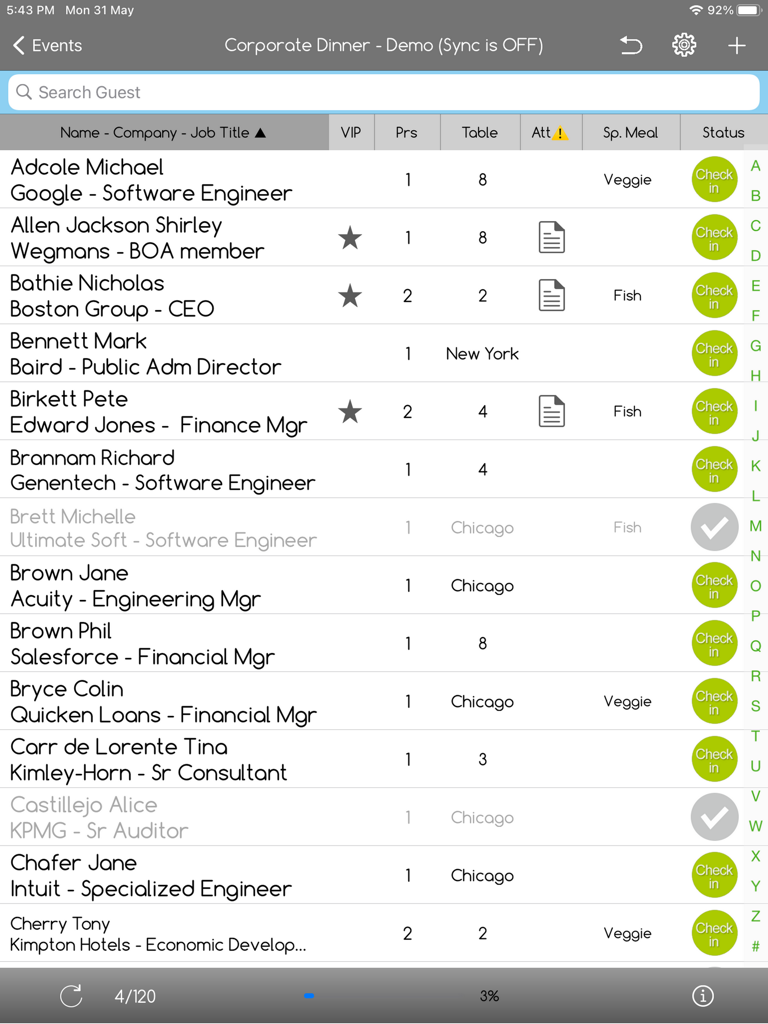
iPad interface of the e-GuestList app showing a guest list with VIP tags table assignments and check-in buttons for a corporate event

iPad interface of the e-GuestList app showing a guest list with VIP tags table assignments and check-in buttons for a corporate event

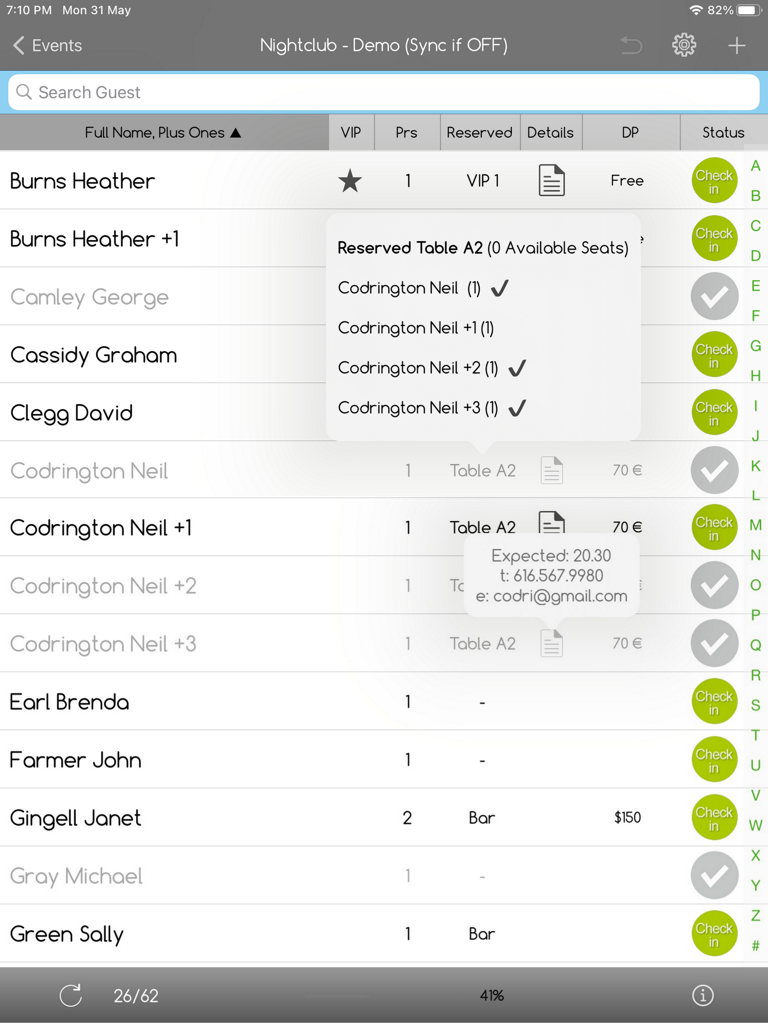
iPad screen showing guest check in list and table seating details in e-GuestList app

iPad screen showing guest check in list and table seating details in e-GuestList app

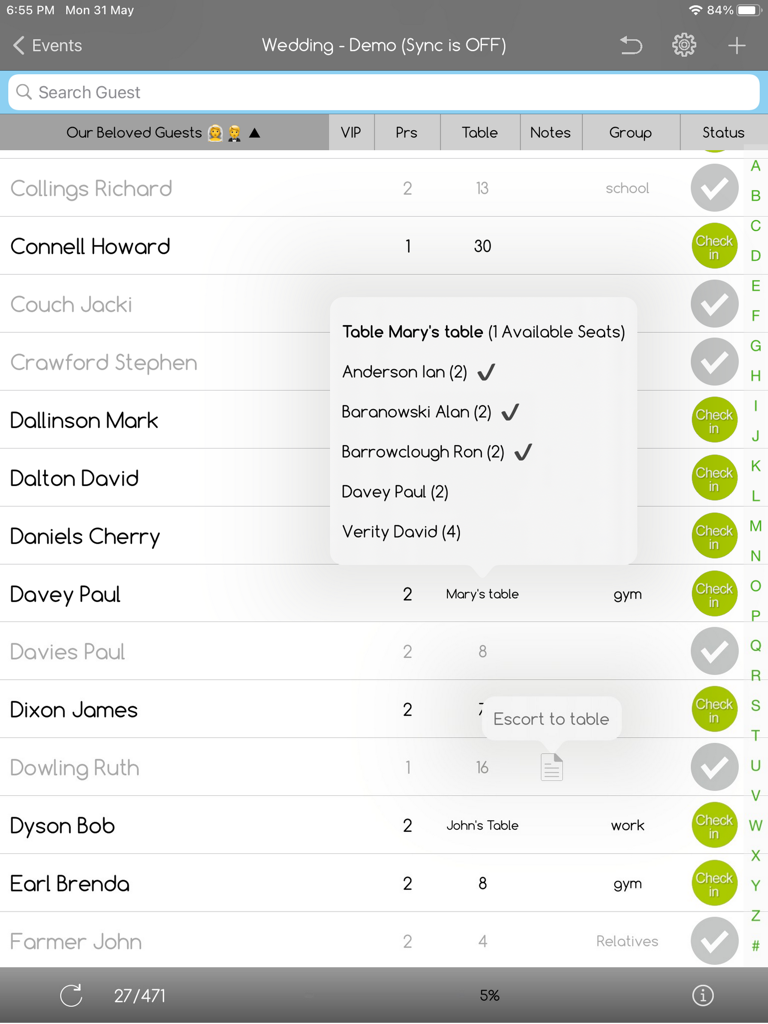
iPad interface of e-GuestList app showing a guest list with table seating assignments and check-in status

iPad interface of e-GuestList app showing a guest list with table seating assignments and check-in status

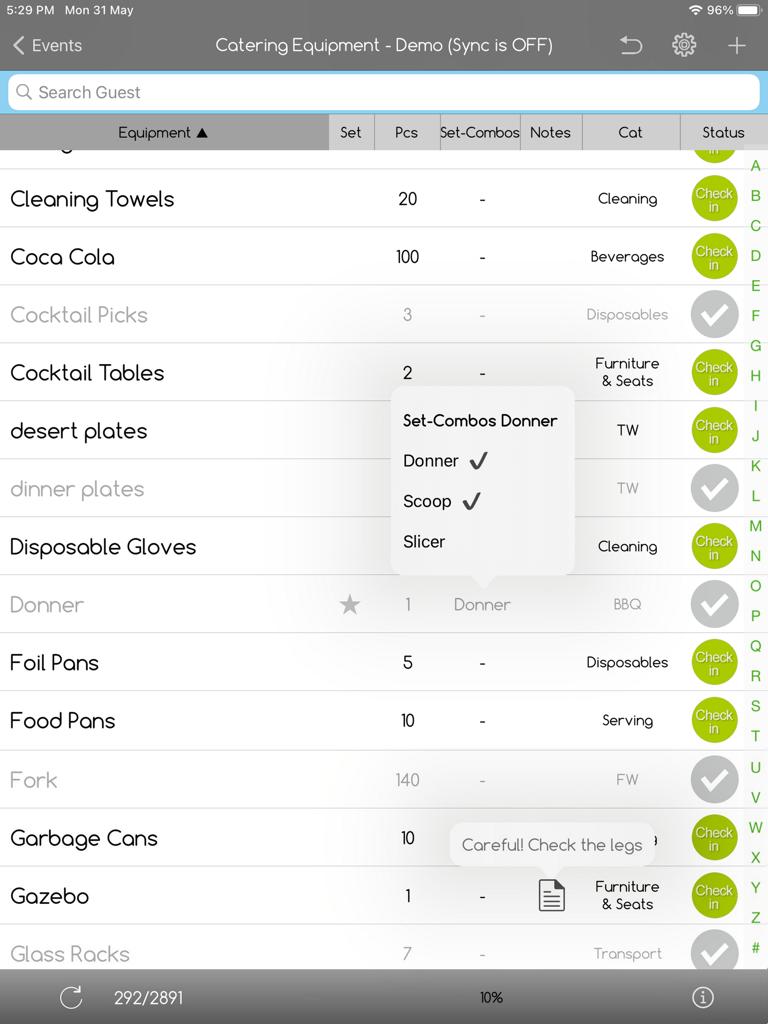
iPad interface of the e-GuestList app showing a catering equipment check-in list with customized columns and status icons.

iPad interface of the e-GuestList app showing a catering equipment check-in list with customized columns and status icons.

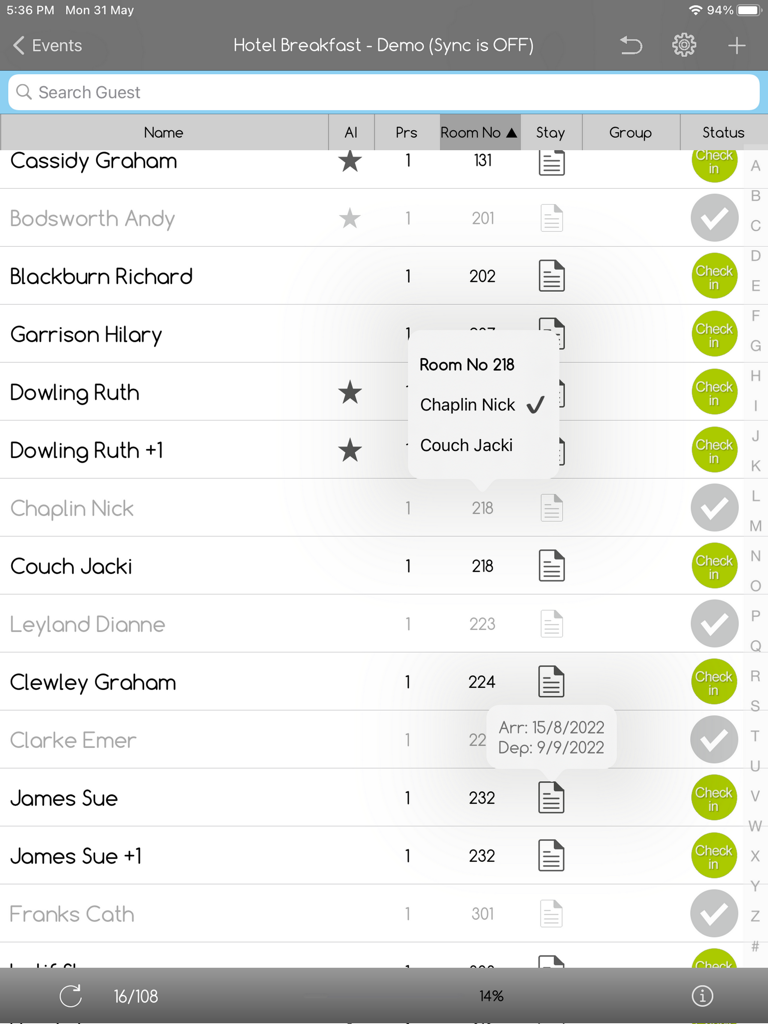
iPad interface for e-GuestList app displaying guest names room numbers and check-in status for a hotel event

iPad interface for e-GuestList app displaying guest names room numbers and check-in status for a hotel event

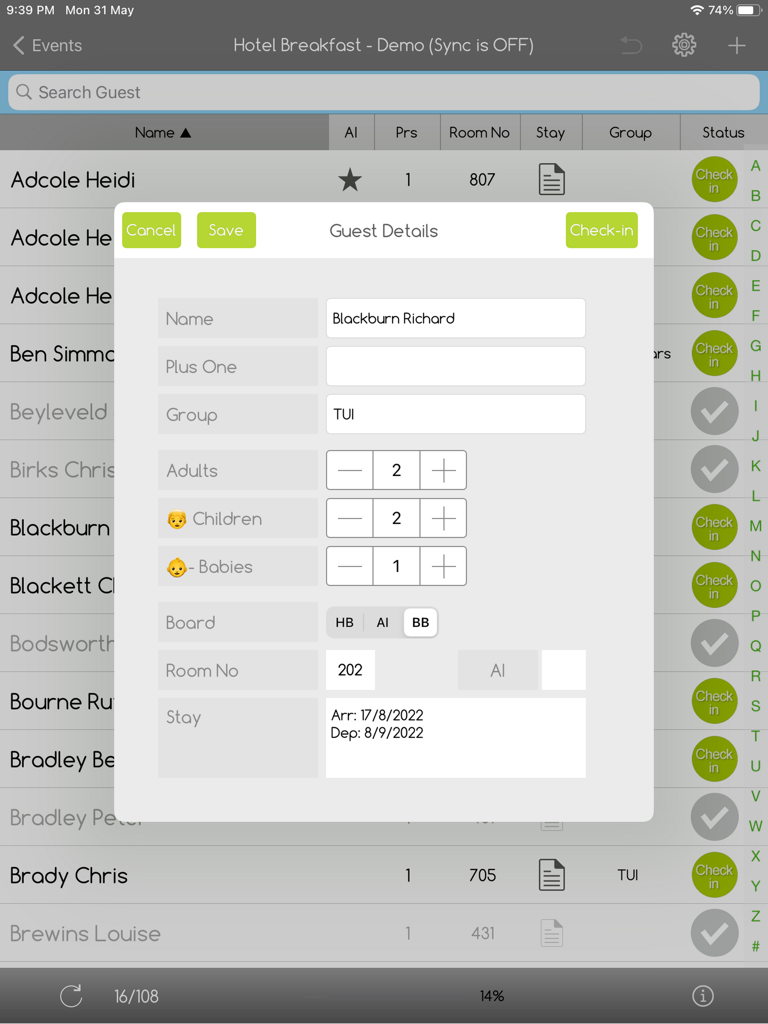
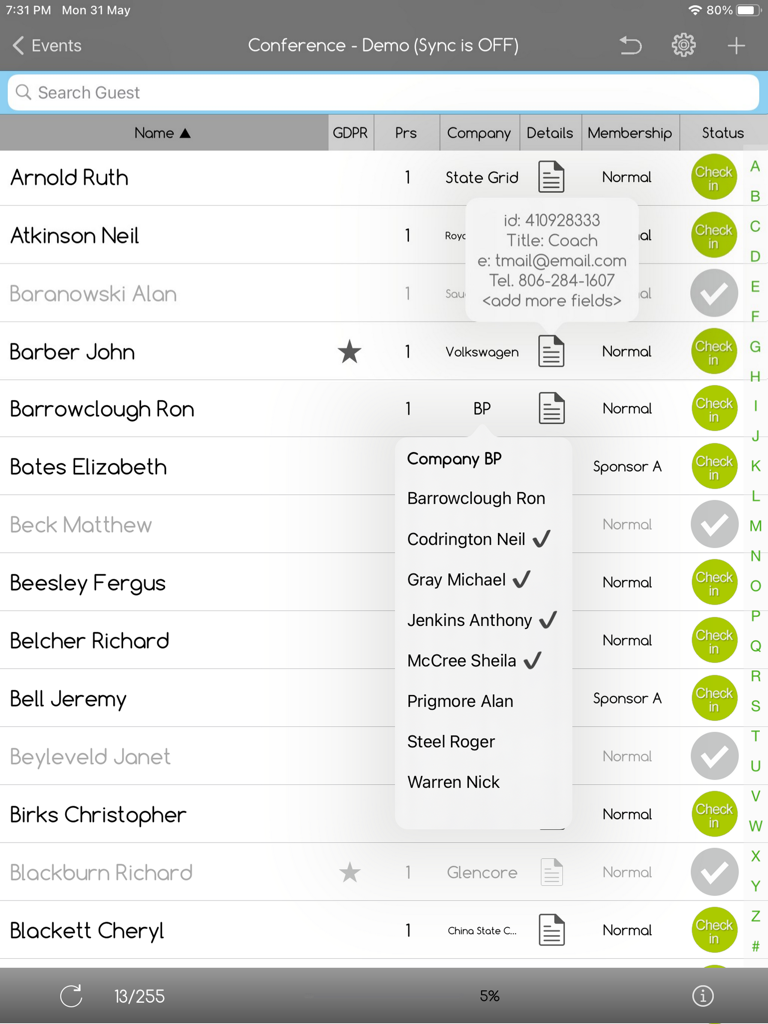
iPad screenshot of the e-GuestList app showing a guest details popup with fields for name, group, and number of guests for check-in

iPad screenshot of the e-GuestList app showing a guest details popup with fields for name, group, and number of guests for check-in

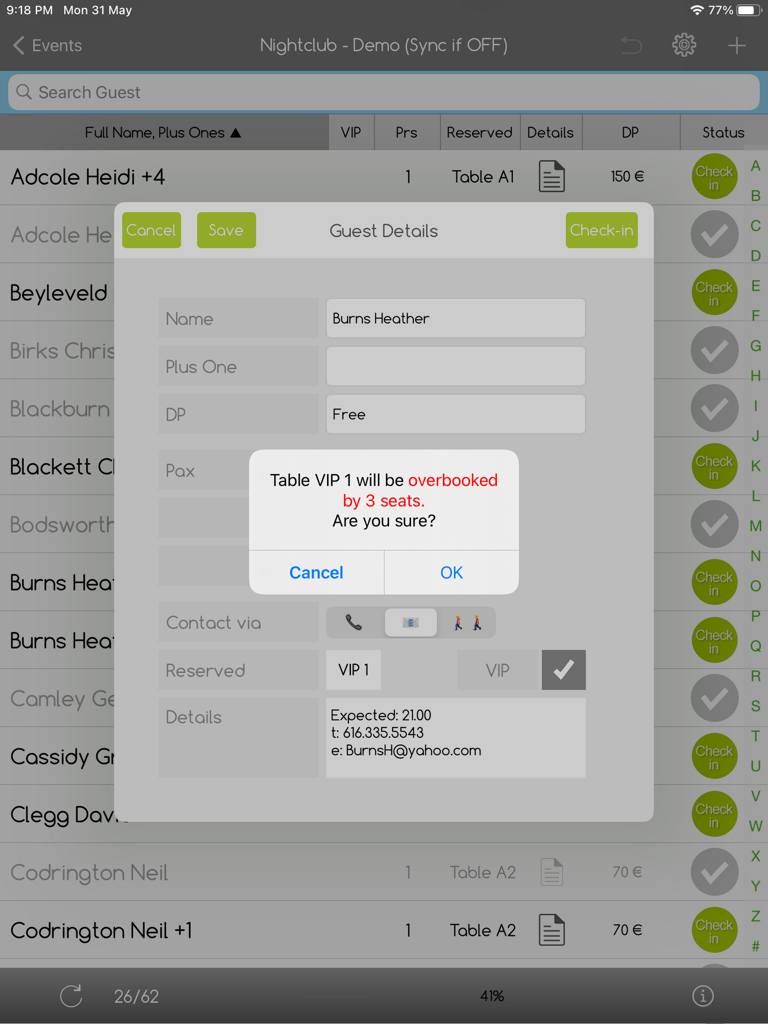
e-GuestList app on iPad displaying a table seating capacity alert

e-GuestList app on iPad displaying a table seating capacity alert

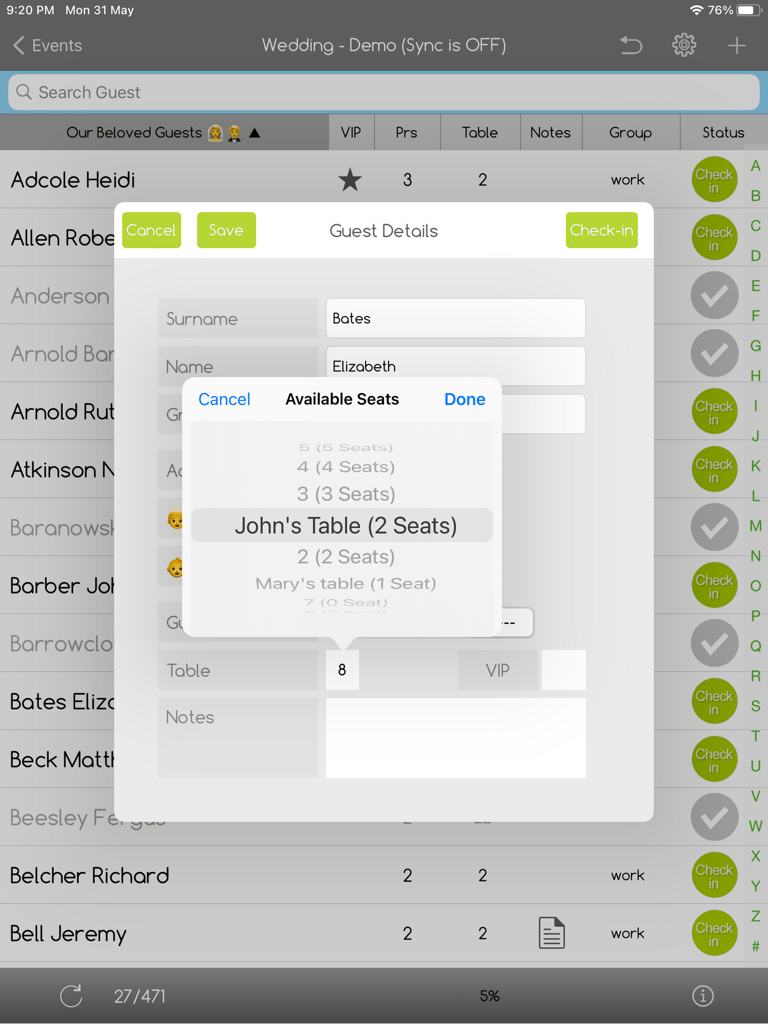
iPad app screen showing a guest detail form with an available seats picker for table assignment

iPad app screen showing a guest detail form with an available seats picker for table assignment

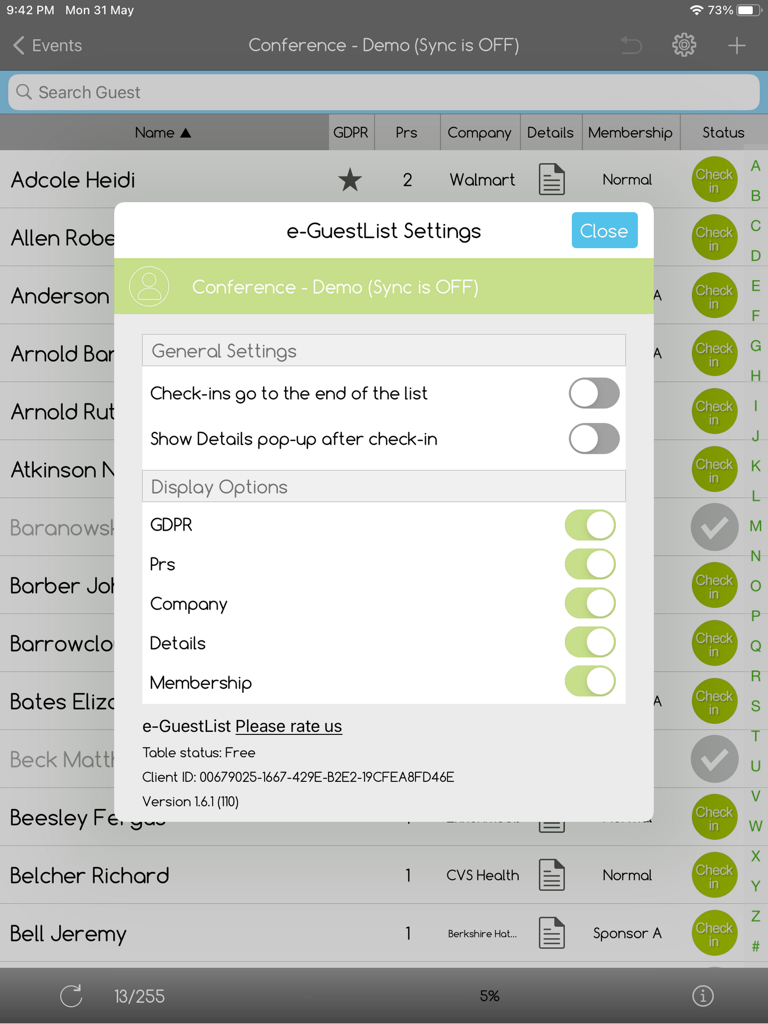
Settings menu display over a guest list in the e-GuestList check-in app for iPad

Settings menu display over a guest list in the e-GuestList check-in app for iPad

Master Every Entrance

The tools that make this app stand out, trusted by 2K+ users.

Rapid, Zero-Queue Entry

Prevent bottlenecks with superfast alphabetical search and one-tap check-ins that keep your guests moving and your entrance professional.

🔄

Unfailing Offline Sync

Never worry about venue Wi-Fi again. Our robust offline mode auto-syncs across multiple iPads the second a connection is detected for maximum reliability.

🪑

Smart Table Management

Take total control of your floor plan. Manage seating assignments, track table capacity, and handle last-minute guest swaps on the fly.

About the app

Everything you need to know about e-GuestList Check-In App.

Description

Eliminate guest list problems, waiting lines and attendance concerns. Track check-in details - from ongoing check-in progress and guest check-in times, to guest status, last-minute changes and more. Change the app's titles and columns and use the app to check-in conference attendees, wedding guests, hotel guests (for breakfast/boards), students, clients/bookings in nightclubs, or even equipment. Insert your entries/guests via Excel (fastest way for mass uploads), the Web, or directly on your iPads. Check for double-entries, replace your whole list or keep adding to it with subsequent Excel uploads. Are you using Table-Seating (aka assigned-seating)? e-GuestList offers you *four different settings* to track tables/free-seats. Select to: a. Not use table-seating at all b. Move guests between tables freely, without free-seat tracking c. Move guests freely but show availability warnings as per tables' free seats d. Prohibit changes/seating when there are no free seats Additional Table-seating features include tapping on a table name/number to see all same-table-guests, as well as who has already checked-in. You can naturally rename the Table column and use its unique features to help you with Hotel Breakfast/Board check-ins, or an Equipment Bundle Check-List etc. Designed for Event Professionals, Wedding Planners, Hotels, Caterers, Schools & Universities, Nightclubs etc. MAIN FEATURES • Easy, fast & unprecedentedly reliable • Easy uploads from Excel • Rename app's titles & variables • Optionally track free table-seats with four options: No seating, Free, Warnings, Strict • Great statistics and attendance reports (in real-time over internet) • Works online/offline • Auto-detects Internet connection and adjusts seamlessly • Auto-syncs iPads in real time (over Internet) • Auto-saves iPad data in the cloud for max reliability (over Internet) • Special columns/fields to rename/adjust as per your needs (notes, group etc.) • Up to three person-categories per entry/guest (eg. number of Adults, Children, Babies) • Advanced check-in reports from your web account (available in real-time over internet) • Export check-in reports in Excel or PDF • SSL connection MAIN iPAD FEATURES • Superfast check-ins • Find Guests via the Alphabetical Index or the Search bar • Add New Guests with one tap & edit guest details • Checked-in guests go to the end of the list (optional) • Notes pop-up automatically after check-in (optional) • Assign tables to walk-in guests according to free table-seats (optional) • Move guests from table to table according to your Table-Seating options • Full table-status with Seated Guests & Free Seats per Table (optional) • Show/hide columns switch for greater simplicity/detail • Shorter guest list after every check-in (optional) • Real-time attendance reports • Undo last check-in - especially useful when checked-in guests are set to go to the bottom of the list TRY DEMO Once you download the app select 'TRY DEMO' from the Login screen. eGuestList will upload a few Demo Events. Demo events do not sync among different ipads and have no web access. PRICING The app is free to download and try. For a per Event or a Monthly/Yearly plan (with unlimited events) contact us at info@eventreception.com. CREATE YOUR EVENTS & UPLOAD GUEST LISTS Use your codes to login from the Web (https://guestlistapp.eventreception.com/) and: 1. Give a Name & Date to your upcoming event(s). 2. Upload your Excel file with your Guest List OR Insert Guests over the Web. 3. Change the app's titles (optional) 4. Log in on your iPad(s) using your codes. 5. That's it. Your Events and details are now in your iPads and you're ready to go! WE'D LOVE TO HAVE YOUR FEEDBACK Send us your comments and suggestions at info@eventreception.com

Latest Version

1.7.0

Size

11.3 MB

First Released

Jul 18, 2015

Ready to End Entrance Bottlenecks Forever?

Download e-GuestList on your iPad and join thousands of event professionals who trust our offline-ready, seamless check-in and seating solution.

Download on App Store

App information, icons, screenshots, and descriptions displayed on this page are sourced from the Apple App Store and are the property of their respective developers. Download estimates and rankings are based on MWM's proprietary models and may not reflect actual figures. This page is provided for informational and analytical purposes only.

Believe this page infringes your intellectual property? File a dispute