Employee Timesheets Scheduling

Employee Timesheets Scheduling


Download on App Store
Logo of Employee Timesheets Scheduling

Employee Timesheets Scheduling: The Smarter Way to Manage Your Team and Shifts

The all-in-one app for small business owners to simplify shift creation, track hours with precision, and eliminate payroll headaches. Perfect for retail, construction, and hospitality teams.

Download on App Store

Publisher

Bookipi Pty Ltd

Category

Business

Downloads

700

User Rating

1.0/5

Total Ratings

0

Locales

1

Your Workforce at a Glance

Discover the interface used by 700 users.
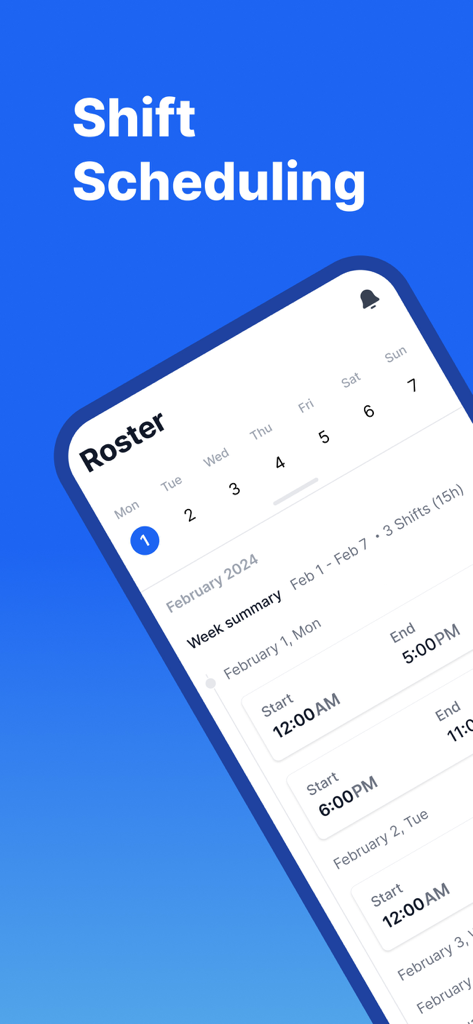
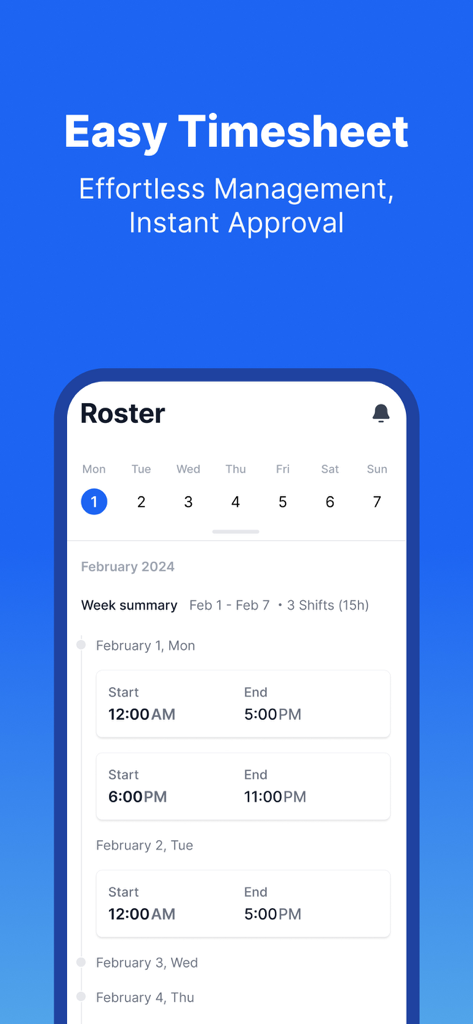
Weekly roster view for employee shift scheduling on mobile app

Weekly roster view for employee shift scheduling on mobile app

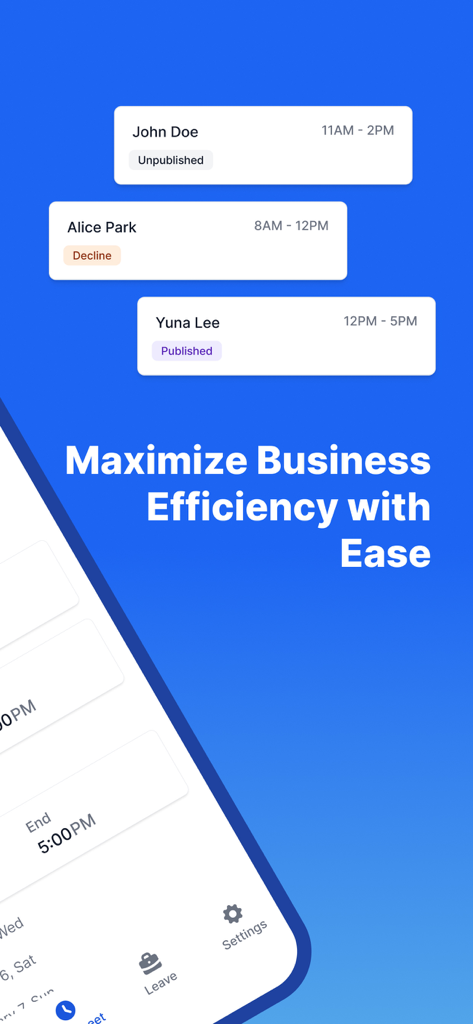
Screenshot of an employee scheduling app showing worker shifts with status labels and business efficiency slogan

Screenshot of an employee scheduling app showing worker shifts with status labels and business efficiency slogan

Employee scheduling app roster showing daily shifts and weekly summaries on an iPhone interface

Employee scheduling app roster showing daily shifts and weekly summaries on an iPhone interface

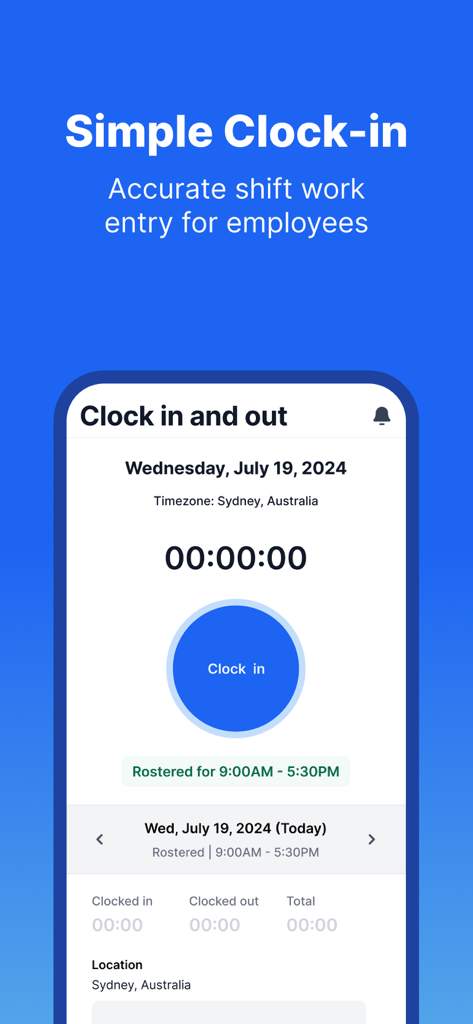
Interface of the employee clock-in and out feature showing a simple blue button for accurate shift entry

Interface of the employee clock-in and out feature showing a simple blue button for accurate shift entry

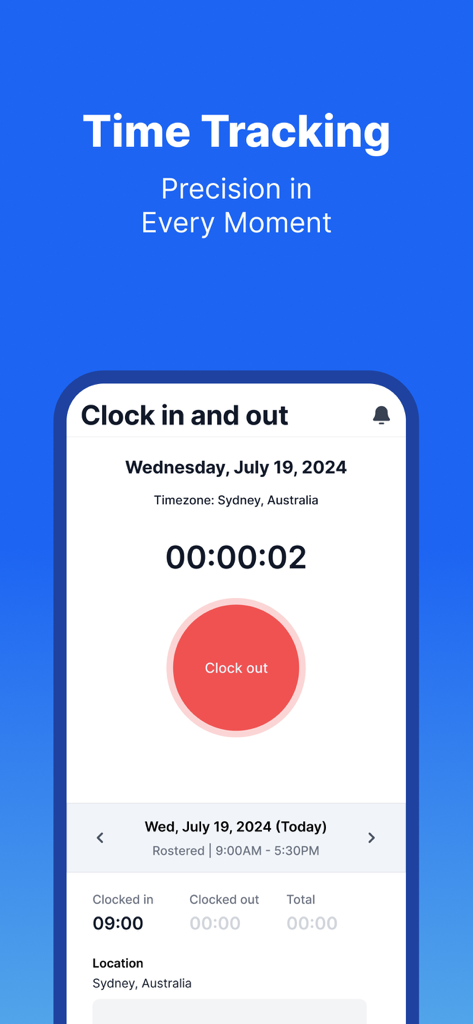
Employee time tracking mobile app interface with a clock out button and active timer.

Employee time tracking mobile app interface with a clock out button and active timer.

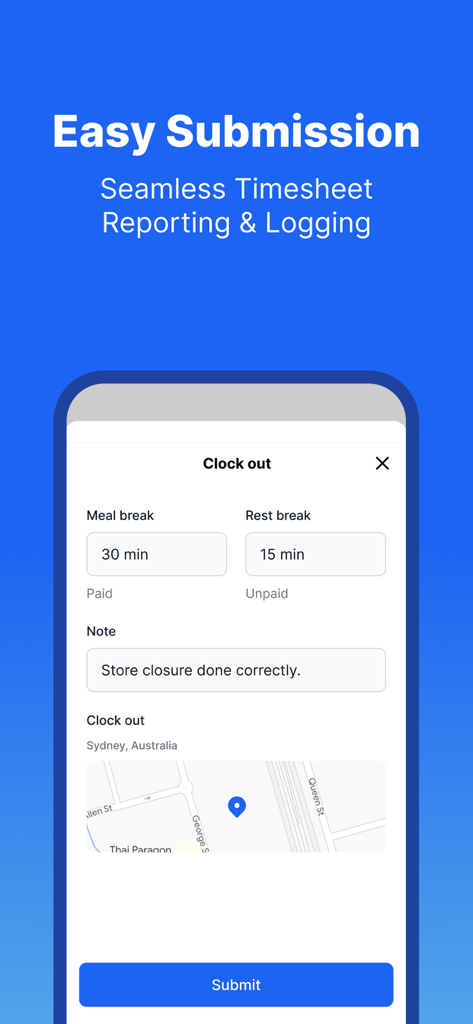
Mobile app interface showing an employee clock out screen with break logging and location tracking

Mobile app interface showing an employee clock out screen with break logging and location tracking

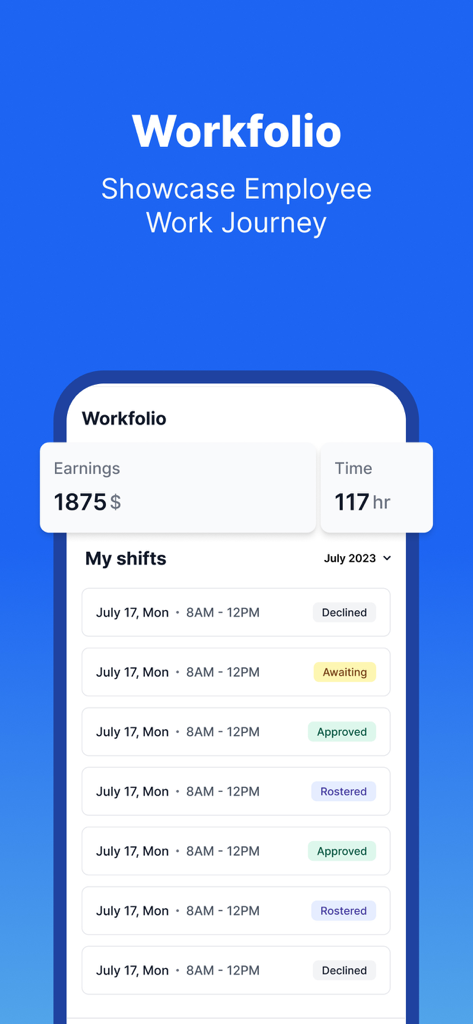
Screenshot of the Workfolio screen showing total earnings, hours worked, and a list of shift statuses like approved and rostered.

Screenshot of the Workfolio screen showing total earnings, hours worked, and a list of shift statuses like approved and rostered.

Streamline Your Staff Management in Seconds

The tools that make this app stand out, trusted by 700 users.

Instant Shift Planning

Create and update employee schedules with a few taps. Keep your team informed and your operations running smoothly without the manual paperwork.

🎯

Precision Time Tracking

Accurately capture work hours for seamless payroll and client billing. Eliminate "ghost hours" and ensure your records are always audit-ready.

📱

Mobile-First Flexibility

Manage your entire workforce from your truck, the shop floor, or on-site. Built specifically for the iOS ecosystem for the boss on the move.

About the app

Everything you need to know about Employee Timesheets Scheduling.

Description

Employee Timesheets Scheduling, the all-in-one employee scheduling and time tracking app tailored for small business owners. Our intuitive employee scheduling app simplifies timesheet management, shift creation, and shift scheduling for businesses with various staffing needs, including hospitality, retail, construction, and more. Key Features: - Add Shift Update: Conveniently add or modify shifts for employees, keeping your staff informed about their schedules. - Add Timesheet Shift: Effortlessly create timesheets for your workers, streamlining payroll and record-keeping processes. - Manage Team & Shift Scheduling: Generate and manage team or employee shifts with just a few taps, reducing time spent on manual scheduling tasks. - Time Tracking: Precisely track employee hours, ensuring accurate records for payroll and compliance purposes. Why choose Employee Timesheets Scheduling? Our app is designed to cater to small businesses with diverse employee management needs: - Manage multiple shifts for businesses with over 4 employees, ensuring smooth operations and staff coordination. - Track time for client reporting and billing, perfect for businesses that need to monitor work performed by employees. Accommodates businesses with employees working multiple jobs at different times, allowing for easy organisation and tracking and businesses with casual employees who have no fixed shifts, providing flexibility in scheduling Employee Timesheets Scheduling is crafted for the global market, ensuring it meets the unique requirements of local businesses. Our user-friendly interface allows you to quickly create and manage employee schedules, saving you time and effort while helping you maintain a organised workforce. Ready to take control of your employee scheduling and time tracking? Download Employee Timesheets Scheduling today and experience the benefits of efficient workforce management!

Latest Version

3.5.0

Size

11.2 MB

First Released

Oct 16, 2023

Ready to Get Your Sunday Evenings Back?

Join the smart business owners ditching spreadsheets for mobile-first scheduling. Download the app today and manage your team from the job site, the shop floor, or your pocket.

Download on App Store
FAQ

Frequently Asked Questions

Everything you need to know about Employee Timesheets Scheduling

What is the primary purpose of the Employee Timesheets Scheduling app?

Employee Timesheets Scheduling is an all-in-one app designed for small business owners to simplify employee scheduling, timesheet management, and precise time tracking for various staffing needs.

Which types of businesses benefit from Employee Timesheets Scheduling?

Employee Timesheets Scheduling benefits small businesses across hospitality, retail, and construction, as well as those managing over four employees, multiple job roles, or casual staff.

How does Employee Timesheets Scheduling facilitate shift management?

Employee Timesheets Scheduling allows users to conveniently add, modify, and generate team or employee shifts with just a few taps. It also enables tracking shift statuses like published or unpublished.

Can employees clock in and out using the Employee Timesheets Scheduling app?

Yes, employees can clock in and out using Employee Timesheets Scheduling. The app provides a simple interface for accurate shift work entry, including details like location and breaks.

Does Employee Timesheets Scheduling support businesses with casual employees or multiple job roles?

Yes, Employee Timesheets Scheduling accommodates businesses with casual employees who have no fixed shifts and employees working multiple jobs at different times, providing flexible scheduling and tracking.

How does Employee Timesheets Scheduling help with payroll and reporting?

Employee Timesheets Scheduling precisely tracks employee hours for accurate payroll and record-keeping processes. It also tracks time for client reporting and billing, ensuring compliance and accurate financials.

Is Employee Timesheets Scheduling suitable for businesses outside a specific region?

Yes, Employee Timesheets Scheduling is crafted for the global market. It meets the unique requirements of local businesses worldwide with its user-friendly interface for managing employee schedules.

Can employees view their work history and earnings in Employee Timesheets Scheduling?

Yes, employees can view their work history, including earnings and total hours, within the "Workfolio" section of Employee Timesheets Scheduling. It also displays shift statuses like approved or declined.

App information, icons, screenshots, and descriptions displayed on this page are sourced from the Apple App Store and are the property of their respective developers. Download estimates and rankings are based on MWM's proprietary models and may not reflect actual figures. This page is provided for informational and analytical purposes only.

Believe this page infringes your intellectual property? File a dispute