Epson TM Utility

Epson TM Utility

Download on App StoreDownload on Google Play
Logo of Epson TM Utility

Epson TM Utility: Streamline Your Receipt Printer Setup and Management

The professional choice for business owners and IT managers. Effortlessly configure wireless connections, update firmware, and manage your Epson TM series printers directly from your iPhone or iPad to keep your operations running smoothly.

Publisher

Seiko Epson Corporation

Category

Business

Downloads

137K+

User Rating

2.4/5

Total Ratings

0

Locales

10

Precision at Your Fingertips

Discover the interface used by 137K+ users.
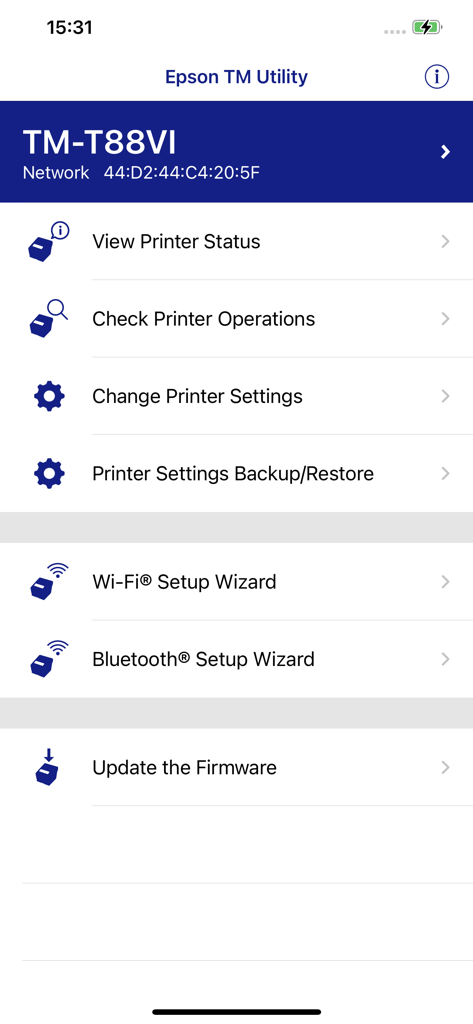
Dashboard of the Epson TM Utility app displaying configuration options for the TM-T88VI receipt printer including WiFi and Bluetooth setup

Dashboard of the Epson TM Utility app displaying configuration options for the TM-T88VI receipt printer including WiFi and Bluetooth setup

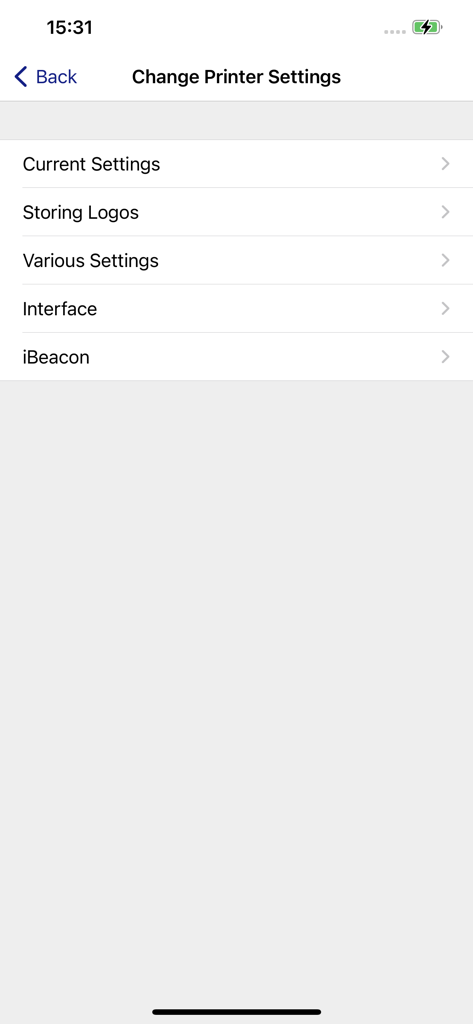
Settings menu in the Epson TM Utility app showing options for current settings storing logos and interface configuration

Settings menu in the Epson TM Utility app showing options for current settings storing logos and interface configuration

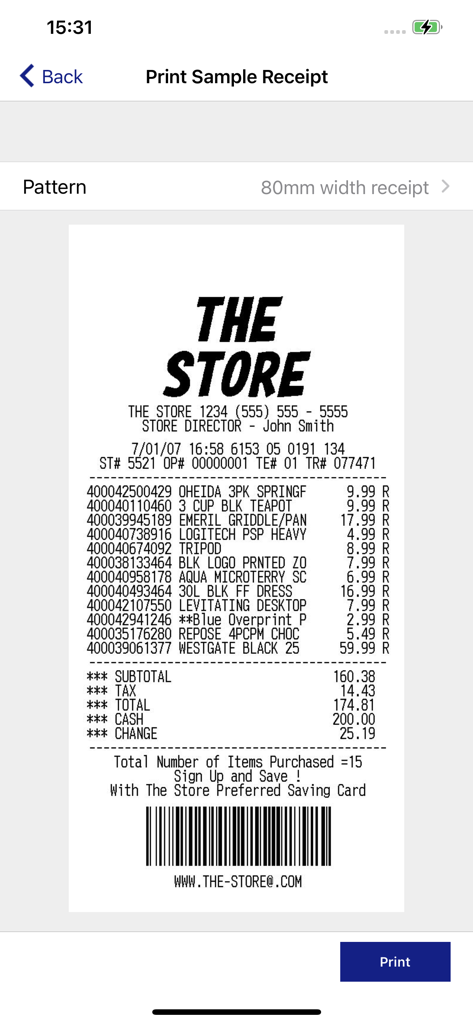
Print sample receipt preview in the Epson TM Utility app

Print sample receipt preview in the Epson TM Utility app

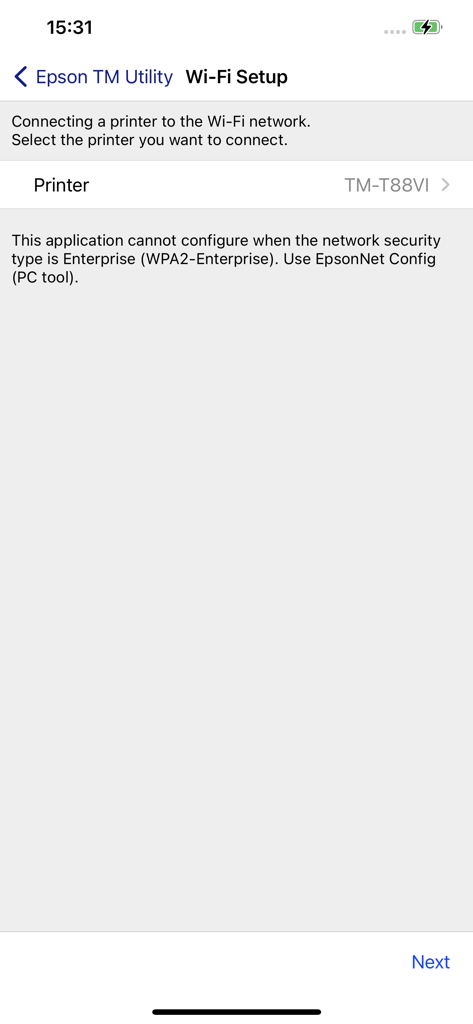
Epson TM Utility app interface showing the Wi-Fi setup screen for connecting a thermal printer to a wireless network.

Epson TM Utility app interface showing the Wi-Fi setup screen for connecting a thermal printer to a wireless network.

Optimize Your Business Printing Workflow

The tools that make this app stand out, trusted by 137K+ users.

Rapid QR Pairing & Setup

Skip complex networking. Pair your mobile device to your printer instantly using a simple QR code scan and our intuitive setup wizard.

🔍

Live Status Monitoring

Stay ahead of technical issues with real-time hardware status checks and one-tap firmware updates to ensure seamless customer transactions.

⚙️

Total Configuration Control

Customize receipt layouts and printer settings to fit your brand, with easy backup and restore options for consistent multi-store operations.

About the app

Everything you need to know about Epson TM Utility.

Description

This app enables you to setup wireless connection, configure printer settings and print sample receipts from iPhone, iPad and iPod touch to a Epson receipt printer as below. Supported Printers -TM-H6000V -TM-L90 Liner-Free Label Printer Model -TM-L100 -TM-m10 -TM-m30 -TM-m30II -TM-m30II-H -TM-m30II-S -TM-m30II-SL -TM-m30II-NT -TM-m30III -TM-m30III-H -TM-m50 -TM-m50II -TM-m50II-H -TM-P20 -TM-P20II -TM-P60 -TM-P60II -TM-P80 -TM-P80II -TM-T20II -TM-T20II-m -TM-T20III -TM-T20IV -TM-T20IV-SP -TM-T70II -TM-T82III -TM-T82IV -TM-T88V -TM-T88VI -TM-T88VI-iHUB -TM-T88VII -TM-U220 Wi-Fi -TM-U220II Supported Customer Displays -DM-D30 -DM-D70 Features -Print sample receipt -Print customized receipt -Observe printer status -Configure printer settings -Quick pairing by QR code -Easy print by QR code -Easy print by iBeacon (TM-T88VI/TM-T88VI-iHUB/TM-H6000V) -Printer Settings Backup/Restore (TM-T20IV/TM-T20IV-SP/TM-T82IV/TM-T88VII/TM-L100/TM-P20II/TM-P80II/TM-m30III/TM-m30III-H/TM-m50II/TM-m50II-H/TM-U220II) -Setup wizard (Wireless LAN / Bluetooth) -Firmware update

Latest Version

3.41.0

Size

34.6 MB

First Released

Oct 29, 2013

Streamline Your Business Printing Today

Download the official Epson TM Utility to eliminate setup downtime and take full control of your hardware directly from your iPhone or iPad.

Download on App StoreDownload on Google Play

App information, icons, screenshots, and descriptions displayed on this page are sourced from the Apple App Store and are the property of their respective developers. Download estimates and rankings are based on MWM's proprietary models and may not reflect actual figures. This page is provided for informational and analytical purposes only.

Believe this page infringes your intellectual property? File a dispute