Exodus Companion

Exodus Companion

Download on App Store
Logo of Exodus Companion

Exodus Companion: Your Seamless Path to Corporate Device Migration

Get back to work faster with a step-by-step guided transition between management systems, designed to eliminate downtime and technical stress for the modern professional.

Download on App Store

Publisher

Unisys Corporation

Category

Business

Downloads

0

User Rating

1.0/5

Total Ratings

0

Locales

5

See Simplicity in Action

Discover the interface used by 0 users.
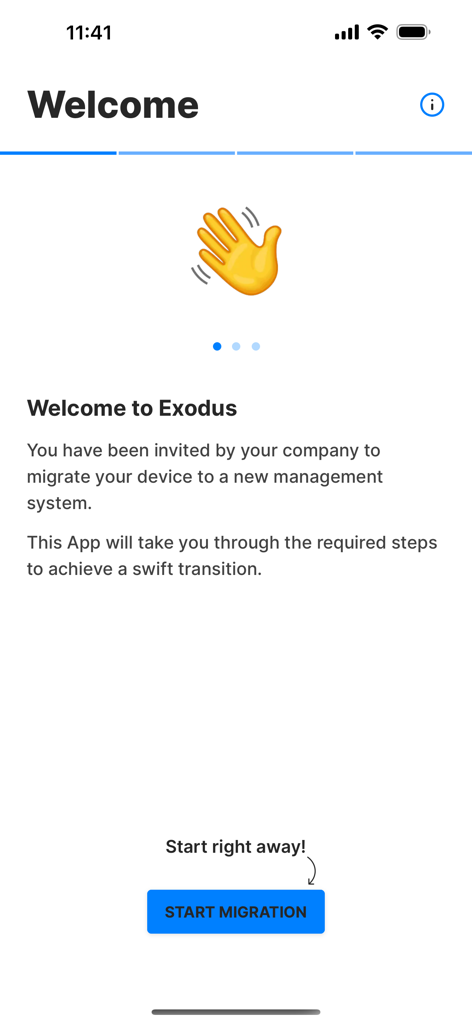
Welcome screen of the Exodus Companion app with a start migration button and waving hand icon

Welcome screen of the Exodus Companion app with a start migration button and waving hand icon

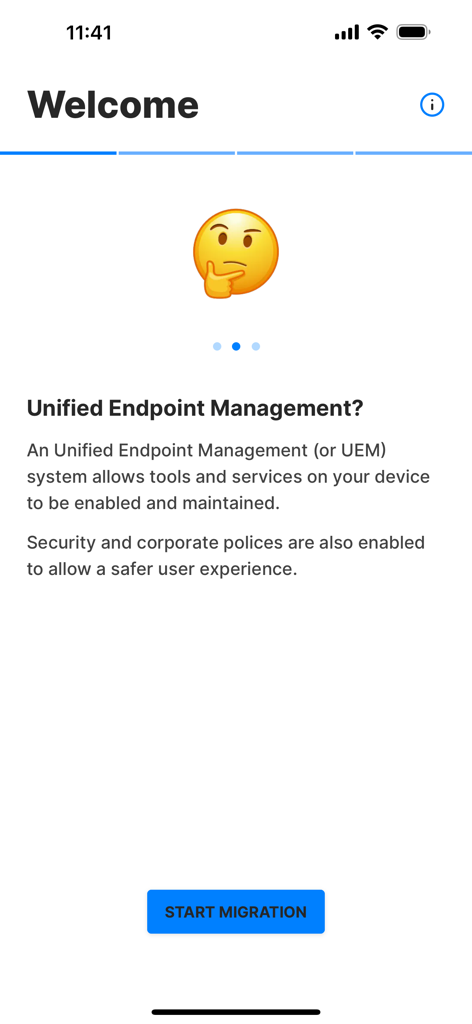
Exodus Companion welcome screen explaining Unified Endpoint Management and showing a start migration button

Exodus Companion welcome screen explaining Unified Endpoint Management and showing a start migration button

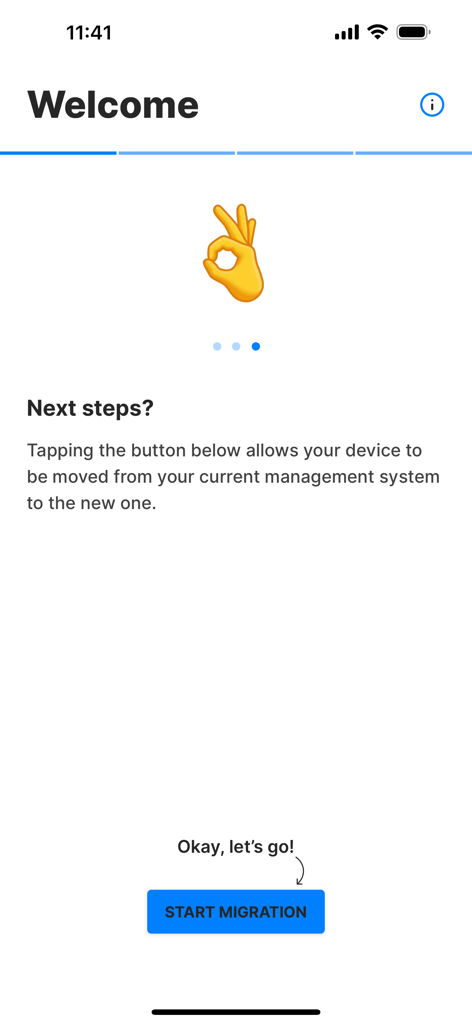
Welcome screen of the Exodus Companion app showing the Start Migration button and instructions.

Welcome screen of the Exodus Companion app showing the Start Migration button and instructions.

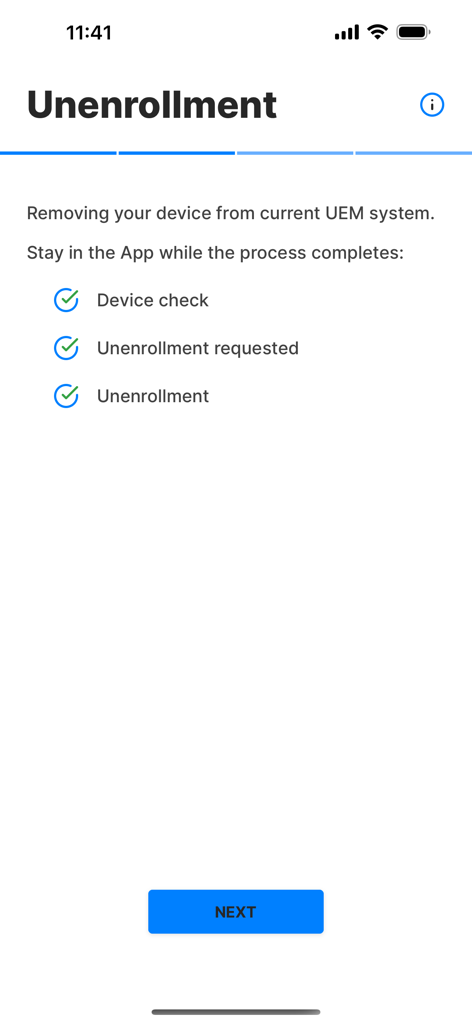
Screenshot of the Exodus Companion app showing a checklist of completed steps for the device unenrollment process.

Screenshot of the Exodus Companion app showing a checklist of completed steps for the device unenrollment process.

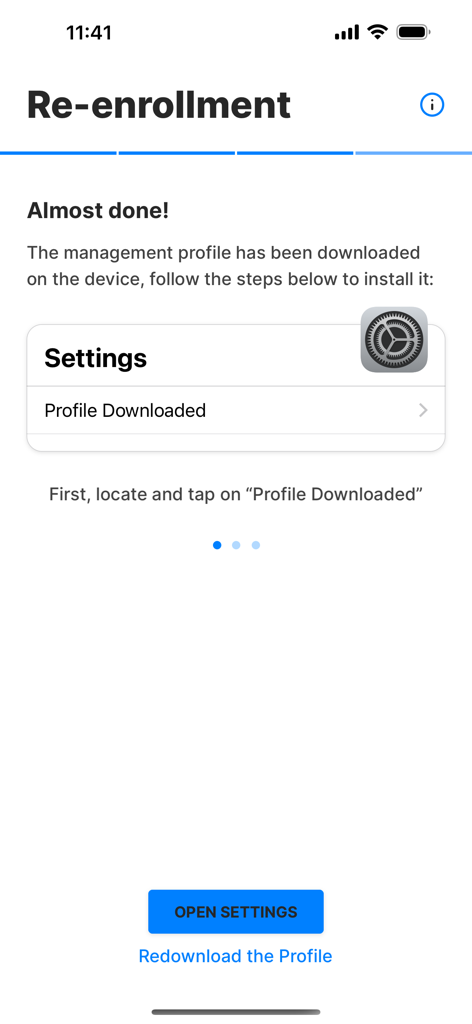
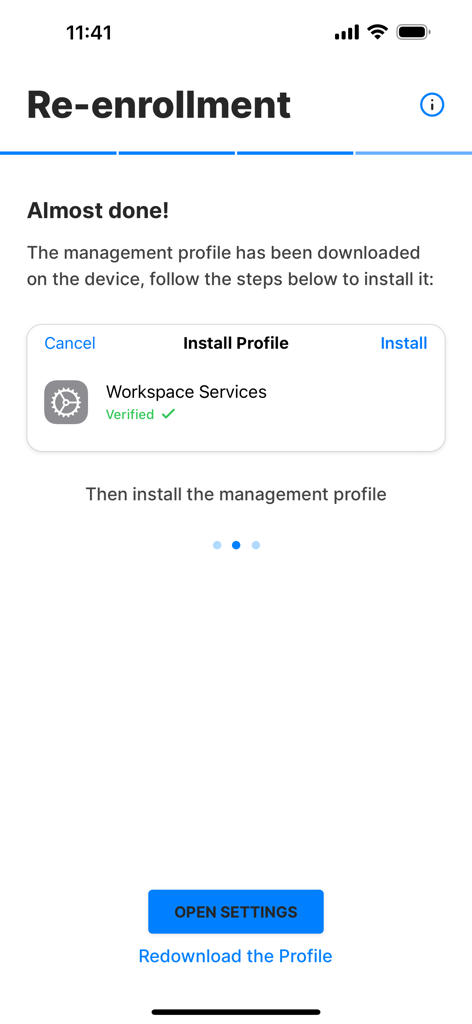
Exodus Companion app interface guiding a user to install a downloaded management profile in iOS settings

Exodus Companion app interface guiding a user to install a downloaded management profile in iOS settings

A screenshot of the Exodus Companion app guiding a user through the installation of a verified management profile during device re-enrollment.

A screenshot of the Exodus Companion app guiding a user through the installation of a verified management profile during device re-enrollment.

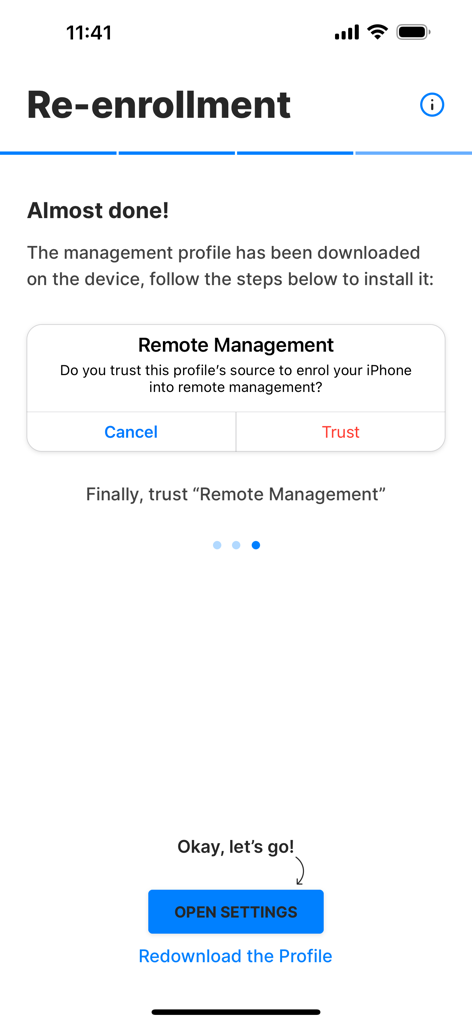
Step-by-step guide in Exodus Companion app for trusting a remote management profile during device re-enrollment

Step-by-step guide in Exodus Companion app for trusting a remote management profile during device re-enrollment

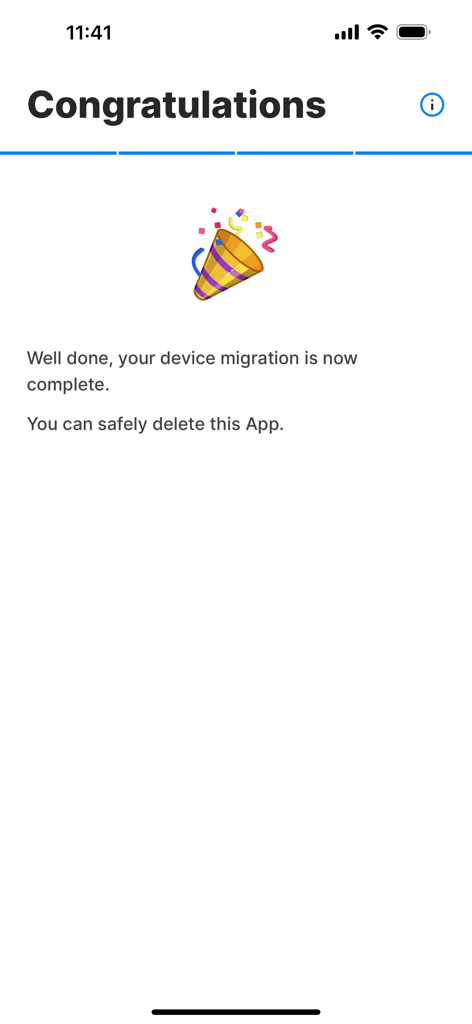
Congratulations screen in the Exodus Companion app confirming that device migration is complete

Congratulations screen in the Exodus Companion app confirming that device migration is complete

Seamlessly Transition Your Workspace

The tools that make this app stand out, trusted by 0 users.

⏱️

Migrate on Your Terms

Complete your device transition on your own schedule—at home or on the go—with no need to visit an internal IT desk or wait on support calls.

🧭

Guided Step-by-Step

Reduce tech anxiety with clear, interactive instructions designed to walk you through every configuration until your device is fully ready.

💼

Zero Productivity Loss

Minimize downtime and quickly reconnect to your essential corporate tools like Outlook, Teams, and Salesforce with a streamlined setup.

About the app

Everything you need to know about Exodus Companion.

Description

Exodus is a service which helps IT services easily migrate devices from a device management system to another. This Companion App serves as a step by step guide for the device holder. A device management system or Unified Endpoint Management (UEM) system enables and maintains corporate tools, services and policies on your device. Supported UEM: • Microsoft Intune • VMware Workspace ONE • MobileIron Cloud • MobileIron Core • Jamf Pro • SOTI MobiControl Support requests must be addressed to your IT support team.

Latest Version

2.7.0

Size

17.4 MB

First Released

Oct 11, 2018

Ready for Your New Corporate Setup?

Download the Exodus Companion app to begin your secure, self-guided migration. Minimize downtime and get back to work in minutes with our step-by-step assistant.

Download on App Store

App information, icons, screenshots, and descriptions displayed on this page are sourced from the Apple App Store and are the property of their respective developers. Download estimates and rankings are based on MWM's proprietary models and may not reflect actual figures. This page is provided for informational and analytical purposes only.

Believe this page infringes your intellectual property? File a dispute