Export Messages - Save Print Backup Recover Text SMS iMessages

Export Messages - Save Print Backup Recover Text SMS iMessages


Download on App Store
Logo of Export Messages - Save Print Backup Recover Text SMS iMessages

Export Messages: Securely Save, Backup, and Print Your Entire Text History

Transform your conversations into court-ready PDFs or Excel files. Preserve every photo, video, and voice note on your Mac or PC for legal records or cherished memories.

Publisher

SOWJANYA ALLA

Category

Entertainment

Downloads

150K+

User Rating

3.2/5

Total Ratings

600

Locales

1

Your Evidence, Organized

Discover the interface used by 150K+ users.
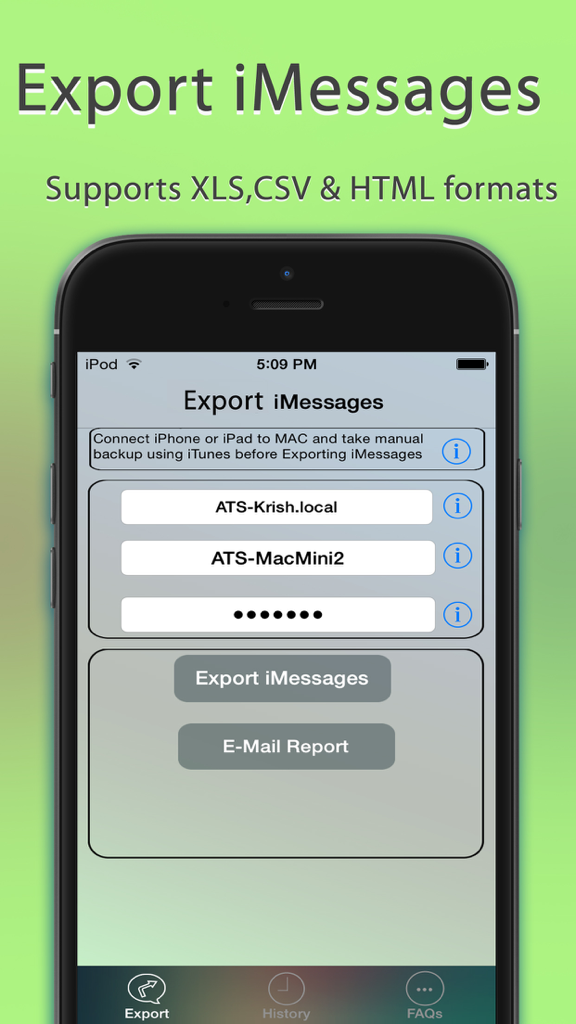
Interface of Export Messages app showing options to export imessages to XLS CSV and HTML formats

Interface of Export Messages app showing options to export imessages to XLS CSV and HTML formats

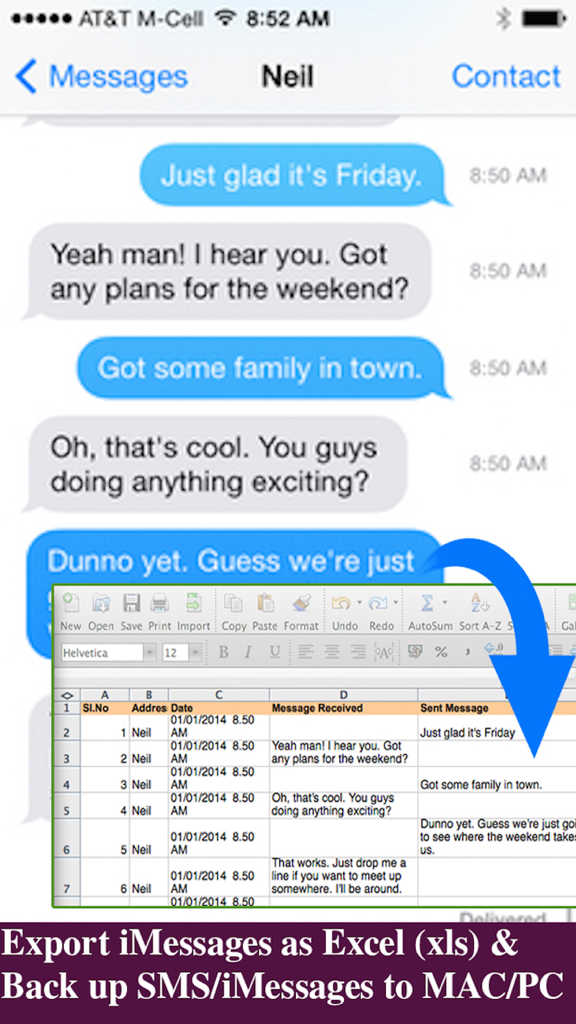
An interface showing the conversion of iPhone text messages into an Excel spreadsheet for easy backup and record keeping

An interface showing the conversion of iPhone text messages into an Excel spreadsheet for easy backup and record keeping

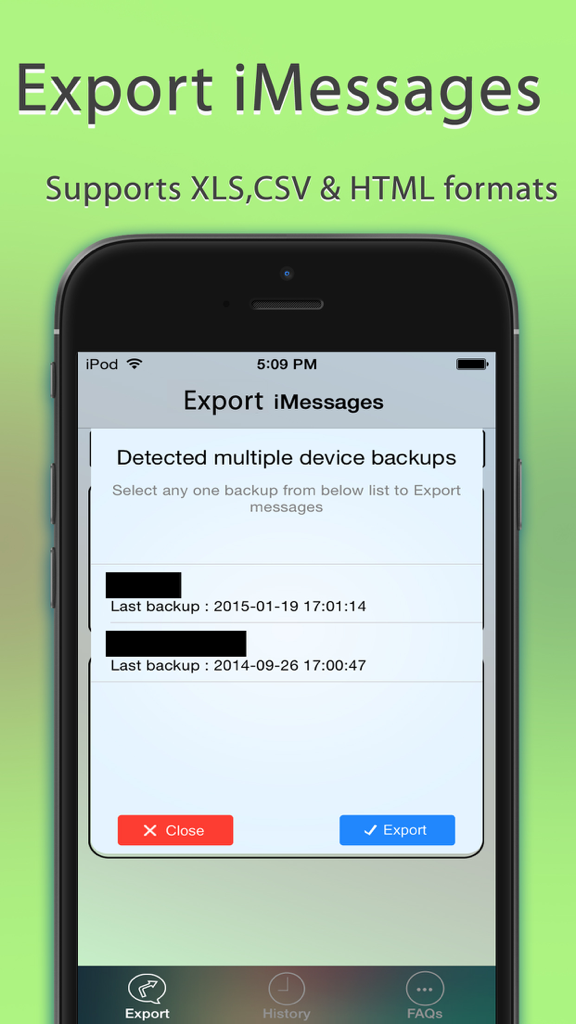
Interface of the Export Messages app showing a popup to select from multiple device backups for export

Interface of the Export Messages app showing a popup to select from multiple device backups for export

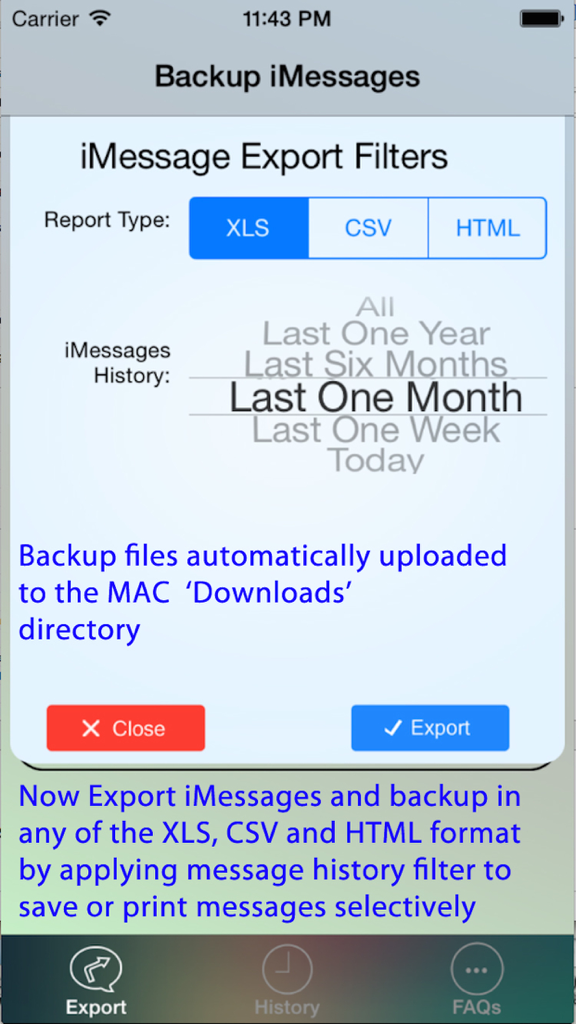
iMessage export filter settings for XLS CSV and HTML report types with date range selection.

iMessage export filter settings for XLS CSV and HTML report types with date range selection.

Control Your Conversations with Ease

The tools that make this app stand out, trusted by 150K+ users.

⚖️

Court-Ready Document Export

Transform your message history into professional PDF or Excel files with accurate timestamps and contact details, ideal for legal evidence and official records.

📁

Complete Media Preservation

Automatically save all photos, videos, and voice memos from your threads into organized folders on your PC or Mac, ensuring your memories are never lost.

🔒

Secure Offline Storage

Protect your privacy by keeping your data off the cloud. Export messages directly to your own hardware with full support for encrypted iOS backups.

About the app

Everything you need to know about Export Messages - Save Print Backup Recover Text SMS iMessages.

Description

Export Messages App allows you to Save/Export all Text Messages,Audio messages, Images/Pictures,videos and other attachments to your MAC/PC from Messages App.If you need to print text messages for legal purpose, this is right app for you to take a print of any Text conversation. [IMPORTANT] You need to Download latest Desktop app from http://backupsms.weebly.com for iOS 10.0 or latest iOS support WIndows PC users & Mac users must follow the instructions given in "FaQ" tab with in the Application. Make use of Export Messages App and take a copy all the Text Messages in Messages App to your Computer and keep it safely before Upgrading to a new iPhone Please refer FAQ tab with in the App for instructions on how to Export Messages using the App. Detailed user guides provided in App support website http://backupsms.weebly.com/ + Never worry about losing SMS/iMessages/Text Messages, you can now take backup of all text messages including pictures, videos and other attachments in your messages app to your MAC/PC. + You can free up memory by saving all the the messages permanently to MAC/PC in PDF/HTML/Excel format + You can print save or email SMS, iMessages & Text Messages, MMS, attachments, audio, video messages. + You can filter messages by contact and date range + All attachments saved in a separate folder + This is the Only App in App Store supports iOS10.2 encrypted backups, so export/save messages without compromising on security. Don't waste your time, contact support if you are having any kind of difficulty in using the app. + No in App purchases, you can do unlimited exports for the device on which App is installed. Minimum Requirements: + Mac or Windows PC + Latest iTunes installed on your computer + iTunes backup encryption password required only for Encrypted backup users. Note: Companion PC/MAC applications are having advanced features, you download and use it for free from http://backupsms.weebly.com/

Latest Version

1.1

Size

8.6 MB

First Released

Feb 17, 2015

Secure Your History and Protect Your Evidence

Join over 150,000 users who trust Export Messages to save, print, and archive their most important conversations in professional PDF and Excel formats. No subscriptions—just permanent peace of mind.

Download on App Store

App information, icons, screenshots, and descriptions displayed on this page are sourced from the Apple App Store and are the property of their respective developers. Download estimates and rankings are based on MWM's proprietary models and may not reflect actual figures. This page is provided for informational and analytical purposes only.

Believe this page infringes your intellectual property? File a dispute