Final Draft Go

Final Draft Go

Download on App Store
Logo of Final Draft Go

Final Draft Go: The Industry Standard for Screenwriting on the Move

Take the world's #1-selling screenwriting software wherever inspiration strikes. Write, edit, and format professional .fdx scripts with perfect industry pagination on your iPhone and iPad.

Download on App Store

Publisher

Cast & Crew Production Software, LLC

Category

Productivity

Downloads

61K+

User Rating

3.9/5

Total Ratings

1K+

Locales

2

The Industry Standard, Anywhere

Discover the interface used by 61K+ users.
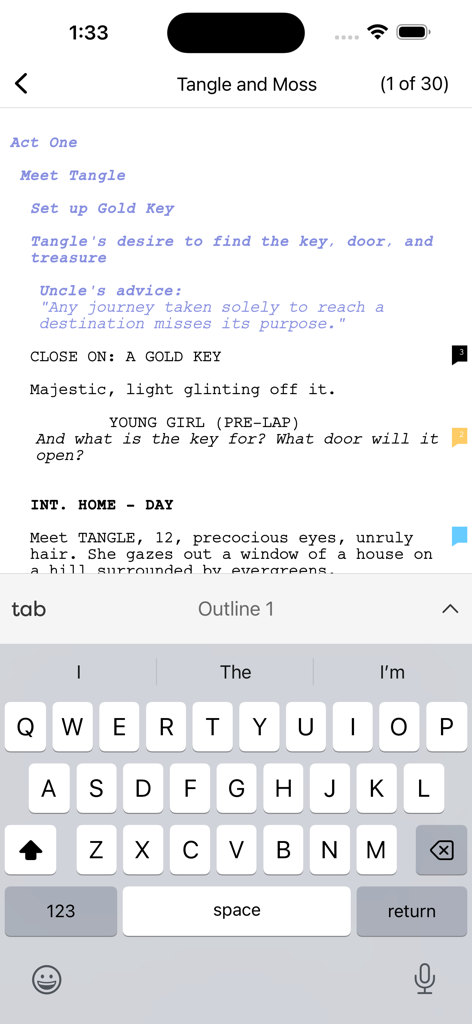
Final Draft Go mobile screenwriting interface showing a professional script with a keyboard

Final Draft Go mobile screenwriting interface showing a professional script with a keyboard

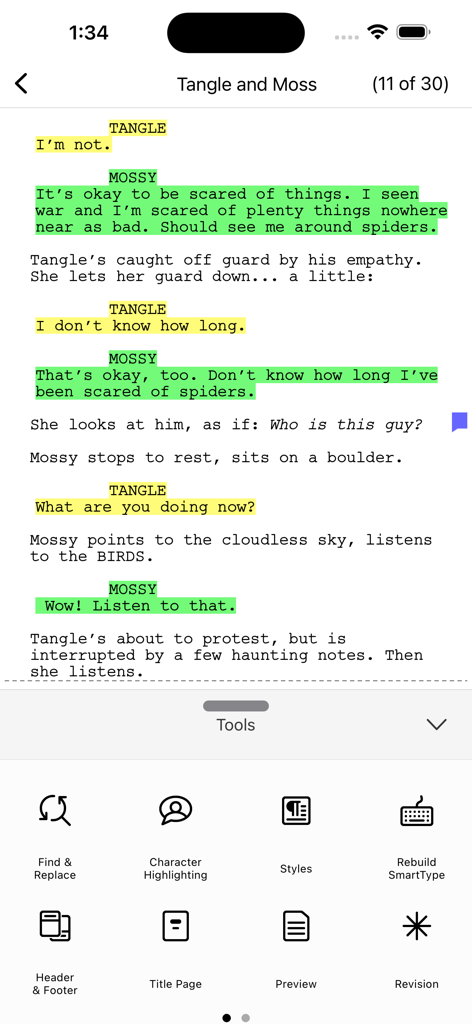
Final Draft Go mobile interface showing a screenplay with color coded character highlighting and the production tools menu

Final Draft Go mobile interface showing a screenplay with color coded character highlighting and the production tools menu

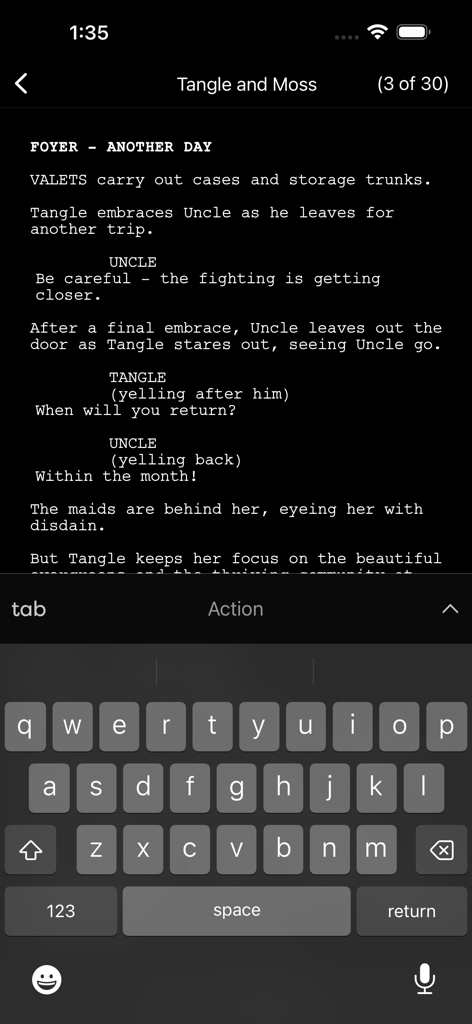
Interface of Final Draft Go on an iPhone showing a screenplay being edited in Night Mode with the on-screen keyboard.

Interface of Final Draft Go on an iPhone showing a screenplay being edited in Night Mode with the on-screen keyboard.

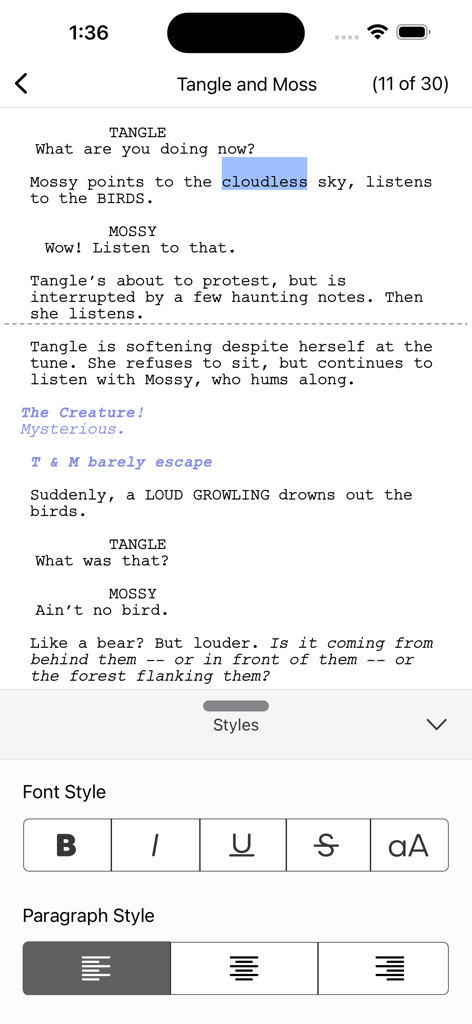
Final Draft Go mobile interface showing screenwriting text and formatting tools for font and paragraph styles

Final Draft Go mobile interface showing screenwriting text and formatting tools for font and paragraph styles

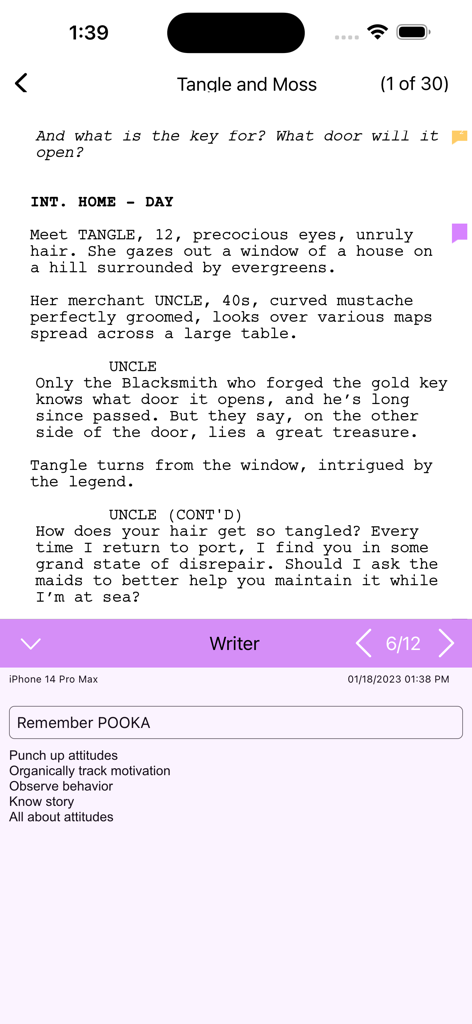
A screenplay interface in the Final Draft Go app showing professional script formatting and notes on an iPhone

A screenplay interface in the Final Draft Go app showing professional script formatting and notes on an iPhone

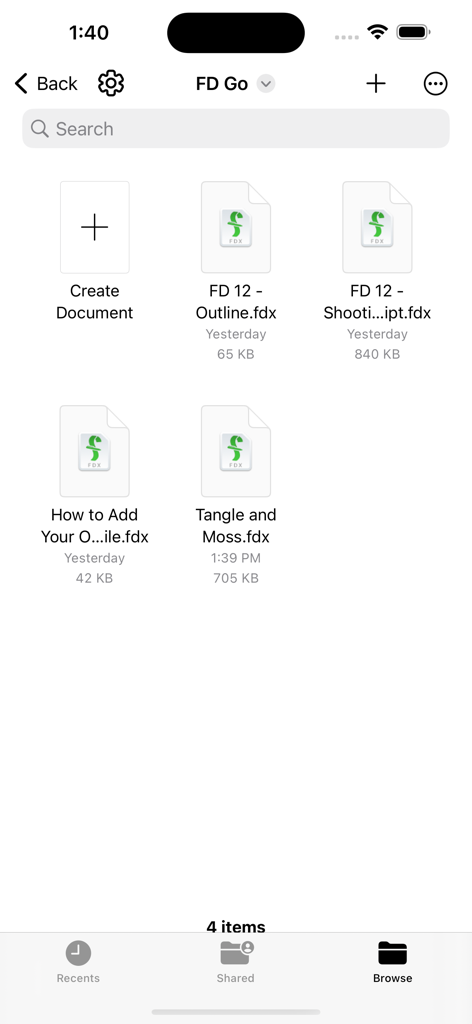
Final Draft Go app interface showing a list of script files in the browser view

Final Draft Go app interface showing a list of script files in the browser view

Master Your Script Anywhere

The tools that make this app stand out, trusted by 61K+ users.

📱

Seamless Cloud Sync

Transition between your desktop and mobile devices instantly with iCloud and Dropbox support. Your work is always up-to-date, whether you're in the writers' room or on the go.

✍️

Pro-Grade Formatting

Eliminate formatting stress. Final Draft Go handles margins, Tab-and-Enter navigation, and pagination perfectly, ensuring your script meets professional Hollywood standards every time.

🎭

Production-Level Tools

Stay organized on set with Scene Navigator, Character Highlighting, and ScriptNotes. Track revisions and manage production reports without ever needing to open your laptop.

Review Analysis

Insights from user reviews.

Sentiment Score

28%
Negative

Summary

The Final Draft Go mobile app garners predominantly negative reviews, with users frequently reporting critical issues such as data loss, unreliable syncing across devices, and persistent login problems that demand constant re-authentication. Many users express frustration over numerous bugs, including frequent app crashes, the inability to perform basic functions like copy/pasting from notes, and glitches when creating new files. While some praise its convenience and flexibility for on-the-go writing, especially when paired with an iPad keyboard, these positive aspects are overshadowed by the app's instability and a widely disliked subscription model, which many consider a "money grab" given their existing desktop software purchases. Customer support is also frequently criticized for being unresponsive and unhelpful.

Common Themes

Login & Account Issues(16)
Crashes & Bugs(15)
Subscription & Pricing Model(12)
Basic Functionality Issues(11)
Data Loss & Syncing(8)
On-the-go Writing(5)
Customer Support(5)

About the app

Everything you need to know about Final Draft Go.

Description

Final Draft Go Final Draft™ – the #1-selling screenwriting software in the world – brings you Final Draft Go for iPhone and iPad. With this convenient, subscription-based app, you can write, edit and read Final Draft scripts on your iPhone or iPad. Go paperless and carry all your scripts with you everywhere you go, create new scripts or edit existing ones with easy-to-use features such as Tab and Enter navigation, ScriptNotes, SmartType, and more. Easily move your Final Draft scripts from desktop to iPhone or iPad and back again via iCloud, Dropbox, or email. Your scripts will appear perfectly paginated and formatted to industry standards every time. NEW FEATURES INCLUDE: ENHANCED UI New and improved user interface PINCH TO ZOOM Use multi-touch gestures to zoom in and out and customize the text size of your script view IMPROVED NIGHT MODE Change from day to night mode easily without having to leave the app UNIVERSAL CONTROL SUPPORT Work seamlessly between your iPad and Mac, using your Mac keyboard, mouse, or trackpad GRAMMARLY INTEGRATION Use the Grammarly app with FD Go to edit and proofread your work Creativity is truly portable with Final Draft Go. - Send or share your Final Draft FDX file between all your devices and computers and always be on the same page with Dropbox, OneDrive, or iCloud - Easily change script elements with classic Tab and Enter functionality or through the Elements bar (iPad) or Menu (iPhone) - Use SmartType to remember your character names, scene headings and more - Multi-language support – Write in over 95 different languages - Bluetooth keyboard support - Character Highlighting allows you to keep track of your characters for table reads or character development - Add, color-code, label, and edit ScriptNotes - Perfectly paginates to US Letter and standard European (A4) page sizes - Send feedback directly through the app - Professionally formatted TV, Film, and Stage Play templates to help get you started - Search your entire script for characters, locations, or other script elements - Export scripts to PDF via Dropbox, iCloud or email - Saves the last page you’re working on to get back to work quickly - iPhone Page View shows 100% accurate Final Draft pagination, formatting and line breaking - Automatic More’s and Continued’s - Multi-page Title Pages are supported for TV production scripts - Includes production features like Scene Numbering, Omit Scenes, Colored and Locked Pages - Shows Active or Collated Revisions with Colored Pages - Quickly switch from one revision set to another - Track key information with Cast Reports, Scene Reports, Location Reports, and more - iPhone Scene Navigator allows you to easily jump to different scenes in your script - Access all of the tools you need while maintaining context in your script in the iPhone Tools Menu - Edit your Header and Footer TESTIMONIALS: “Where has this been all my career?!? I put it through its paces doing a rewrite on the go-go-go. Does a great job. This is a real step forward! What more do you need on the road? (Maybe a chauffeur?).” David Seidler – Writer/Academy Award® winner The King’s Speech, By Dawn’s Early Light, Tucker: The Man and His Dream.

Latest Version

7.3.2

Size

195.4 MB

First Released

May 4, 2023

Your Next Award-Winning Script is Just a Tap Away

Join the world’s top screenwriters and bring the industry standard to your iPhone and iPad. Stay production-ready and never let a moment of inspiration go to waste, from the coffee shop to the film set.

Download on App Store

App information, icons, screenshots, and descriptions displayed on this page are sourced from the Apple App Store and are the property of their respective developers. Download estimates and rankings are based on MWM's proprietary models and may not reflect actual figures. This page is provided for informational and analytical purposes only.

Believe this page infringes your intellectual property? File a dispute