fitAnalytica - Steps Counter

fitAnalytica - Steps Counter


Download on App Store
Logo of fitAnalytica - Steps Counter

fitAnalytica: Your Precision Step Counter and Advanced Health Dashboard

Go beyond basic tracking. Visualize your progress with deep walk analytics, monitor heart rate trends, and hit your weight goals with the most precise tracker designed for iPhone and Apple Watch.

Download on App Store

Publisher

Basabendra Chattopadhyay

Category

Health & Fitness

Downloads

0

User Rating

4.8/5

Total Ratings

0

Locales

1

Your Progress Visualized

Discover the interface used by 0 users.
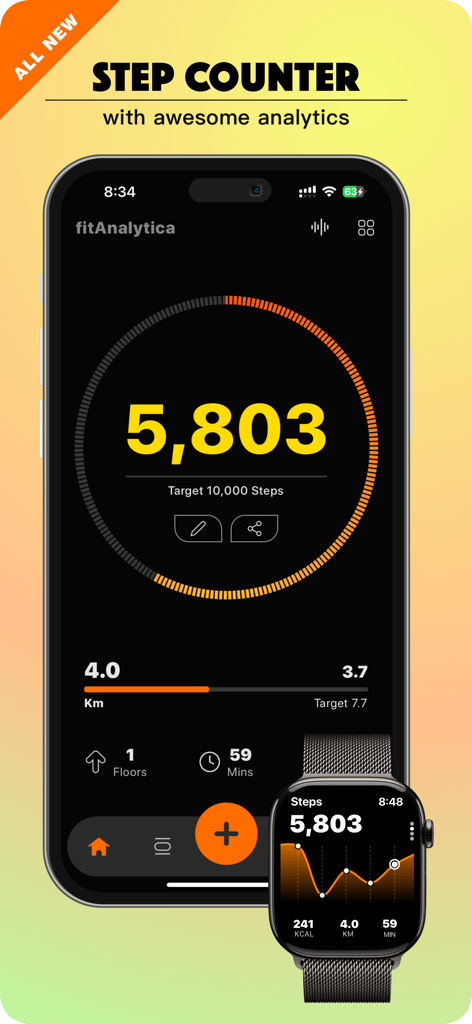
fitAnalytica mobile app dashboard on iPhone and Apple Watch showing daily step count, target goals, and fitness analytics

fitAnalytica mobile app dashboard on iPhone and Apple Watch showing daily step count, target goals, and fitness analytics

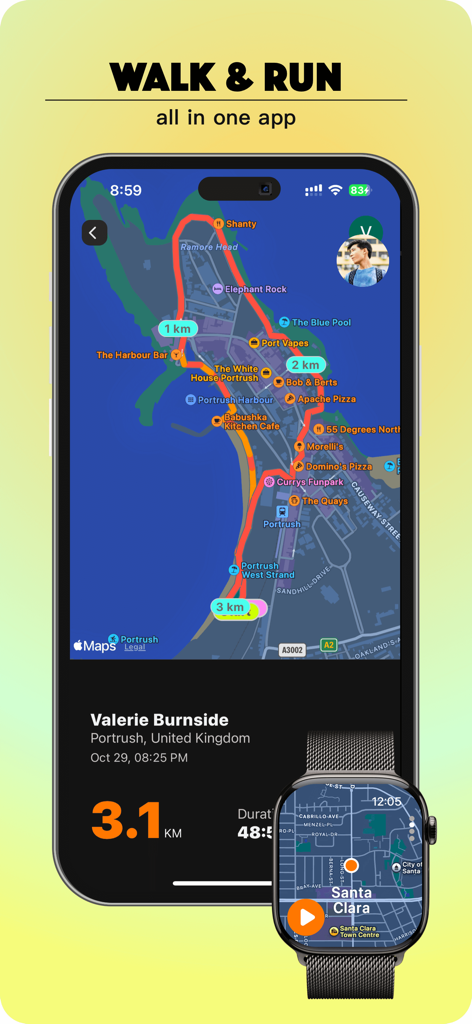
fitAnalytica app showing GPS walking route and distance tracking on iPhone and Apple Watch

fitAnalytica app showing GPS walking route and distance tracking on iPhone and Apple Watch

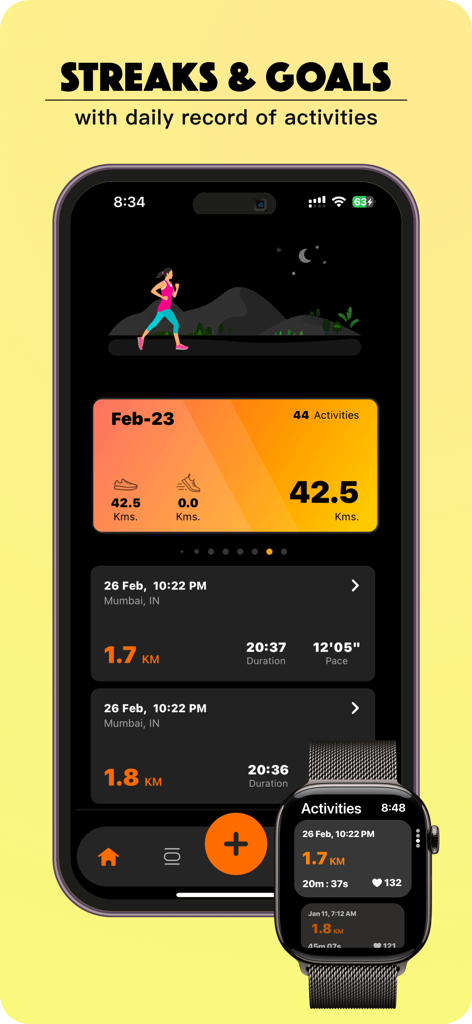
fitAnalytica app dashboard displaying activity streaks and daily records on iPhone and Apple Watch

fitAnalytica app dashboard displaying activity streaks and daily records on iPhone and Apple Watch

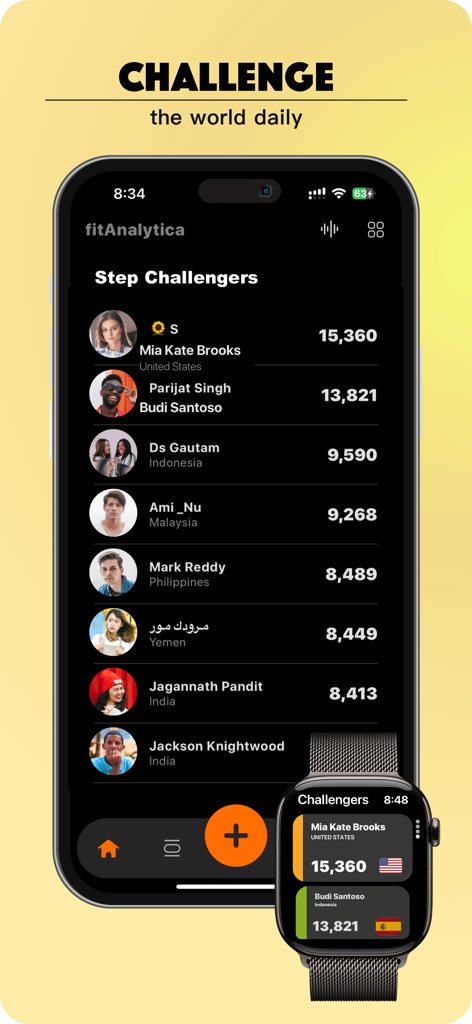
Global step challenge leaderboard on fitAnalytica mobile app and Apple Watch

Global step challenge leaderboard on fitAnalytica mobile app and Apple Watch

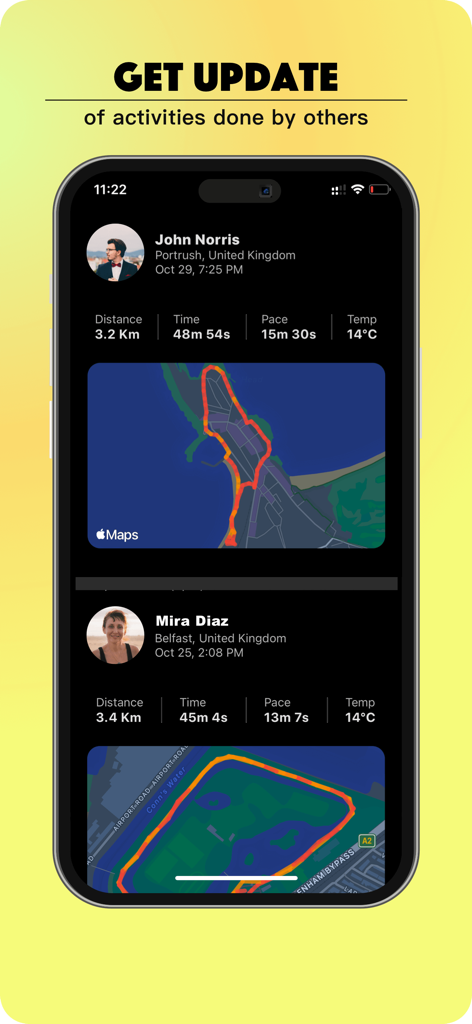
Social activity feed in fitAnalytica app displaying community fitness stats and walking routes.

Social activity feed in fitAnalytica app displaying community fitness stats and walking routes.

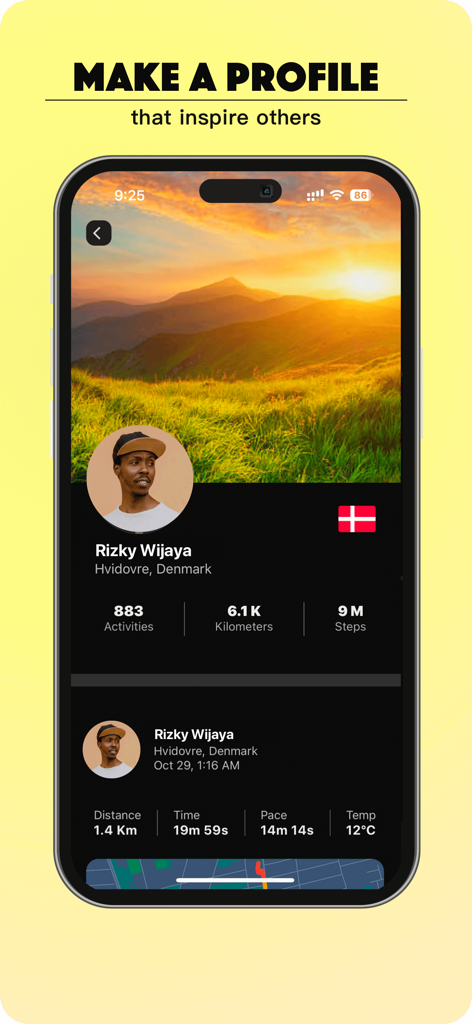
A smartphone displaying the fitAnalytica user profile screen with fitness stats and activity history

A smartphone displaying the fitAnalytica user profile screen with fitness stats and activity history

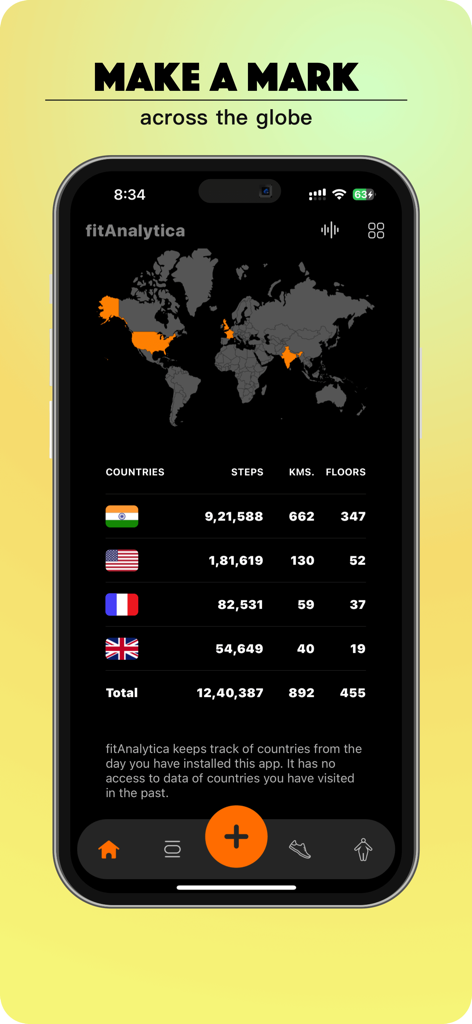
fitAnalytica app interface displaying a world map with global step count data

fitAnalytica app interface displaying a world map with global step count data

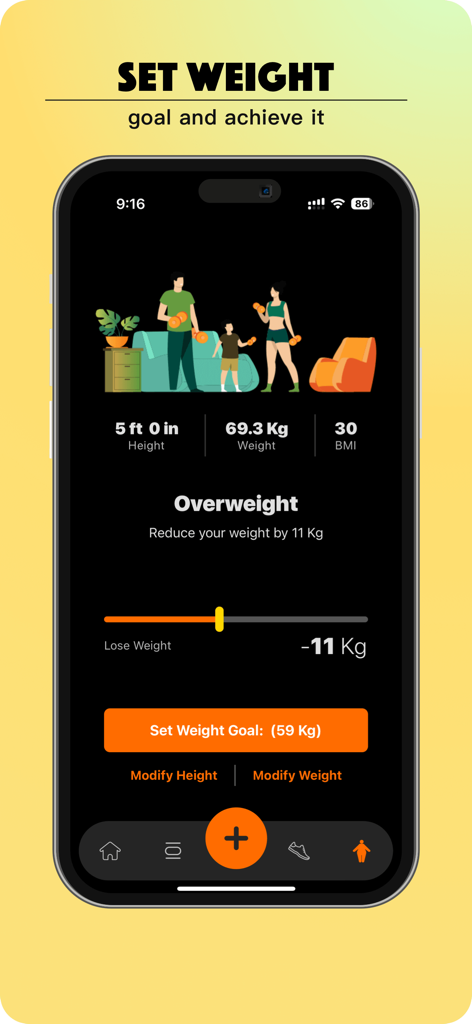
fitAnalytica app weight goal and BMI tracker screen

fitAnalytica app weight goal and BMI tracker screen

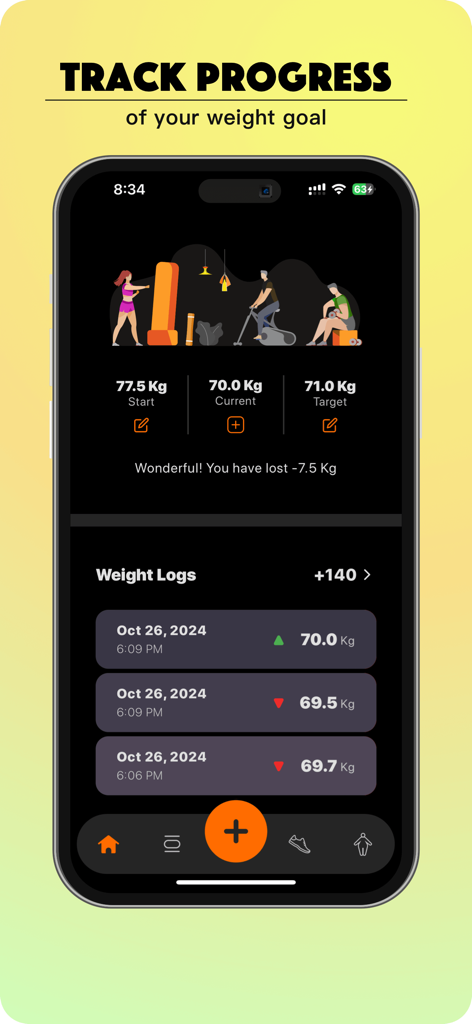
Weight tracking dashboard in fitAnalytica app showing progress and logs

Weight tracking dashboard in fitAnalytica app showing progress and logs

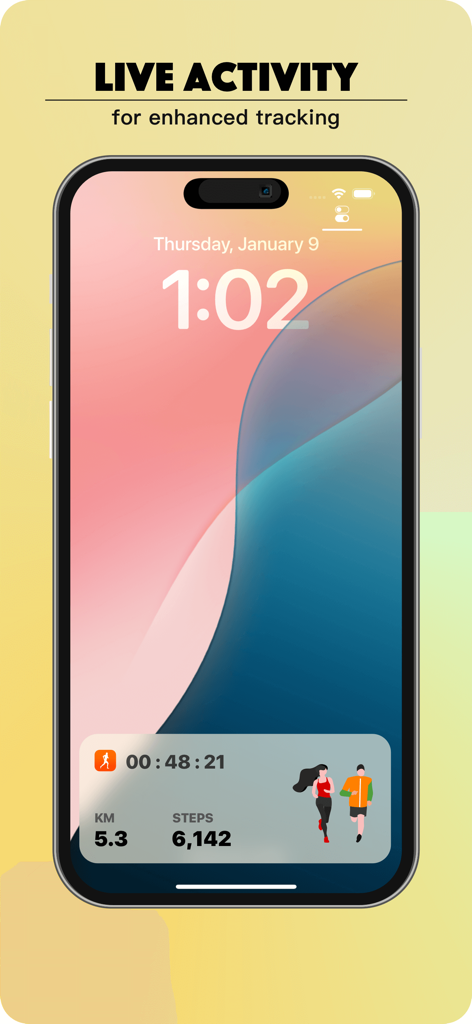
fitAnalytica app live activity widget on iPhone lock screen showing steps distance and duration

fitAnalytica app live activity widget on iPhone lock screen showing steps distance and duration

Turn Every Step Into Actionable Insight

The tools that make this app stand out, trusted by 0 users.

Seamless Device Harmony

Experience zero-lag syncing between your iPhone and Apple Watch, ensuring every floor climbed and calorie burnt is captured with pinpoint accuracy.

📈

Data-Driven Health Mastery

Go beyond the basics with heart rate trends, BMI tracking, and weight management modules designed for the quantified-self enthusiast.

🏆

Milestones Worth Sharing

Compete in live step challenges and transform your personal records into stunning social posts with custom layouts and backgrounds.

About the app

Everything you need to know about fitAnalytica - Steps Counter.

Description

FitAnalytica is a comprehensive step counter and step tracker app for iOS. It uses advanced algorithms to track your walking or jogging with precision. You can easily share your achievements, measure walking distance, floors climbed, and calories burnt during exercise. With the quick view feature, you can see your steps taken over the last 7 days. FitAnalytica also has a weight management module that helps you track belly fat, ideal weight, and body measurements. The companion Apple Watch app enables you to participate in live step count challenges, and track your steps, distance covered, calories burnt, and heart rate. The app also features a walk analytics section that provides detailed graphical analysis of your walking duration, step count, distance covered, floors climbed, and active calories burnt. You can track your resting heart rate or BPM, active heart rate or BPM, and get weekly and monthly trends of your BPM. FitAnalytica even allows you to share your step count directly on social media platforms, with the option to choose background images and placement of the step count. Whether you're walking, running, or engaging in other activities, FitAnalytica ensures that your Apple Watch and iPhone are never out of sync on step count. You can also track the number of floors climbed, measure walking distance, and calculate your total calories burnt using this step counter or step tracker app. Additionally, FitAnalytica allows you to calculate your BMI and check if you're overweight or underweight. TOP FEATURES Advanced step counter or step tracker Set target steps both on watch or on iPhone Share your achievements Measure walking distance floors climbed Calories burnt during walking or running Quick view of last 7 days steps taken Lose or gain weight with weight management module Companion apple watch app Live step count challenges WEIGHT MANAGEMENT Belly fat tracker Track ideal weight Body measurement tracker CALENDAR With daily or monthly record of step count, distance walked and calories burnt Select a day to get steps taken, distance walked and calories burnt for that day Daily average heart rate or Beats per minute (BPM) MY BEST EVER Do you know your best ever walk? fitAnalytica answers that as well. Which day was it? How many steps you have taken? Duration of walk and distance covered. Get detailed info in our iPhone app using this step counter WALK ANALYTICS Get summary and graphical analysis of your Walking duration Step Count Distance covered Floors climbed Active calories burnt APPLE WATCH APP Get steps count Set target steps Track distance covered Track calories burnt Track duration of activity Track current heart rate, maximum heart rate and minimum heart rate HEART RATE ANALYTICS Track resting heart rate or BPM Track active heart rate or BPM Get weekly and monthly trend of your BPM Get your target active heart rate or BPM Get your target resting heart rate or BPM SHARE YOUR STEPS COUNT Share directly from our app on social media platform Option to choose background image in the app Option to change the placement of your steps count or distance covered on the image FitAnalytica is the best step tracker and step counter app for Apple Watch on iOS, as adjudged by our users. The app is available on both iPhone and Apple Watch, and comes with a comprehensive privacy policy that you can access at TERMS OF USE https://www.apple.com/legal/internet-services/itunes/dev/stdeula/ PRIVACY https://fitAnalytica.com/privacy. WEBSITE https://fitAnalytica.com BLOG https://fitAnalytica.com/blog CHROME EXTENSION https://fitanalytica.com/chrome

Latest Version

5.1.0

Size

85.1 MB

First Released

Jun 27, 2020

Ready to Master Your Movement?

Join thousands of data-driven Apple Watch users tracking steps, heart rate trends, and weight goals with precision. Download fitAnalytica today and start hitting your 'Best Ever' records.

Download on App Store

App information, icons, screenshots, and descriptions displayed on this page are sourced from the Apple App Store and are the property of their respective developers. Download estimates and rankings are based on MWM's proprietary models and may not reflect actual figures. This page is provided for informational and analytical purposes only.

Believe this page infringes your intellectual property? File a dispute