GeoAce: Professional AR Surveying with Centimeter Accuracy
Harness the power of Visual SLAM and Augmented Reality to capture, locate, and export high-precision geospatial data anywhere—even indoors or under heavy cover.
Publisher
e.quinox KG
Category
Business
Downloads
2K+
User Rating
4.0/5
Total Ratings
0
Locales
33
Precision in Every Frame
Discover the interface used by 2K+ users.
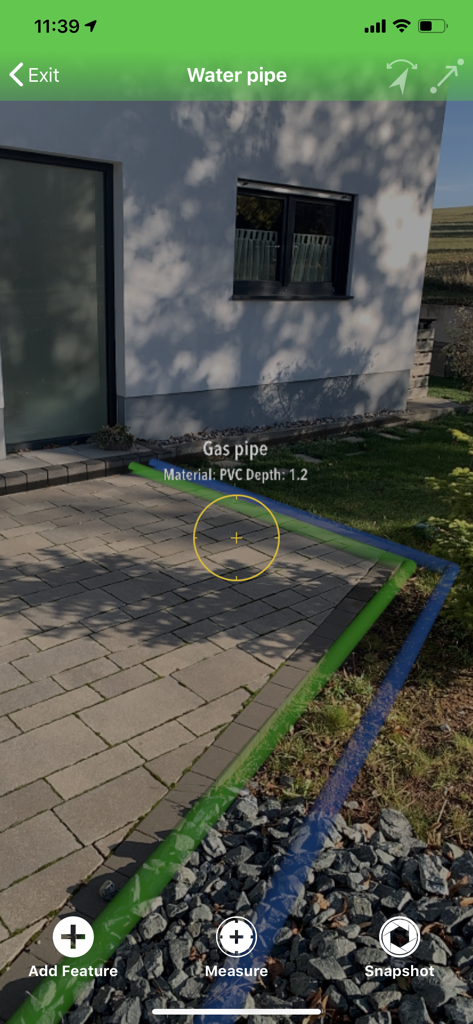
Augmented reality visualization of underground gas and water pipes using the GeoAce surveying app
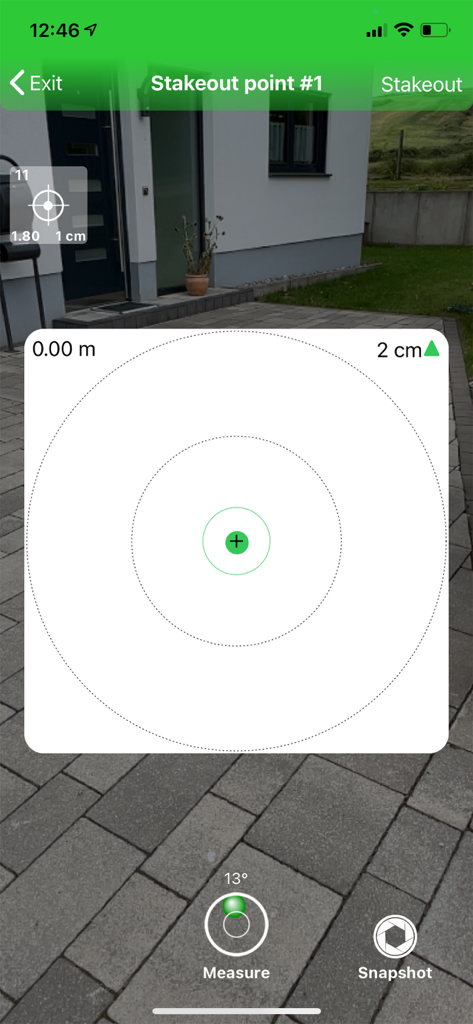
GeoAce mobile app showing augmented reality visual stakeout with centimeter precision
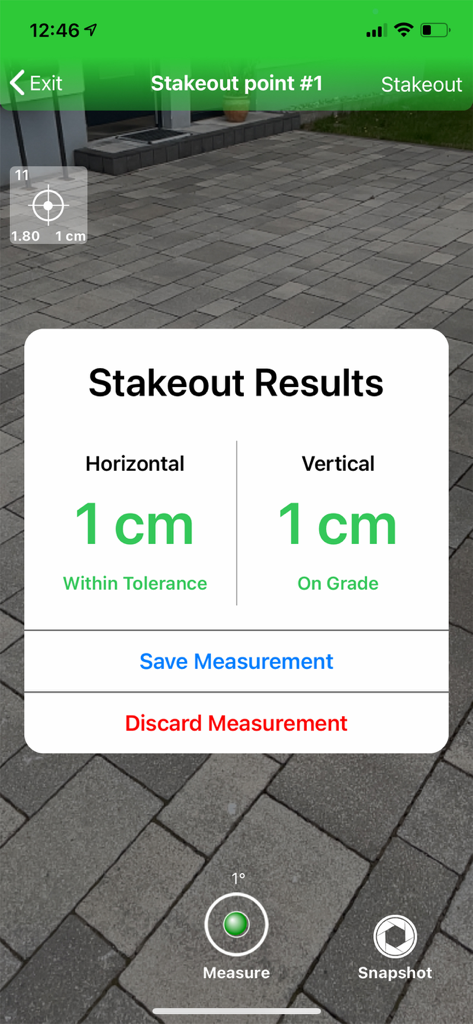
GeoAce app showing centimeter-accurate AR stakeout results for vertical and horizontal measurements
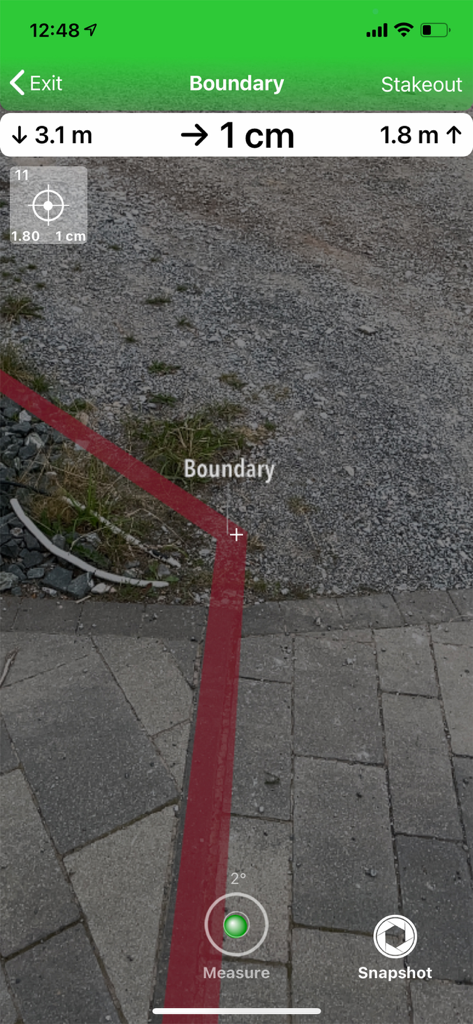
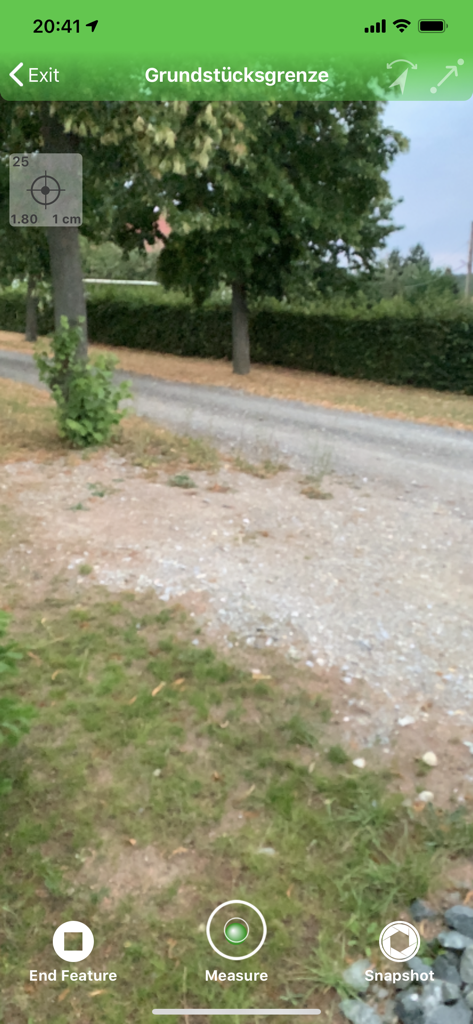
Augmented reality view in GeoAce showing a red boundary line with centimeter accuracy measurements on a stone path.
Augmented reality surveying interface in the GeoAce app for measuring property boundaries
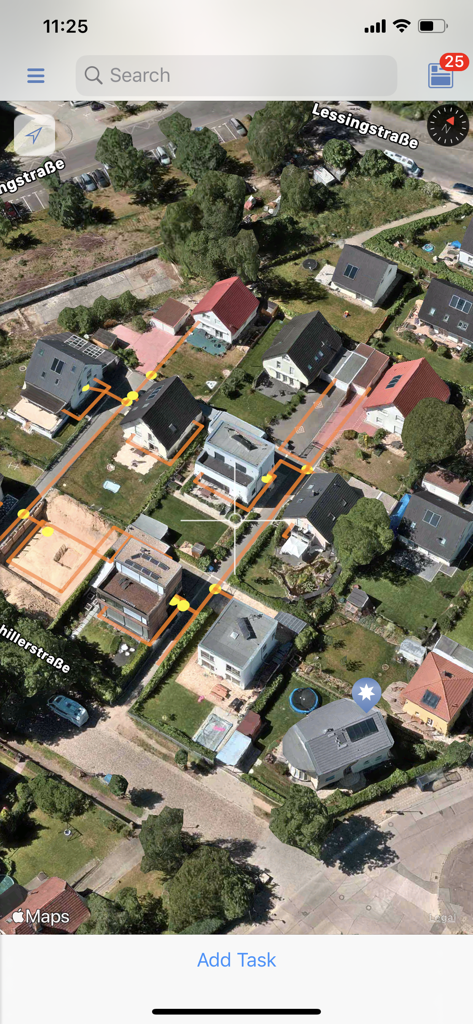
A satellite map view in the GeoAce app displaying residential property boundaries and yellow survey points for geospatial data collection
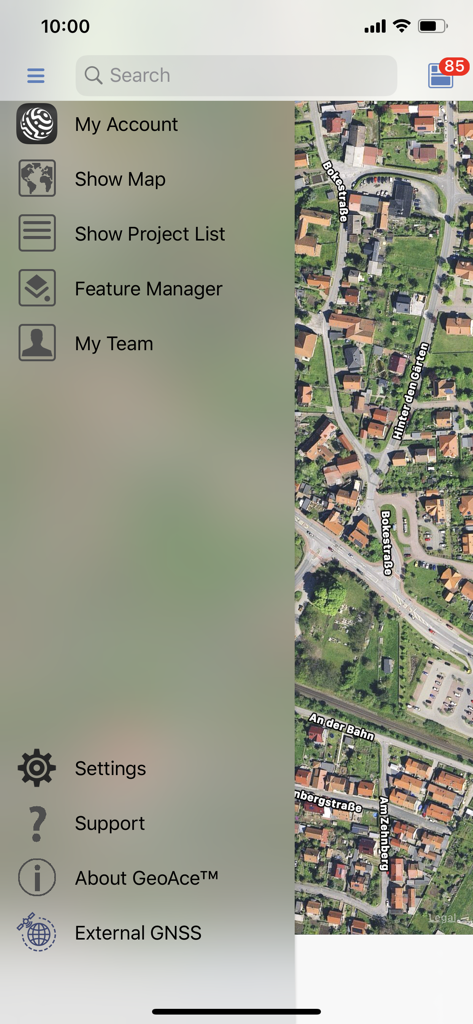
GeoAce side navigation menu showing survey project management options over an aerial satellite map
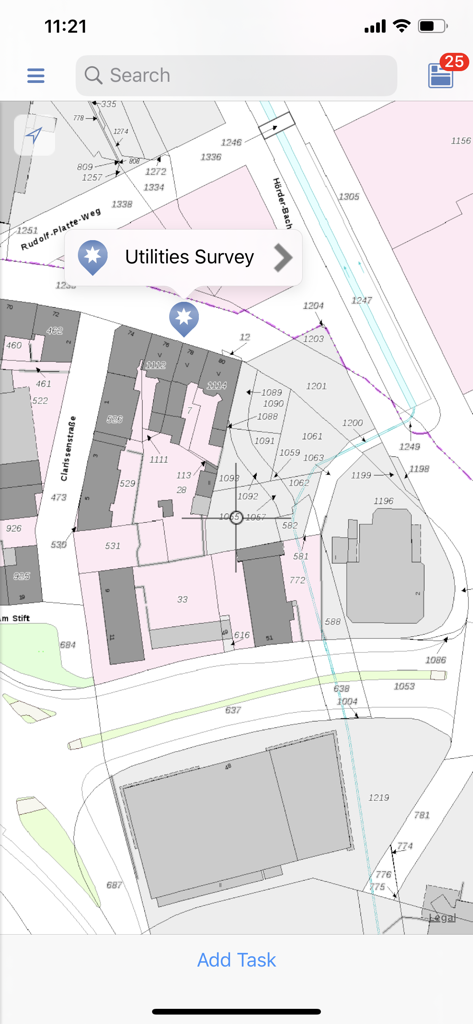
A 2D map view in the GeoAce app showing a utilities survey project on a detailed cadastral map.
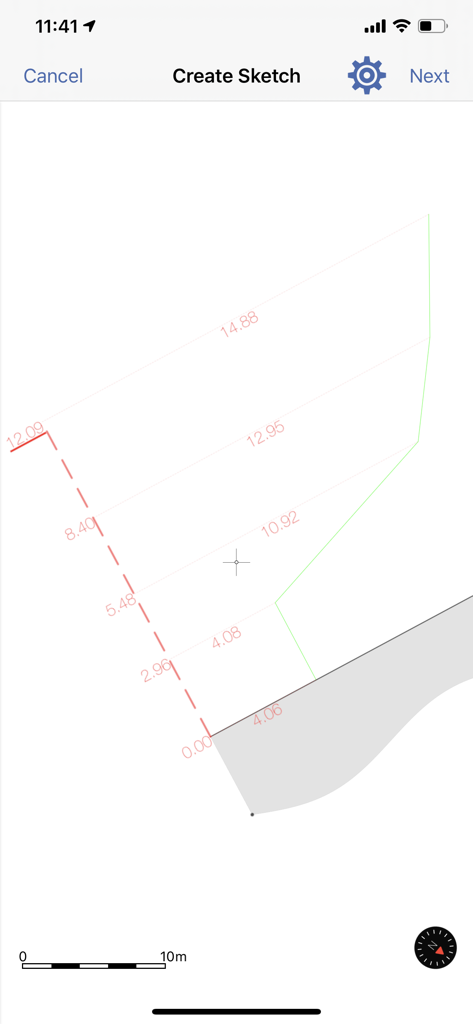
GeoAce mobile app interface for creating professional survey sketches with distance measurements and scale
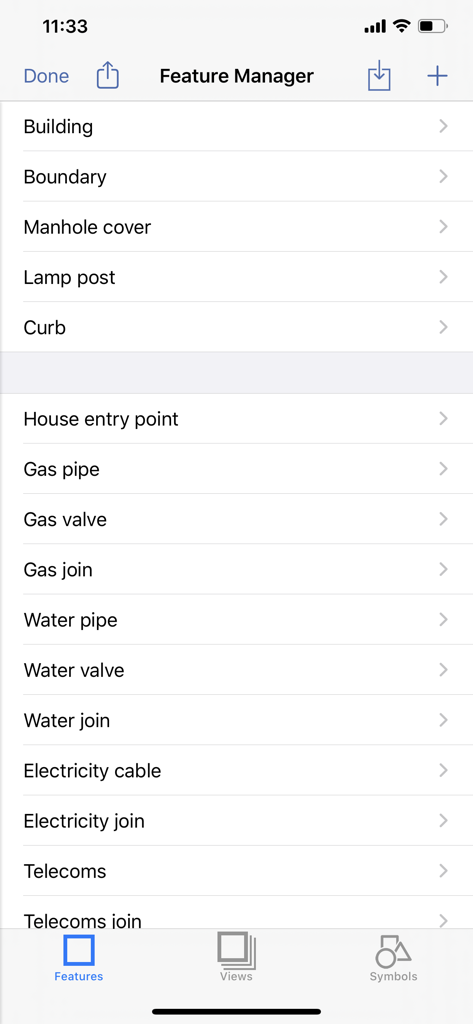
GeoAce app interface showing the Feature Manager screen with a list of infrastructure categories like building, boundary, and utility pipes for surveying.
Professional Surveying, Simplified
The tools that make this app stand out, trusted by 2K+ users.
📍
Work Where GNSS Fails
Use Visual SLAM and AR technology to map indoor spaces, dense forests, or tunnels where traditional GPS signals can't reach.
🎯
High-Precision Accuracy
Turn your mobile device into a professional surveying system. Get centimeter-accurate results without the $20,000 price tag of legacy hardware.
📂
Direct CAD & GIS Integration
Save hours of billable time with instant exports to DXF, DWG, and Shapefiles. Your data is ready for AutoCAD or ArcGIS the moment you leave the site.
About the app
Everything you need to know about GeoAce.
Description
GeoAce is a super-easy-to-use surveying application, for both surveyors and non-surveyors, who want to accurately collect geospatial data or locate (stakeout) such data on-site. GeoAce turns your smartphone or tablet into a precise, centimeter-accurate surveying system, without the need to use GNSS receivers or total stations.
It uses Visual SLAM positioning and Augmented Reality technology to accurately determine the position of your smartphone/tablet in space and collect 3-dimensional data at the same time directly in the video stream. It doesn’t rely on GNSS positioning, so it can be used also indoors, under tree coverage and even in underground mining. You can connect external GNSS receivers to further increase the versatility of the application and accuracy. You can upgrade your GNSS receivers from Leica, Trimble, eSurvey, Stonex, Emlid and others with GeoAce to an Augmented Reality rover working everywhere, even in areas where GNSS usually wont work.
The results are ready to use drawings in PDF and standard CAD & GIS formats. GeoAce doesn’t require a network connection and all processing and exporting is done on the device.
Key Features:
• 2D MapView with more than 245 Overlay Map Layers
• Offline Maps
• 3D Augmented Reality view
• Data collection in 3D Augmented Reality view
• Visual Stakeout (points and polylines)
• Feature and Layer manager
• Apple Watch support
• Import GeoJSON, Esri SHP, DXF, DWG, DGN, GPX, OSM, CSV, KML/KMZ files
• Export GeoJSON, Esri SHP, DXF, DWG, DGN, customizable CSV with QA report, Penmap, KML/KMZ
• Georeference a survey by using WMS, WFS, imported CAD or GNSS files
• Survey sketch PDF export with linear and chain & offset dimensions
• Assign tasks to specific users
• Sync data between multiple devices
• Photo documentation of results
• World-wide coordinate system and geoid support
• Connection to external GNSS receivers
• Quality (RMS) and status information
Subscription types:
1. Free Subscription functionality:
• Import: all formats
• Overlay imported data on top of Apple maps
• Precise GNSS surveying and CSV export
• Free 7 days trial of all “Survey" subscription features
Paid subscription:
2. "View" Subscription, all features of the Free subscription, plus
• Visual stakeout with external GNSS in Augmented Reality
• Apple watch support
• WMS, TMS and WFS, offline maps
• Export: PDF, GeoJSON, Esri, DXF
• Sync between devices
3. "GIS" Subscription, all features of the "View" subscription, plus
• Visual SLAM data collection in Augmented Reality
• Georeferencing
4. "Survey" Subscription, all features of the "GIS" subscription, plus
• GNSS data collection in Augmented Reality with eBubble and tilt compensation
• Export: DWG, DGN
• Teamleader reporting
Purchase of a GeoAce subscription allows you to run the GeoAce App on all supported platforms, with your tasks and projects being automatically synchronized between your devices. Subscription payments will be charged to your iTunes Account at confirmation of purchase and will automatically renew unless you cancel your subscription or turn off auto-renewal at least 24-hours prior to the end of the current subscription period. A cancelled subscription remains active until the end of the current period, at which time your account reverts to the “Free" subscription functionality.
Customers selecting the Free Trial will enjoy “Survey" subscription features for a period of 7 days, after which they can elect to purchase a paid subscription. In the absence of a purchase, their account will revert to “Free" subscription functionality.
For further information:
• GeoAce Privacy Policy: https://its-geo.eu/Privacy.html
• GeoAce Terms of Use: https://its-geo.eu/terms-of-service.html
Latest Version
26.1
Size
258.1 MB
First Released
Feb 18, 2020
Bring Centimeter-Accuracy to Your Pocket
Empower your team with the precision of Visual SLAM and Augmented Reality. Start your 7-day free trial of GeoAce today and bridge the gap between field and office.
App information, icons, screenshots, and descriptions displayed on this page are sourced from the Apple App Store and are the property of their respective developers. Download estimates and rankings are based on MWM's proprietary models and may not reflect actual figures. This page is provided for informational and analytical purposes only.
Believe this page infringes your intellectual property? File a dispute