Gibraltar Int. Bank Ltd

Gibraltar Int. Bank Ltd


Download on App Store
Logo of Gibraltar Int. Bank Ltd

Gibraltar Int. Bank Ltd: Secure Global Banking for the Modern Professional

Manage your international wealth with confidence. Experience seamless cross-border transfers, biometric security, and comprehensive account control, tailored for your global lifestyle.

Download on App Store

Publisher

Gibraltar International Bank Limited

Category

Finance

Downloads

2K+

User Rating

1.9/5

Total Ratings

0

Locales

1

Seamless Global Banking

Discover the interface used by 2K+ users.

Gibraltar International Bank mobile app splash screen with logo

Gibraltar International Bank mobile app splash screen with logo

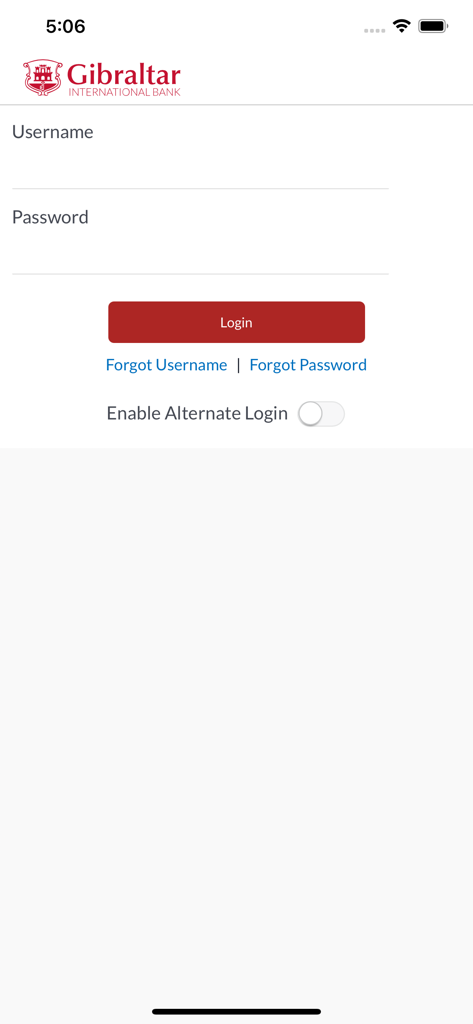
Login screen of the Gibraltar International Bank mobile app showing username and password fields.

Login screen of the Gibraltar International Bank mobile app showing username and password fields.

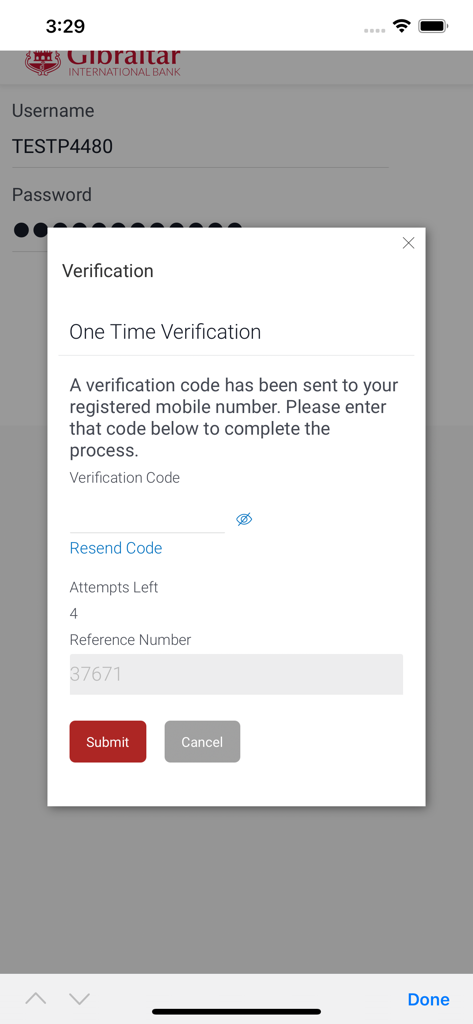
One time verification pop up window on the Gibraltar International Bank login screen

One time verification pop up window on the Gibraltar International Bank login screen

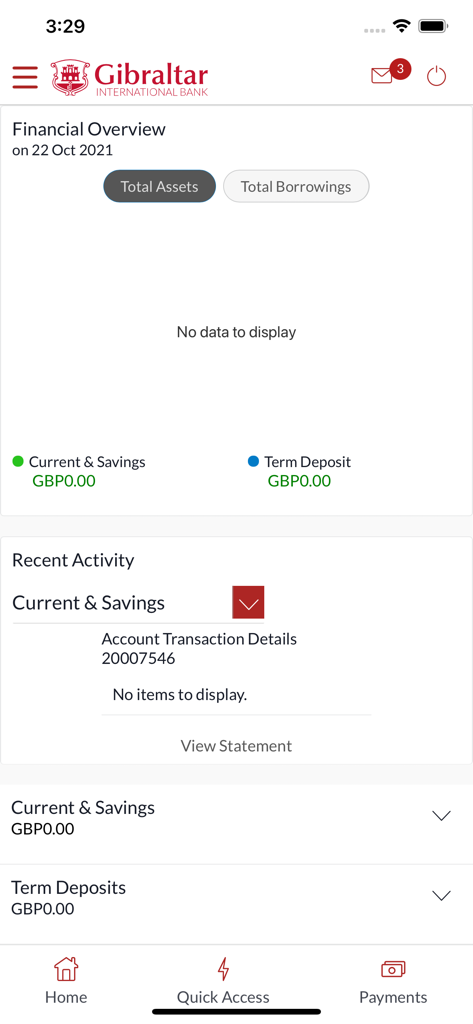
Financial overview dashboard in the Gibraltar International Bank mobile app.

Financial overview dashboard in the Gibraltar International Bank mobile app.

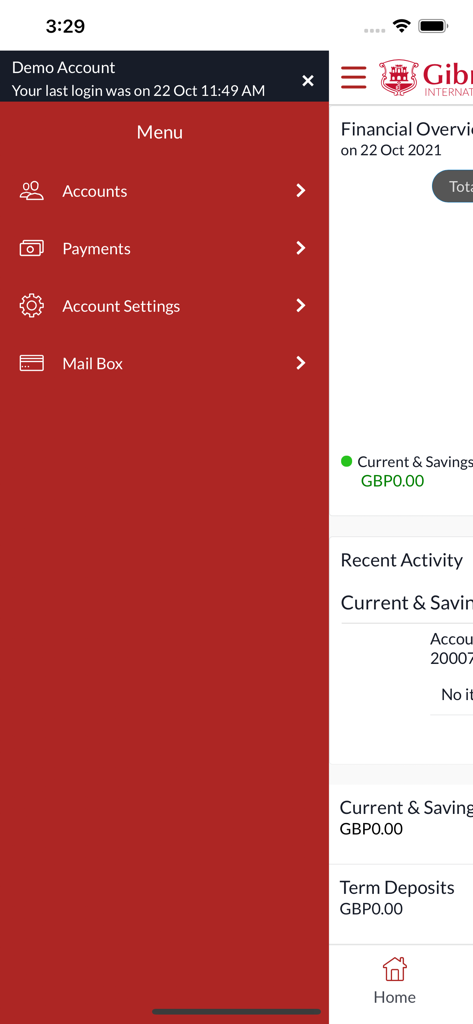
Navigation menu of the Gibraltar International Bank mobile app showing options for accounts payments and settings

Navigation menu of the Gibraltar International Bank mobile app showing options for accounts payments and settings

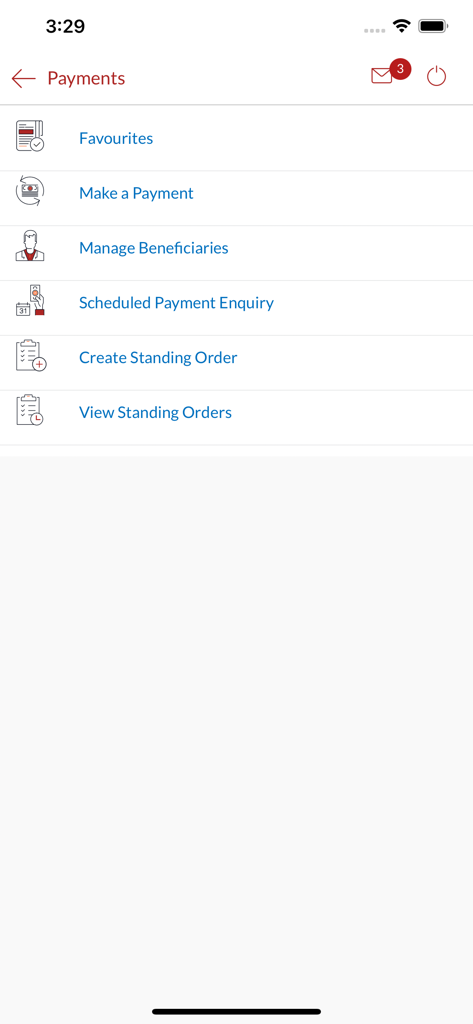
Payments menu screen of the Gibraltar International Bank app with payment and standing order options.

Payments menu screen of the Gibraltar International Bank app with payment and standing order options.

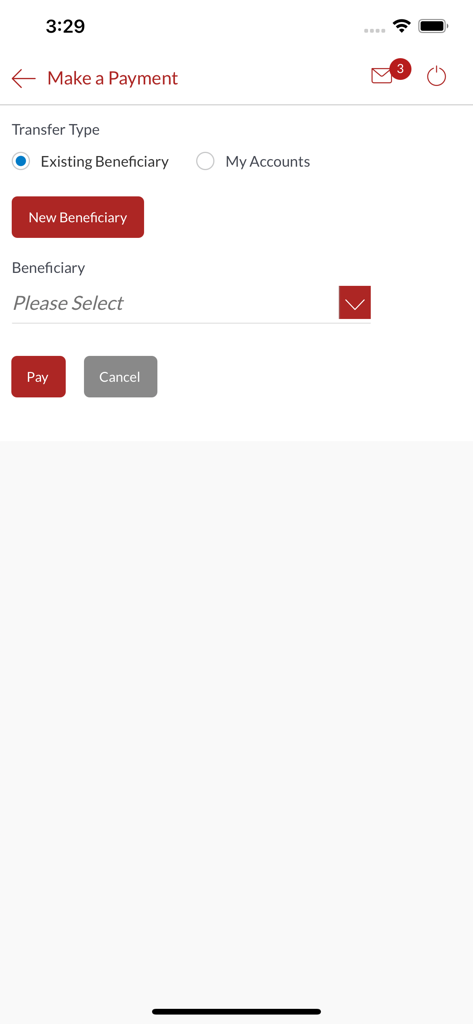
Make a payment screen in the Gibraltar International Bank mobile app

Make a payment screen in the Gibraltar International Bank mobile app

Advanced Banking for Global Citizens

The tools that make this app stand out, trusted by 2K+ users.

🌎

Seamless Global Transfers

Move funds internationally or domestically with ease, ensuring your capital is always where it needs to be.

🛡️

Multi-Layered Security

Bank with peace of mind using biometric login and two-factor authentication to safeguard your most sensitive transactions.

💼

Total Asset Oversight

From managing term deposits to reviewing loan accounts, take full control of your financial portfolio anytime, anywhere.

About the app

Everything you need to know about Gibraltar Int. Bank Ltd.

Description

How to Register? In order to work the Gibraltar International Bank’s app on your iPhone/iPad, you will need the following: • A Gibraltar International Bank account. • An activated EBanking account with us. • Internet access. • Access to your Online Banking account. • Your Online Banking username and password. Features of this app: 1.Two Factor Authentication. 2.Biometric Login. 3.Manage Payees. 4.Setup and manage your Standing Orders and Deposits. 5.Transfer funds to a new beneficiary on-the-go. 6.Make Domestic, International and Internal Transfers. 7.Transfer funds between your GIB accounts. 8.Check your account balance. 9.Access your account details. 10.Set up and manage your standing orders. 11.Set up and manage your term deposits. 12.Open additional current and savings accounts. 13.Review your loan accounts. 14.Password re-sets. 15.Transfer funds to a new beneficiary on-the-go. Important things you need to know, 1.Ensure you are using the most updated version of the app. 2.User Manuals on how to navigate through your mobile banking app can be found on our website www.gibintbank.gi 3.You will need to ensure you have registered your mobile number with the Bank as you will need this to receive your One Time Password (‘OTP’) when logging in. Contact If you have any issues with the Mobile Banking app installation process please don’t hesitate to contact us. Telephone : +350 200 13900 Email : gibraltar@gibintbank.gi

Latest Version

1.1.8

Size

19.6 MB

First Released

Nov 13, 2021

Secure Your Global Financial Freedom

Seamlessly manage international transfers, term deposits, and your private accounts with the Gibraltar International Bank mobile app—banking designed for your high-stakes lifestyle.

Download on App Store
FAQ

Frequently Asked Questions

Everything you need to know about Gibraltar Int. Bank Ltd

What are the requirements to register for the Gibraltar Int. Bank Ltd app?

The Gibraltar Int. Bank Ltd app requires a GIB account, an activated EBanking account, internet access, Online Banking account access, and your Online Banking username and password.

Does the Gibraltar Int. Bank Ltd app support biometric login?

Yes, the Gibraltar Int. Bank Ltd app supports Biometric Login as a security feature. Users can enable this for convenient and secure access.

Does the Gibraltar Int. Bank Ltd app use two-factor authentication?

Yes, the Gibraltar Int. Bank Ltd app uses Two Factor Authentication. Users receive a One Time Password (OTP) on their registered mobile number for verification during login.

What types of fund transfers are available in the Gibraltar Int. Bank Ltd app?

The Gibraltar Int. Bank Ltd app allows Domestic, International, and Internal Transfers. Users can also transfer funds between their own GIB accounts and to new beneficiaries on-the-go.

Can users manage standing orders and term deposits with the Gibraltar Int. Bank Ltd app?

Yes, the Gibraltar Int. Bank Ltd app allows users to set up and manage both their Standing Orders and Term Deposits directly within the application.

Can I check my account balance and details using the Gibraltar Int. Bank Ltd app?

Yes, users can check their account balance and access their full account details through the Gibraltar Int. Bank Ltd app. The app provides a financial overview of accounts.

Can I reset my password through the Gibraltar Int. Bank Ltd app?

Yes, the Gibraltar Int. Bank Ltd app includes a password re-set feature. Users can access this function from the login screen if they forget their password.

Where can I find user manuals for the Gibraltar Int. Bank Ltd app?

User Manuals for navigating the Gibraltar Int. Bank Ltd mobile banking app are available on the official website, www.gibintbank.gi.

How can I contact support for issues with the Gibraltar Int. Bank Ltd app?

You can contact support for the Gibraltar Int. Bank Ltd app via telephone at +350 200 13900 or email at gibraltar@gibintbank.gi for installation process issues.

Does the Gibraltar Int. Bank Ltd app allow managing payees?

Yes, the Gibraltar Int. Bank Ltd app allows users to manage their payees. This includes adding new beneficiaries and managing existing ones for payment transactions.

App information, icons, screenshots, and descriptions displayed on this page are sourced from the Apple App Store and are the property of their respective developers. Download estimates and rankings are based on MWM's proprietary models and may not reflect actual figures. This page is provided for informational and analytical purposes only.

Believe this page infringes your intellectual property? File a dispute