GoTRX - TRON Wallet & USDT

GoTRX - TRON Wallet & USDT

Download on App Store
Logo of GoTRX - TRON Wallet & USDT

GoTRX: The Ultimate Self-Custodial Wallet for TRON and USDT

Take full control of your TRX and TRC20 assets with a high-performance, secure wallet. Experience lightning-fast USDT transfers, low fees, and professional-grade portfolio insights right from your iPhone.

Download on App Store

Publisher

I me mine limited

Category

Finance

Downloads

0

User Rating

1.0/5

Total Ratings

0

Locales

1

Total Control, Visualized

Discover the interface used by 0 users.
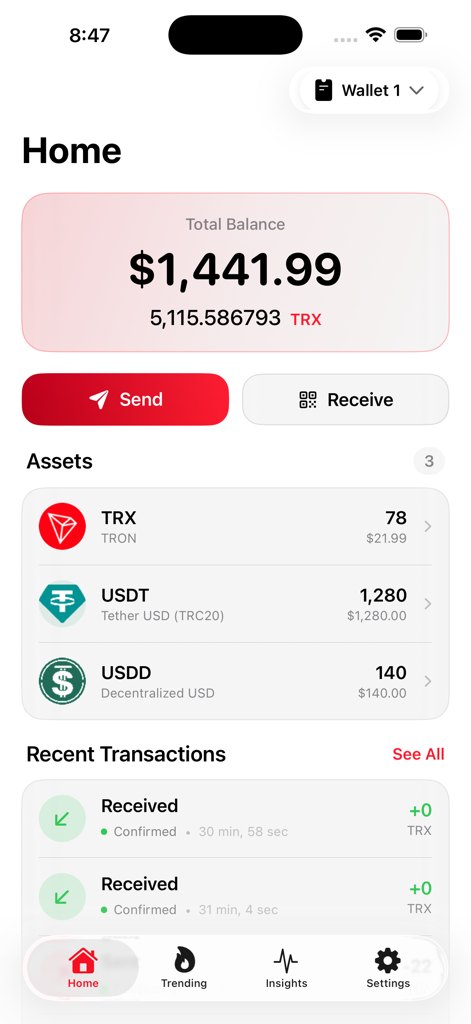
GoTRX app home screen displaying total balance in USD and a list of crypto assets including TRX and USDT

GoTRX app home screen displaying total balance in USD and a list of crypto assets including TRX and USDT

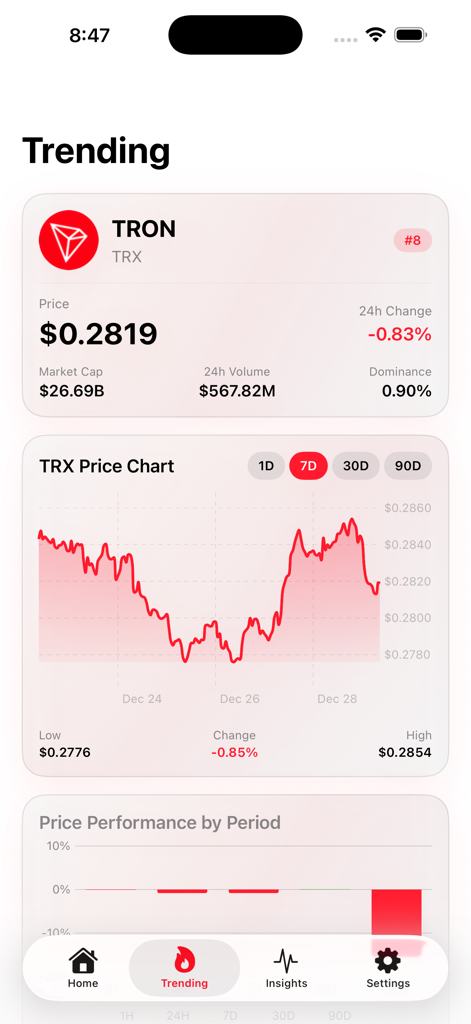
GoTRX app trending screen showing TRON market price and performance chart

GoTRX app trending screen showing TRON market price and performance chart

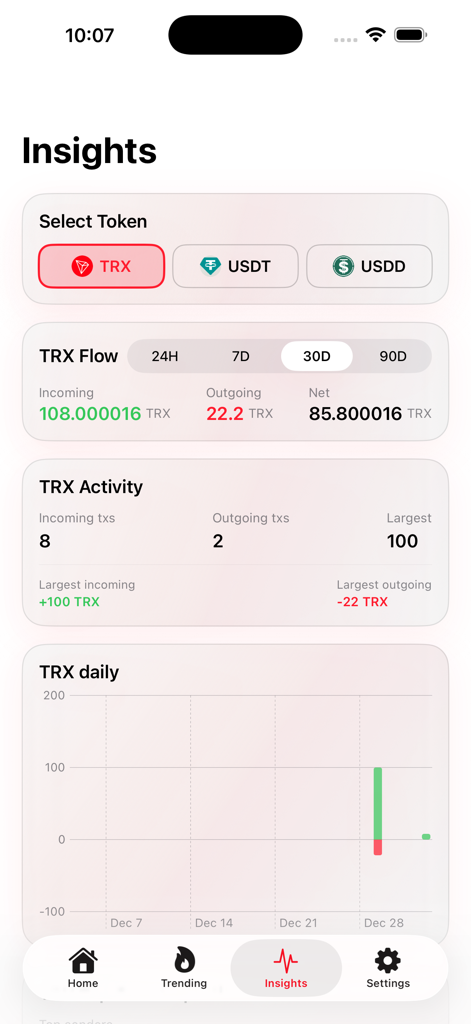
Insights dashboard in GoTRX wallet showing TRX transaction flow and analytics charts

Insights dashboard in GoTRX wallet showing TRX transaction flow and analytics charts

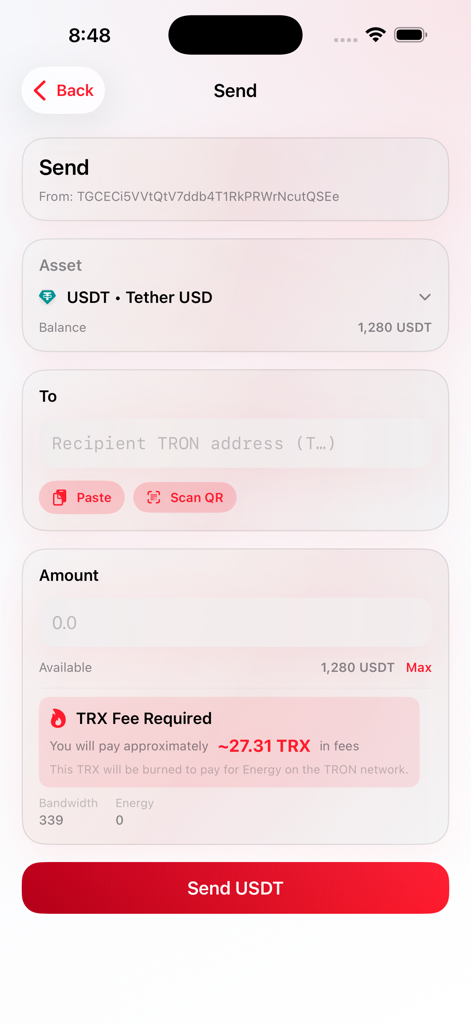
GoTRX app interface showing the send USDT screen with transaction fee details

GoTRX app interface showing the send USDT screen with transaction fee details

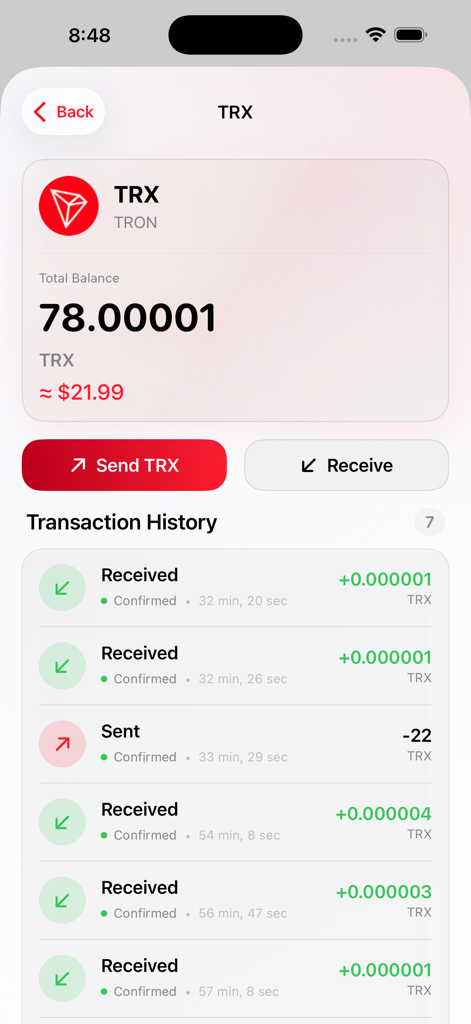
GoTRX app interface showing TRX balance and a detailed transaction history list.

GoTRX app interface showing TRX balance and a detailed transaction history list.

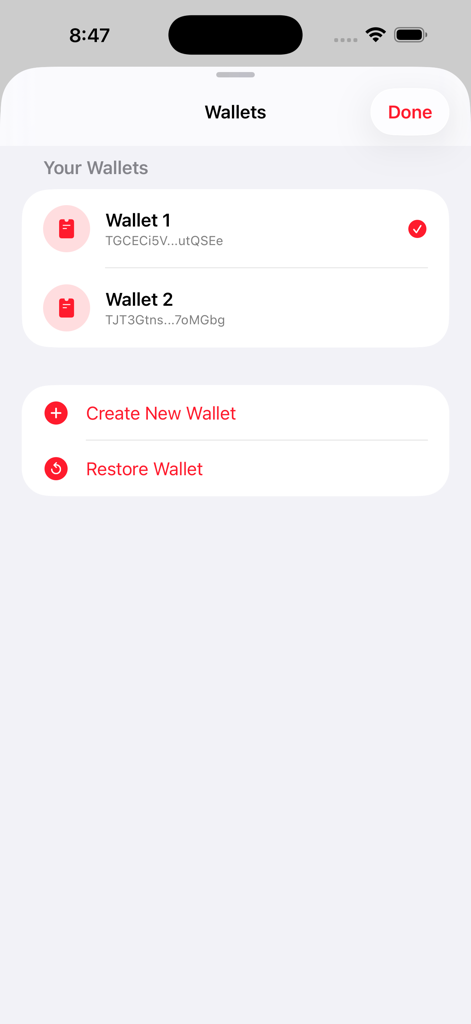
GoTRX app interface showing a list of multiple TRON wallets with options to create or restore accounts

GoTRX app interface showing a list of multiple TRON wallets with options to create or restore accounts

Master Your Digital Assets

The tools that make this app stand out, trusted by 0 users.

🛡️

True Self-Custody

Your keys stay on your iPhone. GoTRX uses local encryption and biometric security to ensure your assets remain yours alone.

💸

Low-Cost USDT Payments

Stop paying high gas fees. Send USDT and TRC20 tokens instantly for a fraction of the cost of other blockchain networks.

📈

Advanced Portfolio Tracking

Analyze your wealth with interactive 90-day charts and real-time market data directly from the TRON ecosystem.

About the app

Everything you need to know about GoTRX - TRON Wallet & USDT.

Description

GoTRX is a secure, self-custodial wallet for the TRON blockchain. Manage your TRX, USDT, USDD, and other TRC20 tokens with full control over your private keys. Your keys stay on your device. GoTRX never stores your recovery phrase on external servers. This is true self-custody for the TRON network. SEND AND RECEIVE TRX AND TRC20 TOKENS Send TRX and TRC20 tokens like USDT and USDD to any TRON address. Scan QR codes with your camera for fast address entry. See estimated network fees before you send, including bandwidth and energy costs. Receive crypto by sharing your address or QR code. MULTI-WALLET SUPPORT Create unlimited wallets within GoTRX. Generate new 24-word recovery phrases or restore existing wallets using 12, 15, 18, 21, or 24-word seed phrases. Name each wallet for easy organization. Switch between wallets instantly. REAL-TIME PORTFOLIO TRACKING View your total balance in USD, EUR, GBP, JPY, CAD, or AUD. See individual token balances for TRX, USDT, USDD, and all TRC20 tokens in your wallet. Prices update automatically with data from leading market sources. COMPLETE TRANSACTION HISTORY Track every incoming and outgoing transaction. See confirmation status, timestamps, and amounts. Tap any transaction to view full details on TronScan. Filter history by asset to see token-specific activity. TRON MARKET DATA Monitor TRX price with interactive charts showing 1-day, 7-day, 30-day, and 90-day performance. View market cap, 24-hour volume, and price changes. Track other TRON ecosystem tokens and their market movements. TRANSACTION INSIGHTS Analyze your wallet activity with detailed insights. See incoming and outgoing flow totals for TRX, USDT, and USDD. Identify your top counterparties and largest transactions. Choose between 24-hour and 7-day analysis periods. ADDRESS BOOK Save frequently used TRON addresses with custom labels. Access your address book when sending to select recipients quickly. Delete or edit saved addresses anytime. SECURITY BUILT IN Protect your wallet with a custom passcode. Enable Face ID or Touch ID for convenient biometric authentication. Your recovery phrase is encrypted and stored in the iOS Keychain. DESIGNED FOR TRON GoTRX is built specifically for the TRON blockchain. The interface is optimized for TRX and TRC20 token management. No unnecessary features or clutter. Just the tools you need to manage your TRON assets. WHAT GOTRX INCLUDES - Create wallets with 24-word recovery phrases - Restore wallets from 12, 15, 18, 21, or 24-word seed phrases - Send and receive TRX - Send and receive USDT TRC20 - Send and receive USDD and other TRC20 tokens - Real-time price tracking - Interactive TRX price charts - Full transaction history - Transaction insights and analytics - Multi-wallet management - QR code scanning and generation - Address book for saved contacts - Passcode and biometric lock - Light and dark mode - Multiple display currencies Download GoTRX and take control of your TRX and USDT today. TERMS OF SERVICE: https://gotrxwallet.com/terms PRIVACY POLICY: https://gotrxwallet.com/privacy Third-party wallet: Not affiliated with or endorsed by TRON Foundation, Tron Network or TRON DAO.

Latest Version

1.0.0

Size

34.2 MB

First Released

Jan 14, 2026

Take Full Control of Your TRON & USDT

Join a community of savvy users who demand lower fees, faster transfers, and total privacy. Experience true self-custody and take your private keys into your own hands today.

Download on App Store

App information, icons, screenshots, and descriptions displayed on this page are sourced from the Apple App Store and are the property of their respective developers. Download estimates and rankings are based on MWM's proprietary models and may not reflect actual figures. This page is provided for informational and analytical purposes only.

Believe this page infringes your intellectual property? File a dispute