Guardhouse

Guardhouse

Download on App Store
Logo of Guardhouse

Guardhouse: Simplify Your Security Operations, Scheduling, and Attendance

The all-in-one platform to eliminate no-shows, automate timesheets, and keep your guards connected. Manage rosters and approve hours with total transparency, directly from your mobile device or PC.

Download on App Store

Publisher

Zenshifts Holdings Pty Ltd

Category

Business

Downloads

0

User Rating

3.3/5

Total Ratings

0

Locales

-

Operations at a Glance

Discover the interface used by 0 users.
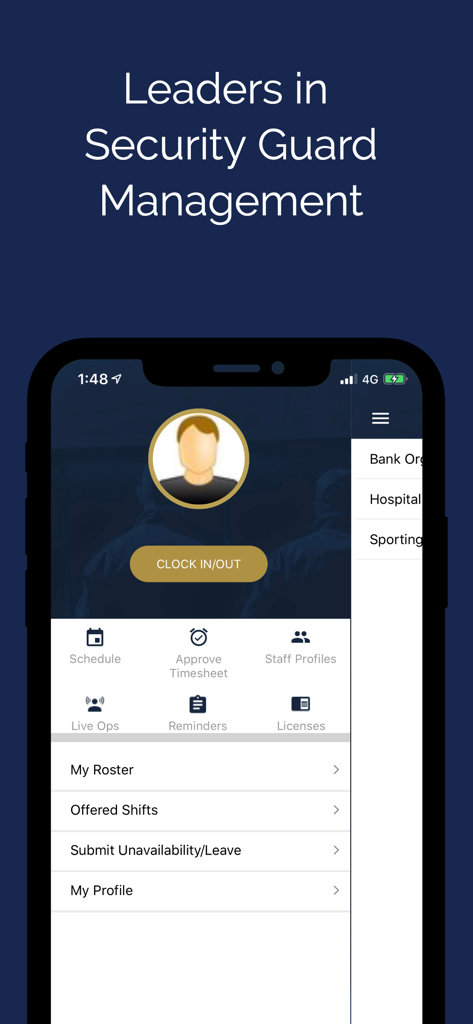
Guardhouse mobile app interface showing clock in out and workforce management features

Guardhouse mobile app interface showing clock in out and workforce management features

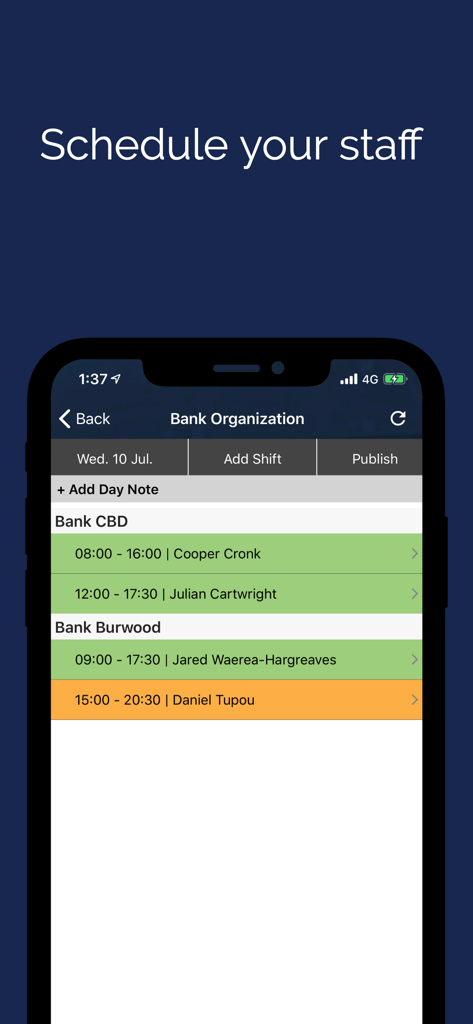
Mobile app interface showing the Guardhouse staff scheduling screen with shifts for security guards at bank locations.

Mobile app interface showing the Guardhouse staff scheduling screen with shifts for security guards at bank locations.

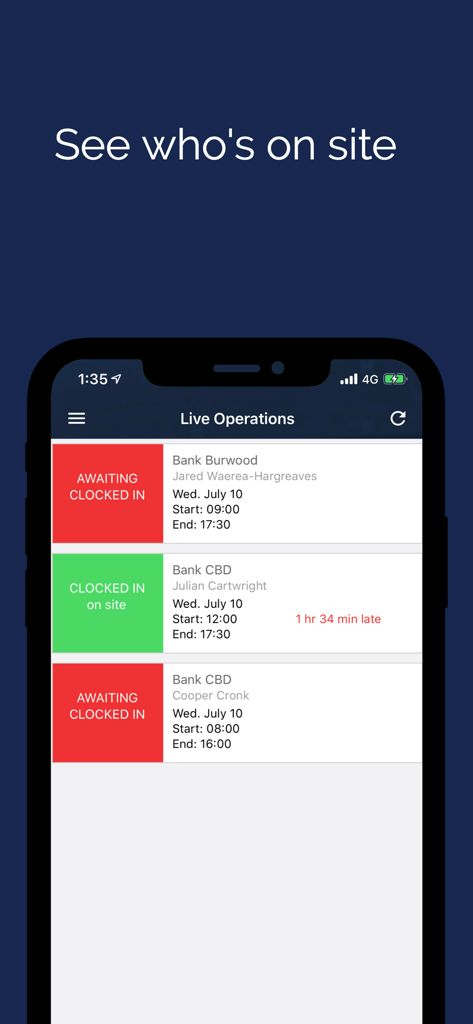
Guardhouse mobile app interface showing real-time attendance and clock-in status of security guards on site.

Guardhouse mobile app interface showing real-time attendance and clock-in status of security guards on site.

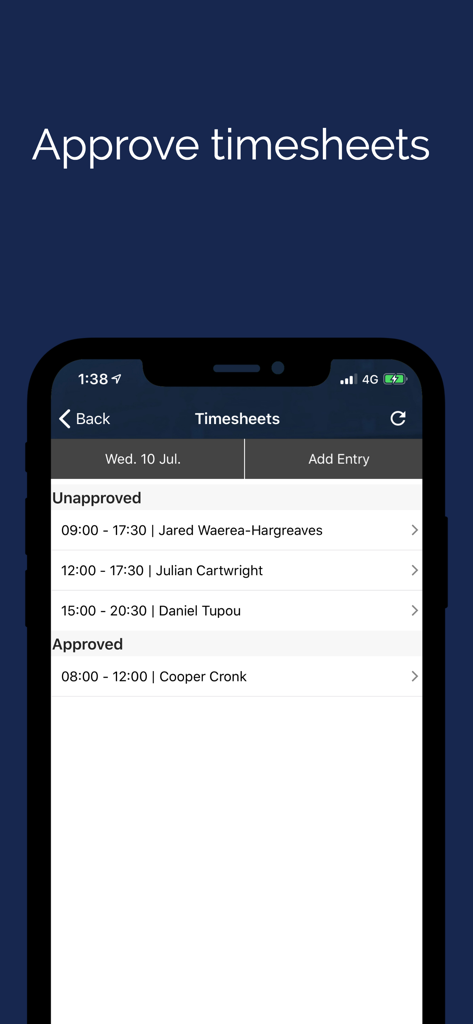
Mobile interface of the Guardhouse app showing a manager screen to approve security guard timesheets

Mobile interface of the Guardhouse app showing a manager screen to approve security guard timesheets

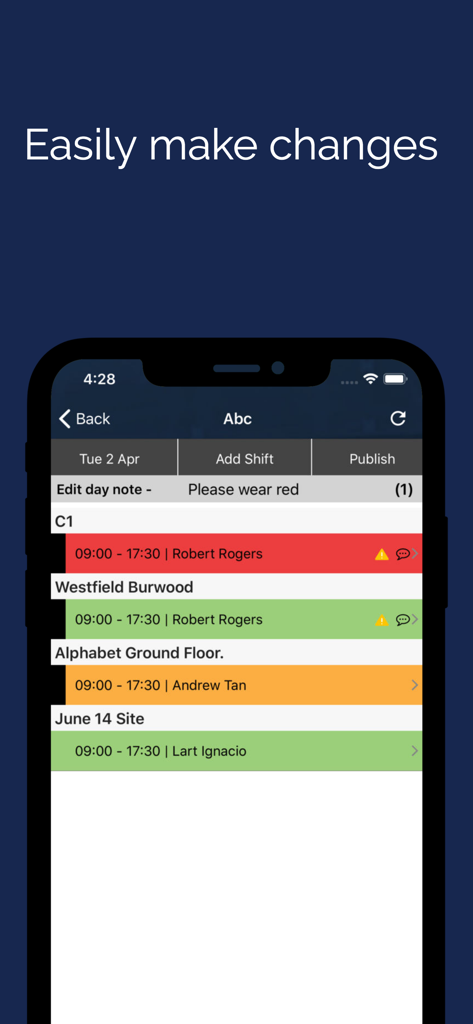
Guardhouse app interface showing security guard shift scheduling and roster updates

Guardhouse app interface showing security guard shift scheduling and roster updates

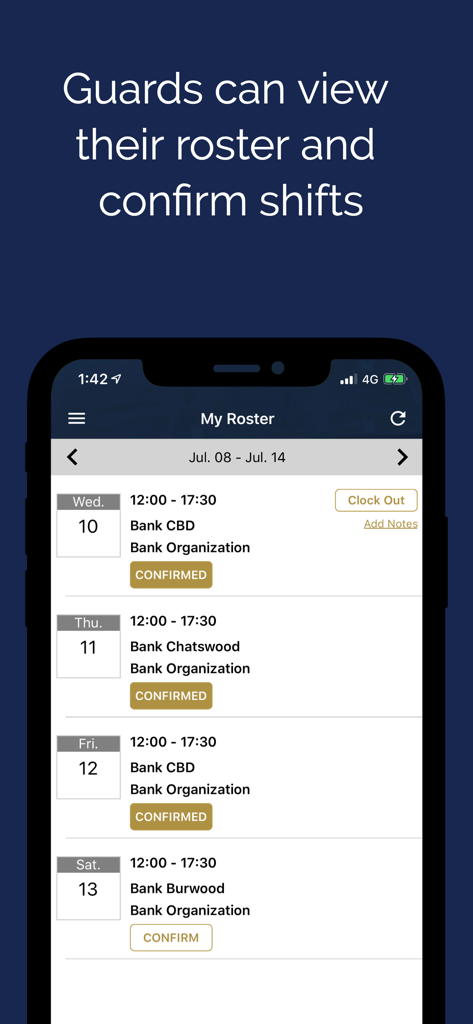
Mobile app screen showing a security guard roster with scheduled shifts and confirmation status

Mobile app screen showing a security guard roster with scheduled shifts and confirmation status

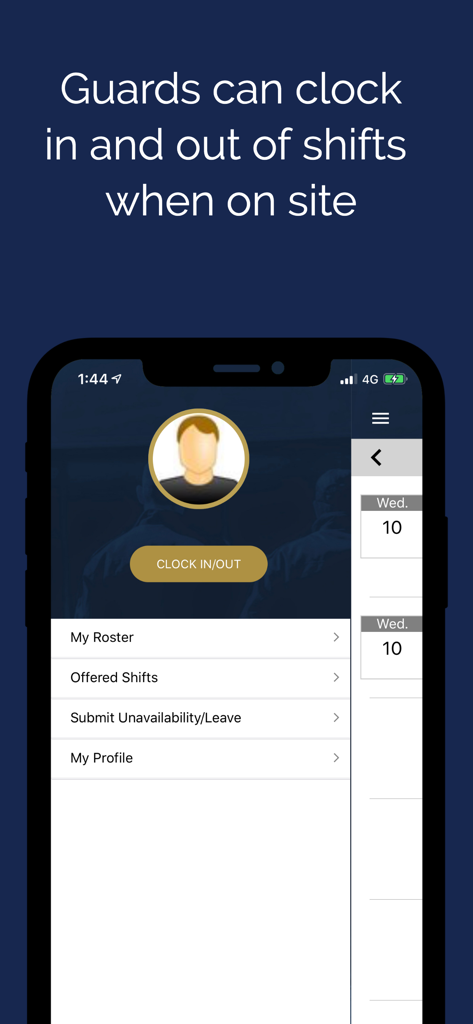
Guardhouse mobile app interface for security guards to clock in and out of shifts

Guardhouse mobile app interface for security guards to clock in and out of shifts

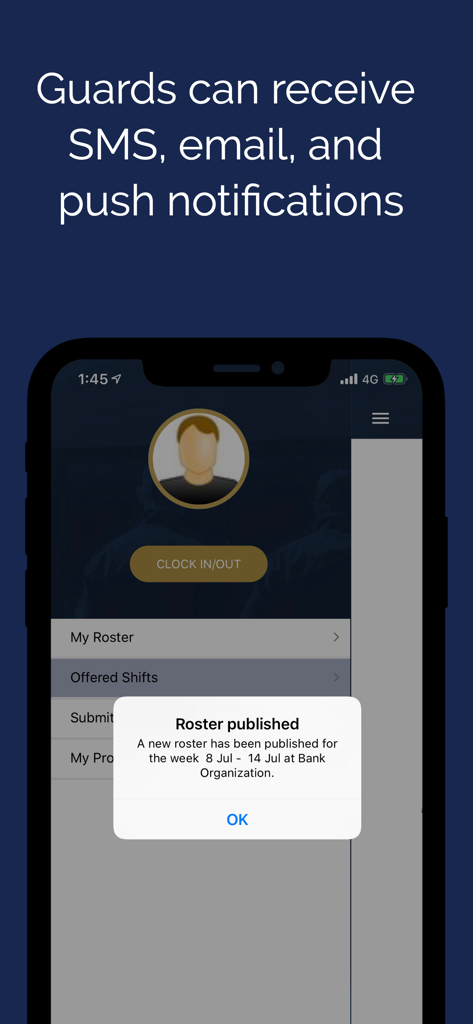
Guardhouse app interface showing a notification that a new roster has been published.

Guardhouse app interface showing a notification that a new roster has been published.

Streamline Your Security Workforce

The tools that make this app stand out, trusted by 0 users.

Instant Shift Notifications

Eliminate no-shows and communication gaps with automated SMS and push alerts sent directly to your guards' mobile devices.

⏱️

Precise Attendance & Payroll

Verify work hours instantly by comparing scheduled rosters against real-time clock-ins for 100% accurate, stress-free payroll.

📅

Self-Service Roster Management

Empower your team to view their schedules and submit unavailability through the app, reducing administrative friction and manual errors.

About the app

Everything you need to know about Guardhouse.

Description

Guardhouse is the simplest way to manage attendance and communicate with your security guards from your mobile device and PC. Notify your staff instantly about their work schedule via text, email, and web notifications. 1. Schedule staff, approve timesheets and view staff details 2. View staff schedules and create last minute shifts changes that are communicated to staff via SMS, email, and notifications 3. Approve timesheets. View scheduled hours against time clock or employee submitted times. 4. Staffs can easily view their roster, no more missed shifts. 5. Staffs can submit when they are unavailable.

Latest Version

2.46.176591

Size

142.5 MB

First Released

May 8, 2018

Ready to Simplify Your Security Operations?

Join thousands of managers and guards who trust Guardhouse for seamless scheduling, instant notifications, and accurate timesheets. Download the app today and take control of your roster.

Download on App Store

App information, icons, screenshots, and descriptions displayed on this page are sourced from the Apple App Store and are the property of their respective developers. Download estimates and rankings are based on MWM's proprietary models and may not reflect actual figures. This page is provided for informational and analytical purposes only.

Believe this page infringes your intellectual property? File a dispute