Harmonica Tuner Pro

Harmonica Tuner Pro

Download on App Store
Logo of Harmonica Tuner Pro

Harmonica Tuner Pro: Master Every Note, Bend, and Key with Professional Precision

The ultimate tool for dedicated harmonica players. Visualize hole-specific blows and draws, perfect your bending technique, and record your progress with the most accurate tuning algorithm designed specifically for your craft.

Publisher

Jacek Teska

Category

Music

Downloads

39K+

User Rating

4.9/5

Total Ratings

0

Locales

1

Precision in Every Note

Discover the interface used by 39K+ users.
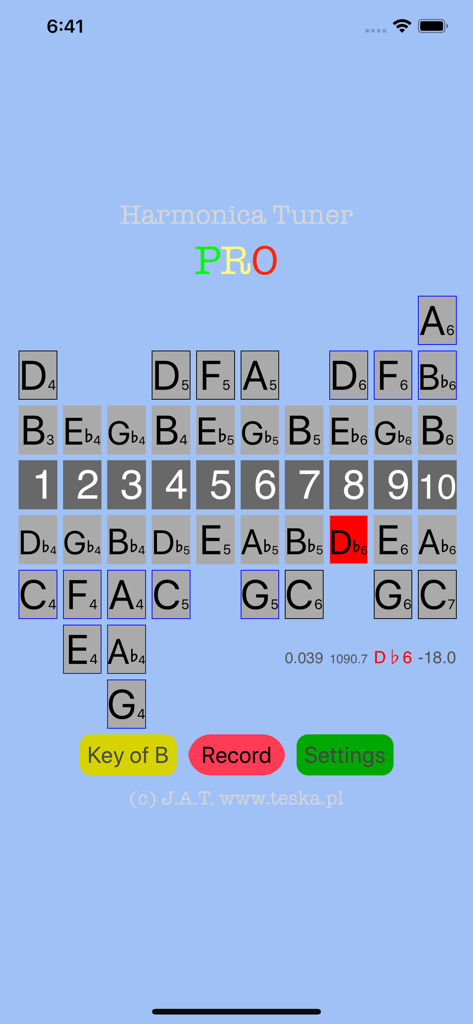
Harmonica Tuner Pro app interface displaying a 10-hole harmonica layout with blow and draw notes for tuning.

Harmonica Tuner Pro app interface displaying a 10-hole harmonica layout with blow and draw notes for tuning.

A screen in the Harmonica Tuner Pro app displaying a list of available harmonica keys like C, D, A, and G.

A screen in the Harmonica Tuner Pro app displaying a list of available harmonica keys like C, D, A, and G.

Splash screen of the Harmonica Tuner Pro mobile app featuring a blue background and multicolored text

Splash screen of the Harmonica Tuner Pro mobile app featuring a blue background and multicolored text

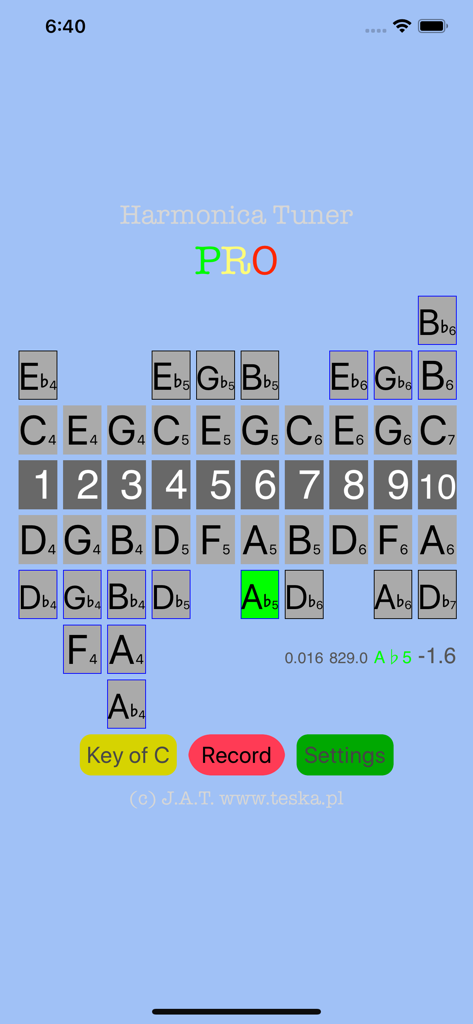
Screen of Harmonica Tuner Pro showing a 10 hole harmonica layout with real time note detection

Screen of Harmonica Tuner Pro showing a 10 hole harmonica layout with real time note detection

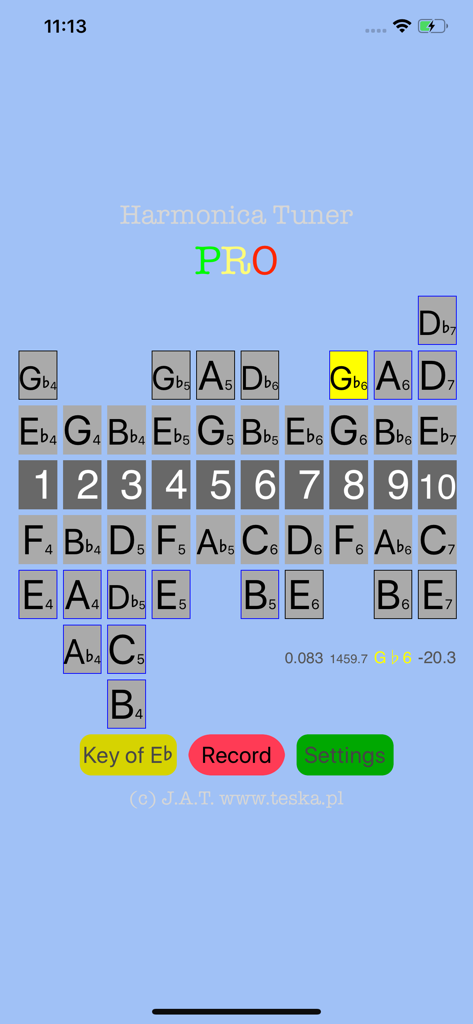
Harmonica Tuner Pro app screen showing hole layout and note detection for Eb harmonica

Harmonica Tuner Pro app screen showing hole layout and note detection for Eb harmonica

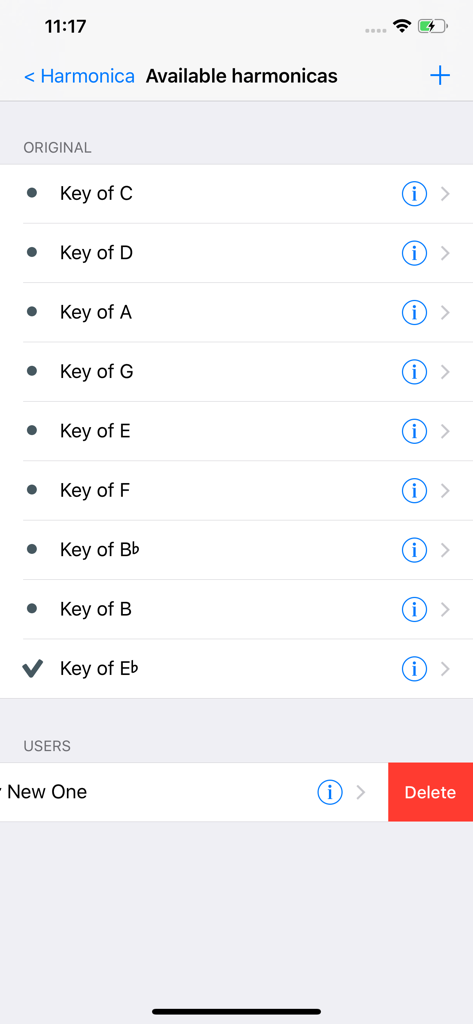
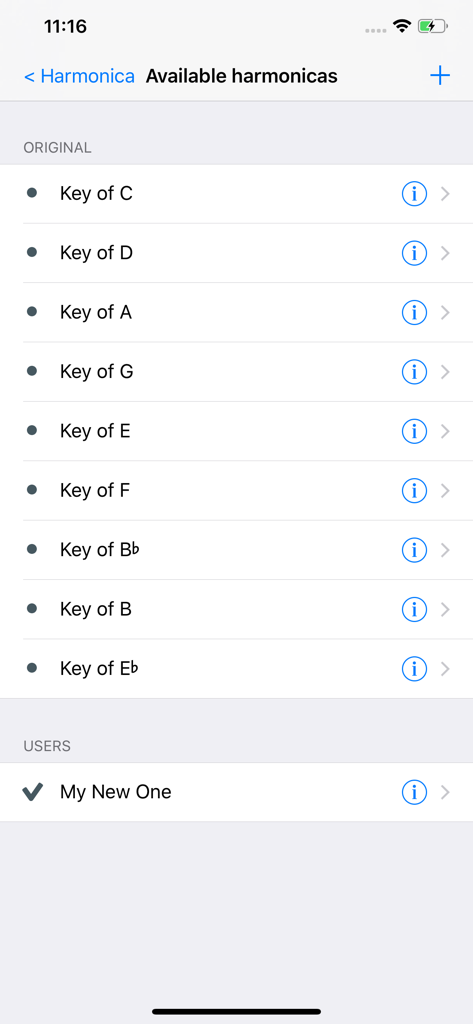
A list of available harmonica keys including original presets like Key of C and custom user-defined tunings

A list of available harmonica keys including original presets like Key of C and custom user-defined tunings

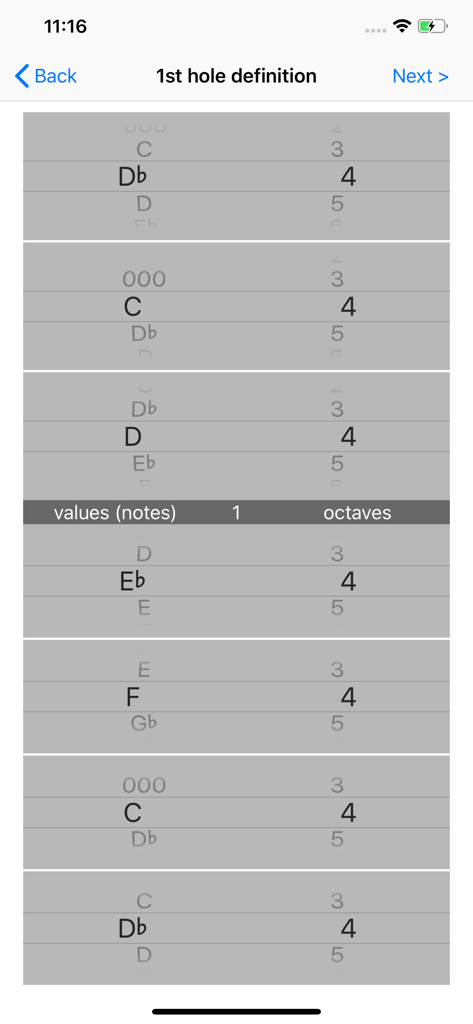
Interface for defining musical notes and octaves for individual harmonica holes

Interface for defining musical notes and octaves for individual harmonica holes

Master Every Note and Technique

The tools that make this app stand out, trusted by 39K+ users.

🎯

Hole-by-Hole Visualization

Stop guessing notes with an intuitive interface mapping holes 1-10 for both blow and draw, specifically designed for harmonica mechanics.

🌀

Master Bends & Overblows

Visual feedback with color-coded accuracy helps you perfect the most difficult techniques like bending, overblows, and overdraws.

🎥

Record & Share Progress

Capture video of your playing with the tuner interface overlaid, allowing you to track your technical growth or send clips to your teacher.

About the app

Everything you need to know about Harmonica Tuner Pro.

Description

Application Harmonica Tuner PRO (@harmonicatuner) fills the gap in the App Store for tunning sounds for harmonica players. The application has precise, simple and fast algorithm. Harmos: Key of C, A, D, G, E, F, Bb, B, Eb and possibility to define new one. Numbers from 1 to 10 present holes for blowing or drawing. Row above with notes presents note for blow, and row below - note for draw. Other notes are obtained via bending, overblow and overdraw etc. @harmonicatuner works: 1. Listen to sounds and if there is a proper amplitude, the app shows frequency and note with number of octaves. 2. If the sound is harmonica's note, th en the note lights in yellow, red or green color. It depends on accuracy of the sound. @harmonicatuner is for users who play many different kind of harmonica (not only key of C). @harmonicatuner allows to define your own harmonica and setup value of parameters. In the @harmonicatuner you may define showing amplitude (amp), frequency (fre), notes (not) and accuracy from sound pattern (acc). From 3.0 version you may edit and view defined harmos. @harmonicatuner may record videos: sounds from the mic including screen; this video you may save and share. You may save and share recordings with your friends or teacher. Additional information about @harmonicatuner: - http://www.teska.pl/home/harmonica/ - https://www.facebook.com/harmonicatuner/ - video describing features (4'19"): https://youtu.be/22odXEOlyAs

Latest Version

8.0

Size

13.3 MB

First Released

Feb 13, 2017

Master Every Note and Bend with Professional Precision

Join over 39,000 dedicated players using the ultimate tool for hole-specific tuning, multi-key support, and progress tracking. Download the only tuner your harmonica case needs today.

Download on App Store
FAQ

Frequently Asked Questions

Everything you need to know about Harmonica Tuner Pro

What is Harmonica Tuner PRO?

Harmonica Tuner PRO is an application that provides precise, simple, and fast tuning sounds for harmonica players. It supports various harmonica keys and allows users to define custom harmonica setups.

How does Harmonica Tuner PRO work?

Harmonica Tuner PRO listens to sounds, then shows the frequency and note with octave numbers if amplitude is proper. It illuminates the note in yellow, red, or green based on sound accuracy.

Does Harmonica Tuner PRO support different harmonica keys?

Yes, Harmonica Tuner PRO supports various harmonica keys including C, A, D, G, E, F, Bb, B, and Eb. Users can also define and add new custom harmonica keys.

Can users define custom harmonicas in Harmonica Tuner PRO?

Yes, users can define their own harmonica types and set up specific parameter values within Harmonica Tuner PRO. From version 3.0, users can also edit and view these defined harmonicas.

What tuning information does Harmonica Tuner PRO display?

Harmonica Tuner PRO displays amplitude (amp), frequency (fre), notes (not), and accuracy (acc) from the sound pattern. It also shows the note with octave numbers.

Does Harmonica Tuner PRO indicate tuning accuracy?

Yes, Harmonica Tuner PRO indicates tuning accuracy. If the sound is a harmonica note, the note lights up in yellow, red, or green depending on its precision.

Can Harmonica Tuner PRO record and share videos?

Yes, Harmonica Tuner PRO can record videos that include sounds from the microphone and the screen display. Users can save and share these recordings with others.

App information, icons, screenshots, and descriptions displayed on this page are sourced from the Apple App Store and are the property of their respective developers. Download estimates and rankings are based on MWM's proprietary models and may not reflect actual figures. This page is provided for informational and analytical purposes only.

Believe this page infringes your intellectual property? File a dispute