HeartCast: Heart Rate Monitor

HeartCast: Heart Rate Monitor

Download on App Store
Logo of HeartCast: Heart Rate Monitor

HeartCast: Stream Your Apple Watch Heart Rate to Any Fitness Equipment

Ditch the uncomfortable chest strap. Broadcast your real-time heart rate directly to Peloton, Zwift, and smart trainers—100% free, private, and effortless.

Publisher

Exceptional Beasts LLC

Category

Health & Fitness

Downloads

5K+

User Rating

3.3/5

Total Ratings

100

Locales

12

Performance at a Glance

Discover the interface used by 5K+ users.
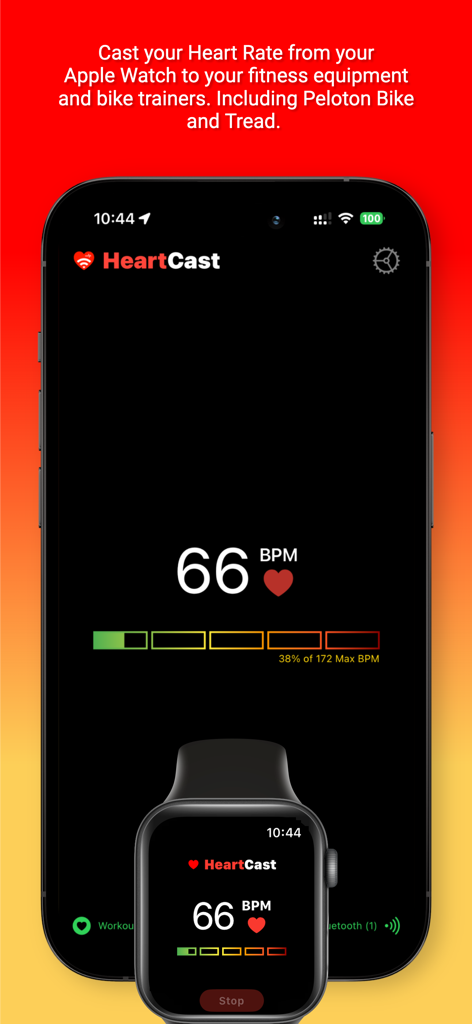
HeartCast app interface showing real time heart rate data synced between iPhone and Apple Watch

HeartCast app interface showing real time heart rate data synced between iPhone and Apple Watch

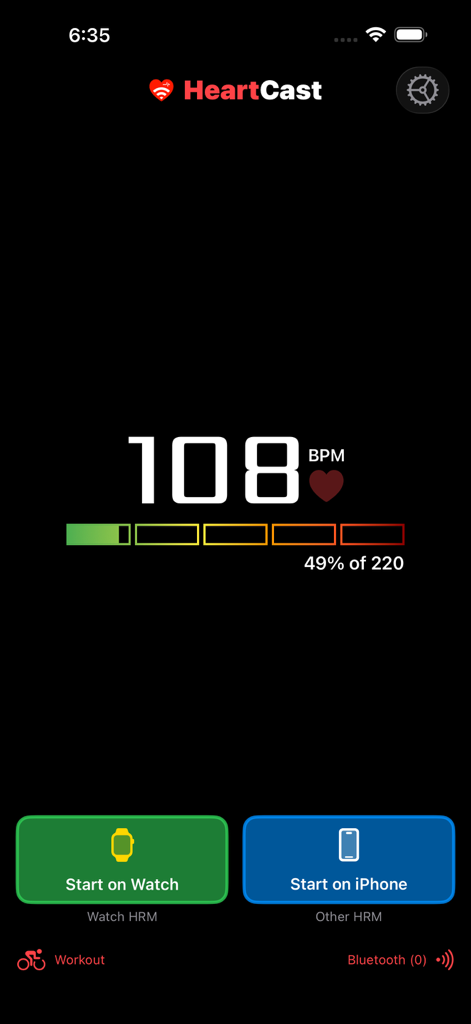
HeartCast app interface showing 108 BPM heart rate display and start buttons for Apple Watch and iPhone

HeartCast app interface showing 108 BPM heart rate display and start buttons for Apple Watch and iPhone

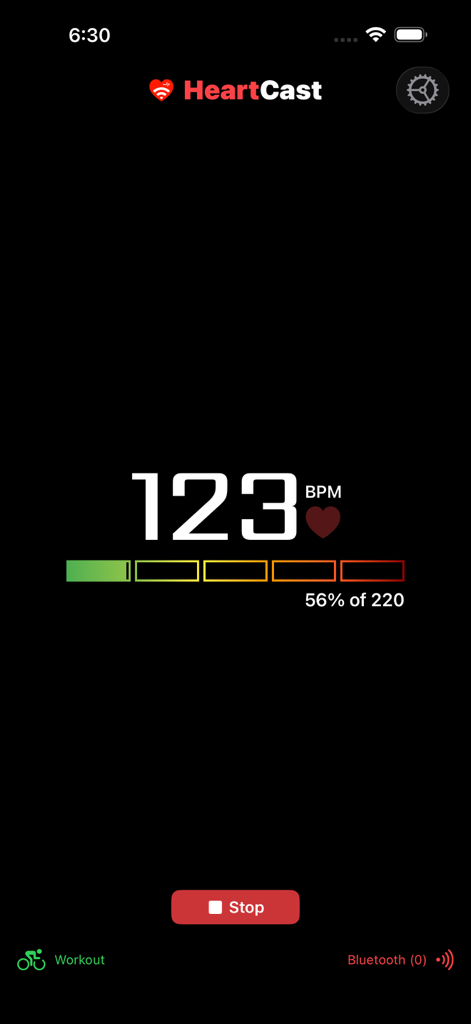
Screenshot of the HeartCast app interface displaying a heart rate of 123 BPM and a workout zone progress bar

Screenshot of the HeartCast app interface displaying a heart rate of 123 BPM and a workout zone progress bar

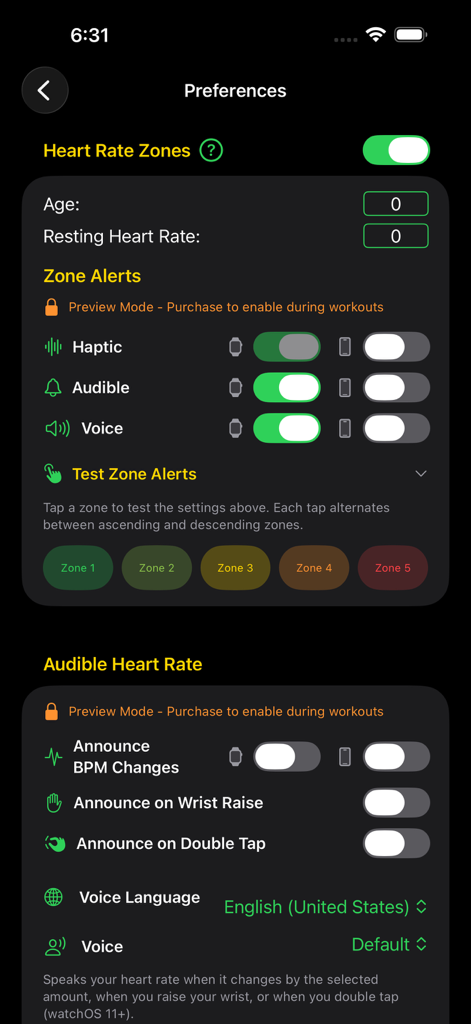
HeartCast app preferences screen for heart rate zones and audible alerts.

HeartCast app preferences screen for heart rate zones and audible alerts.

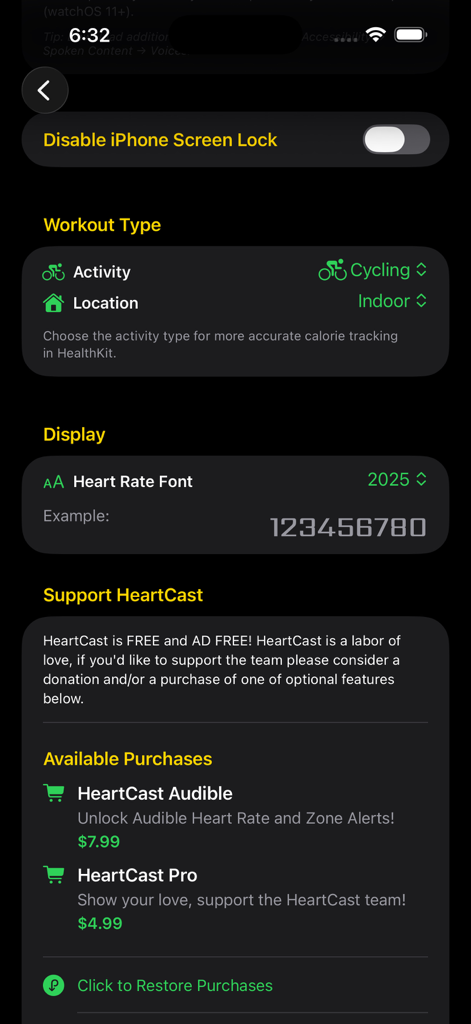
HeartCast app settings menu showing workout type selection and in-app purchase options.

HeartCast app settings menu showing workout type selection and in-app purchase options.

Elevate Your Home Fitness Tech

The tools that make this app stand out, trusted by 5K+ users.

Ditch the Chest Strap

No more itchy sensors or extra gear to charge. Use the Apple Watch you already wear and love to track every beat with total comfort.

🚴

Unified Equipment Sync

Broadcast live heart rate data directly to Peloton, Zwift, NordicTrack, and more. See your metrics where they matter most: on your bike's screen.

🔒

Privacy-First Performance

Your health data never leaves your devices. Enjoy a 100% free, ad-free experience with no accounts to create and no data tracking.

About the app

Everything you need to know about HeartCast: Heart Rate Monitor.

Description

HeartCast enables you to broadcast your heart rate from your Apple Watch or Airpods Pro 3 to your Bluetooth-enabled fitness equipment and bike trainers. Including Peloton Bike and Tread. HeartCast is 100% Free to use! Replace your existing heart rate monitors with the Apple Watch you already wear and love. Monitor your Heart Rate Zones from your Apple Watch/Airpods Pro 3 and iPhone. HeartCast is powered by Bluetooth and you! We use Bluetooth open standards to communicate directly with your fitness equipment. Your heart rate data never leaves your devices. Free! * Free to download and use forever. * Ad Free, forever. In App Purchases * HeartCast is completely free to download and use forever. * If you'd like to support Heartcast feature development, please consider purchasing our Pro Upgrade. New features and improvements in the works. * Audible Features to announce your heart rate and heart rate zones. Try Free in User Preferences. About Your Privacy * HeartCast monitors your heart rate and broadcasts it over Bluetooth to nearby compatible fitness equipment. * HeartCast does not monitor or collect any other personal information! * HeartCast can optionally save or discard your workouts. Apple Watch automatically saves some basic metrics during a workout and contributes directly to closing your Activity Rings. * HeartCast does not save, store, or transmit your heart rate data to any external services. It is only used within the app and your nearby Bluetooth-enabled devices. * HeartCast utilizes Google Analytics and Google Crashlytics to improve our features and identify and resolve critical issues with the application. * HeartCast is not affiliated with Peloton or any other fitness equipment provider. Instructions 1) Start HeartCast App on your watch and iPhone Heart Rate will sync between the two devices. 2) On your Watch, press the Start button to begin a workout. This enables bluetooth and begins to broadcast your heart rate to nearby devices. It also enables HeartCast to run in the background during your workout. 3) Breathe easily and never wear those uncomfortable chest straps again. Requirements * An Apple Watch & iPhone. Airpods Pro 3 & iPhone or iPad. * Access to Apple Health to create workouts and read your heart rate data * Access to Bluetooth to cast to your fitness equipment Supported Fitness Equipment - Peloton Bike, Bike+, and Tread - Peloton App on iPad and Amazon Firestick - Zwift (on iPad, Apple TV, or computer) - ROUVY (confirmed by ROUVY support and users) - TrainerRoad (iPad) - Wahoo Fitness App (iPad) - TacX Smart Trainer Software (Mac/iPad) - Hammerhead Karoo 2 and Karoo 3 - FulGaz App - Bryton Rider 450 - Lezyne Macro GPS - NordicTrack iFit equipment (C2950 Treadmill, RW850 Rower) - Echelon Fit App (iPad only) - iGPSPORT bike computers (user reported, results may vary) UNSUPPORTED - Devices that do NOT support Bluetooth Low Energy (BLE) - **Garmin Edge devices (830, 1030, others)**: Users report connection issues, or never connects. - **Echelon Bikes with integrated tablet**: Unsupported - **Wahoo Elemnt Roam/Bolt**: Mixed results. Please send us a note if HeartCast works on your favorite fitness equipment! Please visit our website for an FAQ and Support: https://help.heartcast.app/ HeartCast was built with love by an avid Peloton user.

Latest Version

3.2.3

Size

9.2 MB

First Released

Mar 9, 2020

Ditch the Chest Strap for Good

Join thousands of home athletes syncing Apple Watch heart rate to Peloton, Zwift, and more. No accounts, no ads—just seamless, private tracking for free.

Download on App Store

App information, icons, screenshots, and descriptions displayed on this page are sourced from the Apple App Store and are the property of their respective developers. Download estimates and rankings are based on MWM's proprietary models and may not reflect actual figures. This page is provided for informational and analytical purposes only.

Believe this page infringes your intellectual property? File a dispute