Heartfeed RSS Reader

Heartfeed RSS Reader

Download on App Store
Logo of Heartfeed RSS Reader

Heartfeed RSS Reader: The fast, private way to own your news feed

No accounts, no tracking, and no noise. Experience a clutter-free grid view that puts you in control of your information with secure iCloud syncing across all your Apple devices.

Download on App Store

Publisher

Simon Wigzell

Category

News

Downloads

0

User Rating

4.8/5

Total Ratings

0

Locales

1

Efficiency at a Glance

Discover the interface used by 0 users.
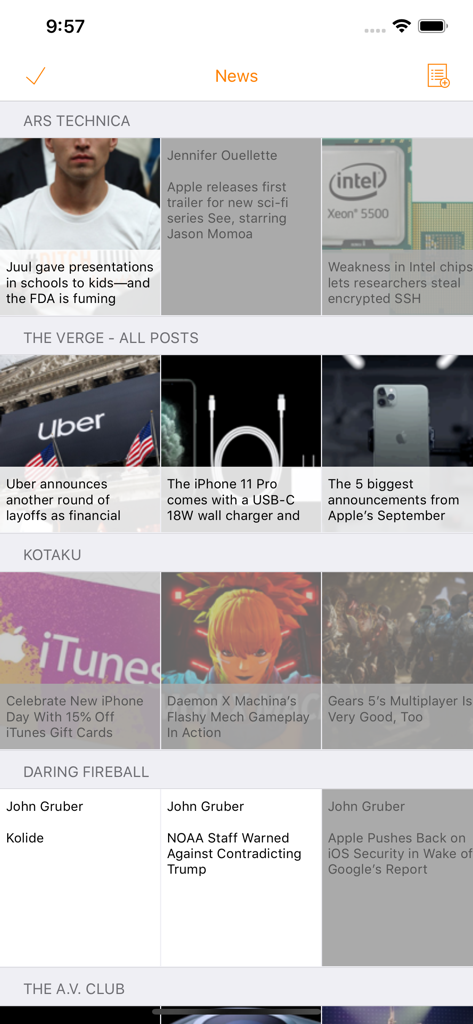
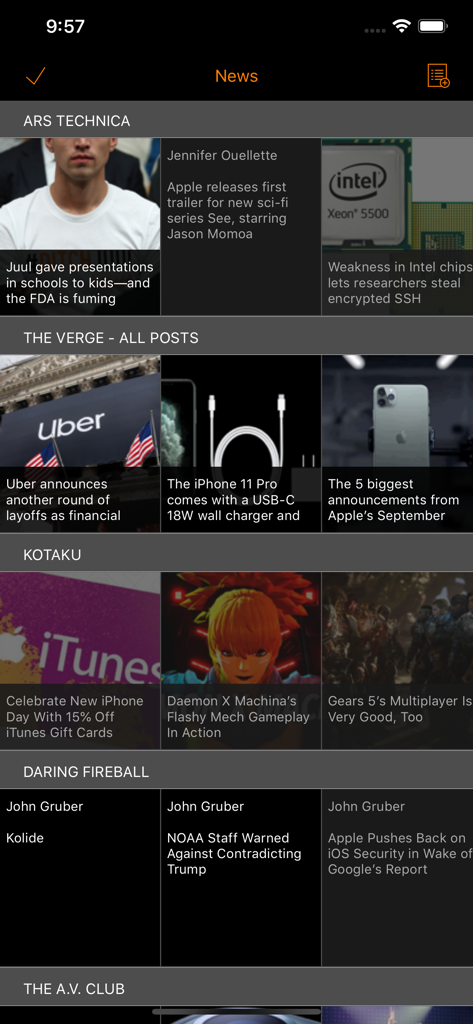
Heartfeed RSS Reader displaying news headlines in a compact grid view.

Heartfeed RSS Reader displaying news headlines in a compact grid view.

Heartfeed RSS Reader app interface displaying a compact grid view of various news sources in night mode

Heartfeed RSS Reader app interface displaying a compact grid view of various news sources in night mode

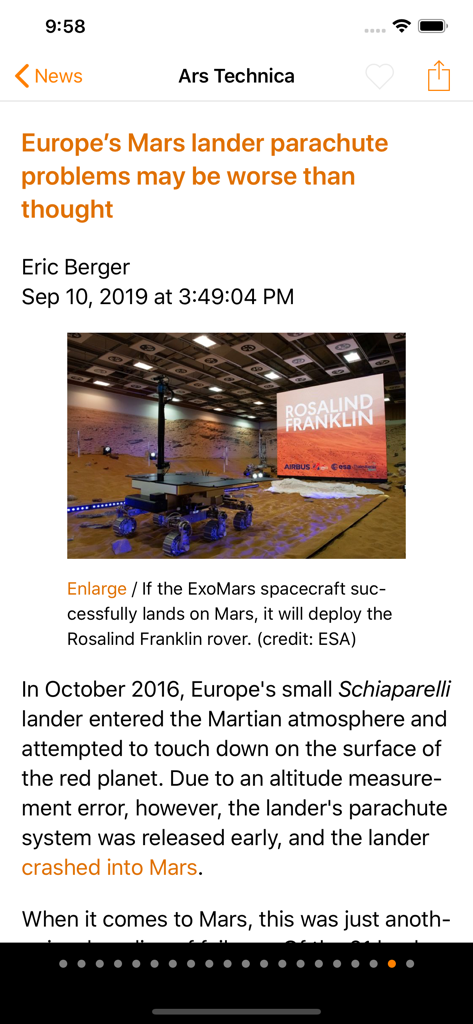
Heartfeed RSS Reader displaying a tech news article from Ars Technica

Heartfeed RSS Reader displaying a tech news article from Ars Technica

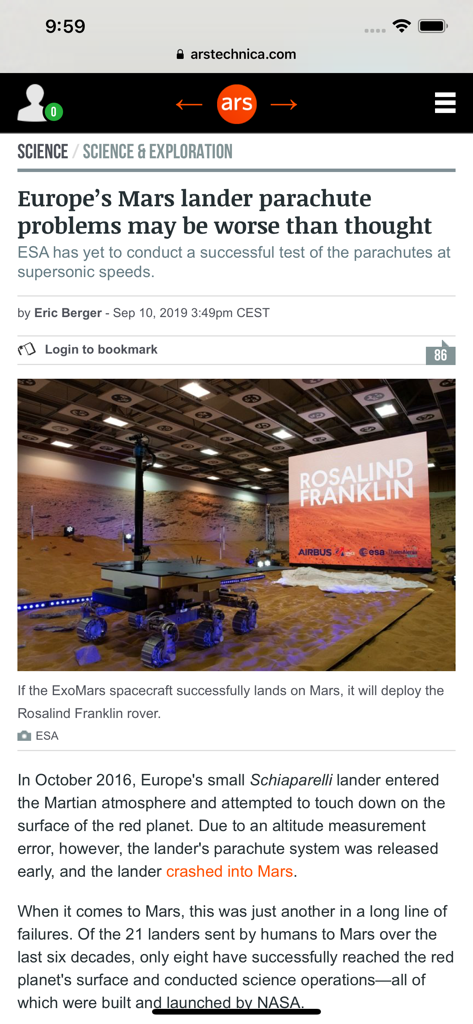
Heartfeed RSS Reader internal browser displaying a science article from Ars Technica

Heartfeed RSS Reader internal browser displaying a science article from Ars Technica

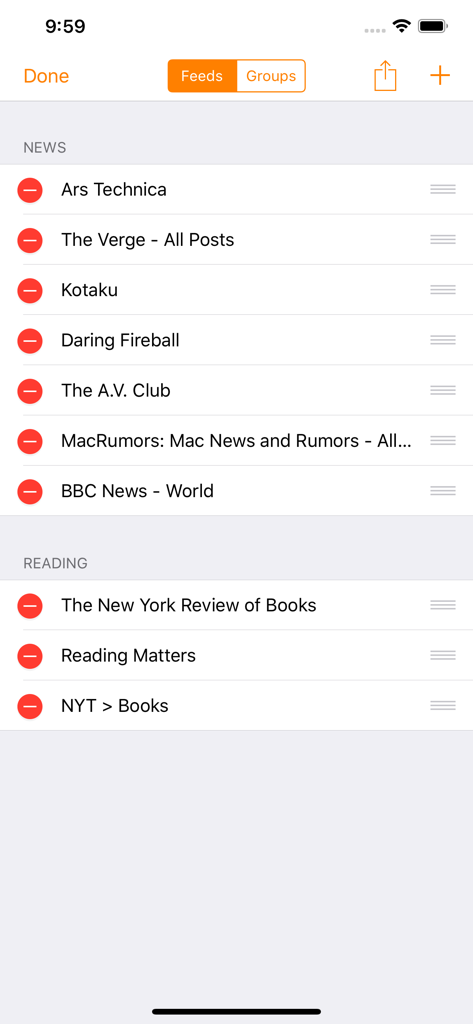
The manage feeds screen in Heartfeed RSS Reader showing a list of news and book related sources

The manage feeds screen in Heartfeed RSS Reader showing a list of news and book related sources

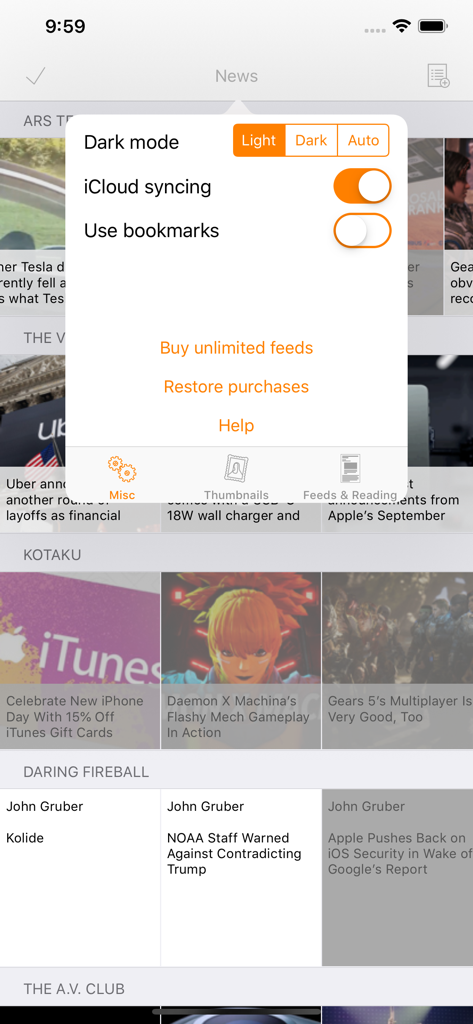
Heartfeed RSS Reader app settings overlay showing dark mode and iCloud syncing options over a compact news grid

Heartfeed RSS Reader app settings overlay showing dark mode and iCloud syncing options over a compact news grid

The Power User's News Command Center

The tools that make this app stand out, trusted by 0 users.

🛡️

Pure Privacy, No Accounts

Skip the sign-ups and data tracking. Heartfeed uses your own iCloud for syncing, ensuring your reading habits and data remain strictly yours.

High-Density Grid View

Maximize your information intake. Our compact layout lets you scan dozens of headlines at once, perfect for the efficient morning briefing.

🚫

Zero Ads, Zero Noise

Experience a distraction-free environment. Benefit from full support for iOS content blockers and an interface built for deep reading without the clutter.

About the app

Everything you need to know about Heartfeed RSS Reader.

Description

Do you want to read your news using RSS/Atom/JSON feeds in the most efficient, no-nonsense way, and with no requirement to setup an app-specific user account or relying on a server? If you do, Heartfeed might be the app for you. Features: - A compact grid view for your feeds, making it easy to check all of them at once - When reading news in the internal browser, full support of your configured content blockers, saved passwords, etc. - Automatic synching of subscribed feeds and read status between iOS devices (requires an iCloud account) - Quick pick list: Easily select which news items from different feeds you want to read - Background refresh of feeds: Some feeds refresh often and you then risk missing news in case the app is not used frequently. Background refresh, together with caching of the last 50 news items in each feed, prevents this from happening - Bookmarks, including reading them from either inside Heartfeed or from any iOS or macOS browser (requires an iCloud account) - Night mode theme - Subscribing to feeds from the current Heartfeed top list, from files, or directly from the web - Full support for split views and multi-tasking on iPads - No tracking of usage or personal data; optionally, you can anonymously share which feeds you subscribe to for improving the builtin top list of recommended feeds The app is 100% free and without ads. If you want to tip me somethings as thanks for the app, you can do so within the settings. I hope you'll enjoy using Heartfeed!

Latest Version

5.2.1

Size

13.6 MB

First Released

Feb 4, 2016

Own Your News Feed, Private and Ad-Free

Experience the most efficient, no-nonsense RSS reader for iOS. No accounts required—just you and the sources you trust.

Download on App Store

App information, icons, screenshots, and descriptions displayed on this page are sourced from the Apple App Store and are the property of their respective developers. Download estimates and rankings are based on MWM's proprietary models and may not reflect actual figures. This page is provided for informational and analytical purposes only.

Believe this page infringes your intellectual property? File a dispute