PDF Converter: JPG to PDF

PDF Converter: JPG to PDF

Download on App Store
Logo of PDF Converter: JPG to PDF

PDF Converter: JPG to PDF — Your All-in-One Professional Document Suite

Effortlessly convert, secure, and compress your files on the go. From images to office docs, take full control of your mobile workflow with the ultimate productivity tool for iPhone and iPad.

Download on App Store

Publisher

Arda Sen

Category

Business

Downloads

3K+

User Rating

4.7/5

Total Ratings

0

Locales

1

A Glimpse Inside

Discover the interface used by 3K+ users.
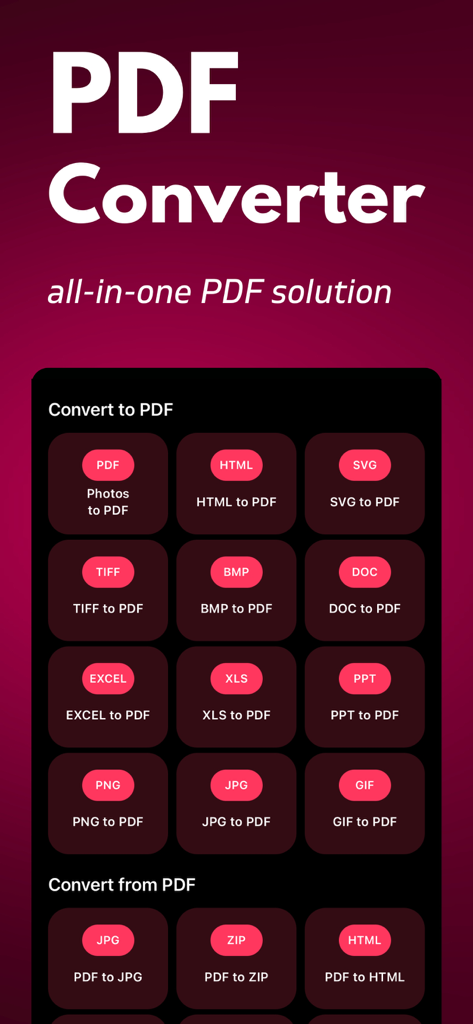
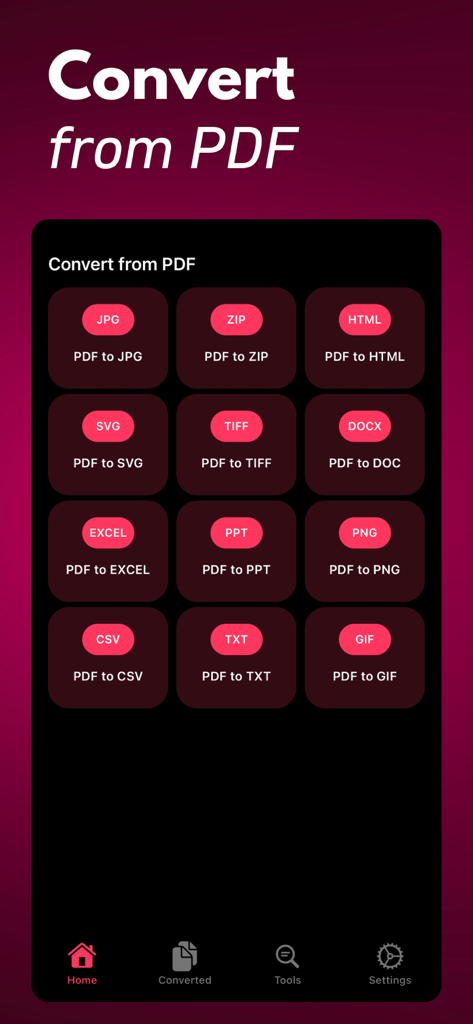
Interface showing options to convert between PDF and various file formats like JPG and Word

Interface showing options to convert between PDF and various file formats like JPG and Word

Mobile app interface displaying options to convert PDF files into various formats like JPG Word and Excel

Mobile app interface displaying options to convert PDF files into various formats like JPG Word and Excel

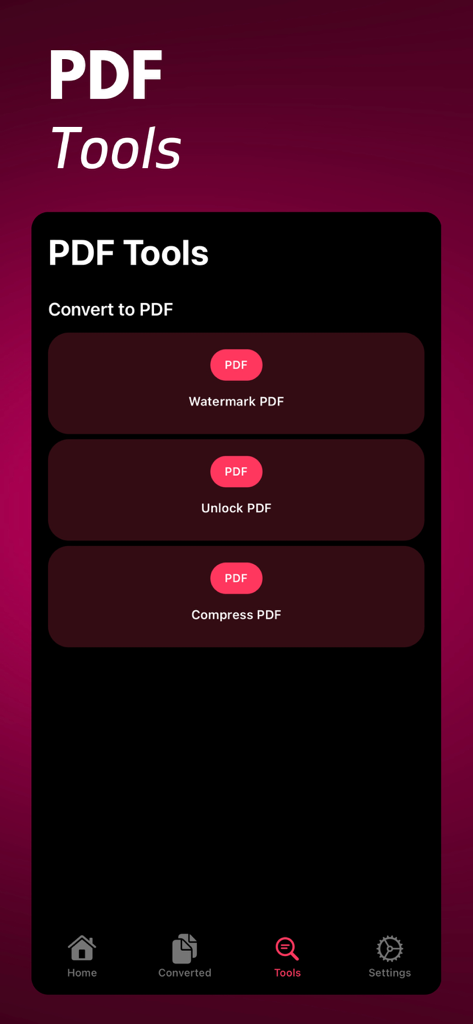
PDF Converter app interface showing options to watermark unlock and compress PDF documents

PDF Converter app interface showing options to watermark unlock and compress PDF documents

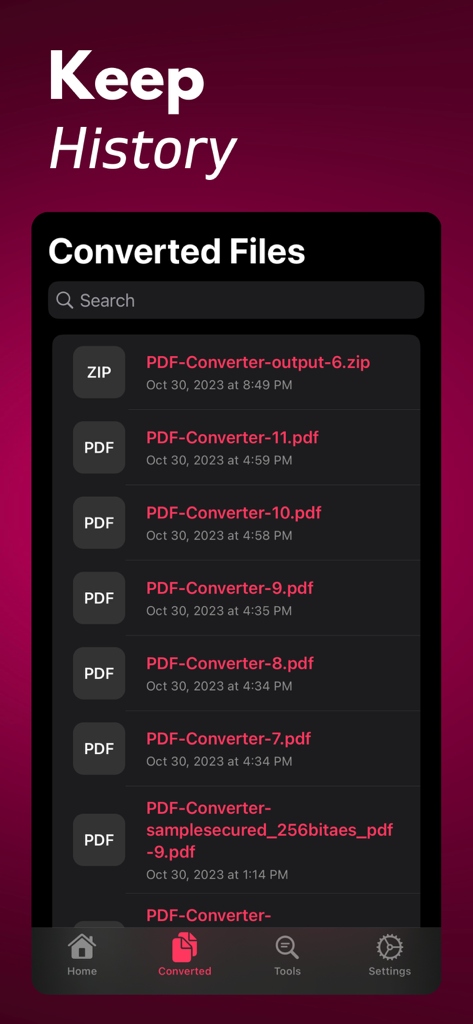
Interface showing a chronological list of converted PDF and ZIP files with search functionality.

Interface showing a chronological list of converted PDF and ZIP files with search functionality.

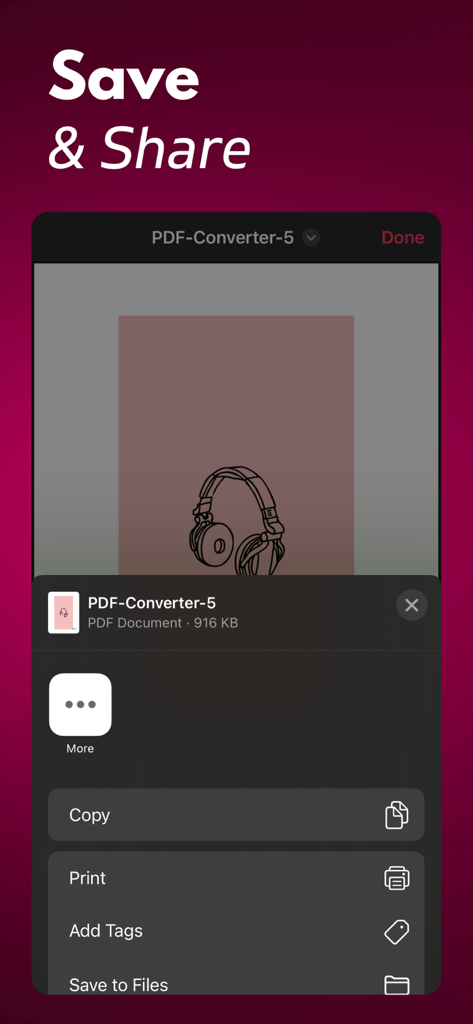
iOS share menu in the PDF Converter app showing options to copy print add tags and save documents to files

iOS share menu in the PDF Converter app showing options to copy print add tags and save documents to files

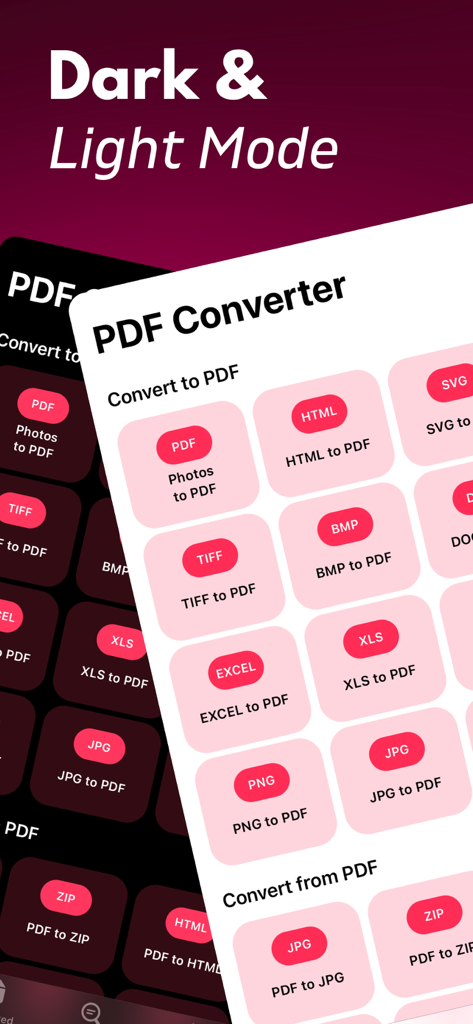
PDF Converter app interface showing dark and light modes with various file conversion options

PDF Converter app interface showing dark and light modes with various file conversion options

Your All-in-One Professional PDF Toolkit

The tools that make this app stand out, trusted by 3K+ users.

🔄

Convert Any File in Seconds

Transform images, Word docs, and Excel sheets into high-quality PDFs, or extract content back to editable formats instantly.

🛡️

Protect and Secure Your Work

Add custom watermarks to your drafts and set passwords to keep sensitive business data and intellectual property safe.

📦

Smart Compression and Sharing

Shrink large files for easy emailing and track your work with a detailed history feature—perfect for busy professionals on the go.

About the app

Everything you need to know about PDF Converter: JPG to PDF.

Description

PDF Converter is your ultimate all-in-one PDF utility. Convert images, documents (Word, PowerPoint, Excel), and even HTML files into PDFs or convert from PDF to other formats. Customize your PDFs with tools like watermarking, locking/unlocking, and file compression. Simplify your PDF tasks with PDF Converter. Key Features: * Convert to PDF: Effortlessly turn your images (JPG, PNG, SVG), documents (DOCX, PPTX, XLSX), and more into professional PDF files. No more hassle with incompatible formats. * Convert from PDF: Need to extract content? PDF Converter can convert PDFs into a variety of formats including JPG, PNG, SVG, TXT, ZIP, DOCX, PPTX, and XLSX. Extract what you need with ease. * PDF Tools: Enhance your PDFs with a suite of tools. Compress large files to save space, add watermarks to protect your content, and unlock secured PDFs when necessary. * Save and Share: Your history feature keeps track of all your converted files, making it simple to access previous work. Easily share your PDFs with colleagues, friends, or store them on your device. * User-Friendly: With an intuitive and user-friendly interface, PDF Converter makes the conversion process straightforward and accessible for everyone. Whether you're a student, professional, or just someone who deals with PDFs regularly, PDF Converter is the only PDF tool you'll ever need. Simplify your document management and take control of your PDFs like never before. Transform, customize, and manage PDFs with ease – get PDF Converter today! Privacy: https://pdfconverter.ardasen.com/privacy.html Terms: https://pdfconverter.ardasen.com/terms.html

Latest Version

1.0.18

Size

6.5 MB

First Released

Oct 31, 2023

Ready to Master Your Documents?

Join thousands of professionals and students who have streamlined their workflow with the ultimate all-in-one PDF tool. Secure, fast, and professional—get PDF Converter on your iPhone or iPad today.

Download on App Store
FAQ

Frequently Asked Questions

Everything you need to know about PDF Converter: JPG to PDF

What is PDF Converter: JPG to PDF?

PDF Converter: JPG to PDF is an all-in-one utility that converts documents and images to and from PDF. It also offers tools to customize, compress, watermark, and unlock PDFs.

Which file types can PDF Converter: JPG to PDF convert into PDF?

PDF Converter: JPG to PDF can convert images (JPG, PNG, SVG, TIFF, BMP, GIF), documents (DOCX, PPTX, XLSX, DOC, PPT, XLS), and HTML files into PDF format.

What formats can PDF Converter: JPG to PDF convert from PDF?

PDF Converter: JPG to PDF converts PDFs into JPG, PNG, SVG, TXT, ZIP, DOCX, PPTX, XLSX, HTML, TIFF, EXCEL, PPT, CSV, and GIF formats.

Does PDF Converter: JPG to PDF offer PDF editing tools?

Yes, PDF Converter: JPG to PDF includes tools to enhance PDFs. Users can compress large files, add watermarks to protect content, and unlock secured PDF documents.

Does PDF Converter: JPG to PDF save a history of converted files?

Yes, PDF Converter: JPG to PDF features a history function. It tracks all converted files, allowing users to easily access their previous work directly within the app.

Can users share files converted with PDF Converter: JPG to PDF?

Yes, users can easily share their converted PDF files directly from PDF Converter: JPG to PDF. The app also allows storing files on the device.

Is PDF Converter: JPG to PDF user-friendly?

Yes, PDF Converter: JPG to PDF features an intuitive and user-friendly interface. This makes the conversion process straightforward and accessible for all users.

Does PDF Converter: JPG to PDF support dark mode?

Yes, PDF Converter: JPG to PDF supports both dark and light modes. Users can choose their preferred visual theme for the application interface.

Where can I find the privacy policy for PDF Converter: JPG to PDF?

The privacy policy for PDF Converter: JPG to PDF is available at https://pdfconverter.ardasen.com/privacy.html. This provides details on data handling.

What are the terms of service for PDF Converter: JPG to PDF?

The terms of service for PDF Converter: JPG to PDF are published at https://pdfconverter.ardasen.com/terms.html. Users can review these terms for app usage conditions.

App information, icons, screenshots, and descriptions displayed on this page are sourced from the Apple App Store and are the property of their respective developers. Download estimates and rankings are based on MWM's proprietary models and may not reflect actual figures. This page is provided for informational and analytical purposes only.

Believe this page infringes your intellectual property? File a dispute