

iFastViewer

iFastViewer

Download on App Store
Logo of iFastViewer

iFastViewer: Secure Professional Remote Collaboration on the Go

Join meetings, view desktops, and take remote control directly from your iPhone or iPad. Experience seamless communication and training sessions with enterprise-grade security, no matter where your business takes you.

Download on App Store

Publisher

FastViewer GmbH

Category

Business

Downloads

33K+

User Rating

3.0/5

Total Ratings

100

Locales

2

Experience the Workspace

Discover the interface used by 33K+ users.
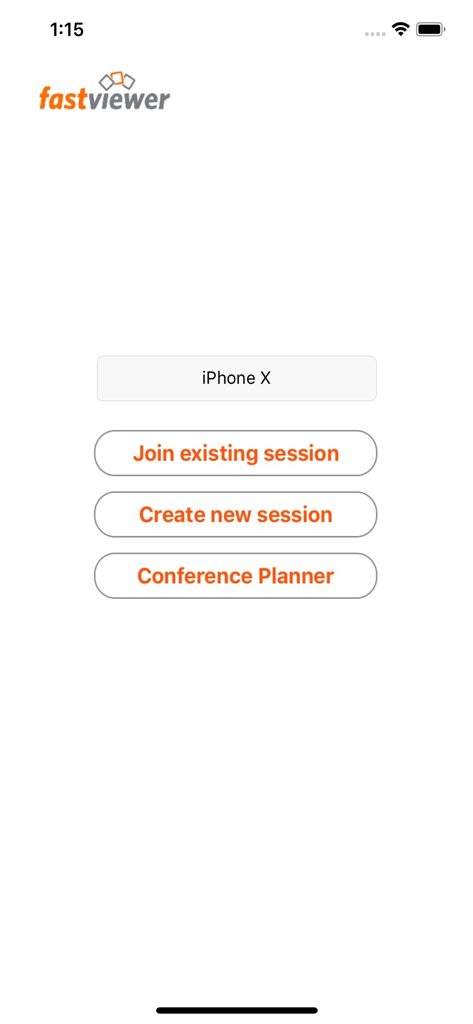
iFastViewer main menu showing options to join or create a session and access the conference planner

iFastViewer main menu showing options to join or create a session and access the conference planner

Unleash Professional Mobility

The tools that make this app stand out, trusted by 33K+ users.

🎯

Precision Remote Interaction

Control remote desktops with fluid multi-touch gestures. Zoom, pinch, and navigate complex interfaces for seamless technical support on the go.

📹

Active Video & Voice

Maintain a professional presence with crystal-clear video and audio. Transition from viewer to presenter instantly, no matter your location.

⚖️

Moderator Control Center

Take command of your sessions by managing participants and sharing rights within a secure, corporate-compliant environment.

About the app

Everything you need to know about iFastViewer.

Description

The iFastViewer app lets you attend FastViewer sessions from the comfort of your iPhone, iPod touch or iPad. Even if you’re on the go, you no longer have to miss out on presentations, web conferences, online meetings or training sessions. Features ······································································ Desktop: See your meeting partner’s desktop. You can view it in fit-to-screen mode or zoom in and use multi-touch functions, like pinching your fingers together or apart, to smoothly scale the display size. When remote control is enabled, the mouse cursers movement is now relative to your fingers movement. Video: Tap on the camera icon to see video images of all participants in a meeting with a webcam. If your device has a camera, you can even transmit your own video image. Voice-Communication: Navigate on the iFastViewer app to the "audio" tab: Here you can dynamically activate and deactivate your speaker or microphone to participate in the sessions voice communication. Chat: The chat function also lets you join in discussions even when you’re not at your desktop. Users: The list of participants lists all of a session’s attendees. You can also see who’s sharing their desktops. As moderator you can manage the participants and control who is sharing and in remote control as well. What is FastViewer? ······································································ FastViewer lets you view and participate in presentations, meetings and training courses online – all in a secure and easy-to-use environment.

Latest Version

3.3.8

Size

10.8 MB

First Released

Jul 29, 2010

Take Control of Your Meetings, Wherever You Are

Join thousands of professionals who stay productive on the go. Download iFastViewer for iPhone and iPad to experience secure, seamless remote collaboration today.

Download on App Store

App information, icons, screenshots, and descriptions displayed on this page are sourced from the Apple App Store and are the property of their respective developers. Download estimates and rankings are based on MWM's proprietary models and may not reflect actual figures. This page is provided for informational and analytical purposes only.

Believe this page infringes your intellectual property? File a dispute








