Image resizer, converter iSize

Image resizer, converter iSize


Download on App Store
Logo of Image resizer, converter iSize

iSize: Advanced Image Resizer & Batch Converter

Streamline your professional workflow with pixel-perfect precision. Batch process photos, edit metadata, and optimize images for social media, web, or print directly from your device.

Download on App Store

Publisher

VeprIT

Category

Graphics & Design

Downloads

29K+

User Rating

4.8/5

Total Ratings

100

Locales

1

Precision in Every Pixel

Discover the interface used by 29K+ users.
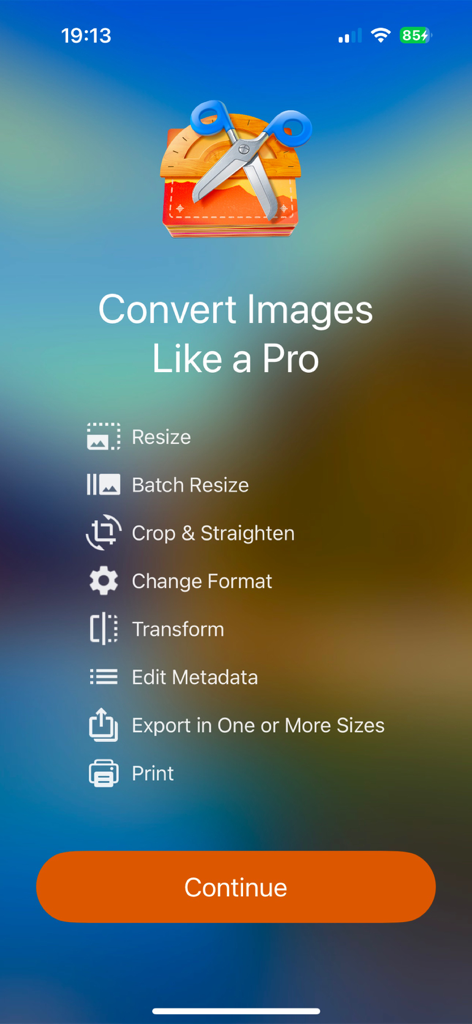
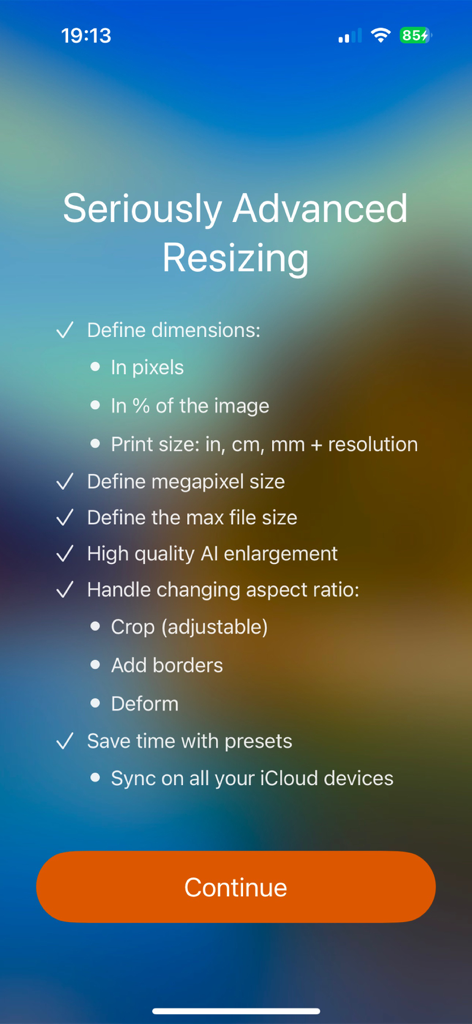
iSize app splash screen listing professional image editing features like batch resize and metadata editing

iSize app splash screen listing professional image editing features like batch resize and metadata editing

A list of advanced image resizing features in the iSize app including AI enlargement and dimension controls.

A list of advanced image resizing features in the iSize app including AI enlargement and dimension controls.

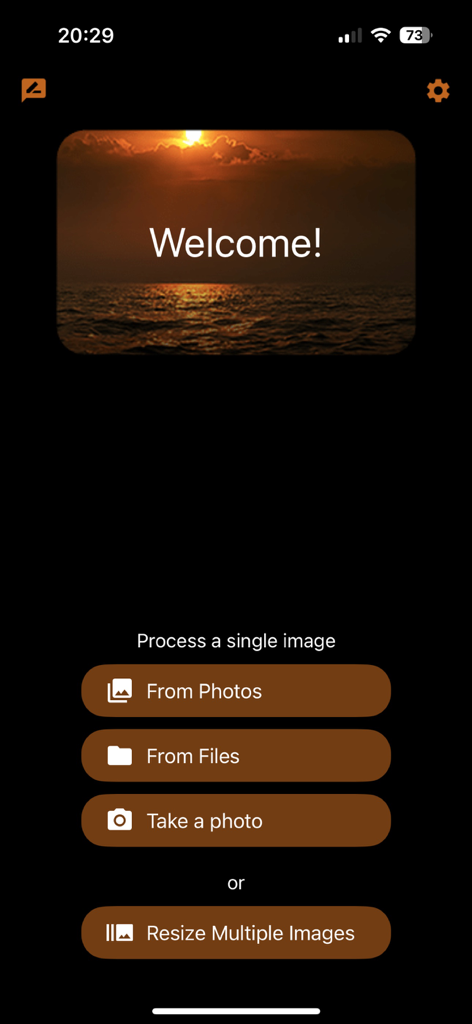
iSize app welcome screen with options for single and batch image resizing

iSize app welcome screen with options for single and batch image resizing

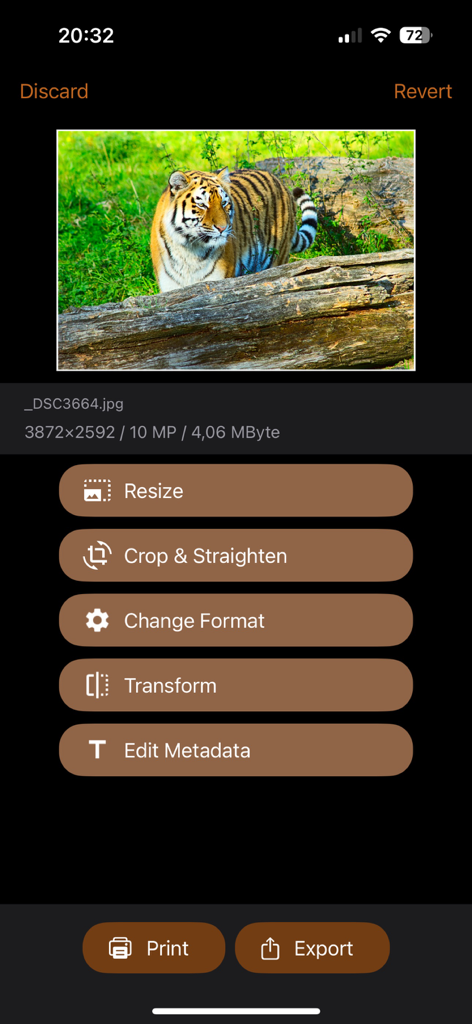
Main menu of the iSize app showing options to resize crop change format and edit metadata for a photo

Main menu of the iSize app showing options to resize crop change format and edit metadata for a photo

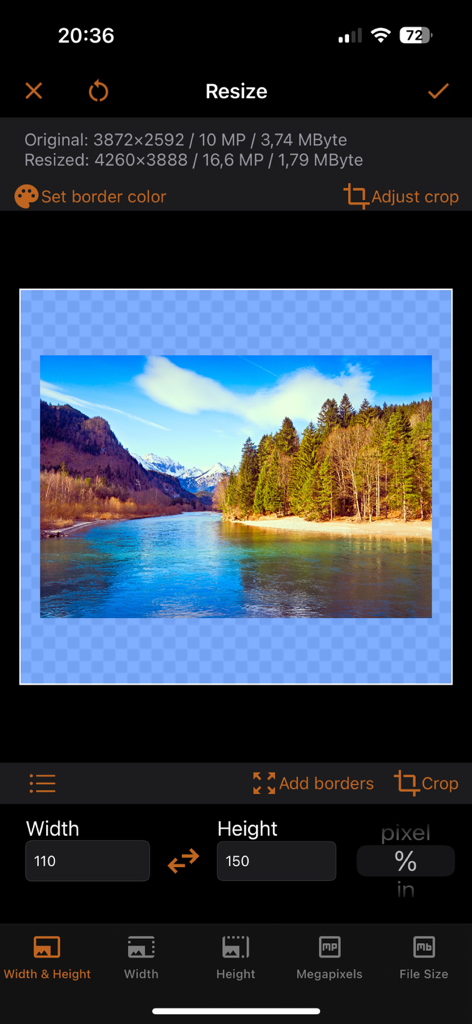
Mobile app interface showing image resizing controls for width and height in percentages within the iSize app

Mobile app interface showing image resizing controls for width and height in percentages within the iSize app

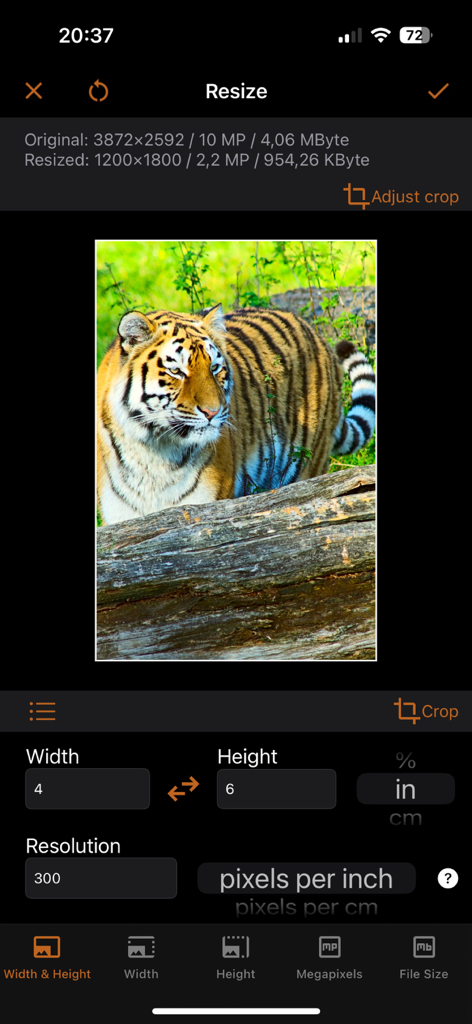
Interface of iSize app displaying width and height settings in inches and resolution in pixels per inch for a tiger photo

Interface of iSize app displaying width and height settings in inches and resolution in pixels per inch for a tiger photo

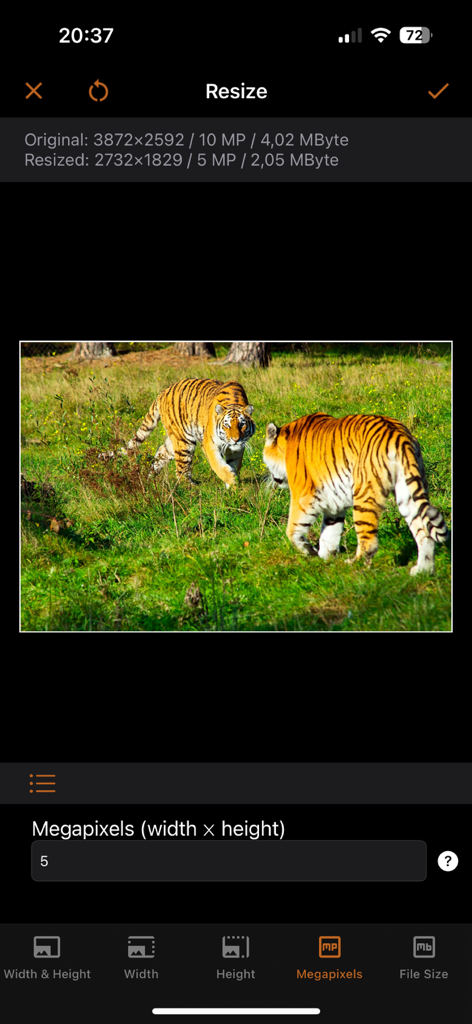
Mobile interface of the iSize app showing a photo of tigers being resized using the megapixels setting.

Mobile interface of the iSize app showing a photo of tigers being resized using the megapixels setting.

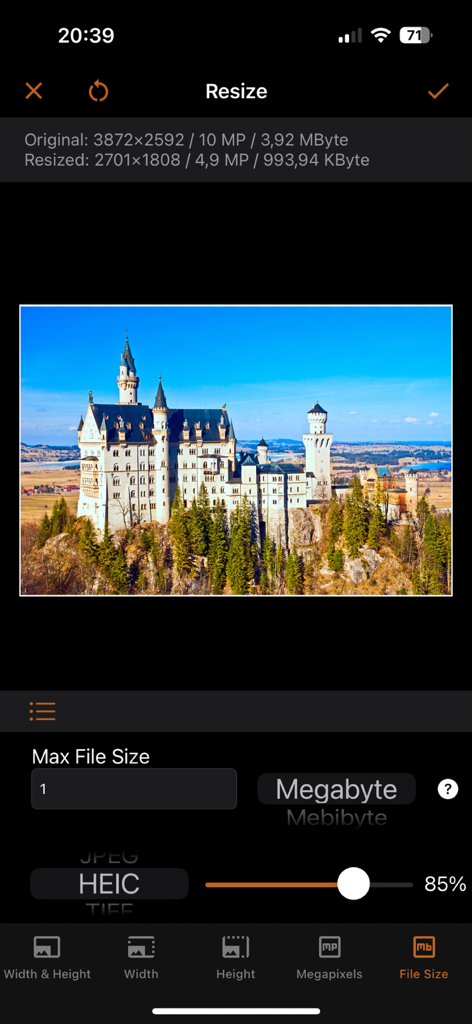
Interface of the iSize app showing an image of a castle being resized by setting a specific one megabyte file size limit

Interface of the iSize app showing an image of a castle being resized by setting a specific one megabyte file size limit

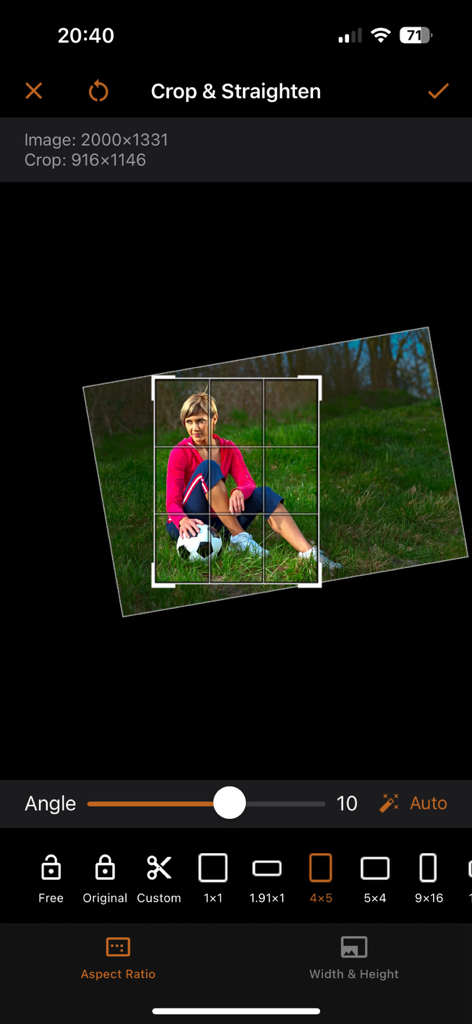
A mobile interface for cropping and straightening images with various aspect ratio options in the iSize app.

A mobile interface for cropping and straightening images with various aspect ratio options in the iSize app.

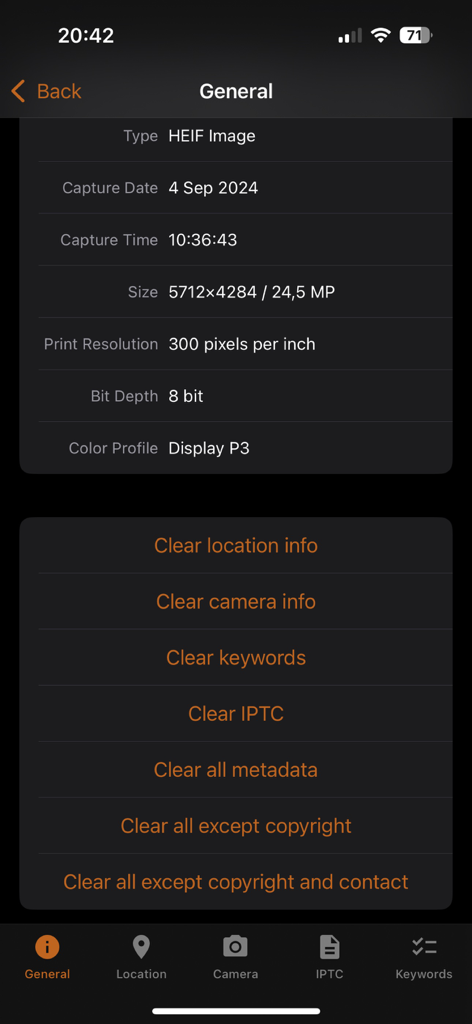
A screen displaying image technical properties and options to clear specific metadata like location and camera info

A screen displaying image technical properties and options to clear specific metadata like location and camera info

Precision Tools for Your Professional Workflow

The tools that make this app stand out, trusted by 29K+ users.

High-Speed Batch Processing

Save hours of manual labor by resizing, cropping, and converting entire libraries of images simultaneously with a single tap.

📐

Pixel-Perfect Specifications

Meet strict technical requirements by defining exact dimensions, megapixels, or file size limits for web uploads, app assets, and high-quality printing.

🛡️

Professional Metadata Control

Ensure your files meet industry standards and protect your privacy by viewing, editing, or stripping EXIF, IPTC, and GPS data from your photos.

About the app

Everything you need to know about Image resizer, converter iSize.

Description

iSize: Advanced Image Converter Effortlessly resize, crop, transform, and print your photos with precision. Edit metadata, prepare images for social media, or handle professional graphic design tasks—all in one flexible tool. Key Features • Advanced Resize: Choose how to handle the image aspect ratio change, enlarge images, and more. • Batch Resize: Process multiple images at once to save time. • Export in Multiple Sizes: Create images for every need, for example @2x and @3x. • Seamless Import: Pull images from Photos, Files, or your camera. • Transparent Image Support: Perfect for logos and design work. • Live Previews: See pixel dimensions, megapixels, and file size before exporting. • Time-Saving Presets: Customize and sync presets across your devices via iCloud. • Metadata Editing: View and modify EXIF, IPTC, GPS data, and more. • Printing: Print at exact dimensions or scale to fit the page. Try it for free! ---- Advanced Resizing Modes Tailor image size to your needs with these flexible options: • Define width, height, or both. • Set resolution by megapixels (e.g., create a 5 MP image). • Limit file size (e.g., keep images under 1 MB). Handle aspect ratio changes with: • Cropping (customize to your liking). • Deformation. • Border addition in any color. For small images, enlarge with AI or add borders to meet size requirements. Define dimensions in: • Pixels, percentages, inches, centimeters, or millimeters. For printing, specify resolution in: • Pixels per inch (PPI). • Pixels per centimeter (PPCM). Set file size limits in: • Bytes, kilobytes (KB), kibibytes (KiB), megabytes (MB), or mebibytes (MiB). ---- Supported Formats Save images in: • JPEG, HEIC (iPhone 7 or later), TIFF, PNG, GIF, or BMP. Customize format-specific settings: • Compression quality for JPEG and HEIC. • Lossless compression for TIFF. Control file size with precise format adjustments. ---- Terms of Use: https://veprit.com/eula.html Privacy Policy: https://veprit.com/VeprIT-PrivacyPolicy.pdf

Latest Version

2.4.3

Size

197.5 MB

First Released

Nov 29, 2021

Ready to Master Your Image Workflow?

Join thousands of designers and professionals who use iSize to batch resize, edit metadata, and export pixel-perfect assets directly from their iPhone or iPad.

Download on App Store

App information, icons, screenshots, and descriptions displayed on this page are sourced from the Apple App Store and are the property of their respective developers. Download estimates and rankings are based on MWM's proprietary models and may not reflect actual figures. This page is provided for informational and analytical purposes only.

Believe this page infringes your intellectual property? File a dispute