Inksquad Artist

Inksquad Artist

Download on App Store
Logo of Inksquad Artist

Inksquad Artist: Precision Color Matching and Digital Workflow for Tattoo Professionals

Bridge the gap between digital art and skin. Match over 400 ink shades instantly, use voice control to maintain your sterile field, and generate AI concepts to streamline your sessions.

Publisher

Inksquad Srl

Category

Graphics & Design

Downloads

19K+

User Rating

1.0/5

Total Ratings

0

Locales

2

From Screen to Skin

Discover the interface used by 19K+ users.
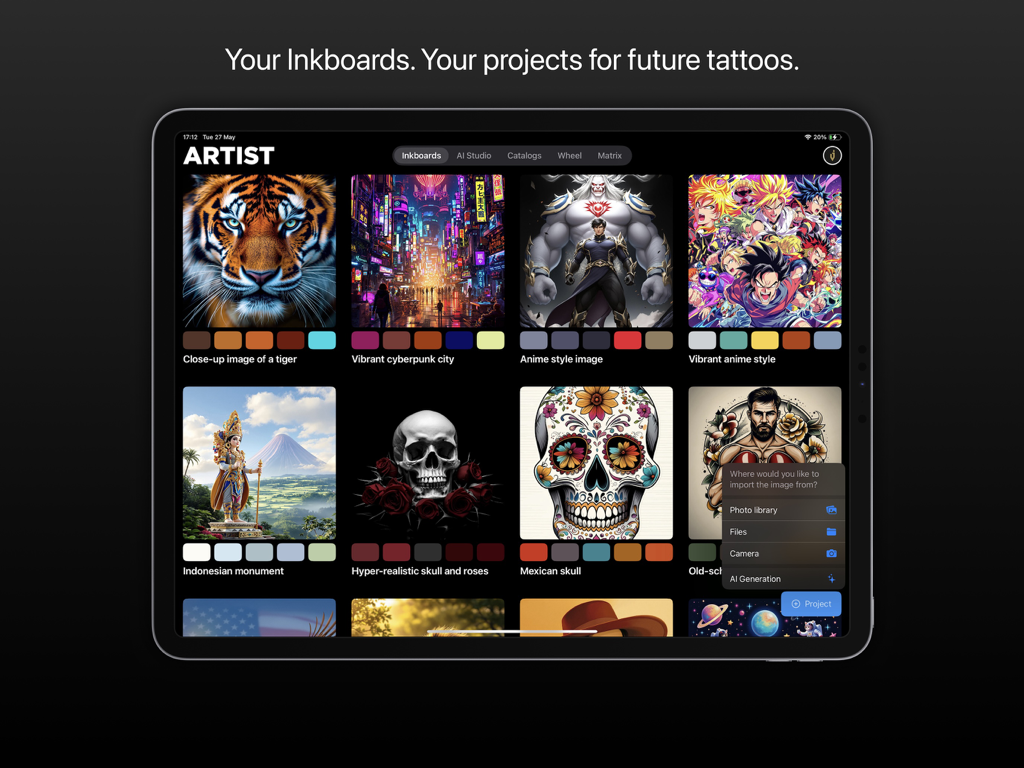
Inksquad Artist app interface on iPad showing a grid of tattoo design projects and color palettes

Inksquad Artist app interface on iPad showing a grid of tattoo design projects and color palettes

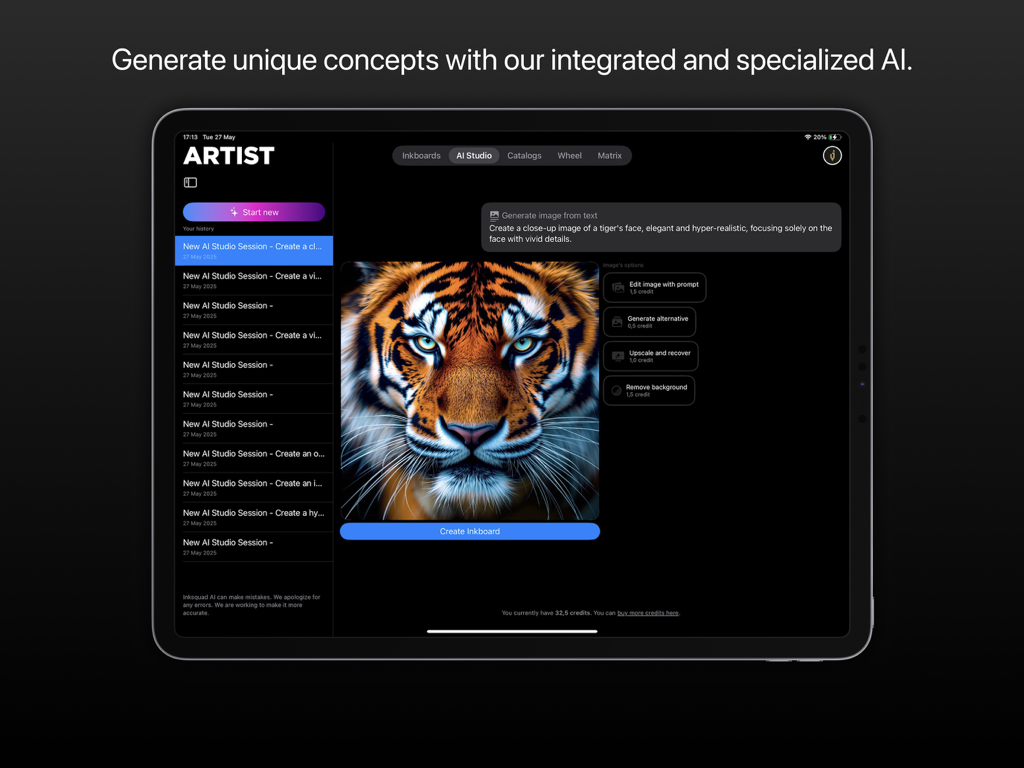
Inksquad Artist iPad app displaying an AI-generated tiger face tattoo concept in the AI Studio.

Inksquad Artist iPad app displaying an AI-generated tiger face tattoo concept in the AI Studio.

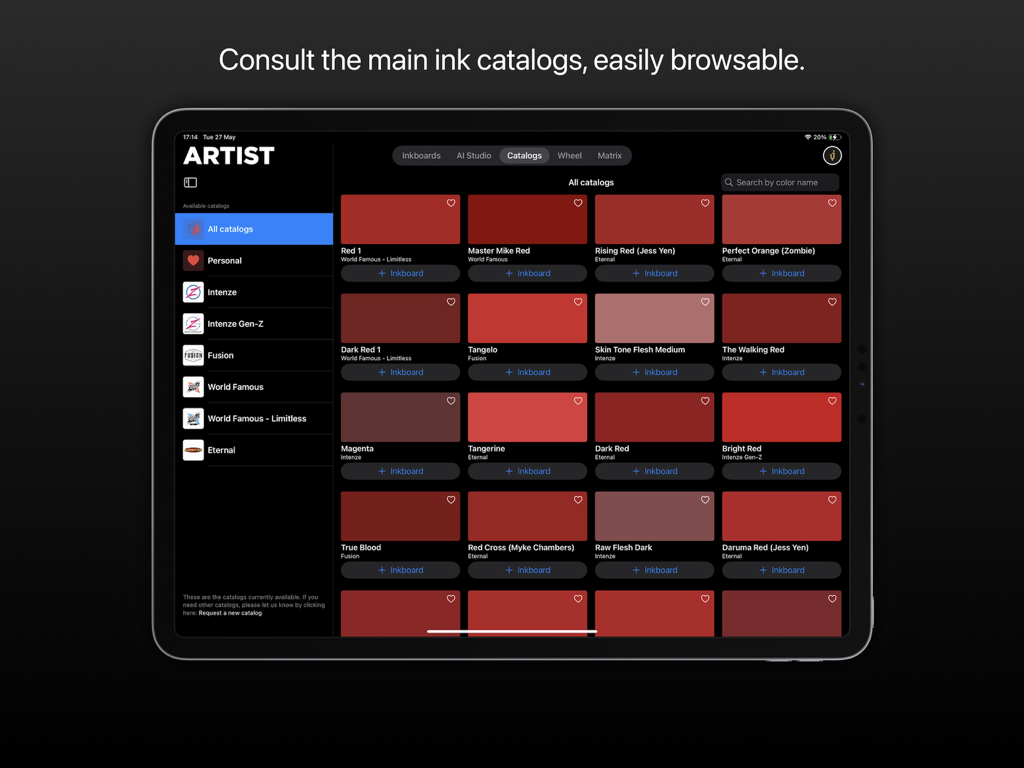
Interface of the Inksquad Artist app showing a grid of red tattoo ink swatches from various brand catalogs.

Interface of the Inksquad Artist app showing a grid of red tattoo ink swatches from various brand catalogs.

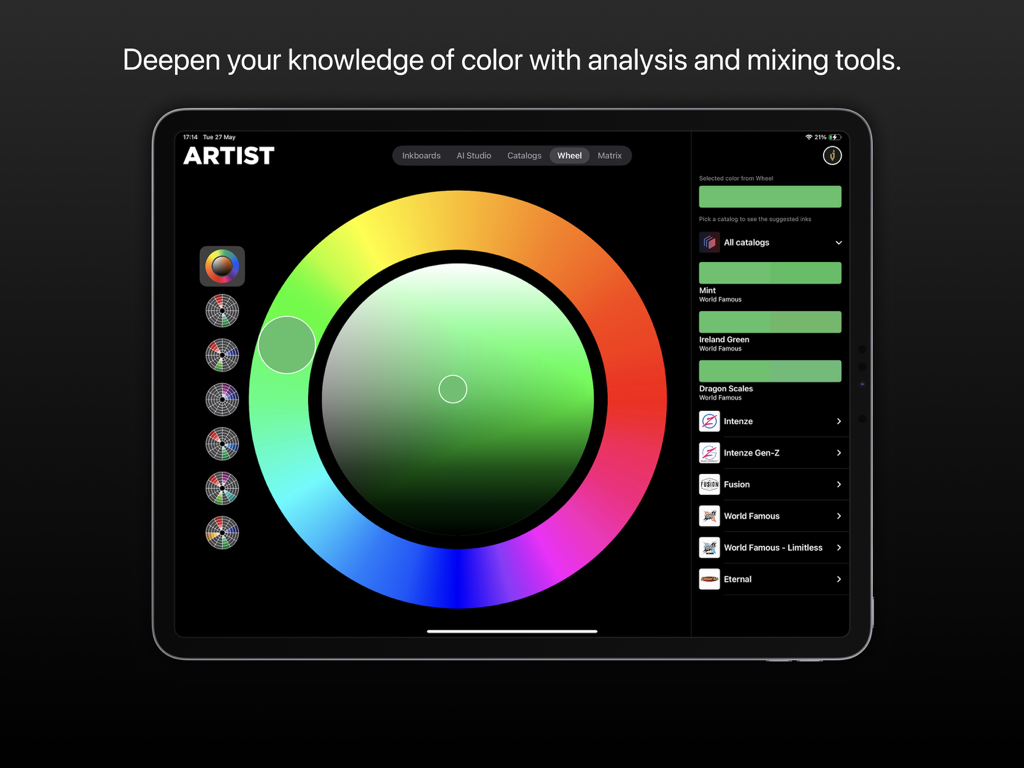
Inksquad Artist app interface showing a digital color wheel for matching tattoo ink shades and catalogs

Inksquad Artist app interface showing a digital color wheel for matching tattoo ink shades and catalogs

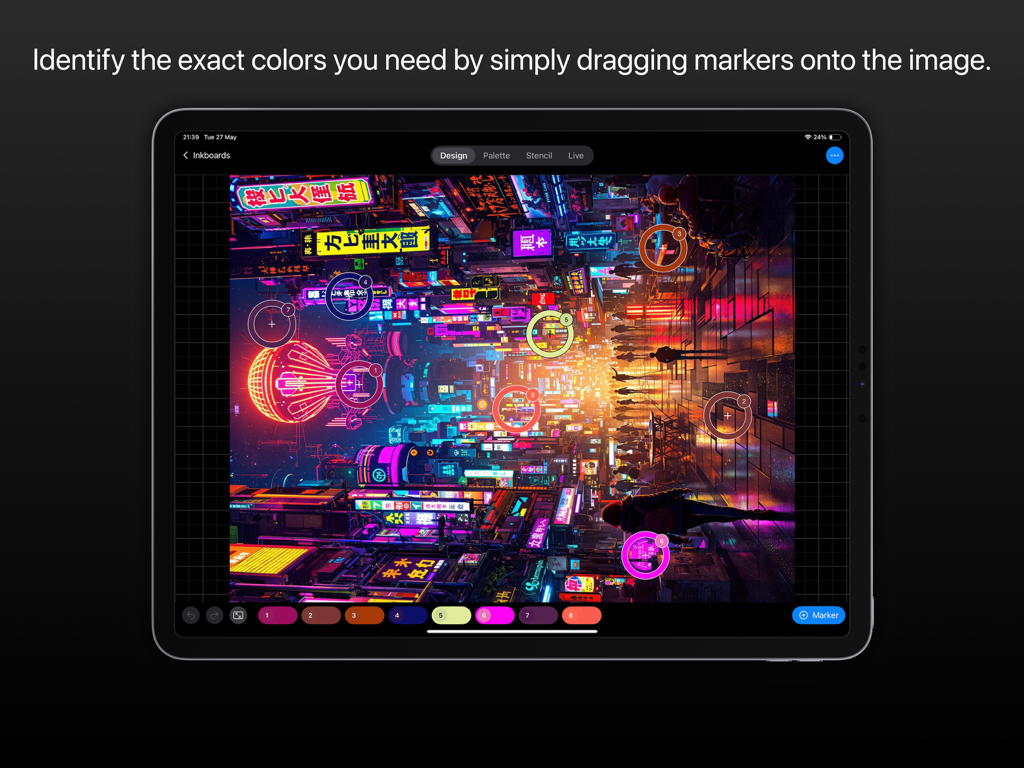
Tattoo artist app showing how to identify and match colors from a digital image to physical ink shades

Tattoo artist app showing how to identify and match colors from a digital image to physical ink shades

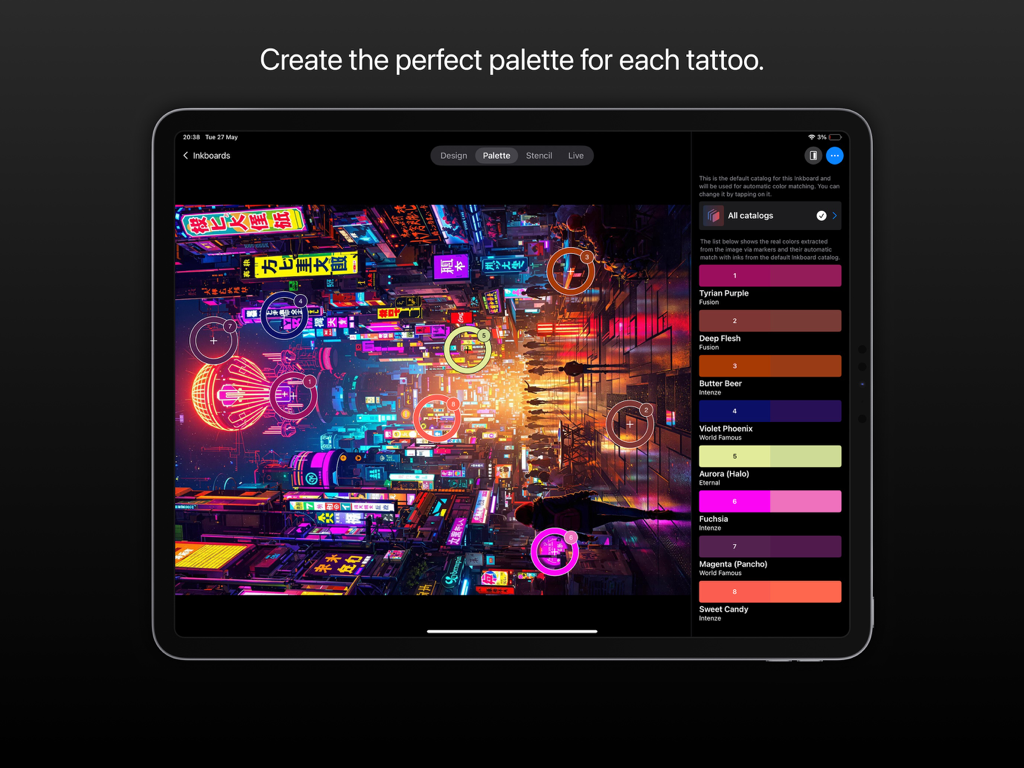
Inksquad Artist iPad app interface showing digital color palette extraction and matching with professional tattoo ink brands.

Inksquad Artist iPad app interface showing digital color palette extraction and matching with professional tattoo ink brands.

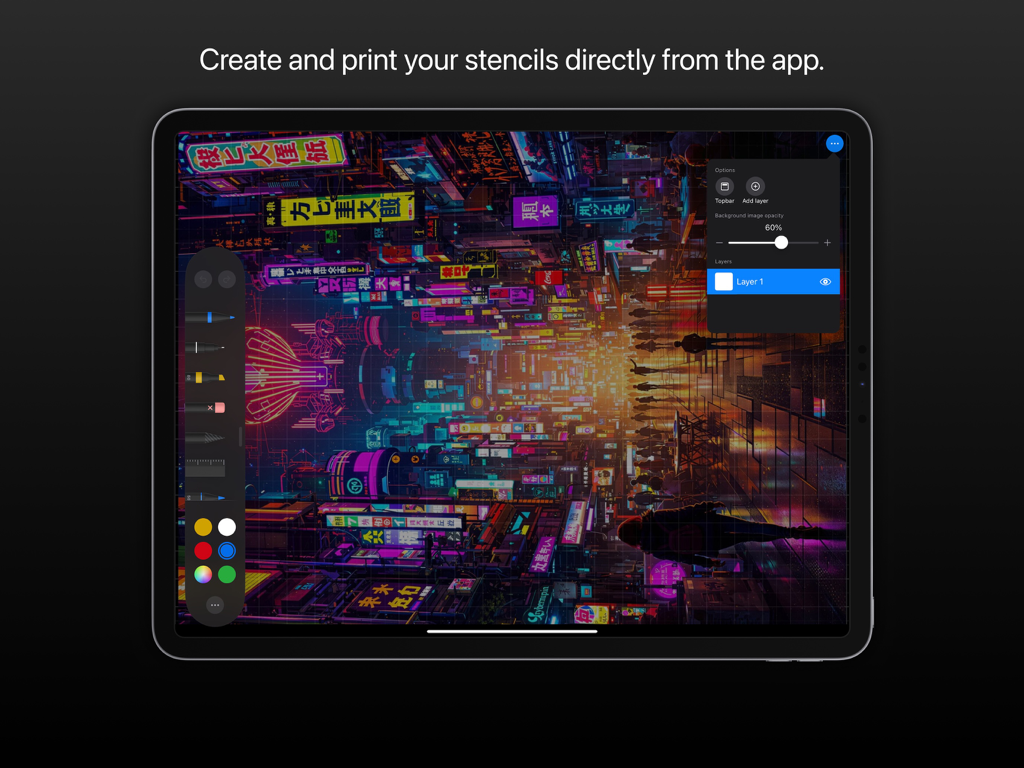
Inksquad Artist tattoo stencil editor interface on iPad showing digital design and layer management tools.

Inksquad Artist tattoo stencil editor interface on iPad showing digital design and layer management tools.

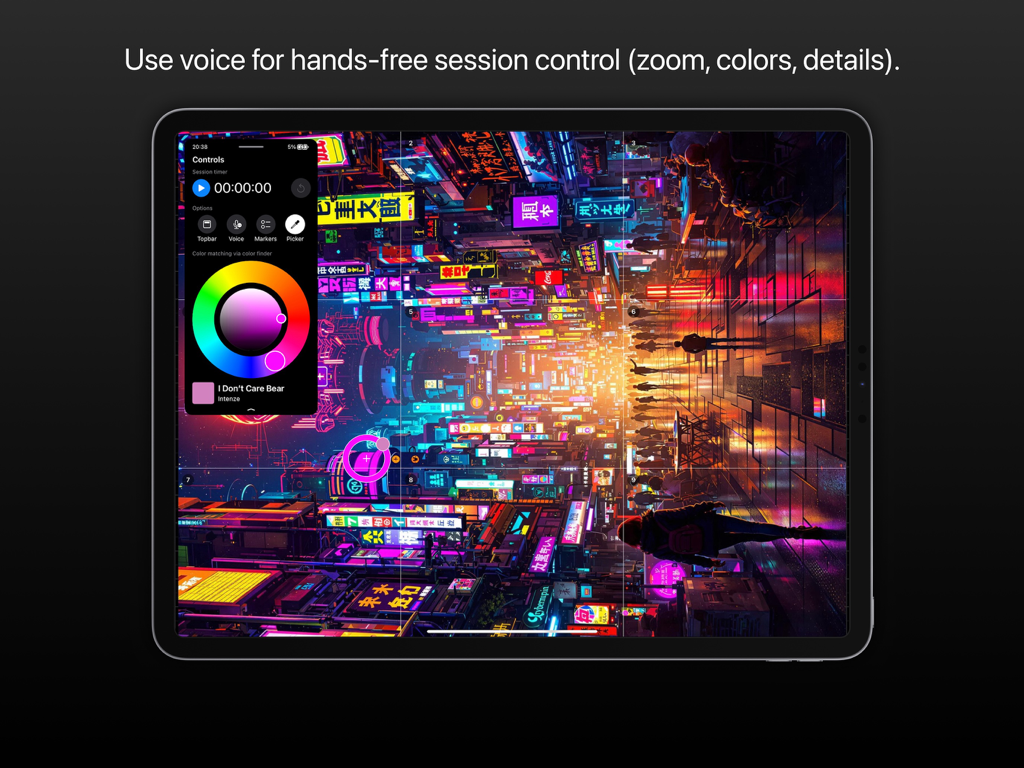
iPad screen of Inksquad Artist app featuring voice control for hands-free tattoo sessions and color matching.

iPad screen of Inksquad Artist app featuring voice control for hands-free tattoo sessions and color matching.

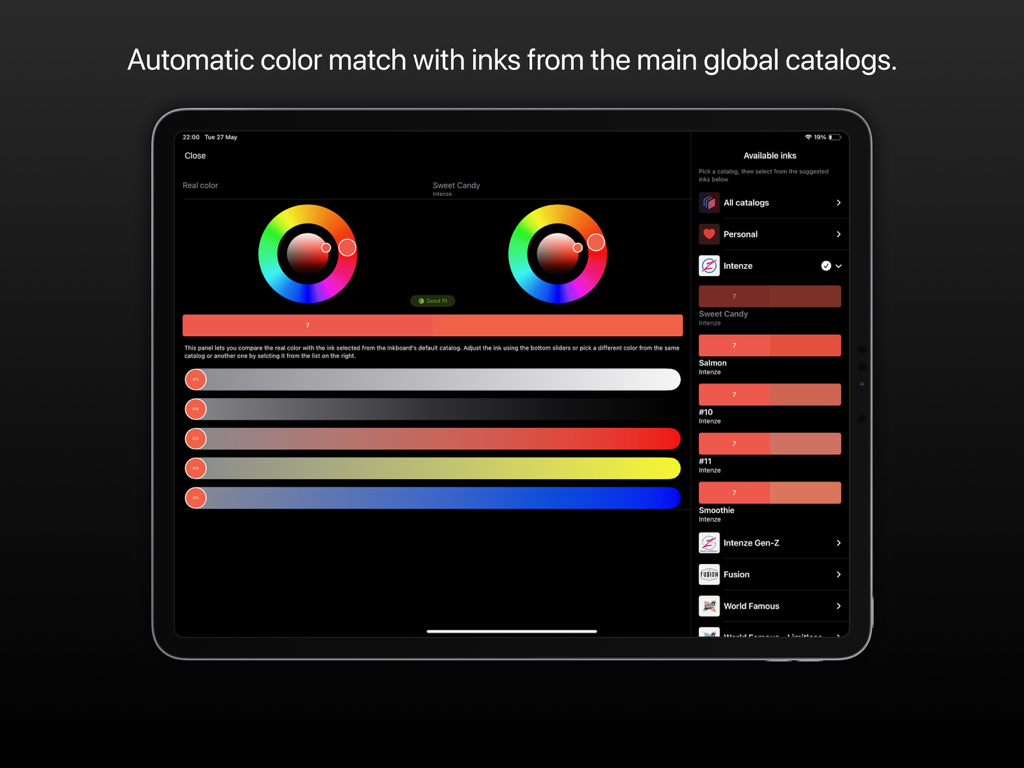
Inksquad Artist app interface showing automatic color matching feature with global tattoo ink catalogs on an iPad

Inksquad Artist app interface showing automatic color matching feature with global tattoo ink catalogs on an iPad

Precision Tools for the Modern Tattoo Artist

The tools that make this app stand out, trusted by 19K+ users.

🎨

Instant Ink Matching

Remove the guesswork by matching your digital sketches with over 400 real-world shades from top global catalogs, ensuring perfect color accuracy on skin.

🗣️

Hands-Free Voice Control

Maintain a sterile environment and stick to OSHA standards by using voice commands to zoom or find colors without ever touching your iPad screen during a session.

✍️

Procreate & AI Integration

Import masterpieces directly from Procreate or use Inksquad AI to generate unique concepts during client consultations, turning ideas into stencils in seconds.

About the app

Everything you need to know about Inksquad Artist.

Description

Inksquad Artist: the ultimate app for Tattoo Artists. Inksquad Artist is the essential application for tattoo artists worldwide. Revolutionize your workflow by automatically matching the colors of your sketches with over 400 shades from the leading ink catalogs. Designed for iPad, empowered for your Art. Inksquad Artist provides you with all the necessary tools to best manage your tattoo sessions. Save precious time, both during preparation and during sittings, thanks to innovative features designed specifically for you. Discover Inkboard: the artboard of Tattoo: We created Inkboards, the definitive digital canvases for your masterpieces on skin. Key features: • Create Without Limits: Bring infinite Inkboards to life by importing your images and sketches from files, Procreate®, Photoshop®, Illustrator®, or generate unique concepts with our integrated and specialized AI. • Instant Color Matching: Identify the exact colors you need by simply dragging markers onto the image. Inksquad Artist will find the perfect match with inks from the main global catalogs, including those compliant with European regulations. • Inksquad AI, Your Creative Assistant: Access Inksquad AI to generate ideas and initial drafts for your next works. It's the ideal tool for brainstorming, even with clients, supporting and not replacing your art. • Voice Control: During sessions, use convenient voice commands to zoom, find colors, and view details, without having to remove your gloves or interact directly with the screen. • Integrated Stencil Editor: Create, crop, resize, and print your stencils directly from the app, thanks to a layer-based editor and professional tools. • Ink Catalogs at Your Fingertips: Consult the main ink catalogs, always updated and easily browsable. • Color Palettes: Create the perfect palette for each tattoo, selecting the inks you own or exploring the entire available range. • Advanced Analysis and Mixing: Deepen your knowledge of color with advanced analysis and mixing tools, such as the color wheel (Wheel) and the matrix (Matrix). And also: • Works offline, for maximum creative freedom. • Receive constant and free updates with new features. • Get tips to optimize the rendering of the colors you use. Terms of Use (EULA): https://www.apple.com/legal/internet-services/itunes/dev/stdeula/

Latest Version

4.1.0

Size

17.2 MB

First Released

May 14, 2022

Ready to Revolutionize Your Tattoo Workflow?

Join 19,000+ professional artists who have eliminated ink guesswork. Download Inksquad Artist for iPad today and bring digital precision to every masterpiece.

Download on App Store

App information, icons, screenshots, and descriptions displayed on this page are sourced from the Apple App Store and are the property of their respective developers. Download estimates and rankings are based on MWM's proprietary models and may not reflect actual figures. This page is provided for informational and analytical purposes only.

Believe this page infringes your intellectual property? File a dispute